Why Did My Facebook Ad Stop Working After Two Weeks? Ad Fatigue Explained
Your Facebook ad worked, then leads dried up after two weeks. Here is how to confirm ad fatigue in Ads Manager, what else it could be, and how often to refresh creatives.

When a Facebook ad stops bringing leads after about two weeks, the most common cause is ad fatigue. The same few thousand people in your service area have seen the same ad three, four or five times. They stopped reacting to it, and Meta now charges you more for every lead because fewer people click. You can confirm it in Ads Manager in about five minutes by comparing frequency, click-through rate and cost per lead week over week. If frequency is climbing while clicks fall, you need new creatives. You do not need a new campaign, a new audience or a bigger budget. If frequency is flat and results still dropped, something else is going on, and the causes below are listed in the order we see them in client accounts.
In short:
- Ad fatigue happens when a small local audience sees the same ad too many times, so clicks drop and the cost per lead rises.
- The fastest check is to compare frequency and click-through rate for the last week against the week before.
- On a small budget, the fix is adding a few genuinely different creatives on a regular schedule, while leaving the ads that still work untouched.
What is ad fatigue on Facebook?
Ad fatigue is what happens when people have seen your ad often enough that it stops registering. The first time a homeowner sees "AC tune-up, booked this week, no overtime fees," it might stop their thumb. By the fourth time, their brain files it as furniture and scrolls past.
The damage shows up in two places at once, and that is why the drop feels so sudden.
First, fewer people click. Your click-through rate falls, so you get fewer form opens and fewer leads from the same number of impressions.
Second, each impression gets more expensive. Meta's auction rewards ads that people react to. When reactions fall, Meta predicts your ad is less likely to get a result, you win fewer cheap auctions, and your cost per 1,000 impressions (CPM) goes up. You pay more to show an ad fewer people care about.
Put those together and cost per lead can double without anything "breaking." Nothing in your account changed. Your audience did.
This hits local service businesses harder than online stores. A national brand can show an ad to millions of new people every day. A roofer working a 20-mile radius has a fixed pool of homeowners, and Meta does not even show the ad to all of them. It concentrates delivery on the people it predicts are most likely to fill out a form. The "potential audience" number in the ad set might say 180,000. The group actually seeing your ad is often a fraction of that.
Why does it happen after about two weeks?
Two weeks is not a rule. It is where a typical small budget meets a typical local audience. Here is the math, and you can redo it with your own numbers.
For example: say you run an HVAC company, spend $20 per day, and your CPM is $12.
- $20 a day at a $12 CPM buys about 1,667 impressions per day.
- Over 14 days that is about 23,300 impressions.
- Say Meta concentrates delivery on roughly 8,000 people in your area it considers likely to convert.
- 23,300 impressions divided by 8,000 people is an average frequency of about 2.9.
That 2.9 is an average. The most active scrollers in that group, the people on Facebook and Instagram five times a day, have seen your ad 5 or 6 times. They are exactly the people who were most likely to respond in week one, and they are done responding.
Now raise the budget to $50 per day with the same audience and CPM. You buy about 4,167 impressions a day and hit the same 23,300 impressions in under 6 days. Bigger budgets do not prevent fatigue. They get you there faster.
This is also why "it worked great for two weeks" is such a common story. Week one is the best week an ad will ever have in a small market. Everyone seeing it is seeing it fresh.
What are the most common reasons a Facebook ad stops working?
Creative fatigue is the most common reason, but it is not the only one, and fixing the wrong thing wastes another two weeks. These are the six causes we check, ordered from the one we see most often to the one we see least.
1. Creative fatigue: the same ad, the same people
How to check: frequency is rising week over week, link click-through rate is falling, and CPM is creeping up on that specific ad.
How to fix: add new creatives to the same ad set. Do not edit the old ad, and do not start a new campaign. Details on cadence and what to change are further down.
2. The audience is too narrow
This one makes cause 1 happen faster. A 5-mile radius, plus an age filter, plus three stacked interests ("homeowners," "home improvement," "air conditioning") can shrink a city of 200,000 into a few thousand reachable people. Some owners add these filters to "target better." In practice, on Meta, it usually means you exhaust your audience in days.
How to check: open the ad set and look at the estimated audience size. Look at the Delivery column for a "Limited" or "Audience too narrow" note. If frequency was already above 2 after the first week, your audience is small for your budget.
How to fix: widen the radius to the real distance you drive for a job, drop the interest stacks, and let Meta's broad targeting (Advantage+ audience) find people inside your area. For most local services, the location is the targeting. The ad itself does the filtering: a photo of a roof replacement does not attract renters for long.
3. You edited the ad and reset its learning
When results dip, the instinct is to tweak the headline, swap the image or change the budget by a lot. Meta treats significant edits as a reason to re-learn delivery, and while it re-learns, results are unstable and usually worse.
How to check: look at the Delivery column. If it says "Learning" or "Learning limited" on an ad set that used to be active, open Activity History (the clock icon in Ads Manager) and see what changed and when. If results fell the day after an edit, you have your answer.
How to fix: stop editing live ads. Add new ads next to the old ones instead. Change budgets in small steps, not by halving or doubling overnight.
4. The whole market got more expensive
Sometimes your ad did not get worse. Everyone else started bidding for the same people. Roofing after a hailstorm, HVAC at the first heat wave, anything in November and December when retail budgets flood the auction: CPM rises across the board.
How to check: CPM rose on all your ads at once, including fresh ones, while frequency stayed flat and click-through rate held. That pattern is the market, not fatigue. Our post on what drives Facebook ad prices for a small business goes through these seasonal swings in more detail.
How to fix: new creatives will not solve a market problem. Decide whether a lead at the higher price still pays for itself. If it does, hold. If it does not, lower the budget for a few weeks rather than tearing up the campaign.
5. Leads still arrive, but they stopped turning into jobs
The ad may be fine. What changed is what happens after the form. A new person answering the phone, a slower callback, a form that got easier to fill out by accident: any of these turns real leads into junk without touching your ad metrics.
How to check: count the form leads Meta reports, then count how many you actually reached and booked in the same week. If Meta's number is steady and your booked number fell, the problem is downstream. If your forms are the weak spot, our guide to setting up Facebook instant forms that bring real customers covers the settings that filter out junk.
How to fix: call new leads within minutes, not hours, and add one qualifying question to the form (for example, "What is your ZIP code?" or "Do you own the home?").
6. Something technical broke
A declined card pauses delivery. An ad gets re-reviewed and rejected. The Page gets a restriction. These are rare, but they look exactly like "the ad stopped working."
How to check: look at Account Quality in Meta Business Suite and at the notifications bell in Ads Manager. Check that the payment method is current and that every ad still shows "Active."
How to fix: fix the payment, appeal the rejection, clean up whatever triggered the restriction. Do not open a second ad account to get around a restriction. Meta treats that as circumventing its systems and bans for it permanently. If you need a backup, the backup is a different channel, such as Google, not a second Meta account.
| Cause | What you see in Ads Manager | What to do |
|---|---|---|
| Creative fatigue | Frequency up, click-through rate down, CPM up on that ad | Add new creatives to the same ad set |
| Audience too narrow | High frequency early, "Limited" delivery | Widen radius, remove interest stacks |
| Learning reset | "Learning" status after an edit | Stop editing, add new ads instead |
| Market got pricier | CPM up on all ads, click-through rate stable | Recheck lead math, adjust budget, wait |
| Leads not converting | Meta leads steady, booked jobs down | Faster callbacks, qualifying question |
| Technical problem | Ads not delivering, warnings | Fix payment, appeal, no new accounts |
How do I check frequency and cost per lead in Ads Manager?
You need one saved column view and one date comparison. It takes about five minutes the first time and one minute after that.
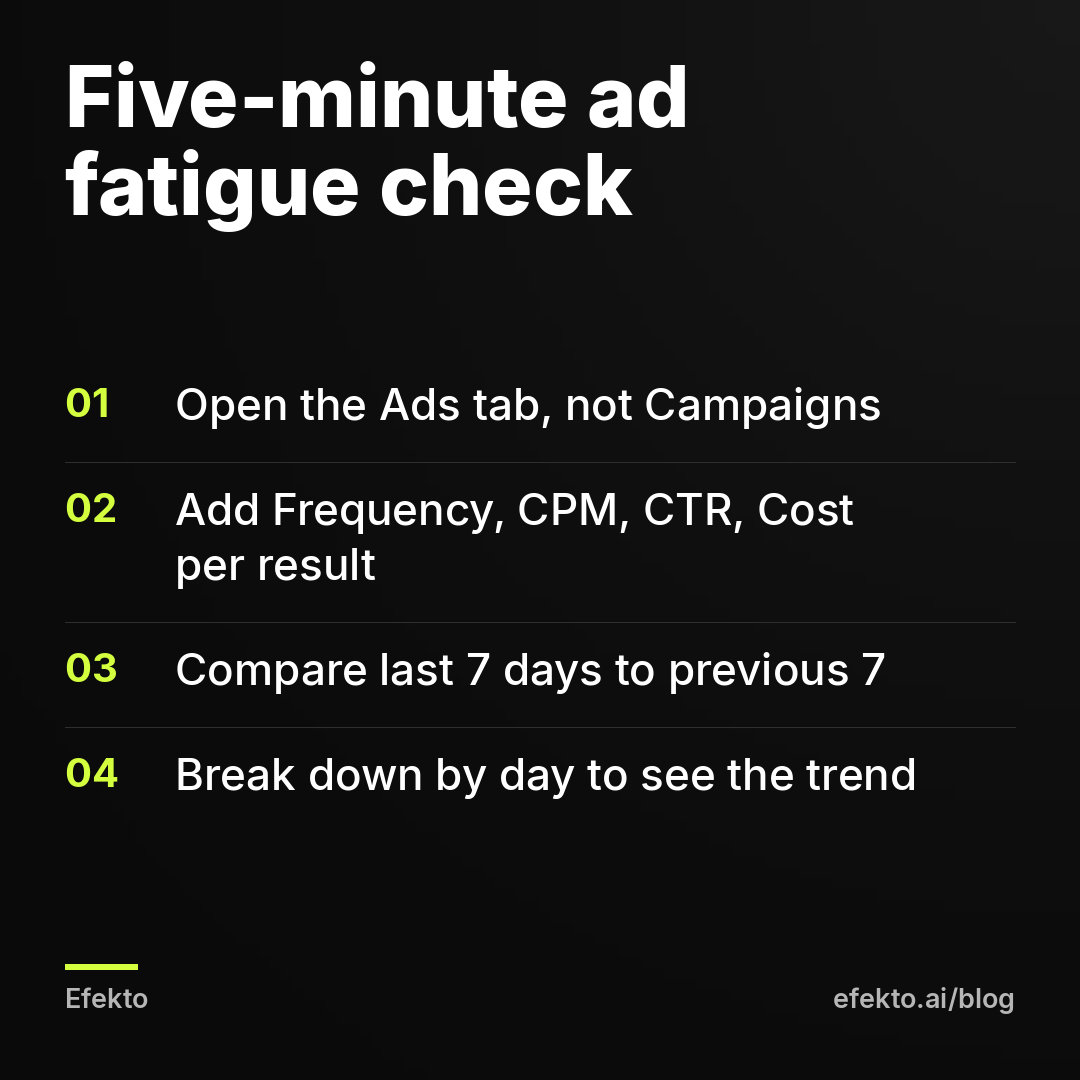
- Open Ads Manager and click the Ads tab, not Campaigns. Fatigue happens to individual ads, and campaign-level numbers average it away.
- Click Columns, then Customize columns. Add: Reach, Impressions, Frequency, CPM, CTR (link click-through rate), Results and Cost per result. Save it as a preset, for example "Fatigue check."
- Also add the three relevance diagnostics: Quality ranking, Engagement rate ranking and Conversion rate ranking. A drop from "Average" to "Below average" on engagement is a fatigue signal.
- In the date picker, choose Last 7 days and turn on Compare to the previous 7 days.
- For the ad that dropped, open Breakdown, then By Time, then Day. You will usually see the decline happen gradually over several days, not overnight. An overnight drop points to an edit, a rejection or a payment issue instead.
What frequency is too high for a local service ad?
There is no official number, and anyone quoting one as a Meta rule is guessing. Here is the orientation we use in our own accounts for cold local audiences, meaning people who have not visited your site or engaged with your Page.
We start watching an ad closely once its frequency passes about 2.5. We act once it passes roughly 3.5 and link click-through rate has fallen by about a third compared with its first week. Treat both numbers as a starting point from our experience, not a threshold you will find in Meta's documentation.
Frequency on its own means little. A retargeting ad shown to people who already requested a quote can run at 6 or higher and keep converting, because those people expect to see you again. A frequency of 3 with a stable click-through rate is fine. A frequency of 3 with click-through rate cut in half is fatigue. Always read the two together, with cost per lead as the result.
Here is what the pattern looks like over three weeks. The numbers are an example, not results from a real account.
| Example, $20/day | Week 1 | Week 2 | Week 3 |
|---|---|---|---|
| Spend | $140 | $140 | $140 |
| CPM | $11 | $13 | $15 |
| Frequency (since launch) | 1.8 | 3.1 | 4.4 |
| Link click-through rate | 1.6% | 1.1% | 0.7% |
| Leads reported by Meta | 10 | 6 | 4 |
| Cost per lead (per Meta) | $14 | $23.33 | $35 |
| Leads that were real and reachable | 7 | 4 | 2 |
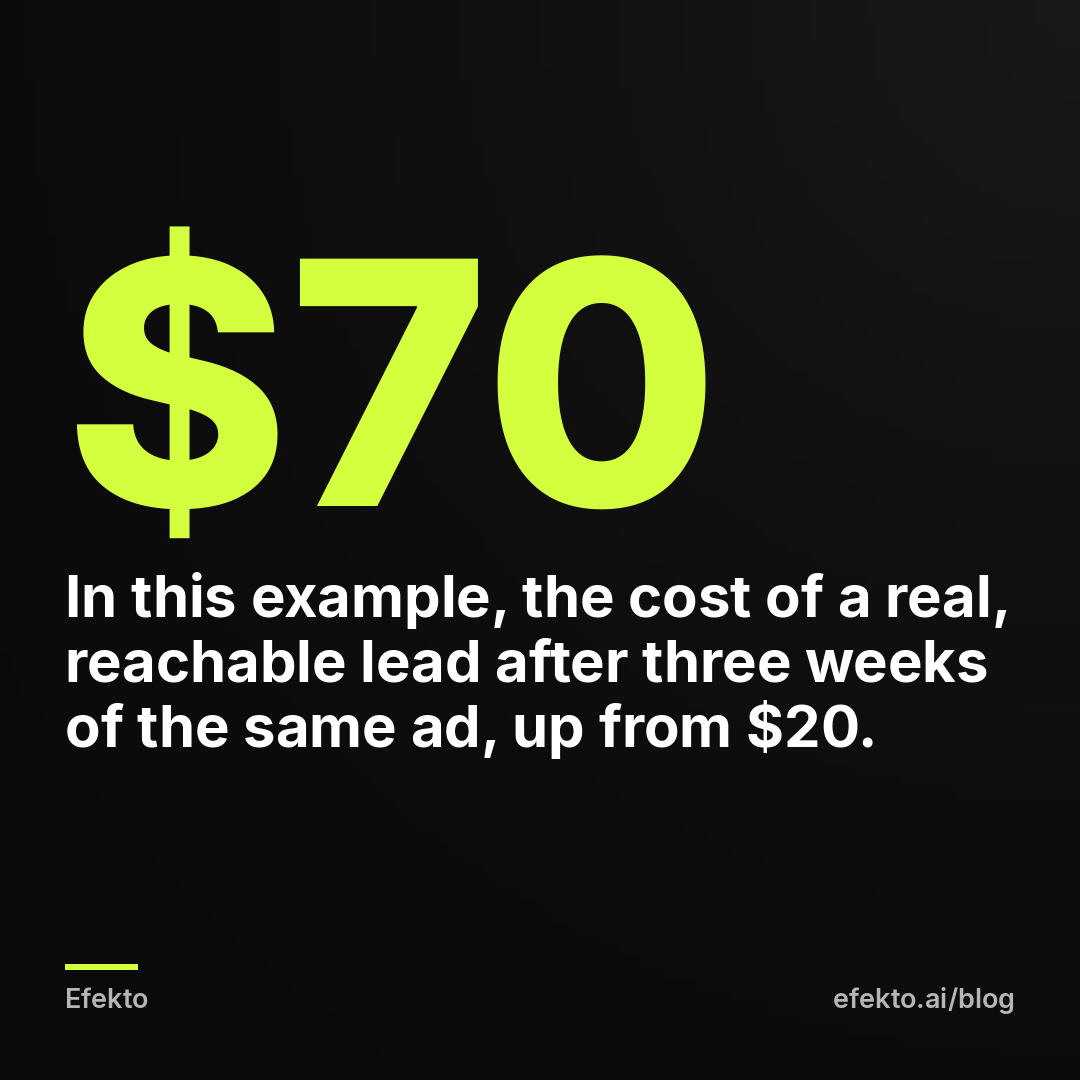
| Cost per verified lead | $20 | $35 | $70 |
The gap between the two cost lines matters. Meta's cost per lead counts every submitted form, before anyone has called the person back. Some forms have wrong numbers, some come from people outside your area, some are people who tapped through by accident. The cost of a lead you can actually talk to is always higher.
In this example, Meta's number went from $14 to $35, which looks bad. The verified number went from $20 to $70, which is what you are actually paying. If you only watch Meta's figure, fatigue looks half as expensive as it really is.
To see what that means in jobs: say one in three verified leads books, and an average ticket is $400. In week 1, $140 bought about 2 booked jobs worth roughly $800 in revenue. In week 3, the same $140 bought fewer than 1. Same budget, same ad, same town.
How often should you refresh Facebook ad creatives on a small budget?
Refresh as often as your budget burns through your audience. For most local service businesses spending $15 to $30 a day in a mid-size area, that means new creatives every two to four weeks.
The table below is the cadence we use as a starting point. It comes from our own campaigns, it is not a Meta guideline, and the audience sizes are rough examples of the people actually reachable in your radius.
| Daily budget | Smaller area (example: under 50,000 reachable people) | Larger metro area |
|---|---|---|
| $15 to $30 | 2 to 3 new creatives every 2 weeks | 2 to 3 new creatives every 3 to 4 weeks |
| $30 to $60 | 2 to 3 new creatives every 7 to 10 days | 2 to 3 new creatives every 2 to 3 weeks |
| $60 and up | Consider whether the area can absorb this budget at all | 3 to 4 new creatives every 1 to 2 weeks |
Then let the numbers override the calendar. If an ad is three weeks old and still at its week-one click-through rate, leave it alone. If an ad is nine days old and already fading, replace it early.
How to rotate without breaking what works:
- Keep three to five active ads per ad set. Fewer than three and you have nothing to fall back on when one fades. More than five on a $20 budget and none of them gets enough impressions for Meta to learn which is best.
- Add new ads to the existing ad set. The ad set keeps its delivery history. A brand new campaign starts from zero.
- Turn off the worst ad, not all of them. Pause the one with the highest cost per lead and the lowest click-through rate. Leave the winners running until they fade too.
- Give a new ad a few days and some spend before judging it. On $20 a day, judging a creative after one day and $20 of spend is judging noise.
- Write down what each ad tried. "Before/after photo, price in headline" versus "owner on video, no price." After two or three rounds you will know which angles your market responds to, and every next refresh gets easier.
What should a new creative actually change?
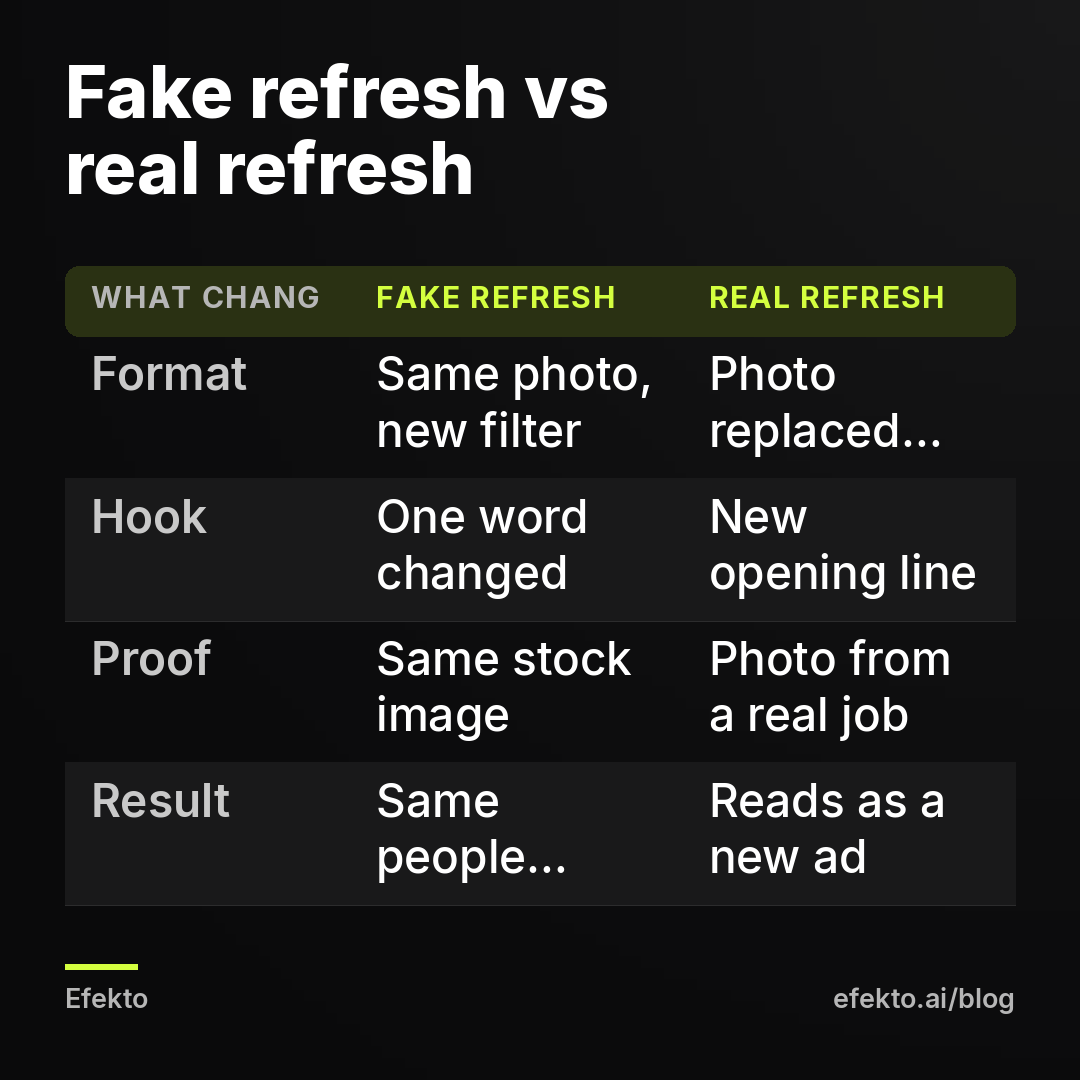
A new creative has to look and read like a different ad to someone who has already seen yours four times. A new button color, a slightly different headline or the same photo with a filter does not count. People skim. If the first second looks familiar, they scroll.
Change at least one of these, ideally two:
- The format. If you ran photos, try a short vertical video. If you ran video, try a single strong photo with a clear headline.
- The hook, meaning the first line of text or the first second of video. "Your AC will fail on the hottest day of the year" and "AC tune-up for $89, done in an hour" are two different ads, even with the same picture.
- The proof. Swap a stock-looking photo for a real job: a real roof from your last project, real swirl marks before a polish, your actual technician in your actual van.
- The offer. A free inspection, a seasonal price, a same-week booking promise you can actually keep. Change the offer only if you can deliver it.
A few examples of what different angles look like by industry:
- Car detailing: a before/after split image of paint correction, then a 15-second video of the foam cannon, then a photo of a finished interior with the price.
- Roofing: a drone photo of a finished roof, then a photo of storm damage with "Free inspection, we deal with your insurance," then the owner on camera explaining what a roof inspection includes.
- HVAC: a technician photo with a tune-up price, then a "signs your furnace is about to quit" checklist image, then a short video of a real install.
What should you not do when your Facebook ad stops working?
Most of the damage we see after a drop comes from the reaction to it, not from the drop itself. These are the moves we would stop.
- Editing the ad that used to win. It resets learning and you lose the version that worked. Add a new ad next to it instead.
- Duplicating the whole campaign. A duplicate shows the same tired creative to the same people, now with two campaigns bidding against each other in the same auction.
- Doubling the budget to "push through." More money on a fatigued ad means reaching the same people more often, at a higher CPM. Frequency goes up faster and cost per lead with it.
- Widening to the whole state. Fresh people outside your service area are not customers. You will get cheaper leads you cannot serve.
- Judging after a day. A single bad day on $20 means nothing. Look at a week, then compare it with the week before.
- Opening a new ad account "to start fresh." This does nothing for fatigue, and if the old account had any restriction, Meta treats it as an attempt to get around it.
The common thread: fatigue is a creative problem, so the fix lives in the creative. Structure, budget and targeting changes feel like action, but they usually make the next two weeks worse.
When is new creative not the answer?
New creative is not the answer when the ad was never really working, when your area is too small for any ad to stay fresh, or when the leads arrive but nobody turns them into jobs.
The ad got clicks but never calls. If week one also had a high cost per lead, you do not have fatigue. You have an offer or a landing page problem. Our guide on Facebook ads that get clicks but no calls walks through that diagnosis.
Your market is tiny. In a town where a few thousand people are realistic customers, even a new ad every week will hit the same faces. The honest fix is a lower daily budget and a longer runway, not faster refreshes. Some markets simply cannot absorb $50 a day on Facebook.
You cannot make new creatives. If there are no real photos of your work and no way to get any, refreshes will be stock images rotated against stock images. Spend one afternoon photographing five real jobs first. It will do more than any setting.
The phone is the bottleneck. If leads sit for hours before a callback, fresher ads only produce more leads that go cold. Fix the response time first.
Can you automate creative refreshes?
Yes, and on small budgets this is the part we think is most worth automating. Refreshing creatives every two to four weeks is not hard. It is just easy to skip when you are on a roof or under a car, and every skipped week costs leads. We have an interest here, and we will say it plainly: we earn money when businesses run ads on Meta, and the team behind Efekto has run lead generation campaigns for over 300 Lemon Agency clients. Efekto exists because we got tired of doing this rotation by hand. Efekto creates ads from your website, publishes them, and optimizes them every day: it turns off the ones that don't bring results and scales the ones that do. You approve the first batch, at least 5 ads, before the campaign starts. The Starter plan includes 60 images and 6 videos per month, which covers the refresh cadence in the table above with room to spare. The minimum daily ad budget is $15 per day. You can see the full flow on how Efekto works.
It does not make sense when your problem is not on the ad side. If leads arrive and nobody calls them back within the hour, if your service area is so small that any ad wears out in days, or if you cannot spend at least $15 a day, automation will not fix it. In those cases, fix the callback process, lower your expectations for volume, or put the money into Google search ads, where people are already looking for your service and fatigue matters far less.
What we would do with an ad that stopped working this week
Here is our position, plainly. Most "my Facebook ads stopped working" problems we see in local service accounts are fatigue, and most of the fixes people try first make them worse. The industry habit of answering every drop with a new campaign, a new audience or a bigger budget is wrong for small local accounts. It treats a creative problem as a structural one and resets the only thing that was working: the account's delivery history.
If an ad dropped this week, this is what we would do, in order. Run the five-minute check on the Ads tab. If frequency is up and click-through rate is down, add two or three genuinely different creatives to the same ad set today. Pause only the worst performer. Do not touch the budget for a week. Then put a recurring reminder in your calendar for the next refresh, and treat creatives as a monthly supply, not a one-time setup.
FAQ
Does Facebook stop showing an ad after a while?
No, Meta keeps delivering an ad as long as it is active and the budget allows. What changes is how well it performs: as the same people see it repeatedly, fewer react, and Meta charges more per impression. The ad still runs, it just runs worse.
Should I duplicate an ad that stopped working?
Usually not. A duplicate is the same creative shown to the same people, so it inherits the fatigue and adds a learning phase on top. Make a genuinely new ad with a different format, hook or photo instead.
Will increasing my budget fix ad fatigue?
No. A bigger budget shows the same ad to the same audience more often, which raises frequency faster and usually raises cost per lead. Budget increases make sense only after fresh creatives are in place and performing.
How many ads should I run at once with a small budget?
From our experience, three to five active ads per ad set is a workable range at $15 to $30 a day. Fewer leaves you nothing to fall back on when one fades, and more spreads the budget so thin that no ad gets enough data to prove itself.
If you would rather have fresh ads created and rotated for you every day, you can start a campaign at efekto.ai.
- Jakub Zwoliński
Founder, Lemon Agency · Efekto · October 23, 2026