Alternatives to a Facebook Ads Agency: How to Choose Between Doing It Yourself, a Freelancer or an App
Three alternatives to a Facebook ads agency compared on owner time, ad account control, required knowledge and who checks results every day, plus a checklist to pick yours.

There are three real alternatives to a Facebook ads agency. You can run the ads yourself in Ads Manager, hire a freelancer, or use an app that creates and runs the ads for you. Pick by four things: how many hours a week you can give it, who owns the ad account, how much you already know about Meta ads, and who looks at the results every single day. Our position is simple. Keep the ad account in your own name whichever option you choose. Rule out any option where nobody checks the numbers daily, because that is where small budgets quietly disappear.
In short:
- Doing it yourself costs the least money and the most hours, and it only works if you will open Ads Manager every day.
- A freelancer saves your time, but you still have to set the rules: your ad account, partner access only, and a written list of what gets checked and how often.
- An app that runs your ads, not just one that generates images, replaces most of the daily work but cannot fix a weak offer or slow follow-up on leads.
We should say where our interest lies. Our team runs a lead generation agency, Lemon Agency, which has worked with more than 300 clients, and we also build an app in this category. So we have a stake in two of the three options below. We wrote this so it is useful to you whichever one you pick.
What are the alternatives to hiring a Facebook ads agency?
The alternatives are DIY, a freelancer, or an app. They differ less in the ads they produce than in who does the daily work. Every Facebook campaign for a local service business needs the same five jobs done: making creatives, setting up the campaign, checking results daily, making changes weekly, and calling back the leads. An agency takes the first four. Each alternative splits them differently.
Doing it yourself means you create the images and videos, build the campaign in Meta Ads Manager, and read the numbers yourself. You keep full control and pay only for ad spend. The price is your time and a learning curve.
A freelancer is one person who runs your account, usually through partner access to your Meta business portfolio. Freelancers vary a lot in what they include. Some make creatives, some only manage campaigns, and some check accounts daily while others check weekly. You define the scope.
An app is software. Be careful here, because the word covers two very different tools. Some apps generate ad images or videos and stop there, and you still publish and manage everything. Others connect to your ad account, publish the ads and change them over time. We wrote a separate post on the difference between AI ad generators and tools that actually run your ads. Only the second type replaces agency work.
| Criterion | Do it yourself | Freelancer | App that runs ads |
|---|---|---|---|
| Your time per week | Highest | Low, plus review | Lowest, plus approvals |
| Who owns the ad account | You | You, if you set it up that way | You, or the provider (check) |
| Knowledge you need | Ads Manager, targeting, creatives, reading results | Enough to judge reports | Enough to approve ads and judge leads |
| Who checks results daily | You, if you remember | Depends on the agreement | The software |
| Who makes creatives | You | Depends on the agreement | Usually the app |
| What happens if you stop | Nothing, it is yours | You remove partner access | Depends on whose account it is |
The rest of this post walks through the decision in five steps. Then you get a checklist and the mistakes we see most often.
Step 1: How many hours a week does running Facebook ads take?
For a single local campaign done properly, plan on a few hours a week of hands-on work plus a short daily check. Where those hours go matters more than the total. Most owners underestimate creatives and overestimate setup.
Here is an example split for one campaign in a small local account. These are illustrative numbers, not a measurement, so use them to estimate your own week.
| Task | How often | Example time if you do it yourself |
|---|---|---|
| Making new images or short videos | Weekly | 2 to 3 hours |
| Writing headlines and ad text | Weekly | 30 to 45 minutes |
| Checking spend, leads and cost per lead | Daily | 10 minutes |
| Turning off weak ads, moving budget | Weekly | 30 to 60 minutes |
| Calling back leads | Daily | Depends on volume |
Add the example up and DIY lands somewhere around 4 to 6 hours a week before lead follow-up. With a freelancer, your part drops to reading a report and answering questions, maybe 30 minutes a week. With an app that runs the ads, it drops to approving new creatives and looking at the leads.
The line that never disappears is the last one. Calling back leads is your job under every option, agency included. If leads sit for a day, the ad did its job and the business did not. That is the most common reason owners decide Facebook "doesn't work".
How to do this step: take your calendar for next week and block 10 minutes every weekday plus one 2-hour slot. If you cannot keep those blocks free for four weeks in a row, DIY is out. Move on to the freelancer or app options.
Step 2: Who should own the Facebook ad account?
You should. Whatever option you choose, the ad account, the payment method, the Facebook page, the pixel and the lead form data should sit inside a Meta business portfolio that you own. Other people get access. They do not get ownership.
This matters for three practical reasons. First, the ad account holds your history: which ads worked, what leads cost, which audiences responded. Lose the account and you start from zero. Second, lead forms store contact details of your customers. Third, if a working relationship ends, you want to remove someone's access in two minutes, not negotiate for your own page.
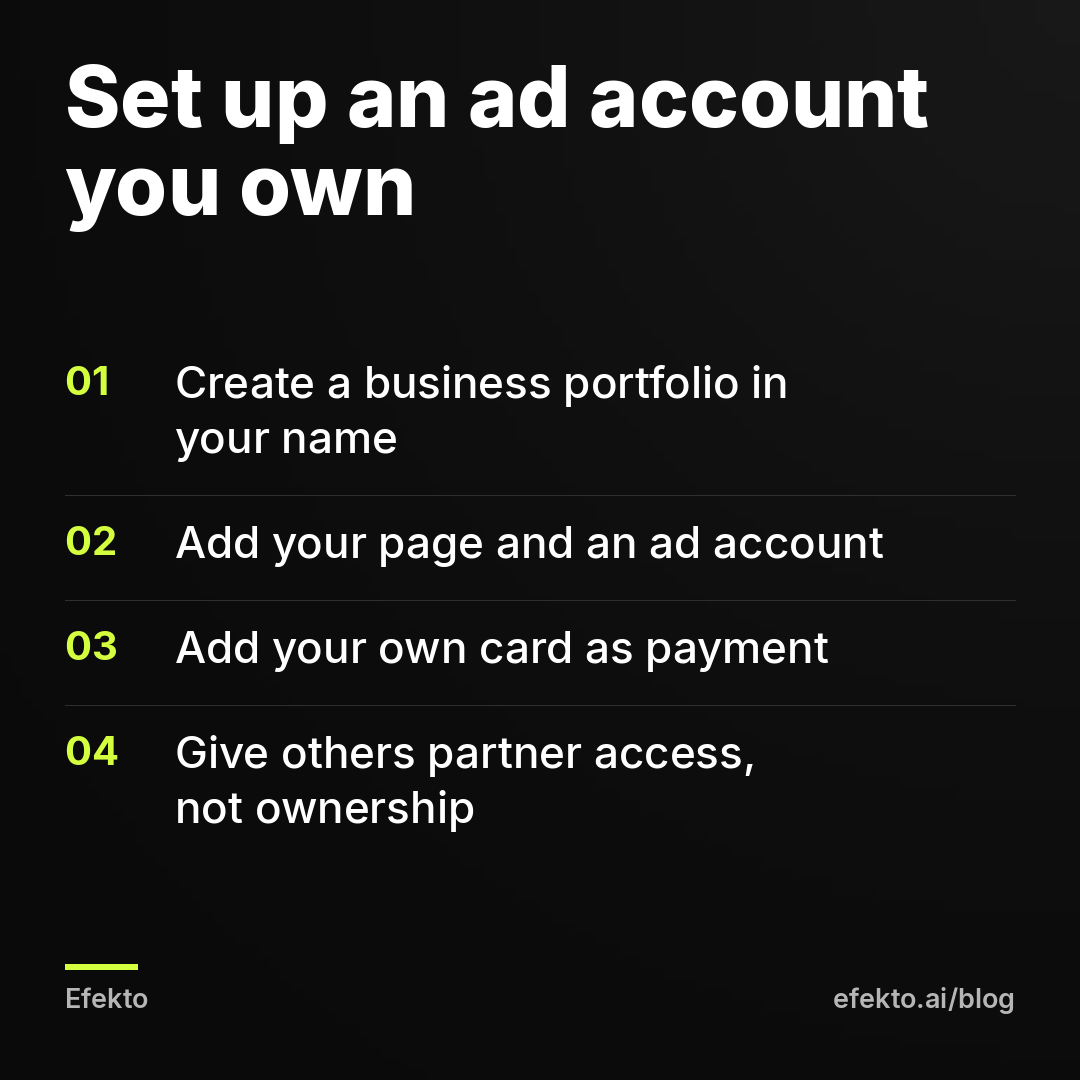
How to set it up in about 20 minutes
- Go to Meta Business Suite and create a business portfolio under your business name, with your email as admin. Add a second admin you trust, such as a co-owner, so you are never locked out.
- Add your Facebook page and Instagram account to the portfolio. If someone else created the page years ago, ask them to transfer it now, while you are on good terms.
- Create an ad account inside the portfolio and add your own card as the payment method. You see every charge, and nobody can bill you through their card with a markup.
- Create the pixel (Meta calls it a dataset) inside the same portfolio and install it on your website.
- When you bring in a freelancer, use partner access. They add your portfolio from their side and you approve, or you add their business as a partner. They work in your account without owning it.
Some apps and providers let you run ads from their ad account instead of yours. That can be convenient if you have never advertised, or if your own account has payment problems. Before you agree, ask one question in writing: what happens to my ads, my lead data and my results if I stop? A clear answer is fine. A vague one tells you everything.
One thing we never recommend: creating spare ad accounts "just in case" one gets restricted. Meta treats that as circumventing its systems and can ban permanently for it. If you want a backup, the backup is a second channel such as Google, clean business documents and a proper appeal. Not a second account.
Step 3: How much do you need to know to run Facebook ads yourself?
To run ads yourself without wasting the first month, you need working knowledge of six things. To supervise a freelancer or an app, you need only the last two. This is the honest test for DIY, and most owners skip it.
- Campaign objective. Leads, Traffic and Awareness optimize for different things. A local service business almost always wants Leads, with either an instant form or a website conversion. Pick Traffic and Meta will find you people who click, not people who call.
- Instant forms. They are the easiest way to get contact details without a good landing page. They are also the easiest way to get junk. Form settings decide which one you get. We covered this in detail in how to set up Facebook lead ads so you get real customers, not junk leads.
- Location and audience. For local services, a radius around where you actually work matters more than interests. Broad audiences with a tight location usually beat narrow interest stacks.
- The learning phase. After launch or a big edit, Meta needs time and conversions to learn. Owners who change something every day keep the campaign in learning forever.
- Creative fatigue. The same audience sees the same ad until results drop, often after a couple of weeks. You need a steady supply of new creatives. Here is why Facebook ads stop working after two weeks and what to do about it.
- Reading cost per lead correctly. This is the one you need under every option.
Why the cost per lead in Ads Manager is not your real cost
The cost per lead Meta shows you is the cost of a form submission before anyone has checked it. Some of those submissions are fake numbers, people who misclicked, or people outside your service area. Your real cost is spend divided by leads you actually verified, meaning you reached the person and they need what you sell. It is always higher than the number in Ads Manager.
For example: you spend $600 in a month and Meta reports 20 leads, so $30 per lead. You call all 20 and 12 turn out to be real. Your verified cost per lead is $50. If you judge a freelancer, an app or yourself only by the $30, you are grading the wrong number.
If items 1 to 5 sound unfamiliar and you do not want to learn them, DIY will cost you a month or two of budget in tuition. That is not a disaster. Just decide it on purpose.
Step 4: Who checks the results every day, and why does it matter?
Someone has to look at the account every day, because the budget spends every day. This is the criterion owners rate lowest and the one that decides most outcomes. A weekly check means a broken ad can run for six days before anyone notices.
For example: you run $30 a day across four ads. One of them gets most of the budget and brings no leads, maybe because the form is broken or the image confuses people. Checked daily, you lose one day and about $30 on that ad. Checked weekly, it can eat most of $210 before you see it. Over a month, the difference between daily and weekly checking can be the difference between "Facebook works" and "Facebook doesn't work".
Here is how the whole chain looks for a local service business, with example numbers. Plug in your own.
| Step | Example value | How it is calculated |
|---|---|---|
| Daily budget | $30 | Your choice |
| Monthly spend | $900 | $30 x 30 days |
| Cost per lead in Ads Manager | $30 | What Meta reports |
| Form leads | 30 | $900 / $30 |
| Verified leads | 18 | Example: 60% are real after a call |
| Verified cost per lead | $50 | $900 / 18 |
| Booked jobs | 6 | Example: 1 in 3 verified leads books |
| Average job value | $400 | Your number |
| Revenue | $2,400 | 6 x $400 |
Now look at which levers each option actually pulls. Daily checking moves the cost per lead line, because bad ads get turned off sooner and good ones get more budget. Creative quality moves the same line. Your phone moves the booking rate, and no option touches that except you.
What a daily check should include
Whoever does it, the daily check is short and specific:
- Spend yesterday versus the daily budget. A big gap means delivery problems.
- Leads yesterday per ad. An ad with high spend and zero leads for two to three days in a row gets turned off.
- Cost per lead per ad versus your target. The best ad gets more budget, gradually.
- Any rejected ads or account notifications.
- New leads that have not been called yet.
Under DIY, that is you. With a freelancer, put it in writing: "you check the account every weekday and act on these five points." Many freelancers work this way, others check less often, and both are legitimate setups. You just need to know which one you are paying for. With an app, check whether it actually changes the ads and budget daily or only shows you a dashboard.
Step 5: How do you work with a freelancer without losing control?
You keep control with four things agreed before the first ad goes live: access, scope, reporting and exit. None of this is about whether the freelancer is good. It is about making it easy to tell.
Access. Partner access to your business portfolio, never your personal Facebook login. Your card on the ad account. If they ask to run ads from their own account, ask why and what happens at the end.
Scope. Write down who makes the creatives, how many new ones per month, how often the account is checked, and who sets up lead forms. "Managing your ads" means different things to different people.
Reporting. Ask for a weekly report with the same five numbers every time: spend, form leads, cost per lead in Ads Manager, how many ads were turned off or added, and what changes they plan next week. You add the sixth number yourself: verified leads.
Exit. Agree that when you stop, you remove partner access and everything stays in your account: ads, audiences, forms, pixel data. If you set up ownership as in Step 2, this happens automatically.
One more practical point. Send your freelancer lead quality feedback every week: "of 15 leads, 9 were real, 3 booked." Without that, they optimize for Meta's number, because it is the only one they see.
Step 6: When does an app that runs your ads make sense, and when does it not?
An app that runs your ads makes sense when you want the daily work done without a person on retainer, your budget is modest, and you already have a website and a clear offer. It does not make sense when your problem is strategy, brand or capacity, because software only runs ads.
First, sort the apps. A generator makes images or videos and leaves publishing, budget and daily changes to you, so it saves creative time but not checking time. A tool that runs ads connects to an ad account, publishes, and adjusts ads and budget over time. When you compare, ask three questions: does it publish the ads, does it turn ads off and move budget on its own, and whose ad account does it use.
Efekto is the app our team built, and it is one of the options in the second group. It comes out of Lemon Agency, where we have managed more than $1M in client ad spend, and it does what we did by hand in ad accounts. Efekto creates ads from your website, publishes them, and optimizes them every day: it turns off the ones that don't bring results and scales the ones that do. You approve the first batch, at least 5 ads, before the campaign starts. It runs on your own Facebook ad account or on an Efekto ad account with the budget topped up in advance. More detail is on our page about using Efekto instead of an agency.
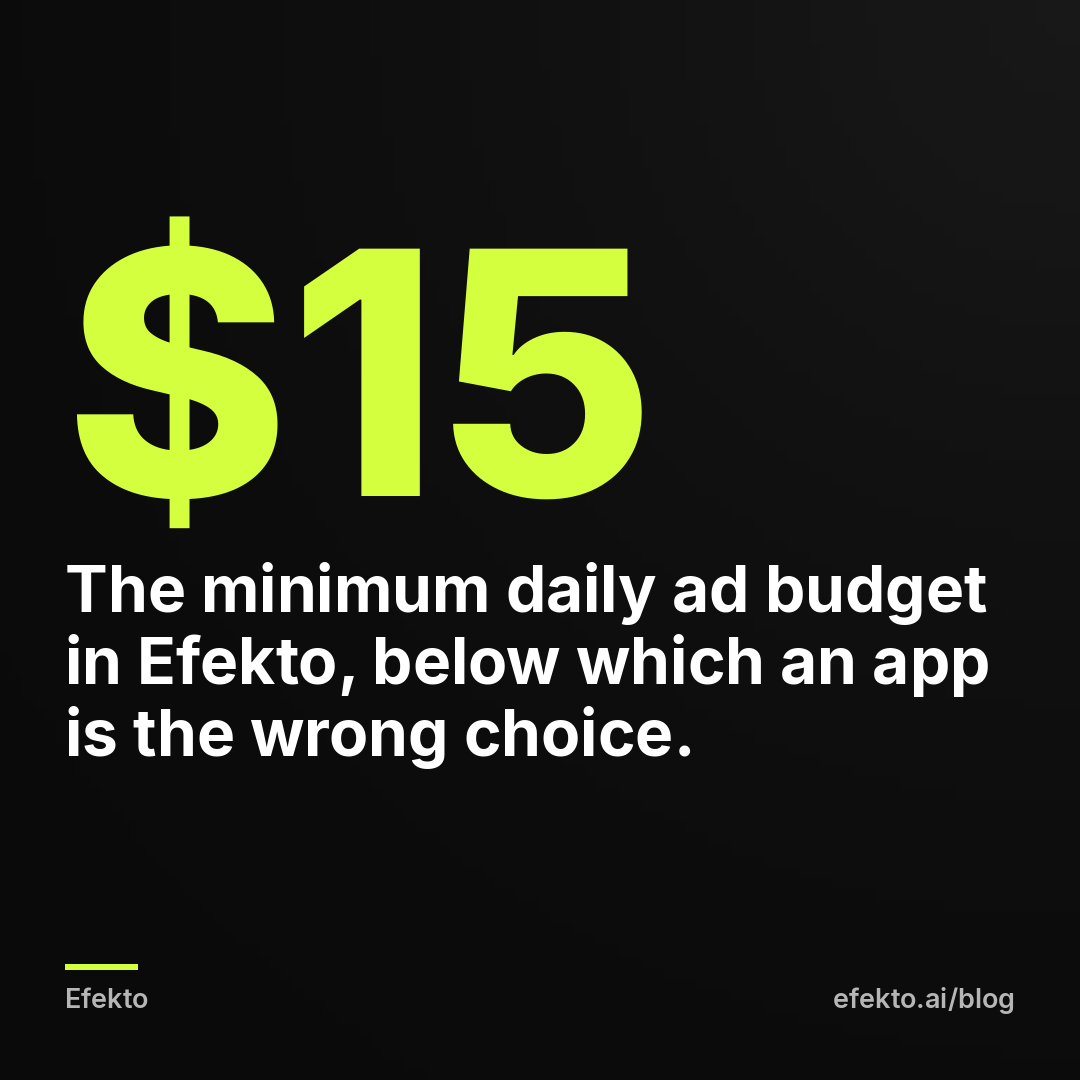
The numbers you need to decide: the Starter plan is $149 per month for one campaign on Facebook and Instagram, the minimum ad budget is $15 per day, and there is a 7-day free trial counted from the launch of your first campaign. No card is needed at sign-up. You add it when you launch. If your budget cannot cover $15 a day plus the plan, an app like ours is the wrong choice for now.
When none of the apps fit
An app, ours included, is the wrong pick when:
- You have no website or a one-page site with no real content. An app that builds ads from your website has nothing to work with. Fix the site first or run DIY with photos of your work.
- You cannot take more jobs. If you are booked six weeks out, more leads create more cancellations, not more revenue.
- Your industry has heavy ad restrictions. Med spas, certain financial services and health claims get ads rejected often. You need someone who knows the policies closely. Our post on med spa ads covers the rules.
- You want a brand strategy, not leads. Positioning, pricing and offers are decisions for you or a strategist.
- Nobody will call the leads within the same day. No option fixes that.
Which option fits me? A quick checklist
Answer each question honestly. Count where most of your answers point.
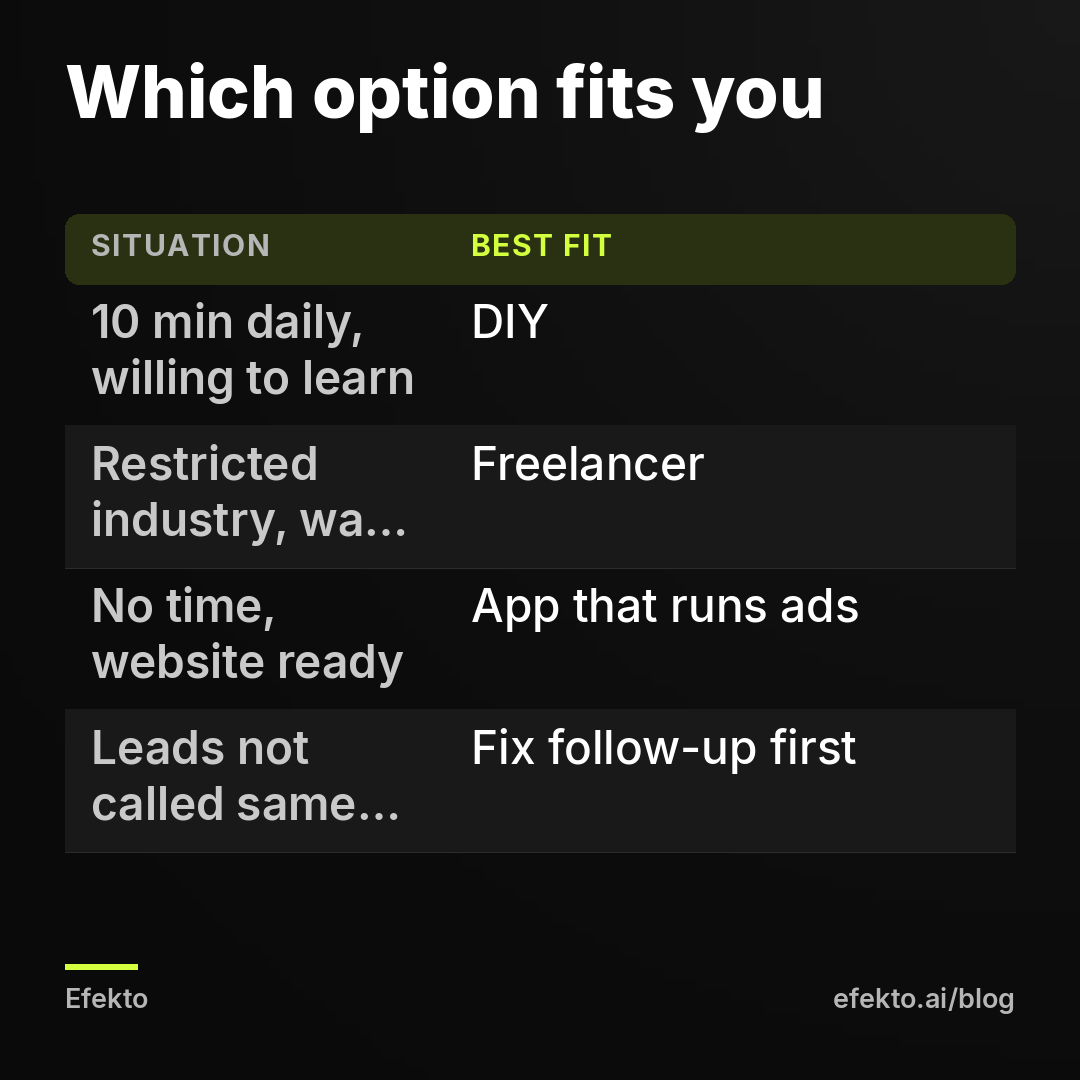
Doing it yourself fits if:
- You can block 10 minutes every weekday and 2 hours a week for at least four weeks.
- You are willing to learn objectives, instant forms, the learning phase and creative fatigue.
- You can make a new image or short video every week, even from your phone.
- Your budget is small enough that a month of learning does not hurt.
- You like knowing exactly why each number moved.
A freelancer fits if:
- You want a person you can call with questions.
- Your account has special needs: restricted industry, several locations, complex offers.
- You will read a weekly report and send back lead quality feedback.
- You are comfortable writing down scope, checking frequency and exit terms.
- You already set up a business portfolio you own, or will do it first.
An app that runs your ads fits if:
- You have a website with your services, photos and service area.
- You do not want to open Ads Manager at all.
- Your budget covers at least the app's minimum daily spend plus the plan.
- You will approve creatives and call back leads quickly.
- Your offer is clear: a specific service, a specific area, a reason to book now.
If you ticked "Nobody will call the leads within the same day" in your head while reading, stop here. Fix follow-up first. Then come back to this list.
What are the most common mistakes when replacing an agency?
The most common mistake is switching options without fixing what actually caused the poor results. Here are the six we see most, with the fix for each.
1. Judging by cost per lead in Ads Manager. Cheap form leads that never answer the phone are not cheap. Fix: track verified leads in a simple spreadsheet and divide spend by that number.
2. Letting someone else own the ad account. It feels fine until the relationship ends. Fix: Step 2, today, before anything else.
3. Checking weekly and calling it management. A broken ad on a daily budget burns money every day it runs. Fix: a daily check, by you, a contract or software.
4. Editing the campaign every day. The opposite mistake. Changing budgets, audiences and ads daily keeps Meta in the learning phase. Fix: check daily, act on clear signals such as two to three days of spend with zero leads, and save bigger changes for a weekly review.
5. Running the same three ads for three months. Results fade and owners blame the platform. Fix: plan new creatives every week or two, whoever makes them.
6. Blaming the ads for a follow-up problem. If you get 20 leads and book 1, look at how fast you called and what you said before you touch the campaign. Our post on why Facebook ads get clicks but no calls walks through the other end of that problem.
FAQ
Is it cheaper to run Facebook ads yourself than to use an agency?
In cash, yes, because you pay only for ad spend. In total cost, it depends on what your hours are worth and how long you take to learn. If DIY costs you 5 hours a week that you would otherwise bill to customers, it may be the most expensive option.
Can I switch from an agency to a freelancer or app without losing my results?
Yes, if the ad account, page and pixel are in your business portfolio. You remove the agency's partner access and the new person or tool works in the same account with all the history. If the agency ran ads in its own account, ask for a handover plan before you end the contract.
What is the minimum budget for Facebook ads for a local business?
Meta lets you start very low, but a budget that brings only a few leads a month makes it hard to tell good ads from bad ones. Many apps and freelancers set their own minimums. In Efekto it is $15 per day.
Do I need a website to advertise on Facebook?
No. Instant forms let people send their details without leaving Facebook. A website still helps, because it makes your business look real and gives tools that build ads from your site something to work with.
What we do ourselves is the same thing we recommend here: every account we touch stays in the business owner's name, someone or something checks it every day, and we judge results by booked jobs, not by the number Meta shows. If you want to see how the app version of that works on your own website, you can start a free trial at efekto.ai.
- Jakub Zwoliński
Founder, Lemon Agency · Efekto · October 23, 2026