Why Am I Getting Job Seekers Instead of Customers From My Facebook Ads?
Facebook leads asking for a job, not a quote? Check ad wording, hiring words, crew photos, an open lead form and a missing 'for homeowners'. Fixes for each.

Start with two things side by side: the primary text of your ad and your last 20 form submissions. If someone skimming the ad for two seconds could take it for a job post, that is your problem, and it usually is. Then check, in this order: hiring words and the button, crew photos, a lead form that lets anyone through, a missing "for homeowners", and whether Meta has already started learning from the job seekers you got.
We make money from ads on Meta, so we have an interest in you keeping them running. That is also why we won't blame the platform here. Facebook isn't sending you job seekers out of spite. It finds people who react to what you show them. If your ad sounds like "we're hiring", it finds people who want to be hired. Every fix below changes the signal you send, and none of them requires a bigger budget.
Does your ad read like a job post?
In our view this is the most common cause. Local service owners write ads the way they talk about the business: proud of the team, the growth, the culture. To a stranger scrolling at night, that reads like a careers page.
Symptom: People reply "is this position still open?", ask about pay or schedules, or list their experience in a free-text field. Some leave a phone number and say they can start Monday.
How to check: Open Ads Manager, click the ad, then "Edit" and read the primary text and headline as a stranger would. Count sentences that are about your company ("we're a growing team", "family-owned since...", "looking for people who care") versus sentences about the customer's problem (a leaking roof, a dead AC, a dirty car). If company sentences win, rewrite. Then go to Leads Center or download the form leads as a CSV and mark each one: customer, job seeker, other. Five minutes is enough.
How to fix: Lead with the customer's problem and the result, then the offer, then the area. Move all "about us" material to one short line at the end, phrased as proof for the customer ("licensed, 4.8 stars on Google"), not as an invitation to join.
| Reads like a job post | Reads like an offer to a customer |
|---|---|
| We're growing and looking for great people to join our family! | AC blowing warm air? Same-day diagnosis in Tampa. |
| Our team of 12 techs is ready to work hard every day. | A licensed tech at your door within 24 hours of your call. |
| Be part of the #1 roofing company in Dallas. | Free roof inspection for Dallas homeowners after the storm. |
| Apply today and start your career with us. | Get your quote in 2 minutes. No phone tag. |
| We value hard work, honesty and teamwork. | Fixed price before we start. No surprise add-ons. |
From our accounts: Of the 55 brands that launched a campaign in Efekto in the 180 days to Nov 15, 2026, 33 have already received a lead; the median time from launch to the first lead was 11.4 hours, and 25 of them got one within 24 hours. For you this means you don't need to wait a week to know whether your wording attracts job seekers. Read the first 5 to 10 leads on day one or two. If two of them ask about a job, stop and rewrite before the campaign learns from them.
Are words like "hiring", "join" or "apply" in your ad or on the button?
Single words are often enough. Job seekers scroll with a filter in their head, and a handful of words trips it.
Symptom: Your copy is mostly fine, but the job questions keep coming. Usually there's one sentence like "join thousands of happy customers" or a button that says "Apply Now".
How to check: Search your primary text, headline, description and form intro for these words: hiring, join, team, opportunity, apply, career, position, openings, positions, crew wanted, looking for, start today. Then look at the call-to-action button in the ad setup. "Apply Now" is a real option in the dropdown and it does exactly what it says: it invites applications. Also check your Facebook Page, because people tap through to it before they submit. If your latest Page posts are "We're hiring!" graphics, the ad inherits that context.
How to fix:
- Replace "join" with the customer's action: "book", "get a quote", "check availability".
- Replace "our team" with "a licensed tech" or "your installer". One person doing a job for the customer, not a group the reader could belong to.
- Change the button to "Get Quote", "Book Now" or "Learn More". We walk through which one fits which offer in our guide to call-to-action buttons for local service businesses.
- Pin a customer-facing post on your Page (a finished job, a review) so the hiring post isn't the first thing visitors see.
Do your photos show your crew instead of the customer's result?
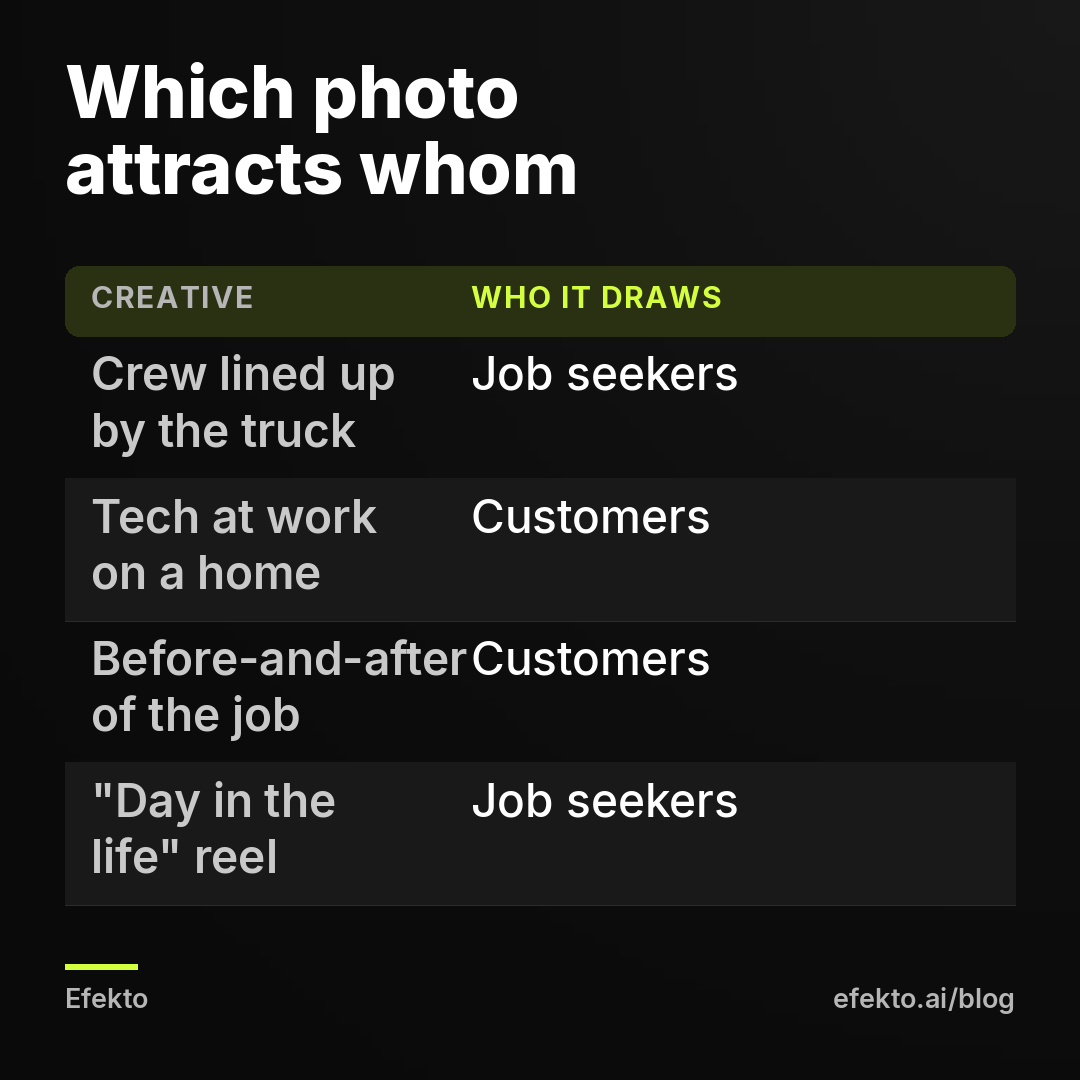
A photo of five people in branded shirts next to a truck is the standard picture of a job ad. Owners use it because they're proud of the crew, and they should be. It just belongs on the careers page.
Symptom: The ads with team photos get cheaper clicks and more leads than the others, and a bigger share of those leads ask about work. Cheap leads from a team photo are a warning, not a win.
How to check: In Ads Manager, open the ad set, switch to the "Ads" level and compare each creative. Then match leads to ads: the CSV export from your form includes the ad name. Count job seekers per ad. If one creative produces most of them, you've found it.
How to fix: Show the customer's outcome: the clean roof, the restored headlights, the new condenser running, the smile after whitening (within Meta's rules for before-and-after imagery). If you want a person in the frame, show one technician working on the customer's property, facing the job, not the camera. Keep group photos, "meet the team" videos and "day in the life" reels for organic posts or a separate hiring campaign.
Is your lead form open to anyone who taps it?
A form that asks only for name, phone and email can't tell a homeowner from a job seeker. Both fill it in for 10 seconds and both count as a lead in Ads Manager. Note that we're not talking about junk leads in general here, just the specific filter that separates people who want to buy from people who want to work.
Symptom: You can't tell who someone is until you call them. Your team spends the first minute of half the calls explaining you're not hiring.
How to check: In Ads Manager, open the ad, scroll to "Instant form" and preview it. Count the questions that only a customer could answer meaningfully. Zero is the common result.
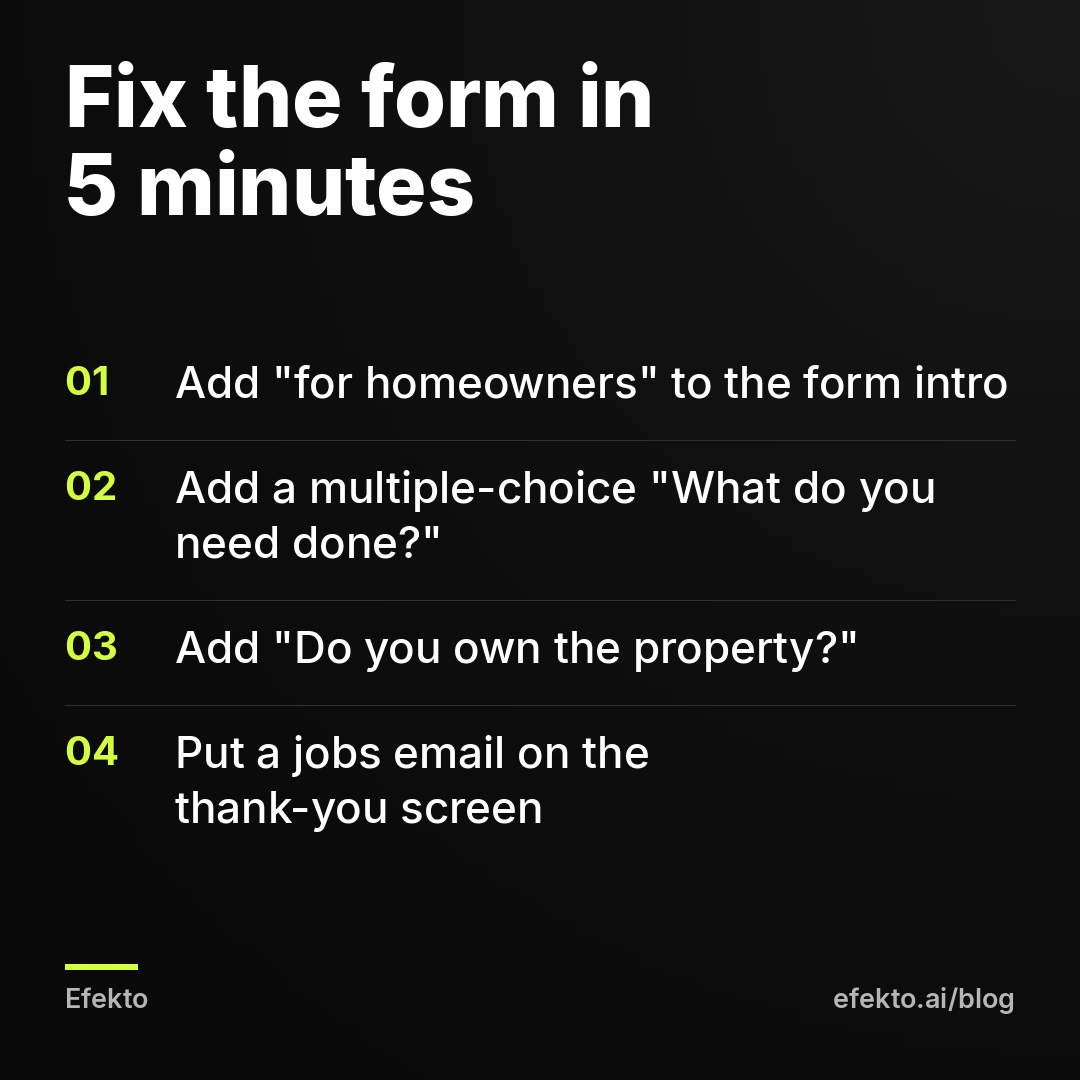
How to fix: Add two or three qualifying questions with multiple-choice answers, and put "for homeowners" in the intro. A multiple-choice question costs a real customer two seconds. A job seeker reading "What do you need done at your home?" realizes this isn't an application and leaves, which is what you want.
| Question | Answer options | What the answer tells you |
|---|---|---|
| What do you need help with? | Repair / Replacement / Inspection / Something else | Job seekers usually pick "Something else" or quit here |
| Do you own the property? | Yes, I own it / I rent / I'm a property manager | Renters and applicants filter themselves out |
| What's the service address ZIP code? | Free text, short | Someone with no address to service shows up at once |
| When do you need it done? | This week / This month / Just pricing | Sorts urgent jobs from browsers |
If you want the full list by trade, we covered it in questions to add to a Facebook lead form for home service businesses. One more setting: in the form's thank-you screen, add a line like "Looking for a job with us? Email jobs@yourcompany.com." It sends the few job seekers who still get through to the right inbox instead of your sales phone.
Does your ad say clearly who it's for?
An ad that never names its audience lets every reader decide it's for them. "Get started today" works for a buyer and an applicant alike. "For homeowners in Plano" works for only one of them.
Symptom: The ad copy is about the service, not the company, and still draws job seekers. Usually the headline is generic: "Now booking", "Get started", "Spots available". "Spots available" in particular reads like openings.
How to check: Read your headline alone, without the image or text. Ask: does it say who it's for and what they get? If it could be the title of a job listing, it's too vague.
How to fix: Put the audience and the place in the headline or the first line of the primary text: "For homeowners in [city]", "[City] car owners", "Patients in [area]". Pair it with a buyer's word: quote, inspection, estimate, appointment, price. For example: "Roof inspection for Plano homeowners. Free, 30 minutes." Our Facebook ad headline templates for local service businesses are built on the same pattern.
A note for med spas, dental offices and gyms: "for homeowners" doesn't apply, but the rule does. Name the customer ("for patients", "for new members") and name a service they'd pay for. Avoid "we're looking for" even when you mean "we're looking for new patients". Job seekers read the first four words.
Is Meta already learning from the job seekers you got?
This is the cause owners miss, and it's why the problem gets worse instead of staying flat. A lead campaign optimizes toward people who look like the ones who already submitted. If 15 of your first 40 leads were job seekers, the campaign has been told, 15 times, "more of these, please".
Symptom: The share of job seekers grows week over week even though you haven't changed anything. Or you fixed the wording and the job questions still come for several days.
How to check: Compare the job seeker count in week one with week three (from your CSV marks). Also check whether the same ad account runs any hiring ads, and whether you use a custom audience built from Page engagement or video viewers. If your most-watched video is a "we're hiring" reel, people who watched it end up in that audience.
How to fix:
- After rewriting copy, form and creatives, publish them as new ads rather than editing the old ones line by line, and turn off the ads that produced most job seekers.
- Remove engagement audiences that include hiring content from your customer campaigns.
- If you do need staff, run hiring as its own campaign. Keeping it separate protects your customer campaign from its signals.
- Give the fixed campaign a few days before judging. Leads that arrive in the first 24 to 48 hours after a change can still be people the old ads reached.
How much are job seeker leads really costing you?
More than Ads Manager shows. The cost per lead in Ads Manager is the cost of a form submission before anyone looked at it. Your real cost is the cost of a submission from someone who could actually hire you, and the gap between the two is the job seekers.
For example, say you spend $30 a day for 30 days, so $900. Ads Manager shows 45 leads at $20 each. You call them and 15 are job seekers. That leaves 30 real requests, so your real cost is $30 per request, not $20. If you close 1 in 4, that's 7 or 8 jobs at about $120 each.
Now say you add qualifying questions and "for homeowners". Leads drop to 32 and Ads Manager shows $28 per lead, which looks worse. But only 2 are job seekers, so 30 real requests at $30 each, the same as before, and your team made 13 fewer pointless calls. Often the real requests go up too, because Meta stops chasing applicants. The point: a higher number in Ads Manager after these fixes is normal and usually means the filter works. Judge by cost per real request, not by the column Meta shows you.
| Before fixes | After fixes | |
|---|---|---|
| Spend (example) | $900 | $900 |
| Leads in Ads Manager | 45 | 32 |
| Cost per lead in Ads Manager | $20 | $28 |
| Job seekers | 15 | 2 |
| Real requests | 30 | 30 |
| Cost per real request | $30 | $30 |
| Calls wasted on job seekers | 15 | 2 |
Can an app keep hiring language out of your ads?
Partly, and it depends on what you give it. Efekto creates ads from your website, publishes them, and optimizes them every day: it turns off the ones that don't bring results and scales the ones that do. You approve the first batch, at least 5 ads, before the campaign starts, so anything that sounds like a job post never goes live. One thing we'd check first: if your homepage opens with a "We're hiring" banner or your best photos are crew portraits, fix the site or point Efekto to your service pages, because ads built from a careers-heavy website start from the wrong material. You can see the whole flow on how Efekto works.
When it doesn't make sense: if what you actually want right now is staff, not customers, Efekto isn't the tool. Run a separate hiring campaign under Meta's Employment category, or use a job board. And if your form leads are fine and the problem is that nobody answers the phone when they call back, no change in ads will fix that. We would rather tell you that up front than sell you a campaign that can't solve it.
10-minute checklist
- Read your primary text and headline as a stranger: no sentence about joining, growing or the team.
- Search the ad, form and Page for: hiring, join, apply, career, opportunity, position, looking for.
- Change an "Apply Now" button to "Get Quote", "Book Now" or "Learn More".
- Swap crew group photos for the customer's result or one tech at work.
- Add "for homeowners" (or "for patients", "for car owners") to the headline and form intro.
- Add 2 multiple-choice questions only a customer can answer, plus a property owner question.
- Put a jobs email on the thank-you screen and pin a customer post on your Page.
- Mark your next 10 leads as customer or job seeker and compare cost per real request, not cost per lead.
If you'd rather have ads built from your service pages and reviewed by you before anything goes live, you can start with Efekto.
- Jakub Zwoliński
Founder, Lemon Agency · Efekto · November 18, 2026