Why Boosted Posts Don't Bring Customers, and What to Run Instead
The Boost button buys likes and reach, not inquiries. Here is how to check what your boost optimized for, when boosting makes sense, and how to switch to a lead campaign.

Boosted posts rarely bring customers because the Boost button is built to get your post seen and liked. It is not built to get someone to call, book or fill in a form. Meta delivers what the goal asks for. When the goal is engagement or reach, it finds people who like and comment, and most of them don't need a roof, an AC repair or a car detail this week. If you want customers, run a campaign with a leads goal, a clear offer and a form or call button. Then judge it by booked jobs, not by reach.
In short:
- The Boost button usually optimizes for attention, so it buys likes, reach and profile visits instead of inquiries.
- A lead campaign tells Meta to find people who fill in a form or call, and every result can be traced to a name and a phone number.
- Boosting makes sense for events, announcements and social proof aimed at people who already know you, and almost never as your main source of customers.
We should say where we stand. We make money when businesses run ads on Meta, through Lemon Agency and through Efekto. Across more than 300 clients, the first thing we change in a new account is almost always the same: we stop the boosts. This isn't because boosting is a scam. It does exactly what it says. The problem is that most local business owners press it expecting phone calls, and they get likes. The sections below go through the causes from most common to least common. For each one you get how to check it in your account and how to fix it.
What does the Boost button actually optimize for?
In most boosts we audit, the goal was engagement, reach or profile visits. None of these is a customer. Meta changes the goal menu often, and the options differ by page and country. You may see choices like automatic, more engagement, more profile visits, more messages, more website visitors, or sometimes more leads or calls. The default is rarely the one that brings inquiries.
This matters more than anything else in this post. Meta's delivery system is good at finding people who do the thing you optimize for. Ask it for likes and it finds the people in your area who like a lot of posts. These people are cheap to reach precisely because they engage with everything. A homeowner with a leaking roof who has never liked a contractor's post in his life is not in that group.
How to check: Open Ads Manager and find the boost. Boosted posts show up there as campaigns, usually with the post text in the name. Look at the column for results and at the optimization or performance goal. If it says post engagement, reach, impressions, profile visits or link clicks, you paid for attention.
How to fix: Stop measuring boosts by likes and reach. Decide what a customer looks like for your business: a submitted form, a phone call or a message that turns into a booking. Then pick a campaign goal that matches it. For most local service businesses that means a leads objective with an instant form or calls.
Why does a boosted post reach people who will never hire you?
The boost audience is often too wide, or it is built around your page instead of your service area. The quick boost flow pushes you toward a few presets. These include people who like your page, people who like your page and their friends, or an automatic audience. Location is easy to skip.
Two patterns show up again and again. The first is boosting to page fans and their friends. That audience is full of your relatives, former employees, other business owners and people from out of town. The second is a location setting far bigger than the area you actually serve. A mobile detailer covering 20 miles ends up paying to reach people two counties away.
How to check: In the boost or campaign details, open the audience section. Look at three things: the location (city, radius or whole state), whether it says people living in this location, and whether page fans or their friends are included. Then open the breakdown by region or city in the reporting. If a large share of reach sits outside your service area, you found a leak.
How to fix: Set the location to the area you actually drive to. Use a radius around your shop or a list of ZIP codes and cities. Don't stack interests on top of that. For local services, a correct location plus a clear offer does more than any interest list. Leave out page fans as the main audience, unless you are deliberately promoting something to existing customers.
Why does a post that did well organically fail as an ad?
Posts that do well organically are written for people who already follow you, and ads are seen by people who don't. Your team photo, the before-and-after with a funny caption and the thank-you-for-five-years post all get likes from followers because they know you. A stranger scrolling past sees a nice photo with no reason to act.
An ad that brings inquiries answers four questions in the first two lines. What is it, who is it for, what does it cost or what do I get, and what do I do now. Most organic posts answer none of them.
For example, compare these two lines for a detailing business:
- Organic post: Another happy customer, this Tahoe came out amazing.
- Ad: Full interior detail for SUVs in Plano, from $189. We come to your driveway. Tap to pick a time this week.
The first one will get more likes. The second one will get more bookings, because it gives a stranger everything needed to decide.
How to check: Read your boosted post as if you had never heard of your business. Can you tell what service is offered, in which area, at roughly what price, and what to do next? If any of these is missing, the post isn't an ad.
How to fix: Write ads separately from your organic posts. Lead with the service and the area. Put a price, a starting price or a concrete offer in the first line, such as a free inspection or a seasonal tune-up. End with one action. Make 3 to 5 versions with different images or short videos, so Meta has something to compare.
Where do people go after they click a boosted post?
After a click on a boosted post, people usually land on your profile, your homepage, or nowhere useful. That is where interested people get lost. Even a well-targeted boost often ends with a learn more button pointing to a homepage with twelve menu items, no price and a contact form at the bottom.
Every extra step costs you inquiries. Someone on a phone, at 9 p.m., half-interested in a roof inspection, will fill in three fields in a form that opens inside Facebook. That same person won't hunt for a contact page.
How to check: Click your own boost on your phone and time how long it takes to send an inquiry. Count the taps. If it takes more than 30 seconds or more than four taps, most people won't finish.
How to fix: For most local services, use an instant form inside Facebook and Instagram, or a call button. Keep the form short, but add one question that filters people. Asking for the service address or the type of job works well. We cover form setup in detail in our guide to Facebook lead ads that bring real customers instead of junk leads. Maybe you already send people to your website and get clicks but no inquiries. Then the problem is the page, not the ad. Our post on why Facebook ads get clicks but no calls walks through it.
How do you know whether your boost brought any customers?
In most cases you don't, and that is a problem in itself. A boost optimized for engagement reports likes, comments and reach. Nothing in the report connects to a phone number or a booked job. Owners end up asking new customers how they heard about them. Then they credit or blame Facebook based on two or three answers.
A lead campaign gives you a list. Each form submission has a name, a phone number and a timestamp. You can call every one, mark who booked, and calculate what each job cost you in ad spend.
| Boosted post | Lead campaign | |
|---|---|---|
| What Meta looks for | People likely to like, comment, view or visit | People likely to fill in a form or call |
| Typical audience setup | Page fans, friends of fans or automatic, location often skipped | Your service area, set on purpose |
| What you get | Likes, reach, profile visits | Names and phone numbers, or calls |
| How you measure it | Engagement numbers | Cost per inquiry, then cost per booked job |
| Where you set it up | One button on the post | Ads Manager, or a tool that runs campaigns |
| Number of ads tested | Usually one post | 3 to 5 ads or more, weak ones turned off |
| Best use | Announcements, events, social proof | Getting customers |
How to check: Look at your last three months of boosts. Write down total spend. Next to it, write down the number of customers you can prove came from those boosts. If the second number is a guess, you are not measuring.
How to fix: From now on, every dollar meant to bring customers goes to a campaign that produces a list of inquiries. Then keep a simple sheet with four columns: date, name, booked or not, job value. Twenty minutes a week on that sheet tells you more than any Meta report.
When does boosting a post actually make sense?
Boosting makes sense when you want people who already know you to see something, and you don't expect a measurable inquiry from it. In that role it is fine, and it is cheap. Here are the cases where we don't object to a boost:
- Events with a date. An open house, a grand opening, a charity car wash. You want local people to know it is happening, and reach is the goal.
- Announcements to existing customers. New hours, a new location, a second truck on the road. Boosting to page fans is the right audience here, because these people already buy from you.
- Social proof. A post with a strong review or a finished project, shown to people in your area. It warms up the market, so your lead ads land on people who have seen your name before.
- Seasonal reminders for repeat services. For example, an HVAC company reminding past customers about a spring tune-up. This works because the audience already trusts you.
In every case, keep it small and time-limited. A few dollars a day for a week is enough. Don't count it toward your customer acquisition budget.
There is one use we don't recommend: boosting posts to find out which ones to turn into ads. Likes from engaged scrollers don't predict which ad will bring inquiries. We have seen posts with ten times the reactions lose badly to a plain photo with a price, once both ran with a leads goal.
What should you run instead of a boost?
Run a campaign with a leads objective, aimed at your service area, with 3 to 5 ads built around one offer, sending people to an instant form or a call. That is the whole switch. The setup takes longer than pressing Boost, but each step is simple.
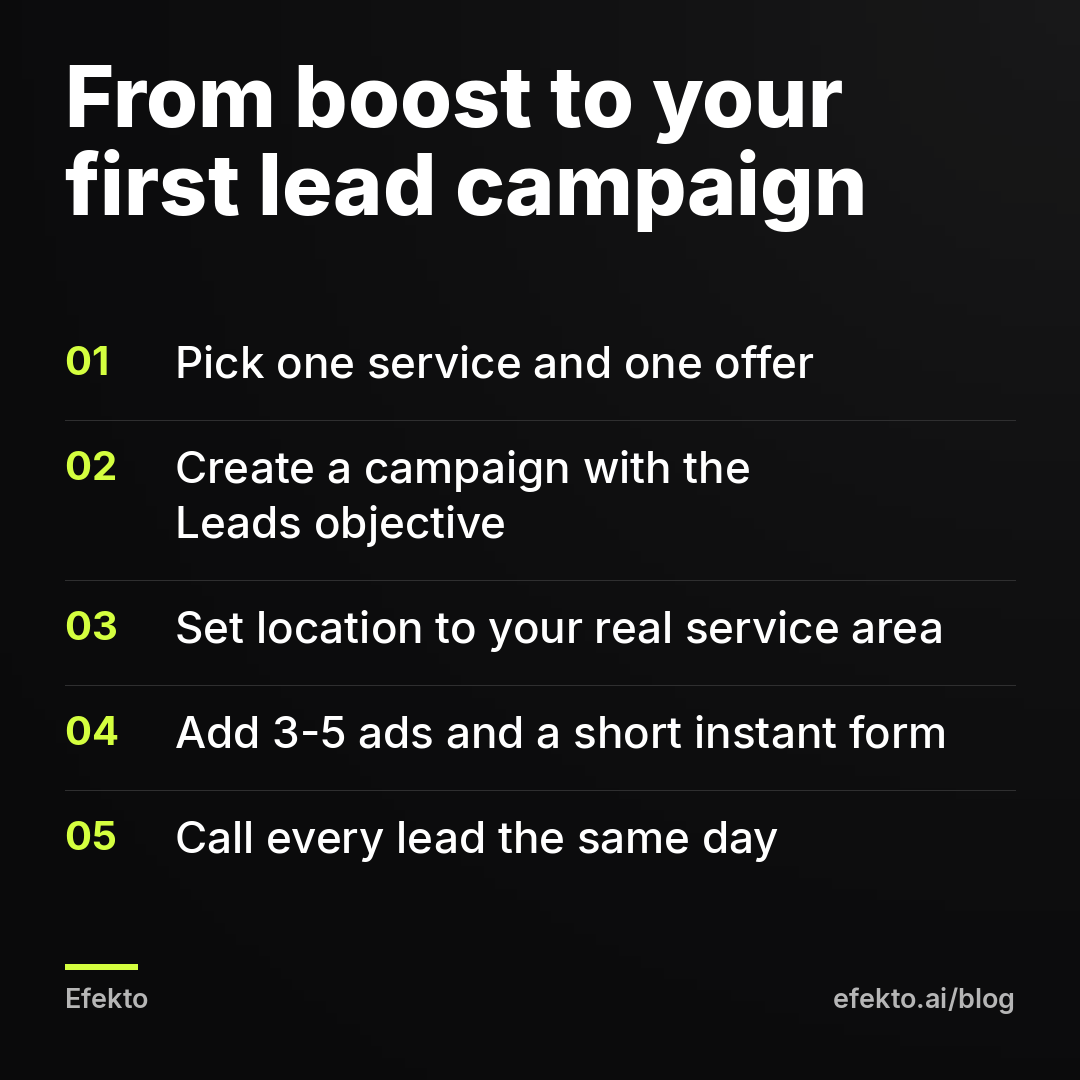
Here is the order we use:
- Pick one service and one offer. Not your whole menu. A roofer picks free roof inspections after storm season. A detailer picks full interior from a set price. One campaign, one thing to say yes to.
- Create the campaign in Ads Manager with the Leads objective. Choose instant forms or calls as the conversion location. We don't repeat the full click-by-click process here. Our step-by-step guide to launching your first campaign in Facebook Ads Manager covers every screen.
- Set the location to where you work. Use a radius or a list of cities and ZIP codes, and people living in that area. Leave the rest of the targeting broad.
- Write the form. Ask for name, phone, service address and one qualifying question, for example roof age or vehicle type. Add a short intro that repeats the offer. Write a thank-you screen that says when you will call.
- Make 3 to 5 ads. Use real photos of your work where you can. Add at least one short video. Every ad says the service, the area, the offer and the action.
- Set a daily budget at the ad set or campaign level. Let it run without edits for the first week, apart from turning off an ad that is clearly broken.
- Set up lead handling before launch. Decide who calls, how fast, and where leads go. Use email notifications, a CRM, or at minimum the leads center in Meta Business Suite checked twice a day.
This is also where we should mention our own product, as one option among several. Efekto creates ads from your website, publishes them, and optimizes them every day: it turns off the ones that don't bring results and scales the ones that do. You approve the first batch, with at least 5 approved ads before the campaign starts. It runs in your own Facebook ad account, or in an Efekto ad account with the budget topped up in advance. It is the same work our team does by hand in client accounts, built into an app. The minimum daily ad budget is $15 per day. If you want to see the flow before deciding, here is how Efekto works.
How much should a first lead campaign cost, and what should you expect back?
Plan for at least 30 days at a fixed daily budget. Judge the result by booked jobs, not by the cost Meta shows per form. The number in Meta's report is the cost per submitted form, before anyone has called the person. Some of those people mistyped their number. Some wanted a different service, and some live outside your area. The cost per real, reachable lead is always higher than what Meta reports.
Here is a worked example. Say a detailing business runs a lead campaign at $20 per day for 30 days. All numbers below are illustrative, not results of any client.
| Step | Example value | How it is calculated |
|---|---|---|
| Ad spend for 30 days | $600 | $20 x 30 days |
| Form submissions reported by Meta | 20 | Say Meta reports $30 per form |
| Real, reachable leads after calling | 12 | 8 had wrong numbers, wrong area or no answer |
| Cost per real lead | $50 | $600 / 12 |
| Booked jobs | 4 | Say 1 in 3 real leads books |
| Average job value | $450 | Example ticket for a full detail with add-ons |
| Revenue from the campaign | $1,800 | 4 x $450 |
| Ad spend per booked job | $150 | $600 / 4 |
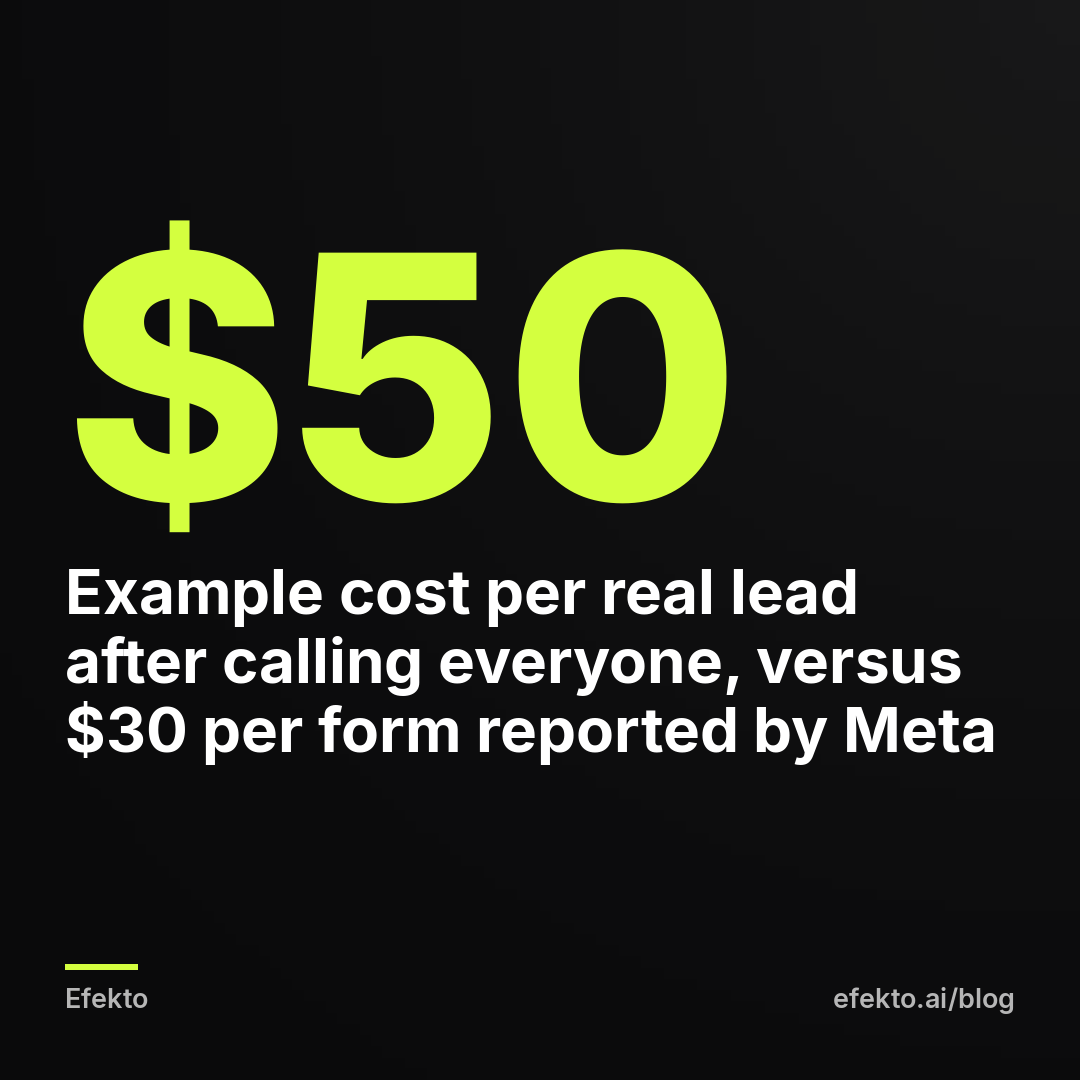
The example shows three things. First, the $30 Meta reports and the $50 you actually pay per usable lead are both true, and only the second one belongs in your planning. Second, the number that decides whether this works is the last row, ad spend per booked job, compared with what a job earns you. Third, the same $600 spent on boosts would typically show a few thousand people reached and a few hundred likes. There would be no row you could fill in for booked jobs.
Your costs depend on your trade, your area and your offer. A roofing lead costs more than a detailing lead, and the job is worth far more. Our breakdown of what drives Facebook ad costs for a small business explains the factors.
Typical mistake: setting $5 per day and judging the campaign after four days. At that budget, Meta can't gather enough data to learn who fills in forms. You end up judging noise. If you can't run at least $15 to $20 per day for a month, wait until you can, or put that money into a single channel that already works.
What should you do in the first 14 days of a lead campaign?
In the first two weeks, your job is to call leads fast and keep your hands off the settings. Most first campaigns we see fail in the inbox, not in Ads Manager. Leads arrive and get a call two days later. By then the person has booked someone else.
A practical checklist for days 1 to 14:
- Call every lead the same day, ideally within the hour. People who fill in a form on their phone are often comparing two or three businesses at once.
- Text if they don't pick up. Send a short message with your name and the service they asked about. Many people won't answer an unknown number but will reply to a text.
- Mark every lead in your sheet: reached or not, real or not, booked or not.
- Don't change audience, budget or form during the first week. Every bigger edit resets part of what Meta has learned.
- After about a week, look at the ads. If one ad has spent noticeably more than the others with no forms, turn it off. If one brings most of the forms, leave it alone.
- At day 14, compare forms with real leads. If fewer than half of the forms are real people in your area, tighten the form. Add the service address field or a qualifying question. Don't cut the budget.
After the first month you will have something no boost ever gave you: your own cost per real lead and your own booking rate. From there, every decision is arithmetic.
When is a lead campaign not the right move?
A lead campaign on Facebook doesn't make sense in every situation, and we would rather say so than sell it. Here are the cases where we tell owners to wait or to do something else:
- Emergency work. For a burst pipe or a dead AC in July, people search on Google and call the first number. Facebook reaches people who aren't looking yet. For pure emergency jobs, search ads usually fit better. Use Facebook for planned work like maintenance plans, replacements and inspections.
- You can't take more work. If your calendar is full for six weeks, new leads go cold. Fix capacity first, or run ads only for the service with open slots.
- No clear offer. If you can't say what the customer gets and roughly what it costs, the ads will be vague. Vague ads bring vague inquiries. Spend an hour on the offer before you spend a dollar on ads.
- Budget under $15 per day. At that level the campaign learns too slowly. A referral program or a reviews push will bring more for the same money.
- Nobody to answer the phone. If leads will sit for days, don't start. Paying for inquiries you don't follow up is worse than boosting, because it also burns your name locally.
The same applies to Efekto. If you want to learn Ads Manager yourself and enjoy the work, set up the campaign by hand using the steps above. You will learn a lot. If your business lives on emergency calls, start with search ads. Efekto makes sense when you already know the lead campaign is the right move and you don't want to spend your evenings in Ads Manager turning ads on and off.
What do we do with an account that has only ever boosted?
We stop the boosts that were meant to bring customers on day one. We keep at most one small boost running for events or announcements to existing customers. Then we launch one lead campaign for one service in the real service area, with several ads and a short form. We don't touch the settings for a week, and we call every lead the same day. After 30 days we look at one number: ad spend per booked job. If that number works for the business, we scale the ads that bring the jobs. If it doesn't, we change the offer before we change anything else. That is the opposite of what the Boost button encourages, which is spending a little on whatever you posted last and hoping the phone rings.
FAQ
Is boosting a post a waste of money?
Not if you want reach or engagement, for example to announce an event to people who already know you. It is a poor use of money if you expect phone calls and bookings. The boost usually optimizes for attention, and attention rarely turns into a booked job.
Can I boost a post with a leads or messages goal?
On some pages the boost menu offers goals like more messages, more calls or more leads, and these are closer to what you want. You still get fewer controls than a full campaign over audience, form and testing several ads against each other. For a business that depends on new customers, we would set up a proper lead campaign.
Why are my boosted posts liked by people outside my area?
Usually the location was set too wide, or the audience included friends of your page fans, who can live anywhere. Check the location and audience in the boost details. Then look at the regional breakdown in Ads Manager.
How long should a lead campaign run before I decide if it works?
Give it about 30 days at a steady daily budget, without big edits in the first week. Judge it by ad spend per booked job, not by the cost per form Meta reports in the first few days.
Should I delete my old boosted posts?
No. The posts stay on your page as normal posts, and the likes still count as social proof. Just stop paying to boost them and move that money into a campaign built to bring inquiries.
If you would rather have the lead campaign created and optimized for you every day, you can see how it works at efekto.ai.
- Jakub Zwoliński
Founder, Lemon Agency · Efekto · October 24, 2026