Facebook Ads Manager for Beginners: How to Launch Your First Campaign Step by Step
How to launch your first Facebook ad campaign in Ads Manager: Business Manager, pixel, the right objective, a local audience, budget, creatives and the defaults to switch off.

By Jakub Zwoliński, Founder, Efekto and Lemon Agency
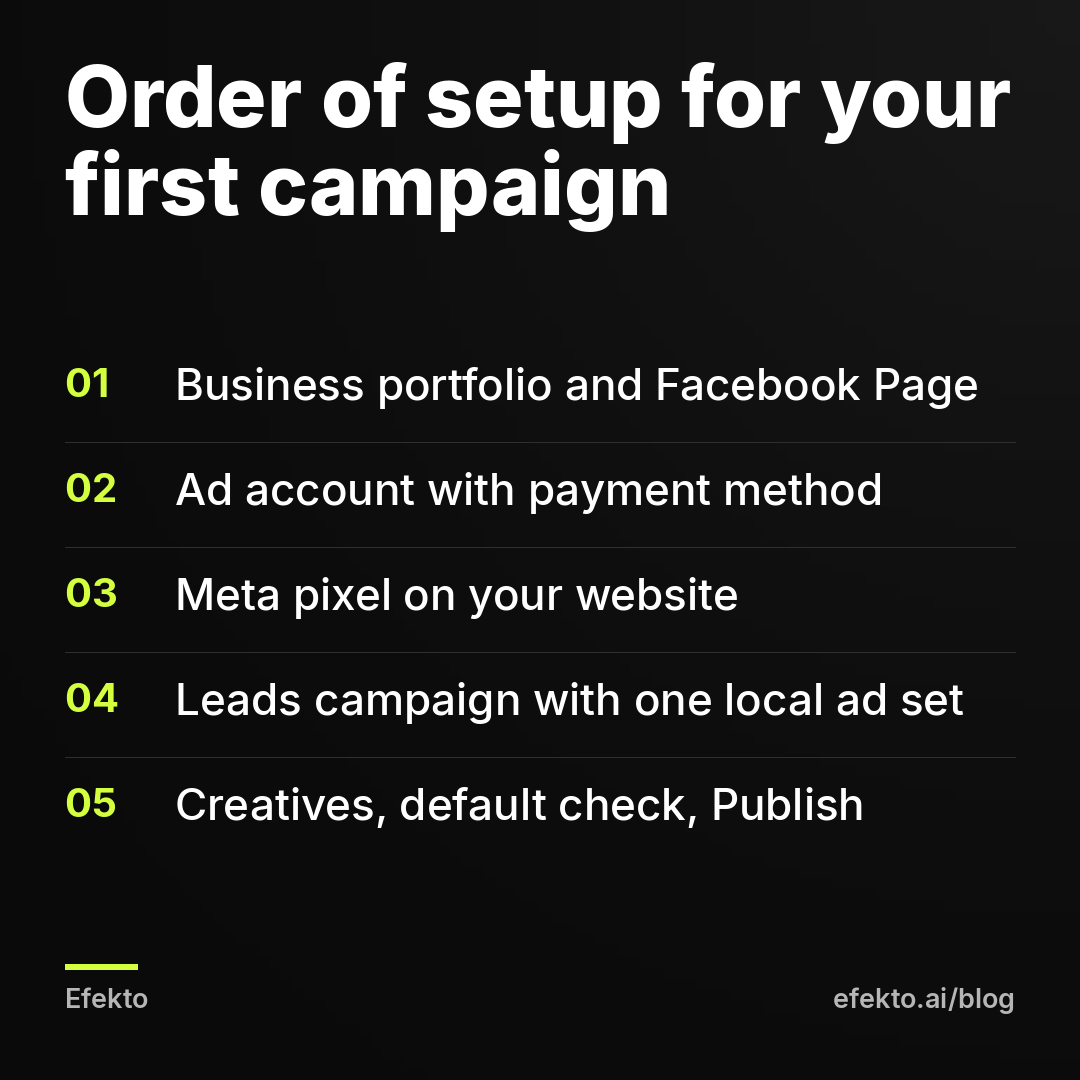
To launch your first campaign in Facebook Ads Manager, work in this order. First, create a business portfolio (the old Business Manager) and connect your Facebook Page. Next, create an ad account and attach a card, then install the Meta pixel on your website. After that, build a campaign with the Leads objective, one ad set aimed at the area you actually serve, a daily budget you can afford to spend while you learn, and 3 to 5 ads. Before you click Publish, check the settings Meta turns on by default, because several of them work against a local service business. Then leave the campaign alone for a week.
In short:
- Choose the Leads objective, not Traffic or Engagement, because Meta optimizes for exactly what you ask for, and a click is not a customer.
- With Advantage+ audience switched on, location, minimum age and exclusions are the only hard limits, and Meta treats everything else as a suggestion.
- Judge your first campaign by the cost of a lead you actually reached on the phone, not by the cost per result Ads Manager reports.
We make our money from ads on Meta's platforms, so we have a stake in you running them. The team behind Lemon Agency has run campaigns for more than 300 clients, and the pattern repeats: most beginners lose their first month to settings, not to bad ads. What follows is the sequence we use when we open a fresh account for a service business.
What do you need ready before you open Ads Manager?
You need five things, and if one is missing you will stop halfway through setup. Gather them first:
- A Facebook Page for the business. Ads run from a Page, not from your personal profile. The Page needs a logo, a cover photo, your service area and a phone number. People check it before they call.
- A personal Facebook account with two-factor authentication on. Meta ties the business portfolio to a real person. An account with no security, or a fake name, is a common reason new ad accounts get restricted.
- A website, or at least one landing page. It should have your phone number visible without scrolling. You need it for the pixel and as a destination. If you plan to run only instant forms, you can launch without a site, but you will see far less of what happens after the click.
- A business card or credit card that you don't mind Meta charging automatically.
- An offer you can say in one sentence. For example: "Full interior and exterior detail, mobile, we come to your driveway." If you can't say it in one sentence, the ad won't say it either.
Step 1: How do you set up Meta Business Manager (business portfolio)?
Go to business.facebook.com, log in with your personal account and create a business portfolio. That is Meta's current name for what most guides still call Business Manager. It is the container that holds your Page, ad account, pixel and the people allowed to touch them.
- Enter the legal business name, your name and a business email you actually check. Meta sends verification and policy emails there.
- Open Settings (Business settings), go to Accounts > Pages and add your existing Page. If someone else created the Page years ago, they have to accept the request or give you admin access first. Sort this out now, not on launch day.
- Under Users > People, add anyone else who will work on the ads. Give them only the access they need. A freelancer who makes creatives does not need admin rights to your business portfolio.
- Under Security Center, turn on two-factor authentication for everyone in the portfolio.
One firm rule: create one business portfolio and one ad account and treat them carefully. Some guides tell you to keep "backup" accounts in case the main one gets blocked. Meta treats that as circumventing its systems and bans for it permanently. If an ad gets rejected or the account gets restricted, the way out is an appeal and fixing the cause. We walk through that in what to do when a Facebook ad is rejected or your account is restricted.
Step 2: How do you create an ad account and add a payment method?
In Business settings, go to Accounts > Ad accounts > Add > Create a new ad account. Three fields here matter more than they look:
- Time zone. Pick the one your business operates in. Daily budgets reset at midnight in this time zone, and your reports use it too.
- Currency. USD. You cannot change currency or time zone later. The only fix is a new ad account, which you want to avoid.
- Who the account is for. Choose your own business, not a client's.
Then assign yourself to the ad account with full control. Open Billing & payments and add your card. While you are there, set an account spending limit. It is a ceiling on total spend across the whole account. For a beginner it is cheap insurance against a typo in the budget field that turns a daily amount into something you never meant.
Step 3: How do you install the Meta pixel on your website?
Open Events Manager, click Connect data sources, choose Web and create a dataset. Meta now calls the pixel a "dataset" in some places. Then install it in one of two ways:
- Partner integration. If your site runs on WordPress, Wix, Squarespace or Shopify, pick it from the list and follow the prompts. This is the easiest route and usually also sets up the Conversions API, which sends events from the server and loses fewer of them.
- Manual code. Copy the base code into the header of every page. If someone else built your site, send them the code and ask them to confirm it is in the header, not the footer.
Next, tell the pixel what counts as a result. For a local service business, that is usually one of two events:
| What the customer does | Event to set up | Where it fires |
|---|---|---|
| Submits the contact or quote form | Lead | On the thank-you page that loads after the form is sent |
| Taps your phone number | Contact | On the click of the tel: link |
| Books online through a scheduler | Schedule | On the booking confirmation page |
Check that it works. Install the free Meta Pixel Helper extension in Chrome, open your site, submit a test form and confirm the event shows up. In Events Manager, the Test events tab shows the same thing live. If your form does not load a separate thank-you page, have someone set up the Lead event on form submission. Without it, Meta can't optimize for website leads at all.
Also verify your domain under Brand safety > Domains in Business settings. It takes ten minutes and prevents odd event problems later.
Step 4: Which campaign objective should a local business choose?
Choose Leads. In Ads Manager, click + Create and pick from six objectives: Awareness, Traffic, Engagement, Leads, App promotion and Sales. This is the single most expensive choice in the whole setup. Meta does not find customers in general. It finds people likely to do exactly the thing you selected.
| Objective | What Meta optimizes for | For a service business |
|---|---|---|
| Leads | Form submissions, calls, messages, website leads | Use this for your first campaign |
| Traffic | Link clicks and landing page views | Avoid. You pay for people who click and leave |
| Engagement | Likes, comments, shares, messages | Avoid for leads. Comments don't book jobs |
| Awareness | Reach and ad recall | Only later, if you already have steady leads |
| Sales | Purchases on a website | For online stores, not for booking a roofer |
We have a clear opinion here: picking Traffic for a lead campaign is the most common beginner mistake we see in accounts we take over. Traffic campaigns look great in reports. Clicks are cheap and the charts go up. But Meta delivers them to people who click on everything and buy nothing. If your ads get clicks and the phone stays silent, the objective is the first thing to check. The rest of the list is in why Facebook ads get clicks but no calls.
Inside the Leads objective, Meta asks where the lead should happen. This is the conversion location:
- Instant forms. The form opens inside Facebook or Instagram. You get more leads, and more of them are low quality unless you set the form up properly. We cover question types, the higher-intent setting and the review screen in how to set up Facebook lead ads that bring real customers, so we won't repeat it here.
- Website. People go to your site and fill out the form there. This requires the pixel and the Lead event from Step 3.
- Calls. People tap to call you directly. Choose this only if someone actually answers the phone during the hours the ads run.
One more checkbox on the first screen: Special ad categories. Meta requires you to declare it if your ad is about credit, financing, housing, employment or social issues. A roofer advertising "roof replacement with 0% financing" may fall under financial products. Declaring it narrows your targeting options. Not declaring it when you should is a common reason for rejections.
Step 5: How do you target a local audience in Ads Manager?
At the ad set level, set the location to the area you actually serve and leave most of the rest to Meta. New ad sets have Advantage+ audience switched on by default. That means:
- Location, minimum age, custom audience exclusions and language are hard limits. Meta will not go outside them.
- Interests, detailed targeting and age ranges that you add are suggestions. Meta may show your ads to people outside them if it predicts they are likely to convert.
For a local service business, this works better than most beginners expect, as long as the location is right. Do it like this:
- Delete the default country. Ads Manager often pre-fills the whole United States.
- Type your city or ZIP code. Or drop a pin on your address and set a radius that matches how far you really drive for a job, not how far you wish you drove.
- Check the location option. If the account offers it, choose people who live in the area, not people "recently in" or traveling through it. A tourist passing through your town does not need gutter cleaning.
- Exclude areas inside the radius that you don't serve, such as a county across the river you never go to. Right-click the map or use "Exclude" in the location box.
- Set the minimum age if your service requires an adult homeowner or a decision-maker. That is a hard limit.
- Leave interests empty for the first campaign. With a tight local area, interests mostly shrink the audience without improving it.
What not to do: three ad sets, one per neighborhood, each with a small budget. Each ad set has to learn on its own, and splitting a small budget means none of them gets enough results to learn from. Start with one ad set.
Step 6: How much budget should you set for your first campaign?
Set the budget from your own numbers, not from a figure you read online. Rates differ so much by city, trade and season that any "recommended" amount is a guess. Answer three questions first:
- How much gross profit is one booked job worth to you?
- How many leads does it take you to book one job? If you don't know, assume it is more than you think.
- How much can you spend in the first month and see nothing come back without it hurting the business?
The third answer is your test budget. Divide it by the number of days, and that is your daily budget.
In Ads Manager, the budget sits either on the campaign (the Advantage campaign budget toggle) or on the ad set. With one ad set, it makes no difference. Pick Daily budget, not lifetime. It is easier to read and easier to change. Meta may spend somewhat more than the daily amount on some days and less on others. It balances out over the week.
Here is how we read the results. The numbers in this example are made up to show the math. They are not a benchmark or a target.
| Example | Value |
|---|---|
| Daily budget | $30 |
| Spend over 7 days | $210 |
| Leads reported in Ads Manager | 7 |
| Cost per result in Ads Manager | $30 |
| Leads you reached and who were real prospects | 5 |
| Real cost per lead | $42 |
| Jobs booked | 2 |
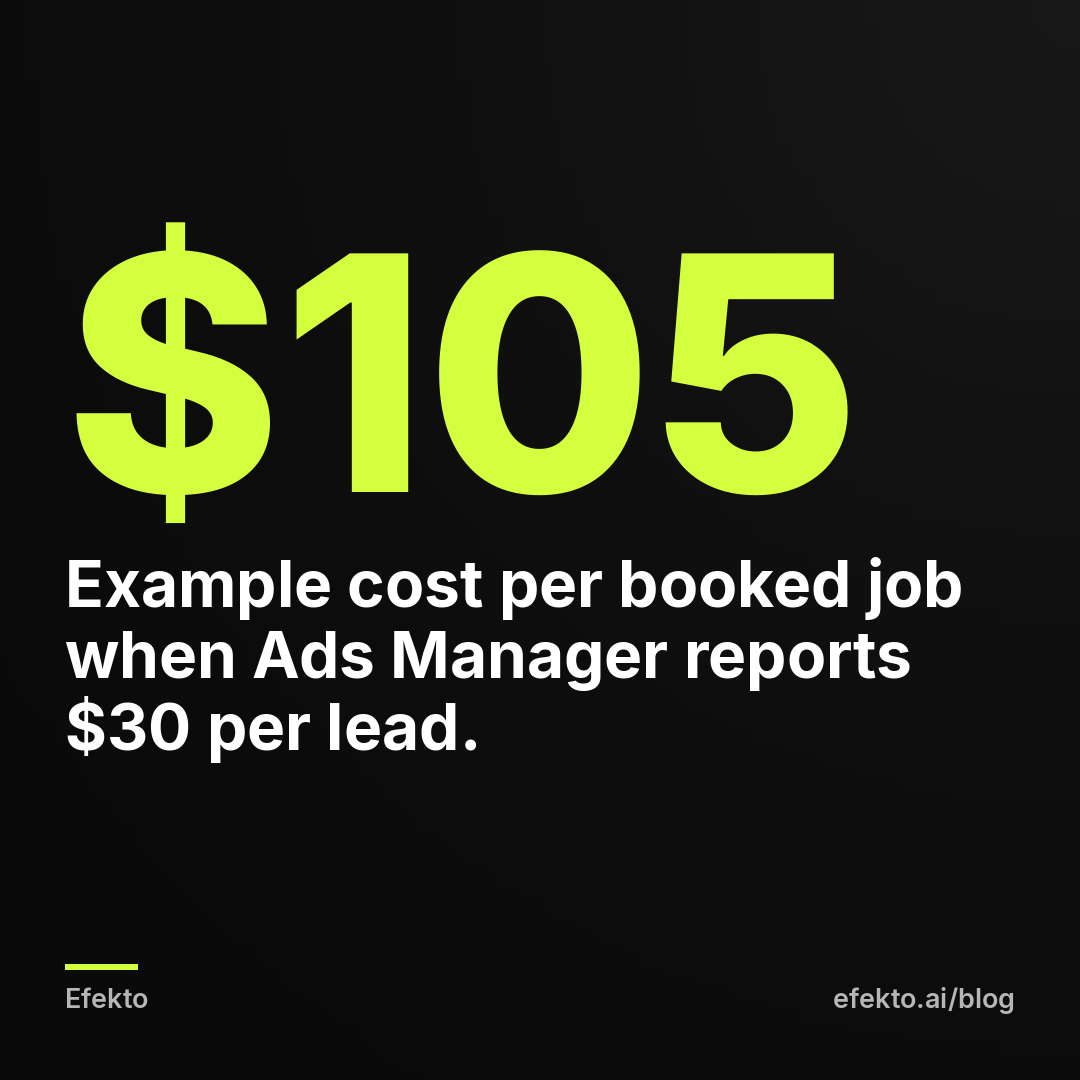
| Cost per booked job | $105 |
The gap between the third and fifth rows matters. The cost per result in Ads Manager is the cost of a submitted form before anyone checked it: wrong numbers, people who don't remember filling it out, someone outside your area. The cost of a lead you actually reached is always higher. And the number that decides whether the campaign pays is the last one. If $105 to book a job leaves you a healthy margin, the campaign works, even if $30 per lead sounded expensive.
To get that last row, you need a simple log: date, name, did you reach them, did they book. A spreadsheet is enough. Without it, you are judging the campaign by Meta's numbers alone.
Step 7: What should your first ads look like?
Upload 3 to 5 different ads into the one ad set and let Meta find out which one works. Make them different in what they show, not just in color. For a local service business, these types work:
- Before and after from a real job, in a real driveway or on a real roof. Phone photos beat stock photos. People can spot a stock kitchen from across the room.
- A short vertical video of 15 to 30 seconds. You or a technician at work, with captions burned in, because most people watch with the sound off.
- An offer image with one line of text: what you do, where, and what to do next.
- A photo of the team or the truck with your name and service area. It builds trust for services where a stranger comes to someone's home.
Keep the primary text short and specific. Say what the service is, which area you cover, what makes booking easy, and one call to action. "Mobile detailing in Plano. We come to you. Tap Get Quote and we'll text you a price today" works better than a paragraph about passion and quality.
Use both formats Meta asks for: square or 4:5 for the feed, and 9:16 for Stories and Reels. Ads Manager lets you upload a different crop per placement. If you skip that, Meta crops for you, and your before-and-after can lose the "after".
Plan for replacement from day one. A single ad shown again and again to the same local audience wears out, and the cost per lead starts climbing after a few weeks. We explain how to spot it in why a Facebook ad stops working after two weeks.
Step 8: Which default settings should you check before you click Publish?
Go through every level once more before publishing, because Meta switches on several options by default that are built for its average advertiser, not for a roofer or a med spa. This is the checklist we use:
| Setting | Where | Default | What we do for a first local campaign |
|---|---|---|---|
| Campaign objective | Campaign | Whatever you clicked | Confirm it says Leads |
| Special ad categories | Campaign | None | Declare if the ad mentions credit, financing, housing or jobs |
| Location | Ad set | Often the whole country | Your service area only |
| Advantage+ audience | Ad set | On | Leave on, but check location and age |
| Placements | Ad set | Advantage+ placements | Fine to keep. Consider removing Audience Network if lead quality is poor |
| Advantage+ creative enhancements | Ad | Several on | Open the list and turn off anything that changes your text or adds music and effects you didn't approve |
| Multi-advertiser ads | Ad | On | Turn off |
| Instant form | Ad | Last form you made | Pick the right one and check the questions |
| Website URL and phone | Ad | Empty or old | Test the link and the number |
Two of these need a word of explanation.
Advantage+ creative enhancements let Meta change your ad: adjust brightness, add music, animate an image or rewrite your text with AI. Some of these changes are harmless. But a med spa ad with text rewritten by Meta can run into the very wording rules you carefully avoided, and a roofer's ad with stock music feels like everyone else's. Check every toggle. Turn on only what you have actually seen and approved.
Audience Network shows your ads in third-party apps and websites outside Facebook and Instagram. For lead forms, it is where we see the most accidental taps. Our default is to keep Advantage+ placements on the first campaign and remove Audience Network the moment lead quality drops. If your budget is very small, removing it from the start is a reasonable call.
Then click Publish. Every ad goes through review. It usually takes from a few minutes to several hours. If one ad gets rejected, fix that ad. Don't delete the whole campaign and start again.
Step 9: What should you do in the first 7 days after launch?
Call every lead fast and change nothing in the campaign. This is the hardest step, because Ads Manager tempts you to react to every number.
- Don't edit the ad set during the learning phase. Changing budget, audience or optimization goal resets the learning. If you must change the budget, change it in small steps, not by doubling it.
- Answer leads within hours, not days. A person who filled out a form at 8 p.m. has often called a competitor by noon the next day. No ad setting compensates for a slow callback.
- Fill in your log every day. Note who you reached, who was real and who booked.
- On day 7, look at three numbers: cost per result in Ads Manager, real cost per lead from your log, and cost per booked job.
After the first week, the decision is simple. Turn off the ads that spent and brought nothing. Leave the ones that brought leads. Add one or two new ads to replace what you turned off. Repeat weekly. That is all "optimization" really means for a local business: a regular rhythm of cutting what doesn't work and giving more to what does.
What are the most common beginner mistakes in Ads Manager?
These are the mistakes we see most often in accounts we open for the first time, roughly in order of how much they cost:
- Wrong objective. Traffic or Engagement instead of Leads. Meta delivers exactly what you asked for: clicks and likes.
- Using the Boost button. Boosting a post from your Page skips most of the settings described above and usually optimizes for engagement. It is fine for an announcement and poor for getting leads.
- The whole country in the location field. The default sometimes survives all the way to publishing. Check it twice.
- Too many ad sets on a small budget. Five ad sets with a few dollars each means five campaigns that never finish learning.
- Creative enhancements left on. Meta changes your text or adds music, and you find out from a customer's comment.
- Judging by cost per result. The cheapest cost per lead often comes from the worst leads. The number that matters is cost per booked job.
- Editing every day. Every change to the ad set restarts the learning. Two days of patience saves a week of learning.
- One ad forever. The same image shown for months to the same 30,000 people in your area stops working, and the cost per lead rises slowly enough that nobody notices.
- No one answering the phone. Running Calls campaigns or instant forms while leads wait a day for a callback is paying for leads you give to a competitor.
When does running Ads Manager yourself stop making sense?
It stops making sense when the weekly routine from Step 9 doesn't happen. That means new ads, cutting the losers and reading the numbers. It is not hard work, but it is regular work, and in busy season it is the first thing an owner drops. A campaign left alone for six weeks usually doesn't crash. It slowly gets more expensive while nobody looks. If you have the hour a week and you like seeing how it works, do it yourself. You will learn a lot about your own customers.
If you don't have that hour, you have three options: an agency, a freelancer, or an app that does the routine. Efekto is the app we built from the work our team does by hand in ad accounts. Efekto creates ads from your website, publishes them on Facebook and Instagram, and optimizes them every day: it turns off the ones that don't bring results and scales the ones that do. You approve the first batch of ads (at least 5 before the campaign starts). The campaign runs on your own Facebook ad account or on an Efekto ad account with the budget topped up in advance. The minimum daily ad budget is $15. How Efekto works shows the whole process. It doesn't make sense if your budget can't cover that minimum, or if nobody can call leads back the same day. In both cases, fix that first, because no tool and no agency will fix it for you.
Our stance: for your very first campaign, go through Ads Manager by hand at least once, even if you later hand it over to someone else or to software. Once you have seen where the objective, location and default toggles live, nobody can sell you a Traffic campaign as a lead generation strategy.
FAQ
Do I need a Facebook Page to run Facebook ads?
Yes. Every ad on Facebook and Instagram runs on behalf of a Page, and people often visit that Page before they call you. You don't need a large following, but the Page should have your logo, service area and a working phone number.
Can I run ads from my personal Facebook account without Business Manager?
Technically, Ads Manager can create a personal ad account. For a business, we don't recommend it. A business portfolio lets you add people with limited access, keep the Page and ad account separate from your personal profile, and keep control if an employee or freelancer leaves.
Is the Boost button the same as running a campaign in Ads Manager?
No. Boost is a shortcut with only a few settings, and it typically optimizes for engagement or messages, not for leads. Ads Manager gives you the Leads objective, the conversion location, placements and the default settings you need to control.
How long does it take to know if my first Facebook campaign works?
Give it at least 7 days without changes before you judge it, and then judge it by cost per booked job, not by clicks. One week tells you whether people respond. The first month tells you whether the jobs pay for the ads.
Why are my Facebook ads not spending?
The most common causes are an ad still in review, a payment method that failed, a location too small for the budget, or an account spending limit that has been reached. Check the delivery column in Ads Manager and the Billing & payments page first.
Jakub Zwoliński is the founder of Efekto and Lemon Agency. He has run lead generation campaigns for service businesses since 2021 in Poland, the US and Europe. Efekto is what his team does by hand in ad accounts, built into an app.
If you'd rather not spend the hour every week in Ads Manager, you can see how Efekto runs it for you at efekto.ai.
- Jakub Zwoliński
Founder, Lemon Agency · Efekto · October 24, 2026