Why Ads Manager Shows Leads but Your Revenue Doesn't Grow
Ads Manager counts form submissions, not customers. Four leaks between leads and paid jobs: slow contact, junk leads, duplicates and attribution windows.

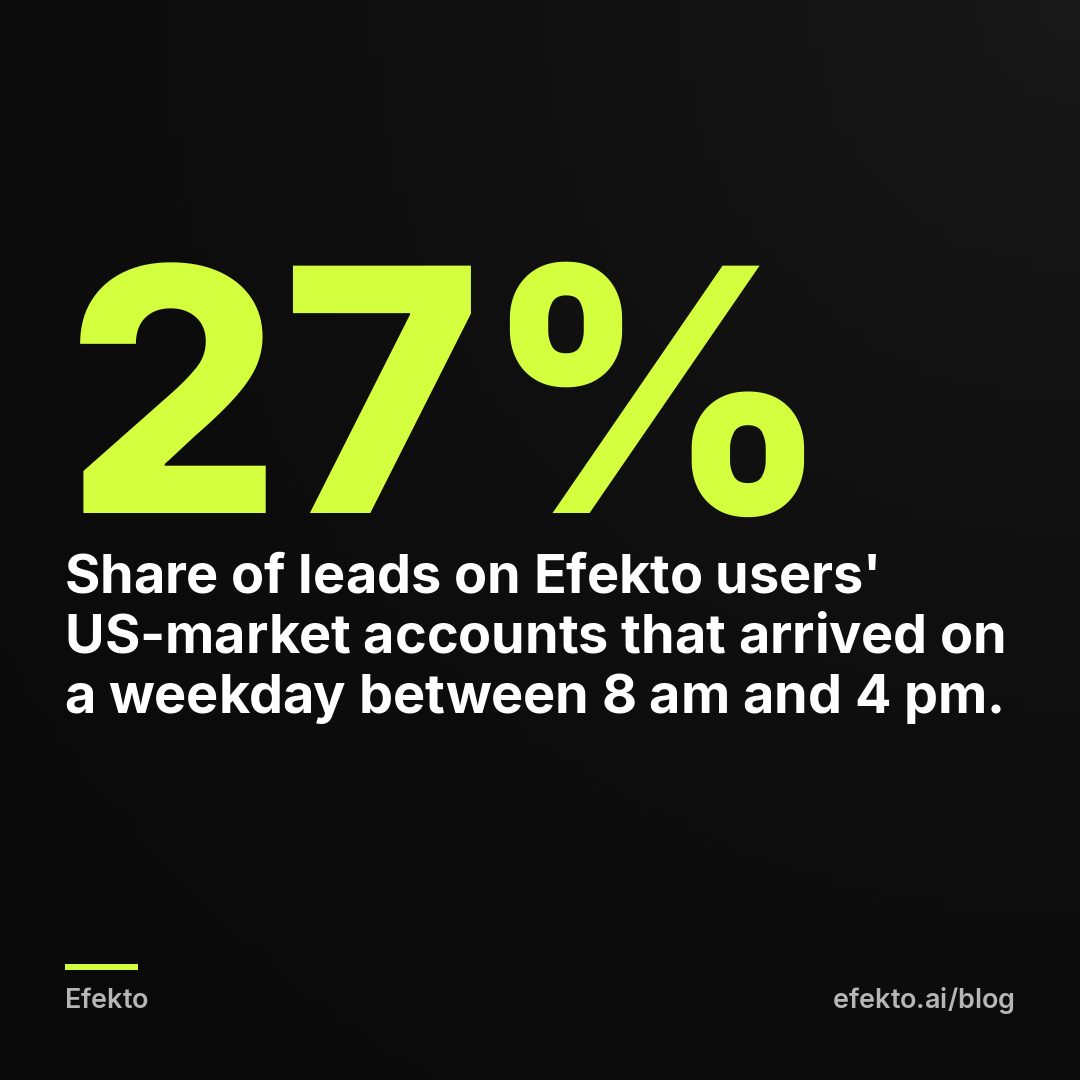
From our accounts: We looked at every lead that came in on Efekto users' accounts in English-speaking markets, mostly the US, over the 180 days to Nov 8, 2026. That was 10 brands and 138 leads. Only 27% of them arrived on a weekday between 8 am and 4 pm. 18% came in after 6 pm, and 34% came in on the weekend.
Then we checked the larger sample on the accounts Lemon Agency runs. That was 3,733 Meta lead form leads in the 90 days to Nov 8, 2026. Sunday brought the most leads (19.2%), Monday the fewest (12.6%), and Saturday plus Sunday together brought 32%. Most of these leads arrive while you're at dinner, driving between jobs, or off for the weekend. If your business only returns calls during office hours, a Sunday lead waits until Monday morning. By then it may have already booked someone else.
So why does Ads Manager show leads while revenue stays flat? Ads Manager counts form submissions and pixel events. It does not count customers. Between the number in the Results column and a paid invoice there are four leaks. The first is leads nobody contacted fast enough. The second is leads that were never buyers. The third is the same person counted twice. The fourth is attribution windows that give the ad credit for people who would have hired you anyway. We'd check them in that order, because in our view the first one costs local service businesses the most jobs and is the cheapest to fix.
One line on our interest: we make money when businesses advertise on Meta, through Lemon Agency's more than 300 clients and through Efekto. That is exactly why we don't trust a lead count on its own. An agency that reports only cost per lead is reporting the cheapest number it can find. The number that pays your bills sits three steps further down.
Ads Manager counts submissions, not customers
The Results column records one event: someone tapped Submit on your instant form, or your website pixel fired a Lead event. Nobody has checked that the phone number works, that the person lives in your service area, or that they want the job you do. Meta's cost per lead is the cost of that raw submission.
Your real cost per lead is higher. It is ad spend divided by the leads that turn out to be real, reachable people asking for a service you sell. Your cost per booked job is higher still. Both numbers are honest. They just answer different questions. Meta's number tells you whether the ads are generating interest. The other two tell you whether the business is making money.
If you judge your ads only by Meta's number, you will optimize for cheap submissions. Meta is very good at finding people who submit forms cheaply. Those are not always people who pay for a roof.
A worked example: 40 leads, 12 conversations, 4 jobs
For example, say a home service business spends $30 a day for 30 days. That is $900. Ads Manager shows 40 leads at $22.50 each, and the owner feels good about it. Here is what the same 40 leads can look like once someone goes through them:
| Stage (example numbers) | Count | Cost per item ($900 spend) |
|---|---|---|
| Leads in Ads Manager | 40 | $22.50 |
| After removing 5 duplicates | 35 | $25.71 |
| After removing 9 junk leads (wrong number, out of area, wrong service) | 26 | $34.62 |
| Leads actually reached (14 never answered) | 12 | $75.00 |
| Booked jobs (1 in 3 conversations) | 4 | $225.00 |
Say the average job is $650. Four jobs bring $2,600 in revenue. At a 40% gross margin that is $1,040 of gross profit against $900 of ad spend. On paper the campaign "got 40 leads." In the bank it earned $140.
Now change one thing. The ads stay the same, the budget stays the same, and the business reaches 10 of the 14 people it missed. Conversations go from 12 to 22. At the same 1-in-3 close rate that is about 7 jobs, $4,550 in revenue and $1,820 of gross profit. Cost per booked job drops from $225 to about $129. Nobody touched a single ad.
That is the point of the example. The biggest lever between leads and revenue is often outside Ads Manager. If you don't track these stages yet, our guide on tracking which Facebook leads turned into paid jobs without a CRM shows the simplest sheet that works. Below we focus on where each leak comes from and how to close it.
| Cause | How to check (15 minutes) | Fix |
|---|---|---|
| Slow contact | Compare lead timestamps with your first call or text | Phone alerts, text within 5 minutes, weekend coverage |
| Unqualified leads | Mark each lead in last month's export: real or junk | Higher intent form, one qualifying question |
| Duplicates | Sort the export by phone number | Count unique phones, fire the Lead event once |
| Attribution windows | Compare click-only and view results in Ads Manager | Judge website leads on click attribution, ask "how did you hear about us" |
| Wrong result type | Check the Result type column and Events Manager | Count only Leads, test the pixel |
Slow contact loses more jobs than bad ads do
This is the most common leak, and the case above shows why. A lead form takes 20 seconds to fill in. The person who filled in yours probably filled in two others. Whoever calls first usually gets the inspection, the estimate, or the appointment.
How to check it: export last month's leads from Meta Business Suite (Leads Center) or download them from the form. Next to each one, write when someone first called or texted. Then look at two things: how many leads waited more than a few hours, and how many never got a second attempt. Most owners who do this for the first time are surprised by the second number.
How to fix it:
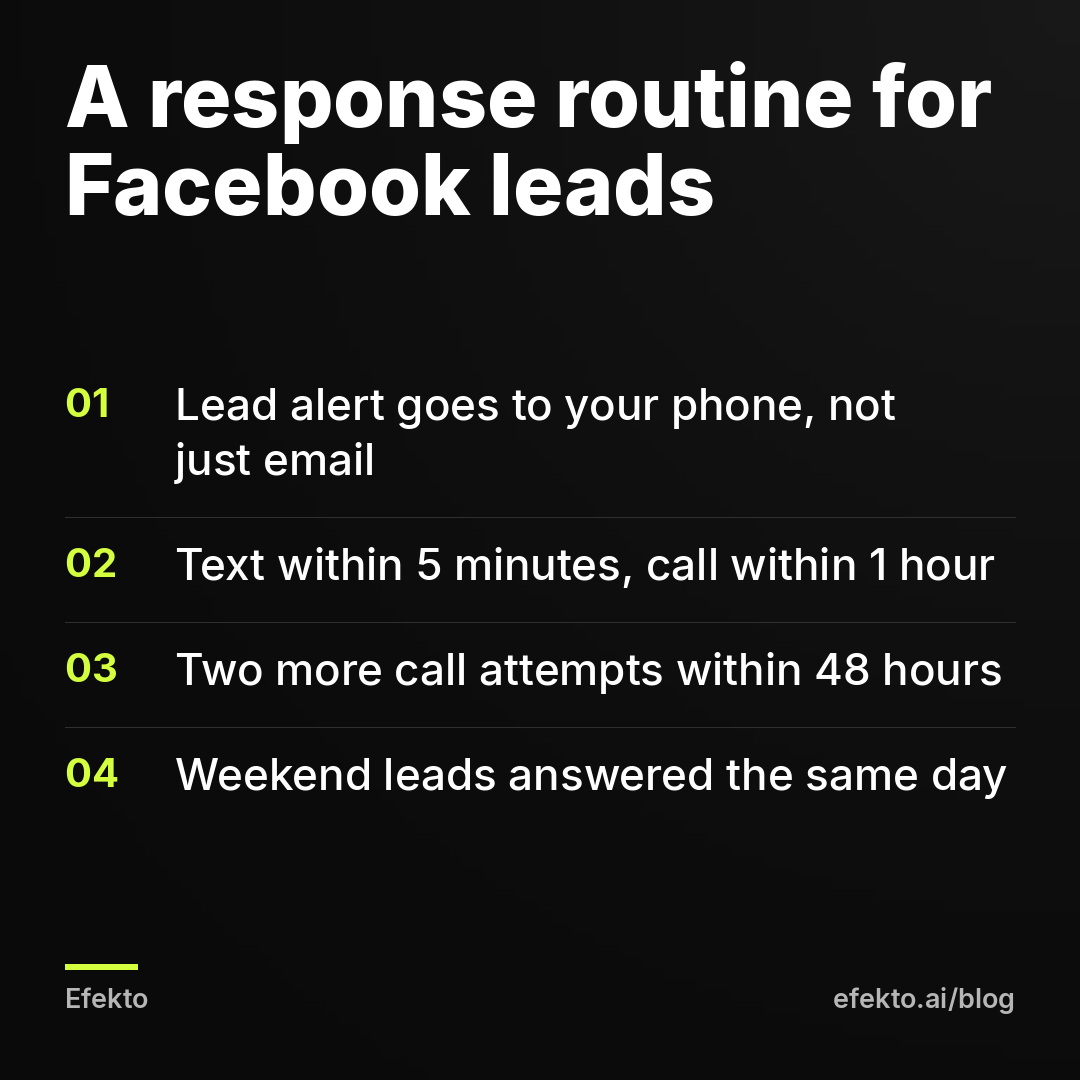
- Send lead alerts to your phone, not just to an inbox you check at night. Leads Center can notify you, and so can most CRMs and simple Zapier-style connections. If leads aren't arriving at all, start with our fix for Facebook leads not showing up in your email or CRM.
- Text within 5 minutes, even if you can't talk. "Hi, this is Mike from the roofing company you just contacted. I'm on a job, I'll call you by 3 pm. What's the address?" keeps the lead warm.
- Call within 1 hour. If nobody answers, try twice more within 48 hours, at different times of day.
- Cover the weekend. With 32% of lead form leads on our agency accounts arriving on Saturday and Sunday, a business that goes dark on weekends is paying for leads it hands to competitors. Someone answering for 30 minutes on Saturday and Sunday evening is enough.
If you can't do any of this, cut the budget until you can. Buying more leads you won't call is the most expensive way to run Facebook ads.
Some of your leads were never buyers
Instant forms are built to be easy. Meta prefills the name, email and phone from the profile, so a person can submit with two taps while scrolling. Some of them do it by accident. Some use an email they haven't opened since 2015. Some live two states away. Some want a free quote to compare against the contractor they already chose.
How to check it: take last month's export and mark each lead as real or junk. Real means a working phone number, inside your service area, asking about something you sell. If more than about a quarter are junk, the problem is the form, not your follow-up. That threshold is our rule of thumb, not a benchmark.
How to fix it:
- In the form settings, switch the form type from "More volume" to "Higher intent." It adds a review screen where the person confirms their details before submitting. You'll get fewer leads, and more of them will pick up the phone.
- Add one multiple-choice question that a buyer answers easily and a casual scroller doesn't bother with: "What do you need?" (repair, replacement, inspection), or "When do you want this done?" (this week, this month, just researching).
- Ask for a ZIP code. It costs one field and immediately shows you who is outside your area.
- Say the starting price in the ad or the form intro if your pricing allows it. People who can't afford $8,000 for a roof will stop submitting, and that's what you want.
Every one of these lowers the number in Ads Manager. Good. You are trading leads you'd never close for leads you can.
The same person gets counted twice
Duplicates inflate the count without adding a single customer. They come from three places. A person submits the instant form twice because they weren't sure it went through. A person fills in the instant form and then also your website form. Or your website pixel fires the Lead event twice for one submission: once when the form is sent and again when the thank-you page loads, or every time someone refreshes that page.
How to check it: sort your lead export by phone number and count repeats. For website leads, compare the number of Lead events in Events Manager with the number of form emails you actually received for the same week. If Events Manager shows 30 and your inbox shows 22, something is firing twice.
How to fix it: count unique phone numbers, not rows. On the website, fire the Lead event in one place only, on a thank-you page with its own URL that people reach only after submitting. Then use Test Events in Events Manager to submit one test lead and confirm that one event shows up, not two.
Attribution windows give the ad credit for customers you'd have gotten anyway
This leak matters most if your leads come through your website rather than an instant form. Meta's default attribution setting is 7-day click and 1-day view. A website lead counts as an ad result if the person clicked your ad within the last 7 days, or merely saw it within the last day and then converted.
That second part is where revenue and Ads Manager drift apart. Say a neighbor recommends you. The homeowner scrolls past your ad that evening without clicking, then searches your name on Google and fills in your contact form. Ads Manager counts it as a lead from the ad. Your revenue would have been the same without the ad.
How to check it: in Ads Manager, open Columns, then Compare attribution settings, and look at click results and view results side by side. If a large share of website leads come from views only, treat that share as doubtful.
How to fix it:
- Judge website campaigns on click-through results. View-through leads are a bonus, not the basis for a budget decision.
- Ask every new customer on the first call: "How did you hear about us?" Write the answer down. After 30 or 40 customers you'll know how much of what Meta reports is new business.
- Instant form leads are a different case. They submit inside Facebook, so the click happened. The question there isn't attribution but whether that person would have called anyway. The "how did you hear about us" question answers that too.
We don't think view-through attribution is a scam. Seeing an ad does change behavior. But a local business with a $30 daily budget can't afford to count credit it can't verify.
The Results column may not be counting leads at all
Before you blame the leads, check what Ads Manager is calling a result. A campaign set up with the wrong objective, or a website pixel that fires on the wrong page, will happily report hundreds of "results" that are clicks or page views.
How to check it: add the Result type column in Ads Manager. It should say Leads, On-Facebook leads, or Website leads. If it says Link clicks, Landing page views or anything else, the campaign was never optimizing for leads. For website leads, open Events Manager and see which URL triggers the Lead event. If it's your contact page instead of the thank-you page, every visitor who opened the form counts as a lead, including the ones who left.
How to fix it: rebuild the campaign with the Leads objective. Move the Lead event to the thank-you page and test it with one submission. Expect the reported number to drop sharply. The real number didn't change; you're just seeing it for the first time.
When more leads won't fix revenue
Sometimes all four leaks are closed and revenue still doesn't move. Then the problem is in the business math, and no ad setting will solve it.
- Your calendar is full. If crews are booked three weeks out, extra leads go to the bottom of a waiting list and many of them hire someone faster. Raise prices or add capacity first.
- The job is too small for the cost of getting it. For example, if a booked job costs you $225 in ad spend and the average ticket is $180, every new customer loses money unless they come back. That works for recurring services like lawn care or pest control, and fails for one-off small repairs.
- The close rate on calls is low. If you reach people and still book fewer than 1 in 5, look at the call itself: how fast you quote, whether you visit, how your price compares. That's sales, not advertising.
This is also where we'd tell you not to use Efekto. If nobody in your business can call leads back within a day, no ad tool, agency or app will make you money, because the leak is after the lead. Fix the follow-up first, then spend.
If the follow-up is in place and what you lack is time to run the ads, that's the part Efekto covers. Efekto creates ads from your website, publishes them on Facebook and Instagram, and optimizes them every day: it turns off the ones that don't bring results and scales the ones that do. It does not call your leads, and it doesn't pretend that a submitted form is a customer. You can see the full flow, including the ad approval step, on how Efekto works.
What to take from this
- Stop reporting only Meta's cost per lead. Track three numbers every month: leads in Ads Manager, real leads after cleanup, and booked jobs. Divide ad spend by each.
- Close the contact leak before touching the ads: alerts on your phone, a text within 5 minutes, a call within 1 hour, and someone covering Saturday and Sunday.
- Switch instant forms to Higher intent and add one qualifying question plus a ZIP code. Accept the lower lead count.
- Clean up the counting: unique phone numbers only, one Lead event on one thank-you page, click attribution for website leads, and "how did you hear about us" on every first call.
- Raise the budget only when cost per booked job is below what a job earns you. Until then, more leads just means more of the same leak.
If you want the ads side handled while you handle the calls, you can start a campaign at efekto.ai.
- Jakub Zwoliński
Founder, Lemon Agency · Efekto · November 9, 2026