How to Use Before-and-After Photos in Facebook Ads Without Getting Rejected
Before-and-after photos work in Facebook ads when they show a car, roof or kitchen, not a body. Safe frames, captions and a fix plan when an ad is rejected.

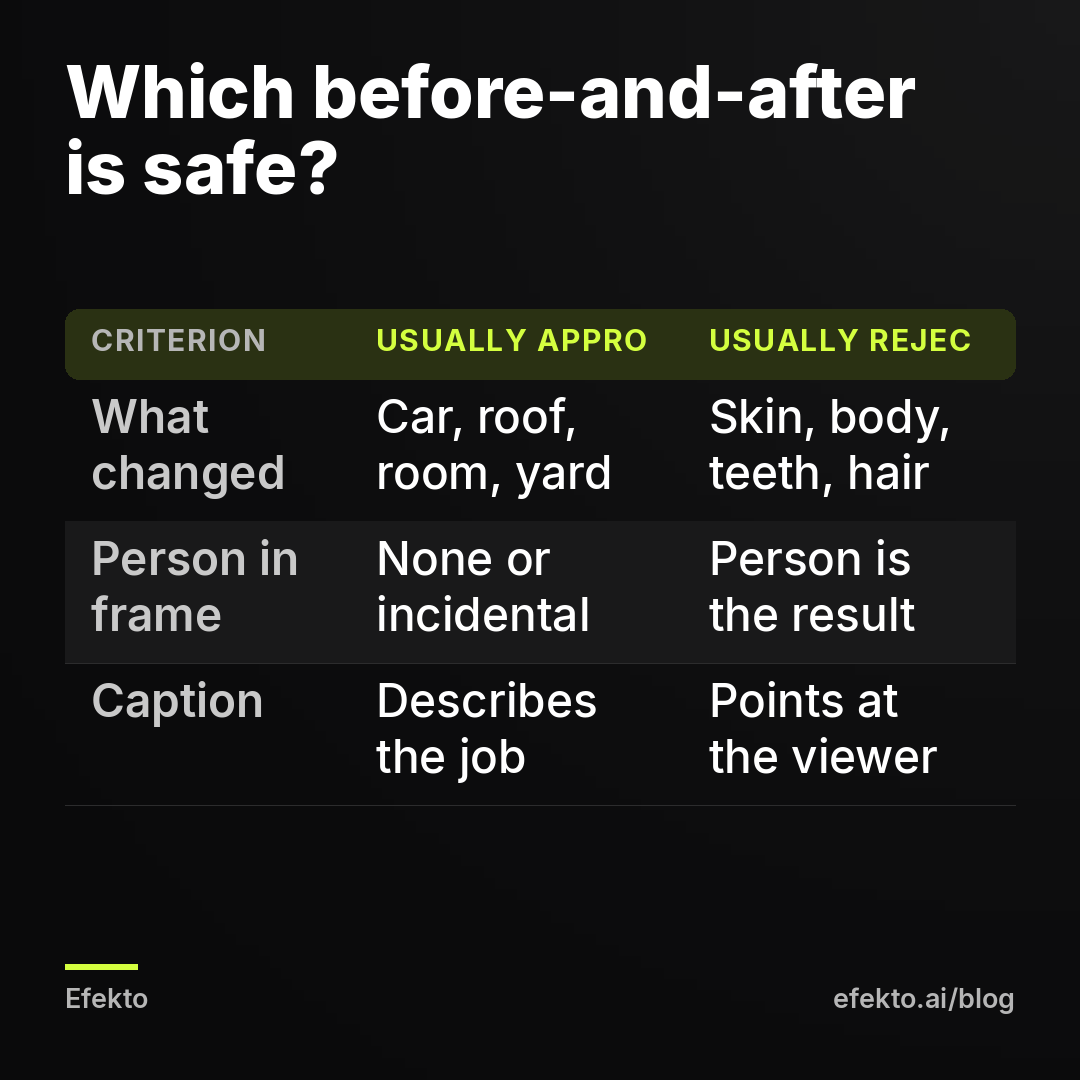
Before-and-after photos are fine in Facebook ads when the thing that changed is an object: a car, a roof, a carpet, a driveway, a kitchen. They get rejected when the change is in a person's body, skin, weight, teeth or hair, or when the caption suggests something is wrong with the viewer. If you detail cars, clean houses or remodel, you can run before-and-after ads with confidence. You just have to frame and caption them as a picture of the work, not a picture of a person.
We should say where we stand. We make money when businesses run ads on Meta, and the team behind Lemon Agency and Efekto has run campaigns for more than 300 clients. Even so, we think a lot of before-and-after ads deserve to be rejected. A filtered "after" or a borrowed photo misleads the customer, and a reviewer who flags it is doing their job.
1. Is your before-and-after photo about a thing or a person?
Start with one question: what changed between the two photos? If the answer is a vehicle, a building, a yard or a room, you are on the safe side. Meta's advertising standards handle ads about personal health and appearance much more strictly, and before-and-after images of bodies are one of the most common reasons those ads fail review.
When it makes sense: car detailing, paint correction, ceramic coating, house and carpet cleaning, pressure washing, roofing, gutter cleaning, painting, flooring, kitchen and bath remodels, landscaping, junk removal, pest damage repair. In all of these the "after" is a better object.
When it does NOT: anything where the before-and-after is a face, a body, skin, teeth, hair or weight. This includes some businesses that think of themselves as "home services," like a mobile teeth-whitening service or an at-home personal trainer. For those, drop the before-and-after idea and build ads around the experience, the provider, the price or a consultation offer.
The gray zone: a home cleaning photo where the homeowner stands in the clean room, a landscaping shot with a family on the new lawn, a dental office showing a renovated waiting room next to a smiling patient. The service is fine. The person in the frame makes the reviewer look twice. Our recommendation: if a person isn't needed to show the result, crop them out.
2. How do you keep people out of a before-and-after ad?
Shoot the object, not the owner. For home services this is easy and it improves the ad anyway, because the viewer wants to see their own car or their own kitchen in your work, not a stranger.
Practical rules we'd follow:
- Frame tight enough that people walking by are not in the shot.
- No reflections of you or the customer in a freshly polished hood or a clean window. Shoot at a slight angle.
- If a technician has to be in the frame, show hands and tools, not a face looking at the camera next to the result.
- Keep team photos for separate ads. A photo of your crew is a good ad on its own. Mixed with a before-and-after, it muddies what the image is about.
When it makes sense: every before-and-after ad for a service done to an object.
When it does NOT: if your selling point is the people (a family-run crew, a technician the town already knows), run that as its own ad instead of squeezing it into a transformation photo.
3. How should you shoot the before and after photos?
Same spot, same angle, same light, same distance. That is the whole rule, and most rejected or ignored before-and-after ads break it. If the "before" was shot on a cloudy afternoon and the "after" in full sun, the viewer can't tell how much is your work and how much is the weather. A reviewer may read it as misleading, and so will a skeptical customer.
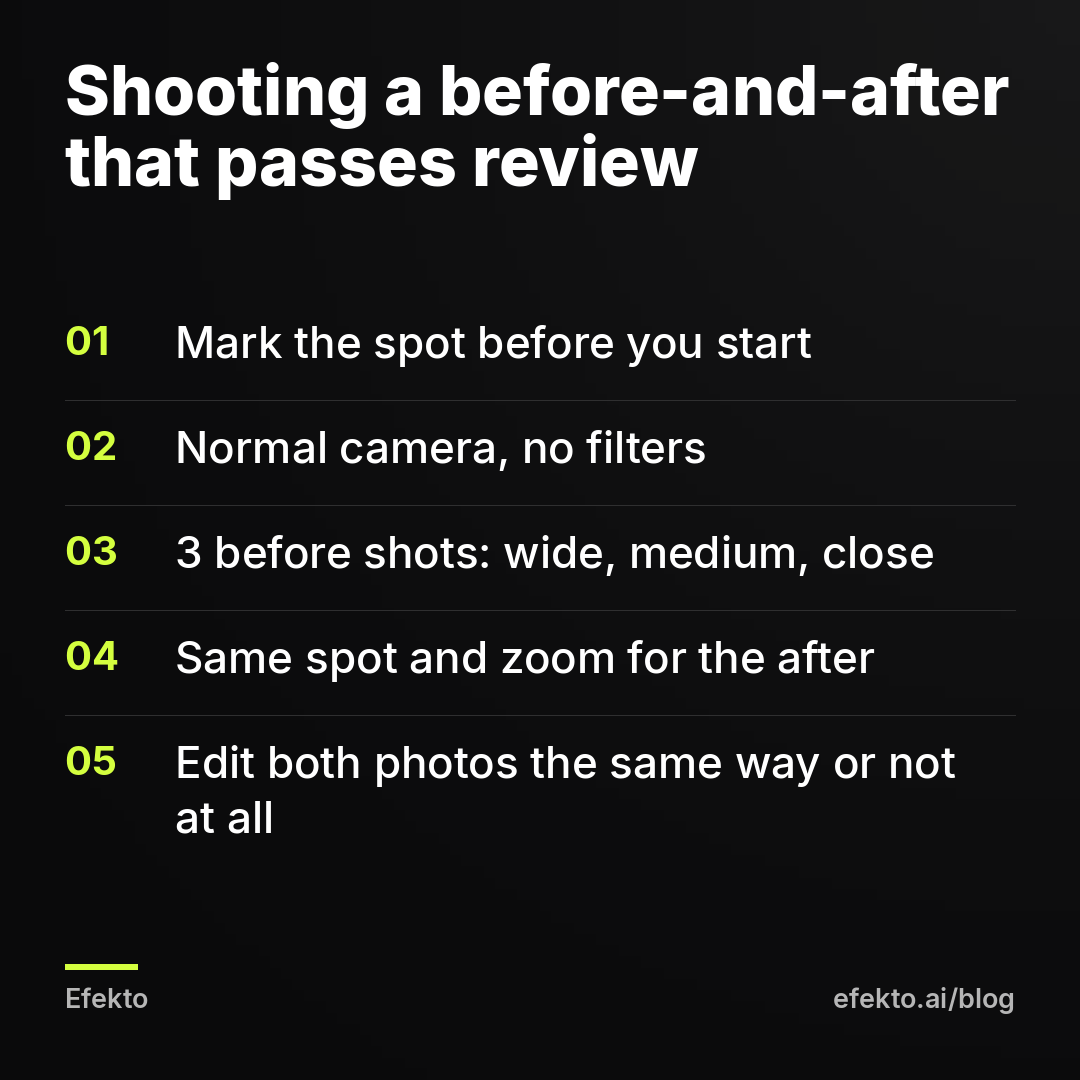
A checklist you can hand to whoever is on the job:
- Before you touch anything, mark where you stand. A piece of tape on the garage floor, or a note like "driver's side, rear wheel, 6 feet back."
- Shoot in the phone's normal camera mode. Portrait mode, filters and beauty modes off.
- Take 3 shots of the "before": wide, medium and close-up of the worst spot.
- Shoot the "after" from the same marks, same zoom, same time of day if you can.
- Do not adjust brightness on only one of the two photos. If you edit, edit both the same way.
When it makes sense: any job where the result is visible from one angle: a swirl-marked hood, a stained carpet, a mossy roof, a gray deck.
When it does NOT: jobs where the difference is invisible in a photo (a duct cleaning, an HVAC tune-up). A side-by-side of two identical-looking vents convinces nobody. Use a short video of the dirt coming out, or skip the before-and-after.
4. Can you use stock photos or AI to make a before-and-after?
No. Use only your own jobs. A stock "after" or an AI-generated transformation is a photo of work you did not do, and presenting it as your result is misleading the customer. Call it what it is. It also tends to look generic, and people who scroll past dozens of detailing ads a week can spot it.
The same goes for "enhancing" a real photo: AI tools that remove scratches you didn't remove, or brighten only the "after." Cropping, straightening and the same color correction on both images are fine. Adding results is not.
When it makes sense: a real job, shot by you, with the customer's permission (step 7).
When it does NOT: you're new and have no jobs yet. Then run an ad with a single honest photo of your work or your equipment, and start collecting before-and-after pairs from the first jobs that ad brings in.
5. Which layout works best: side by side, split or carousel?
For a local service business, a single image with the before and after side by side is the safest starting point. It reads in under a second in the feed and needs no clicks. Here is how we'd set each layout up:
| Layout | Size | When to use it | When not to |
|---|---|---|---|
| Side by side (left: before, right: after) | 1080 x 1080 px | Wide results: a full car, a driveway, a roof slope | Tall subjects that get squeezed |
| Stacked (top: before, bottom: after) | 1080 x 1350 px | Tall results: a doorway, a staircase, a wall | Wide shots that turn into thin strips |
| Carousel, 2 cards | 1080 x 1080 px each | When the detail matters and you want people to swipe | When you have only 1 good pair |
| Short video wipe, 6 to 10 seconds | 1080 x 1920 px | Stories and Reels placements | When the wipe hides the result behind effects |
Label both halves with small "Before" and "After" text in a corner. Keep it small: the photo should do the talking. If you want to compare formats in more depth, we cover it in our guide to the best Facebook ad formats for local service businesses.
When it does NOT make sense: an "after" so small it's unreadable on a phone. If the result needs zooming to see, use a close-up pair instead of a full-scene pair.
6. What captions are safe for before-and-after ads?
Captions that describe the job are safe. Captions that point at the viewer's flaws are where many ads get into trouble, even when the photo is fine. Meta's review is sensitive to text that asserts or implies something about the person reading it, and "Is your car embarrassing?" does exactly that.
Captions and headlines we'd use:
- "2017 Tacoma, 6 hours of paint correction. Same angle, same light."
- "This driveway hadn't been washed in 8 years. 3 hours later."
- "Carpet stain from a spilled red wine, before and after our hot water extraction."
- "Moss removal and roof wash on a 2-story colonial. No pressure on the shingles."
- "Full interior detail: seats, carpets, headliner. Book a slot this week."
Captions we would rewrite:
- "Ashamed of your dirty car?" Rewrite as "Interior detail for cars that haul kids and dogs."
- "Your neighbors are judging your lawn." Rewrite as "Spring cleanup: from this to this in one visit."
- "Guaranteed to look brand new." Rewrite as what you actually did: "Swirl marks removed with a 2-step polish."
- "Results in every case." Drop it. Every job is different and you know it.
If you also want to quote what the customer said about the job, read our post on how to use customer reviews in Facebook ads within Meta's rules first. Reviews pair well with a before-and-after, but they come with their own pitfalls.
7. Do you need the customer's permission to post their car or house?
We recommend getting it every time, in writing, before the photo goes into an ad. A text message works: "Can we use photos of your car (plates blurred) in our ads?" and a "yes" back. It takes 30 seconds and saves you an awkward call from a customer who sees their driveway in their own feed.
Before the photo goes live, also remove anything that identifies the customer:
- license plates (blur or crop),
- house numbers and mailboxes with names,
- street signs in the background,
- anything visible through a window: mail, documents, family photos.
When it makes sense: every residential job.
When it does NOT apply: your own demo vehicle or your own shop floor. Even then, check the background.
8. What do you do when the ad is rejected, and how fast should it bring leads once approved?
Open the rejection reason in Ads Manager or Account Quality, fix the specific thing it points to, and request a review. Do not upload the same image 10 times hoping a different reviewer lets it through, and never move the ad to another ad account. Meta treats new or backup accounts after a rejection as circumventing its systems, and that can end in a permanent ban. If you truly need a backup, it's a second channel, like Google, not a second Facebook account.
The fix order we'd follow:
- Is there a person whose appearance is the result? Crop them out or replace the photo.
- Does the caption say anything about the viewer? Rewrite it to describe the job.
- Does the "after" look edited more than the "before"? Use the untouched pair.
- Is there text all over the image ("BEST PRICE! 50% OFF!")? Cut it to the two labels.
- Request a review. If it's still rejected and the reason is health or appearance, the problem is the concept, not the crop. Drop it.
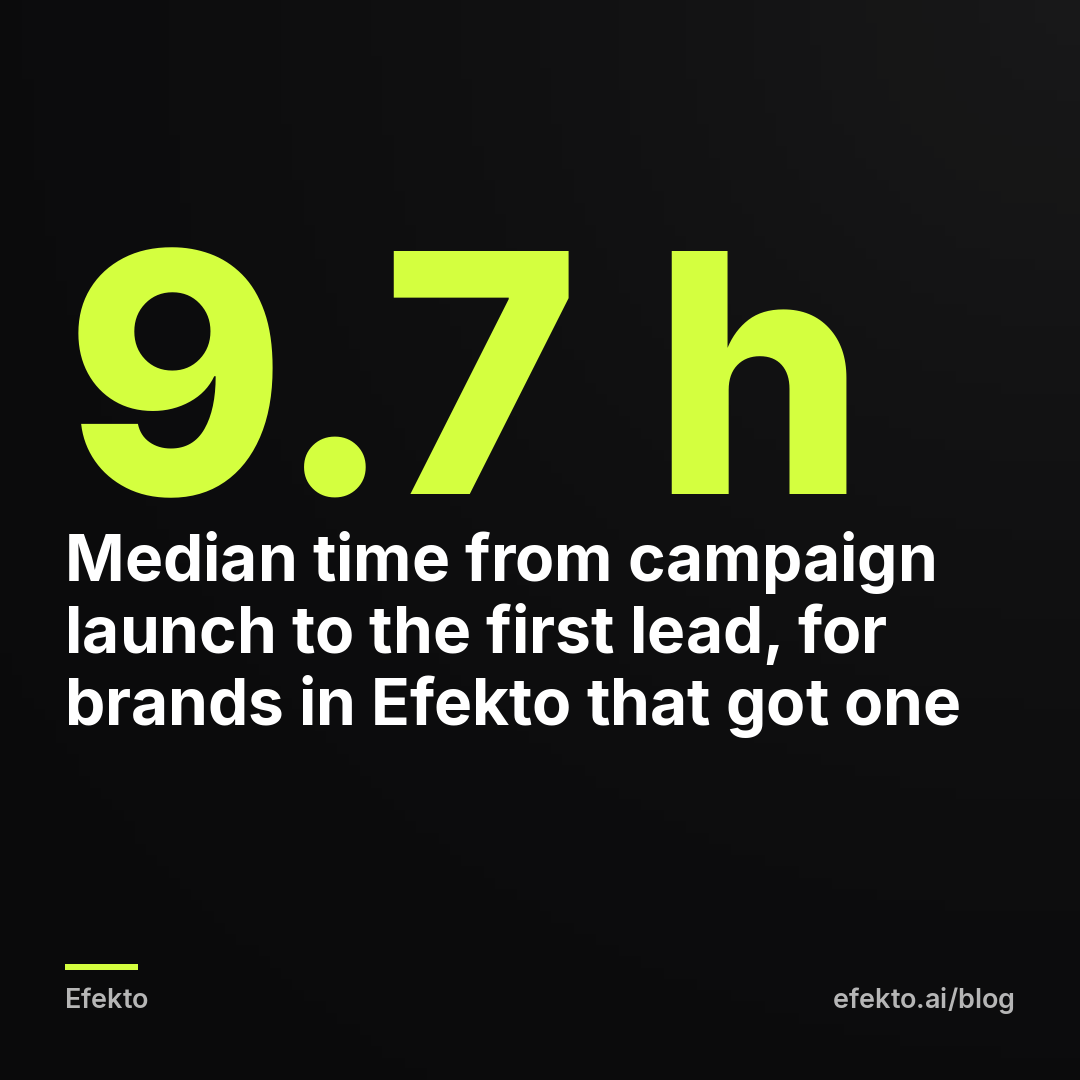
From our accounts: Of the 49 brands that launched a campaign in Efekto in the 180 days to Nov 8, 2026, 28 have already received a lead; the median time from launch to the first lead was 9.7 hours, and 22 of them got one within 24 hours. What that means for you: a rejected ad doesn't cost you money, because a stopped ad doesn't spend. It costs you the leads you would have had and the days the campaign needs to learn again. Once a clean ad is approved, the first signal can come within the first day, so a day spent fixing the photo properly is cheaper than a week of ping-pong with review.
Then judge the ad on booked jobs, not on likes. For example: say a detailing shop spends $20 a day for 30 days, so $600. If the before-and-after ad brings leads at $25 each, that's 24 leads. If 1 in 3 books, that's 8 jobs; at $250 per detail, $2,000 in revenue from $600 in ads. If the same ad gets 300 likes but 4 leads, the photo is entertaining people, not selling. Change the pair, not the budget.
If you'd rather not do the reviewing and fixing yourself, Efekto creates ads from your website, publishes them, and optimizes them every day: it turns off the ones that don't bring results and scales the ones that do. You approve the first batch before anything goes live, at least 5 ads, so you can check every before-and-after for faces, plates and captions yourself. For detailers we describe the setup on the Efekto page for car detailing.
Summary: before-and-after photos by type of service
| Service | Before-and-after allowed? | Safe frame | Risky frame |
|---|---|---|---|
| Car detailing | Yes | Hood, wheel or interior from the same angle, plates blurred | Owner posing next to the car as the "after" |
| House and carpet cleaning | Yes | Room or stain, no people | Homeowner in the clean room |
| Pressure washing | Yes | Driveway or siding, same light | "Before" in shade, "after" in sun |
| Roofing, gutters | Yes | Same slope from the ground or a ladder | Drone "after" vs phone "before" |
| Remodeling, painting, flooring | Yes | Same corner of the room | Stock photo "after" |
| Landscaping, lawn care | Yes | Same yard from the same spot | Family on the new lawn as the focus |
| Teeth whitening, skin, hair, weight | No, treat as appearance | Provider, office, offer | Any body or face transformation |
Most common mistakes
- Treating the rejection as a glitch. Requesting review on an unchanged ad rarely helps. Fix the photo or the caption first.
- Different light in the two photos. It's the fastest way to look fake, even when the work is real.
- One heavily edited "after." Same edits on both, or none.
- A caption that talks about the viewer. Talk about the car, the roof, the stain.
- A face in the reflection or background. Check the hood, windows and mirrors before you post.
- Unblurred plates and house numbers. Your customer didn't sign up to be identifiable in an ad.
- Running one before-and-after for months. It wears out. Shoot a new pair from every good job and rotate them in.
FAQ
Can a med spa or dental office use before-and-after photos on Facebook?
When the photo shows a face, skin, teeth or a body changing, treat it as an appearance ad and expect it to be rejected. Build those ads around the provider, the consultation or the price instead. Photos of a renovated office are fine, because the office is the object.
Can I use the customer's real name with the before-and-after?
Only with their explicit permission, and we'd still avoid it. A first name and the car model or neighborhood ("Mike's 2019 F-150") gives enough realism without making the customer identifiable.
My before-and-after ad was approved, then rejected a few days later. Why?
Ads can be reviewed again after they start running, for example when they get reported or edited. Check what changed: a new caption, a swapped image, or comments that drew attention. Fix the specific issue and request review instead of duplicating the ad.
Do before-and-after ads work better as video or as an image?
Start with a single side-by-side image, because it's the cheapest to produce and the easiest to read. Add a 6 to 10 second wipe video for Stories and Reels once you have a pair that already brings leads as an image.
If you want before-and-after ads created, launched and checked every day without learning Ads Manager, you can start a 7-day free trial at efekto.ai.
- Jakub Zwoliński
Founder, Lemon Agency · Efekto · November 10, 2026