How to Use Customer Reviews in Facebook Ads Without Breaking Meta's Ad Rules
Turn Google and Yelp reviews into Facebook ad text and graphics the right way: get permission, quote word for word, pick reviews that name a service, and avoid claims Meta rejects.

Yes, you can put customer reviews in Facebook ads, and they often make better ad copy than anything you would write yourself. The rules come down to three things. Get the reviewer's permission. Quote them word for word without changing the meaning. Never let a review promise a result your business can't deliver to most customers. If you skip the first two, you have a legal problem in the US. If you ignore the third, Meta is likely to reject or restrict the ad.
In short:
- The reviews worth quoting name a specific service and a specific detail, not just "great job, highly recommend."
- Ask the reviewer for written permission before you quote them, and keep that message on file for as long as the ad runs.
- Shorten a review only where the cut keeps its meaning, and leave out any review that implies a result most customers won't get.
Can you use Google and Yelp reviews in Facebook ads?
You can, but the permission that matters comes from the person who wrote the review, not from the platform where it was posted. Your customer wrote that review. Once you put it in a paid ad, their words become your advertising claim, and you are responsible for them.
In the US, the FTC treats a customer review used in an ad as an endorsement. Under the FTC's Endorsement Guides, the endorsement has to reflect the customer's honest opinion and real experience, and you can't edit it into something they didn't say. The FTC's rule on consumer reviews and testimonials, which took effect in October 2024, goes further and bans fake reviews and testimonials outright, including ones from people who don't exist or never used the service. We are not lawyers, and if you are in a regulated field like dental or med spa, run your review ads past whoever handles your compliance. The safe pattern below fits these rules without any clever interpretation.
The platforms have their own rules too. Yelp's terms restrict commercial reuse of content from its site and limit how businesses can use its name and logo. Google restricts use of its logo and brand. Read the current terms before you paste a screenshot into an ad. Our approach is simpler, and it holds up whatever the terms say: ask the customer, quote the customer, and credit the customer. Label the source in plain text, without platform logos.
We make money from ads on Meta, so we have an interest in you running more of them. Across more than 300 Lemon Agency clients, review-based ads are one of the formats we come back to most often for service businesses. That is also why we have seen most of the ways they go wrong.
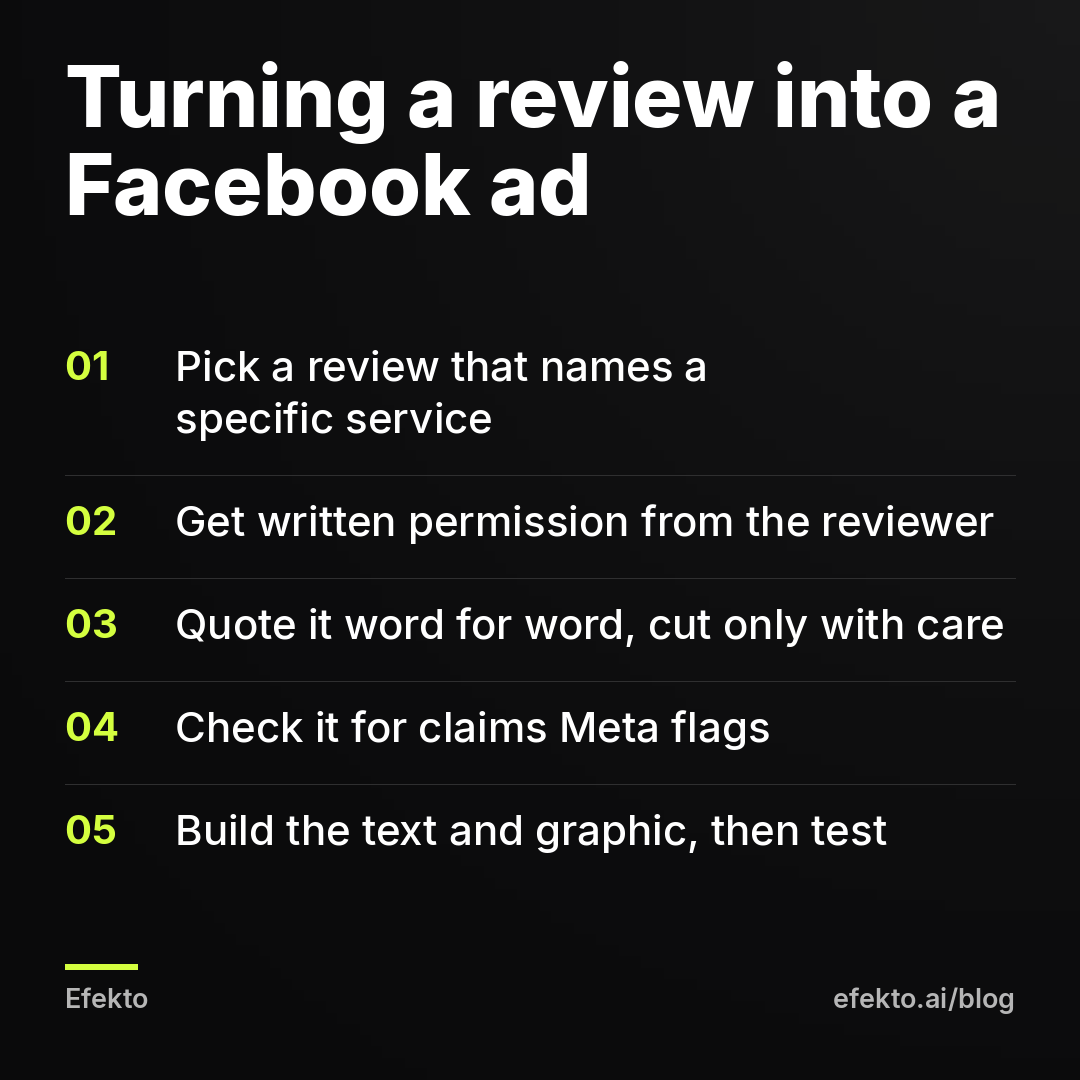
Step 1: How do you choose which reviews to put in an ad?
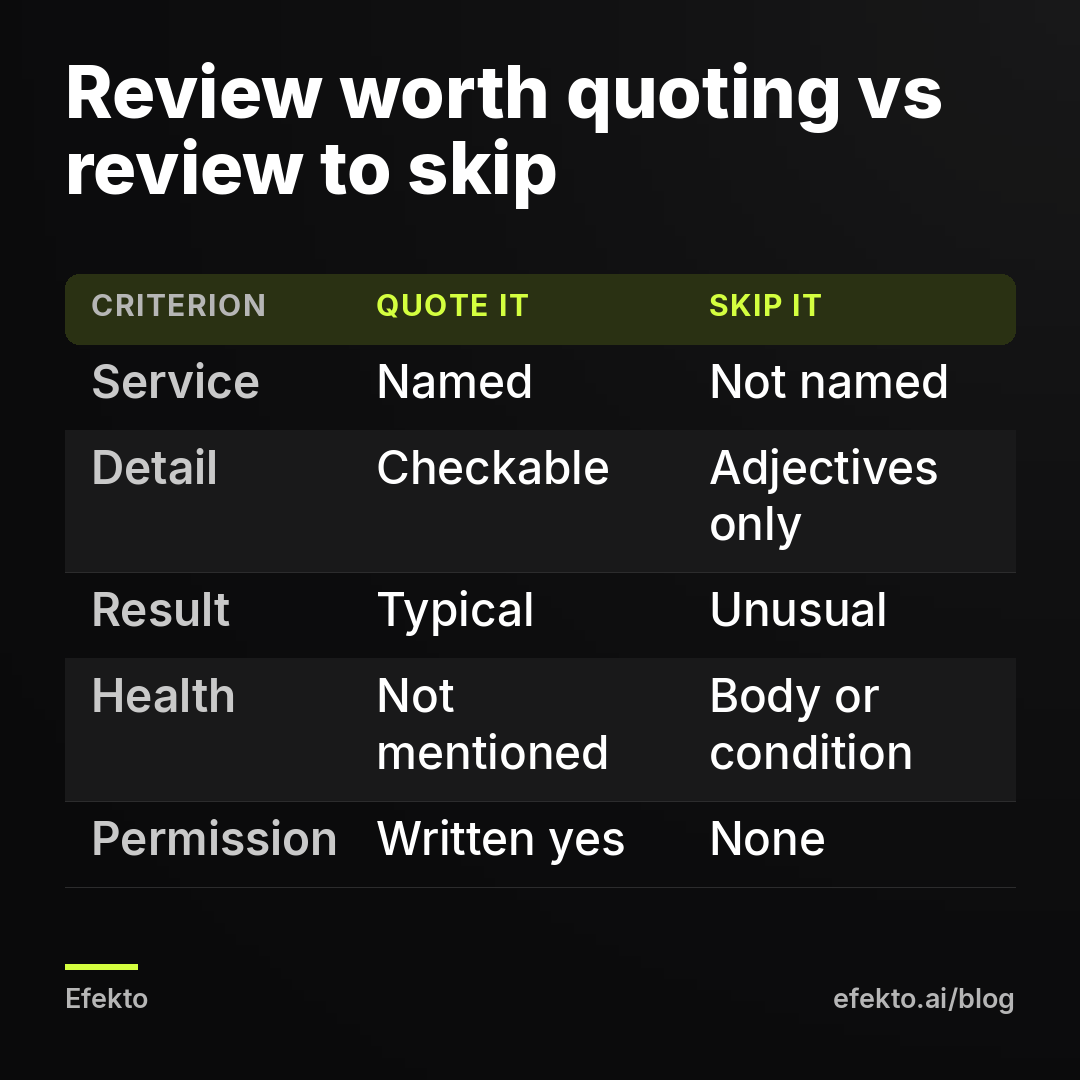
Choose reviews that name the service, give a concrete detail, and describe something a new customer can expect too. A review that says "amazing, five stars" proves you have happy customers. A review that names the job, the problem, and what happened proves you can do the job the ad is selling.
Open your Google and Yelp reviews and sort them by newest. Go through the last 6 to 12 months and copy every review that passes this filter into a spreadsheet:
| What to check | Quote it | Skip it |
|---|---|---|
| Service named | Mentions the exact service you advertise (gutter guards, ceramic coating, AC replacement) | Only says "great work" or "nice people" |
| Concrete detail | Arrival time, how the crew left the property, how the price matched the quote | Pure adjectives with nothing checkable |
| Typical experience | Something most customers get (on time, clean, clear quote) | An unusual outcome ("saved me $3,000", "cured my pain") |
| Health or body | No mention of the reader's body, health, or personal condition | Weight, skin conditions, pain, anxiety, before and after results |
| Age of review | Recent, and you still offer the service at that standard | Old, or about a crew member, price, or service you no longer offer |
| Reviewer reachable | You know who they are from your job records | Anonymous profile you can't match to a customer |
The last row matters more than it looks. If you can't match the review to a real job in your records, you can't ask for permission, and you shouldn't use it.
Aim for 5 to 10 usable reviews per service you advertise. If you run ads for two services, such as roof repair and full replacement, keep separate lists. An ad for replacements with a quote about a quick leak fix confuses the reader and weakens the ad.
One honest warning: most review collections are thinner than owners expect. Out of 80 reviews, it is normal to find a dozen that name a service and give a detail. That is enough. You need a few strong quotes, not all of them.
Step 2: How do you ask a customer for permission to use their review?
Send a short message that says where the quote will appear and how they will be credited, and wait for a written yes. Text or email works. A verbal "sure" on the phone doesn't, because you can't show it to anyone later.
Here is a message you can copy and adapt:
Hi [first name], this is [your name] from [business]. Thank you for the review you left about your [service] in [month]. We'd like to quote part of it in our Facebook and Instagram ads, credited as "[First name] [last initial], [town]." We won't change your words. Is that OK with you? A simple yes by reply is all we need.
What each part does:
- Names the specific review. The customer knows exactly which words you mean.
- Names the placement. "Facebook and Instagram ads" is clearer than "marketing."
- Shows the credit format. Some people are fine with a first name but not a town. Let them choose.
- Promises no changes. If you plan to shorten the quote, say so and show them the shortened version.
Don't offer a discount, gift card, or freebie in exchange for permission to use a review that already exists, and never offer anything in exchange for a positive review. Paying for positive reviews is exactly what the FTC's rule targets. A thank-you after they agree, with no condition attached, is a gray area we avoid entirely. A sincere thank-you note costs nothing and creates no issue.
Save every yes. A screenshot in a shared folder named by customer and date is enough. Keep it for as long as the ad runs, plus some time after. If a customer later asks you to stop using their words, pull the ad that day.
Expect some people not to answer. In our experience, permission requests sent within a few weeks of the review get replies far more often than ones sent a year later, so make the request part of your routine after a good review comes in.
Step 3: How do you quote a review accurately without changing its meaning?
Quote the exact words, cut only what doesn't change the meaning, and mark every cut with an ellipsis. The test is simple. If the reviewer read your shortened version, would they say "yes, that's what I meant"?
Rules we follow:
- No rewording. Don't swap their word for a better one. If they wrote "really good," don't change it to "outstanding."
- Cuts are marked. Removed words become "..." so nobody can claim you hid anything.
- No stitching. Don't join a sentence from the start of a review to one from the end if that creates a claim the reviewer never made in one place.
- No cherry-picking against the meaning. If a review says "the price was higher than I expected, but the work was perfect," don't quote only "the work was perfect" in an ad about fair pricing.
- Typos can stay or be fixed lightly. Fixing an obvious spelling mistake is fine. Fixing grammar so much that the voice changes is not.
- Credit matches what they approved. If they approved "[First name] [last initial], [town]," that is exactly what goes in the ad.
A practical limit: the quote you use in a graphic should be readable in about three seconds, which usually means 10 to 25 words. In primary text you have more room, but the first line is what people see before "See more," so the strongest part of the quote goes first.
We deliberately aren't showing a sample review here. Invented reviews that look real are exactly what you should never put in an ad, so we won't model them. Work from your own reviews and the structure below.
Step 4: Which review claims get a Facebook ad rejected or flagged?
Meta reviews your ad as your own claim, so a quote that would break the rules coming from you also breaks them coming from a customer. Putting it in quotation marks doesn't protect it.
The claims that cause trouble most often in service-business review ads:
| Claim type in the review | Why it's a problem | What to do |
|---|---|---|
| Guaranteed or unusual results ("cut my energy bill in half") | Meta flags misleading claims, and the FTC expects a testimonial to reflect typical results or be clearly qualified | Use a review about process: on time, clean, honest quote |
| Health, body, or personal conditions ("finally got rid of my acne") | Meta's personal attributes policy and health rules limit implying anything about the viewer's body or condition | Use a review about the experience: staff, comfort, clear explanation |
| Before and after framing | Restricted in health and appearance categories | Show the work (a car, a roof) without implying a body transformation |
| Superlatives about the market ("best roofer in the state") | Reads as an unverifiable claim made by you | Pick a review with a concrete detail instead |
| Price claims ("half what the other guys quoted") | You can't stand behind someone else's quote | Leave price claims out unless your own published pricing backs them up |
| Naming a competitor | Invites disputes and adds nothing | Skip these reviews |
If you run a med spa or dental practice, this table is the minimum. Health-adjacent categories get stricter review, and we cover them in more detail in our post on promoting med spa treatments without getting ads rejected.
One more rule people miss: don't let your ad copy around the quote make the claim the quote avoids. "Our customers save hundreds every month" above a review that only says "the crew was on time" turns a safe ad into a misleading one.
If an ad does get rejected, don't keep resubmitting the same quote with small changes. Read the reason Meta gives, fix the actual problem, and if you believe the rejection is wrong, request a review. Our guide on what to do when an ad is rejected or an account is restricted goes through that process.
Step 5: How do you turn a review into Facebook ad text?
Use the quote as the hook, then add the service, the area, the offer, and one clear next step. The review earns attention, and your text tells people what to do next.
A structure that works for most local service ads:
- Line 1: the quote, in quotation marks, with the credit. Example structure: "[10 to 25 words from the review about the specific service]" - [First name] [last initial], [town]
- Line 2: what you do and where. "[Service] for homeowners in [area]."
- Line 3: the offer, stated plainly. A free inspection, a fixed-price quote within 24 hours, a seasonal slot. Only offer what you will actually honor.
- Line 4: the action. "Tap 'Get Quote' and we'll call you within [the time you can really meet]."
Headline: name the service and the offer, not the review. "Free [service] inspection in [area]" usually beats repeating the quote, because the headline sits under the image and people read it as the label of the ad.
Call to action button: "Get Quote" or "Book Now" for lead forms, "Call Now" if you answer the phone during the hours the ad runs.
The offer does most of the work, and the review makes it believable. A strong review attached to a weak offer still gets ignored. If you're unsure what to offer, our guide on writing a Facebook ad offer people click covers that.
Make two or three text versions, each built around a different review. Don't run five variations of the same quote. You want Meta to compare different stories: one about punctuality, one about cleanliness, and one about how the quote matched the final bill.
Step 6: How do you turn a review into an ad graphic?
Put the quote on a clean card or over a real photo of your work, credit the reviewer in plain text, and avoid anything that imitates the Google or Yelp interface. A designed quote card reads as your ad. A fake screenshot reads as a trick, and it puts platform logos in an ad where you may not have the right to use them.
Settings and rules we use for review graphics:
- Format: square 1080 x 1080 for feed, vertical 1080 x 1920 for Stories and Reels. Make both.
- Text size: large enough to read on a phone at arm's length. If you need to zoom, the quote is too long.
- Background: a real photo of the job the review describes, such as the finished roof or the detailed car, or a solid brand color. A real photo of your work beats stock every time.
- Credit line: "[First name] [last initial], [town]" and, if you want, "from a Google review" in plain text.
- Stars: only if they match the real rating of that specific review. A 4-star review with five stars drawn next to it is a misrepresentation.
- Overall rating: if you show "4.8 on Google," it must be your current rating, and you must update the graphic when it changes.
- No fake buttons: don't draw play buttons, close icons, or "reply" buttons. Meta treats images that imitate interface features as misleading.
- No customer photos without separate permission: permission to quote words isn't permission to use their face or their house.
You don't need a designer for this. A phone photo of the finished job plus a quote card in any simple design tool is enough. Our guide on making ad images and videos from your website and phone photos walks through the tools and sizes.
For video, the simplest review format is 10 to 15 seconds: footage of the job, the quote appearing as on-screen text, and the offer as the last frame. If the customer agrees to record a short clip themselves, even better, but get that permission in writing as a separate yes.
Step 7: How long should you run a review ad before judging it?
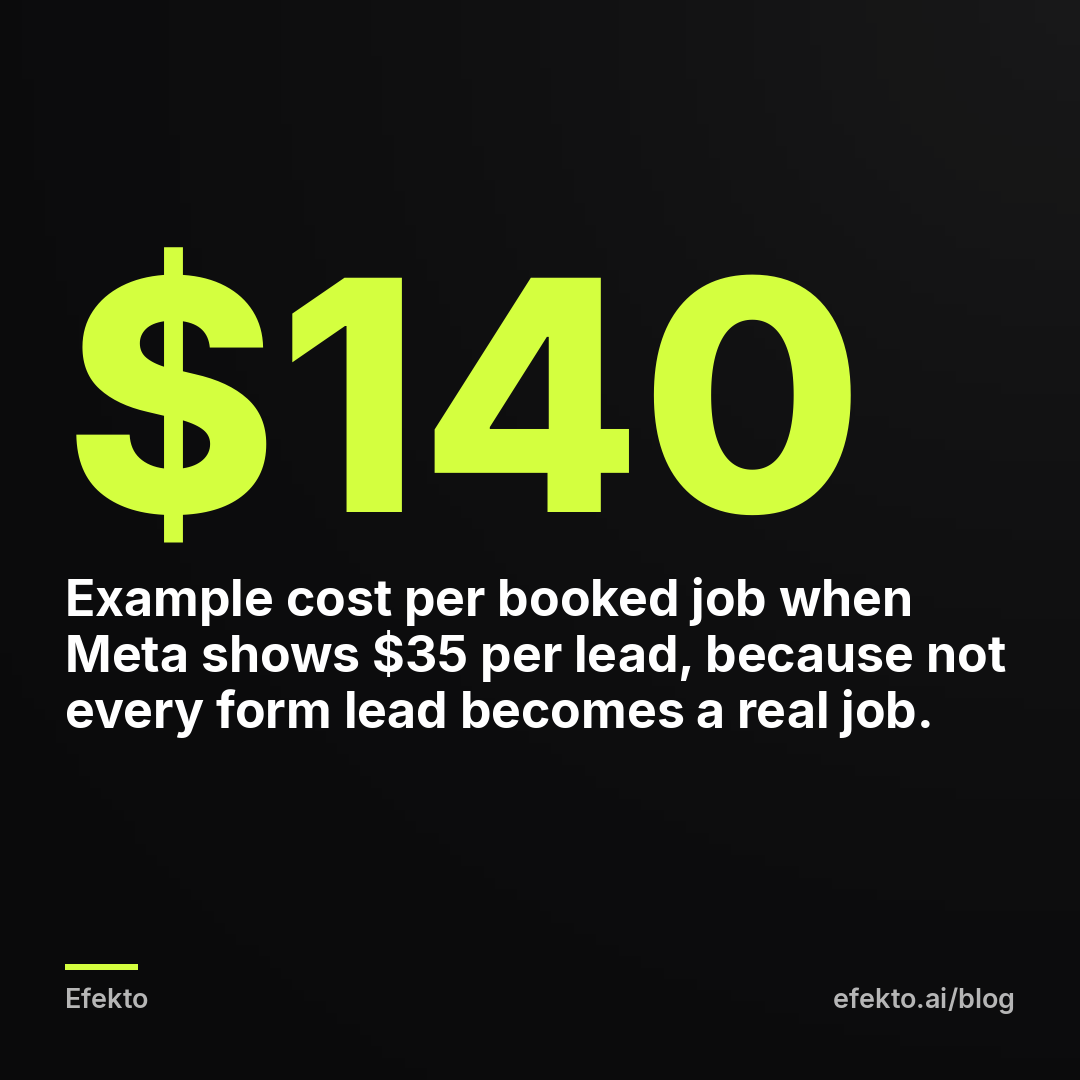
Run it for at least 7 to 14 days and judge it by booked jobs, not by the cost per lead Meta shows you. Meta counts a lead the moment someone submits the form, before anyone has called them. Some of those people gave a wrong number, some wanted a different service, and some are outside your area.
For example, say you spend $30 per day on a review ad for 14 days:
| Example numbers | Value |
|---|---|
| Spend (14 days x $30) | $420 |
| Form leads reported by Meta | 12 |
| Cost per lead according to Meta | $35 |
| Leads that were real and in your area after calling | 8 |
| Cost per verified lead | $52.50 |
| Booked jobs | 3 |
| Cost per booked job | $140 |
| Revenue at an example average job of $400 | $1,200 |
These are illustrative numbers, not our results or anyone's benchmark. The point is the gap between rows. The $35 Meta shows and the $140 it actually costs you to book a job are both real numbers that measure different things. A review ad that looks expensive on the Meta screen can still be your best ad if the people it brings in already trust you and book more often.
To compare fairly, run the review ad next to your regular ad with the same budget and the same offer, and count booked jobs from each in a simple spreadsheet. Call every lead fast. A trusted review won't save a lead you call back two days later.
Once a review ad starts slowing down, usually after a few weeks as the same people keep seeing it, replace the quote with another one from your permissioned list. That is why you collect 5 to 10 reviews in step 1, not one.
When do review ads not make sense?
Review ads aren't worth building when you don't have the reviews to support them, or when your category makes almost every review a risky claim.
Skip them, or hold off, if:
- You have fewer than 3 reviews that name a service and give a detail. Run a plain offer ad and spend a month asking happy customers for reviews first.
- Your best reviews are all about results you can't promise. If every glowing review says "lost 20 pounds" or "saved $5,000," quoting any of them invites a rejection and a misleading-claims issue. Use process reviews or skip the format.
- Your rating is weak. Advertising a single good quote when your public rating is low sends people to look you up, and they will find the rating. Fix the service problem first.
- You can't reach the reviewers. No permission, no quote. A screenshot "just this once" is how the trouble starts.
- You're brand new. Use photos of your work and a clear offer until real reviews come in. Don't borrow reviews from a previous business or a franchise location unless they truly apply to the service you sell now.
Can an app build and run review ads for you?
An app can handle the building, publishing, and daily testing. Permission and accuracy stay with you, because only you know which customer wrote what and whether they agreed. Efekto creates ads from your website, publishes them on Facebook and Instagram, and optimizes them every day: it turns off the ones that don't bring results and scales the ones that do. If you want permissioned review quotes in your ads, put them on your website, credited the way the customers approved. Then check every quote when you approve the first batch, which has to include at least 5 approved ads before the campaign starts. You can see the full flow on how Efekto works.
Efekto doesn't make sense if your daily ad budget is below $15, which is its minimum, or if you're in a category where every ad needs a compliance officer's sign-off before it runs. In those cases, building ads by hand in Ads Manager with the steps above is the better route.
What are the most common mistakes with review ads?
The most common mistakes are using reviews without permission and editing them until they say something the customer never said. These are the ones we see most often, along with the fix for each:
- Screenshotting a Google or Yelp review straight into an ad. Fix: get permission from the customer and rebuild the quote as your own designed card, without platform logos.
- "Cleaning up" a quote until it's a different sentence. Fix: exact words, cuts marked with "...", and the reviewer would agree with the result.
- Choosing the most dramatic review. Fix: choose the most specific one. Dramatic results are the reviews most likely to get flagged and least likely to match what the next customer gets.
- Writing ad copy that adds the claim the review didn't make. Fix: read the ad as a whole. If the text around the quote promises something, you need to be able to prove it.
- Drawing five stars on a four-star review, or showing an old overall rating. Fix: show the real rating, and update the graphic when it changes.
- Using a customer's photo because they approved the quote. Fix: ask separately for the photo.
- Running one review ad until it dies. Fix: rotate in a new permissioned quote every few weeks.
- Judging the ad by Meta's cost per lead alone. Fix: track booked jobs per ad for at least 7 to 14 days.
- Paying or rewarding customers for positive reviews. Fix: don't. Ask every customer for an honest review, and use only reviews that were given freely.
- Never asking. Most owners have strong reviews sitting on Google that never make it into an ad. A two-line text to the customer is all it takes.
FAQ
Do I need permission to use a Google review in a Facebook ad?
We strongly recommend getting it every time. The words belong to your customer, and once they appear in a paid ad they become your advertising claim. A written yes by text or email, saved in a folder, protects you if the customer or anyone else ever asks.
Can I shorten a customer review for an ad?
Yes, as long as the shortened version keeps the original meaning and every cut is marked with an ellipsis. Don't reword, don't join sentences from different parts of the review into a new claim, and don't cut a "but" that changes what the customer meant.
Can I show my star rating in a Facebook ad?
You can show your real, current rating as plain text, such as "4.8 on Google." Update it whenever it changes, and don't use the platform's logo or imitate its interface. Stars drawn next to a single quote must match the stars that customer actually gave.
Why was my review ad rejected when the words came from a real customer?
Meta reviews the ad as your claim, regardless of who originally wrote the words. Quotes about health conditions, the viewer's body, guaranteed savings, or unusual results get flagged the same way they would if you wrote them yourself. Swap in a review about the experience, such as punctuality, cleanliness, or a clear quote.
Can I use reviews from Yelp in my ads?
Yelp's terms limit commercial reuse of its content and its brand, so don't screenshot Yelp pages into ads. Ask the customer who wrote the review for permission to quote them directly, credit them by name, and present the quote in your own design.
If you want ads built from your website, published, and tested every day while you keep control of which quotes go out, you can try it at efekto.ai.
- Jakub Zwoliński
Founder, Lemon Agency · Efekto · October 25, 2026