Why Is My Facebook Ad Stuck in Review, and How Long Should It Take?
Meta says most ads are reviewed within 24 hours. What makes review take longer, how to check each cause, and what to do at 24, 48 and 72 hours.

Meta's Business Help Center says most ads are reviewed within 24 hours, though some take longer. If your ad is still in review after a day, there are four usual causes. You edited it and restarted the review. The ad account or Page is new. The ad touches a sensitive area such as health, credit, housing, jobs or politics. Or Meta's queue is slow. In review is not a rejection and not an account restriction. Stop touching the ad, work out which cause applies, and contact Meta support if nothing has changed after 48 hours.
In short:
- Under 24 hours in review is normal, 24 to 48 hours is slow but common, and past 48 hours you should act.
- Most stuck reviews come from your own edits, a new account, or wording Meta treats as sensitive.
- Do not delete the ad, duplicate it repeatedly, or open a new ad account to get around a slow review.
We make money from ads on Facebook and Instagram through Lemon Agency (300+ clients) and through Efekto, so we have an interest in your ads going live. That interest doesn't make Meta's review process transparent. Meta gives a 24-hour figure, not a guarantee, and it doesn't tell you why a specific ad is waiting. What follows is how we'd diagnose it.
How long does Facebook ad review take?
Meta's stated typical time is up to 24 hours. Many ads clear in minutes or a few hours. Meta also says some reviews take longer, and it doesn't publish how much longer.
Here is how we'd read the clock:
- 0 to 24 hours: normal. Do nothing.
- 24 to 48 hours: slow. Check the causes below, but don't change the ad yet.
- 48 hours or more: act. Duplicate once and contact support (steps further down).
The review checks the image or video, the text, the headline, the link and the page behind it, and the targeting. Meta uses mostly automated systems, and people look at some ads. Nothing you can pay for or click speeds this up. The only levers you control are removing the reasons for a closer look, and not restarting the review yourself.
Is "In review" the same as a rejected ad or a restricted account?
No. These are three different problems with three different fixes, and mixing them up wastes days. In review means Meta hasn't decided yet. Rejected means Meta decided the ad breaks a policy. A restricted account means Meta limited your ability to advertise at all, and that applies to every ad, not one.
| What you see | Where you see it | What it means | What to do |
|---|---|---|---|
| In review | Delivery column in Ads Manager | Meta hasn't finished checking the ad | Wait up to 24 hours, then follow the steps below |
| Rejected | Delivery column, with a reason when you hover | The ad broke a policy | Fix the specific issue or request another review |
| Active, but no spend | Delivery column plus spend columns | Approved, but not delivering | Check payment method, budget, audience size |
| Ad account restricted | Account Quality in Meta Business Suite | The whole account is limited | Follow the account appeal; new ads won't help |
| Learning | Delivery column, ad set level | Approved and running, still collecting data | Leave it alone for a few days |
This post covers only the first row. If your ad shows Rejected, or Account Quality shows a restriction, the problem is not review speed. Waiting won't fix it.
Why is my Facebook ad still in review after 24 hours?
Usually it's one of these, listed roughly from the most common to the least common.
1. You edited the ad, or the ad set
This is the cause owners least expect. Per Meta's guidance, changing the creative, text, link, targeting or optimization sends the ad back into review, and the clock starts over. Someone who fixes a typo at hour 20 has just reset a 20-hour wait. Editing also restarts the learning phase on a running ad, which we cover in why ads stop working after you edit them.
How to check: open the ad and look at the activity history. Look for any change made after you first published it.
How to fix: finish every edit before you publish. If the ad is already in review, leave it alone until Meta decides.
2. The ad account, Page or payment method is new
A brand-new ad account has no history, so Meta has nothing to judge it on. First ads from a new account, a newly created Page, or a freshly added card often wait longer than ads from an account that has run clean ads for months.
How to check: is this one of the first ads ever from this account? Did you change Pages or cards this week?
How to fix: you can't make an account older. You can remove reasons for suspicion. Complete the Page (address, phone, hours, a few posts), verify the business in Meta Business Suite, and turn on two-factor authentication for the admins. None of this guarantees a faster review. It just means there's less for a reviewer to question.
3. The ad touches a sensitive category or wording
Some topics get a closer look, and some legally require a special ad category:
- Credit: a roofer or HVAC company advertising "0% financing" or monthly payments may fall under the credit special ad category.
- Employment: "Now hiring techs" is a job ad, even from a detailing shop.
- Housing: real estate, rentals, some mortgage-adjacent offers.
- Social issues, elections, politics: these require authorization before the ad can run.
- Health and body: med spa, dental, weight loss, hair removal. Wording that implies you know something about the viewer ("Tired of your double chin?") breaks Meta's personal attributes rule. Before-and-after photos are another common trigger. We explain how to use them safely in before-and-after photos in Facebook ads without getting rejected.
How to check: read your text out loud. Does it mention money terms, hiring, a health condition, or "you" plus a personal trait?
How to fix: declare a special ad category if one applies. Not declaring it is a reason for rejection, not just delay. Rewrite personal-attribute lines as statements about the service: "Double chin treatment in Tampa" instead of "Tired of your double chin?"
4. The landing page has a problem
Meta reviews where the ad sends people. A slow page, a broken link, a redirect chain, or a page that differs from the ad can hold up review or end in rejection.
How to check: open the ad's link on your phone, in a private browser window, on mobile data. Does it load in a few seconds, without a pop-up covering everything?
How to fix: point the ad to a page that matches the offer, with no redirects. If your site is down, fix the site first. Don't swap links while the ad is in review.
5. Meta's queue is slow
Sometimes nothing is wrong with your ad. Meta doesn't publish queue times, so you can't confirm this. You can only rule out causes 1 to 4. If you've done that and it's under 48 hours, wait.
| Cause | How to check in 2 minutes | Fix |
|---|---|---|
| Edited after publishing | Ad activity history | Stop editing, wait for the decision |
| New account, Page or card | First ads from this account? | Complete Page, verify business, wait |
| Sensitive category or wording | Money, jobs, housing, health, "you" + trait | Declare category, rewrite the line |
| Landing page issue | Open link on phone, private window | Fix page, no redirects |
| Slow queue | All of the above ruled out | Wait to 48 hours, then act |
How fast should a new Facebook campaign bring its first lead?
Faster than most people expect, which is why a stuck review hurts.
From our accounts: Of the 55 brands that launched a campaign in Efekto in the 180 days to Nov 15, 2026, 33 have already received a lead. The median time from launch to the first lead was 11.4 hours, and 25 of them got one within 24 hours.
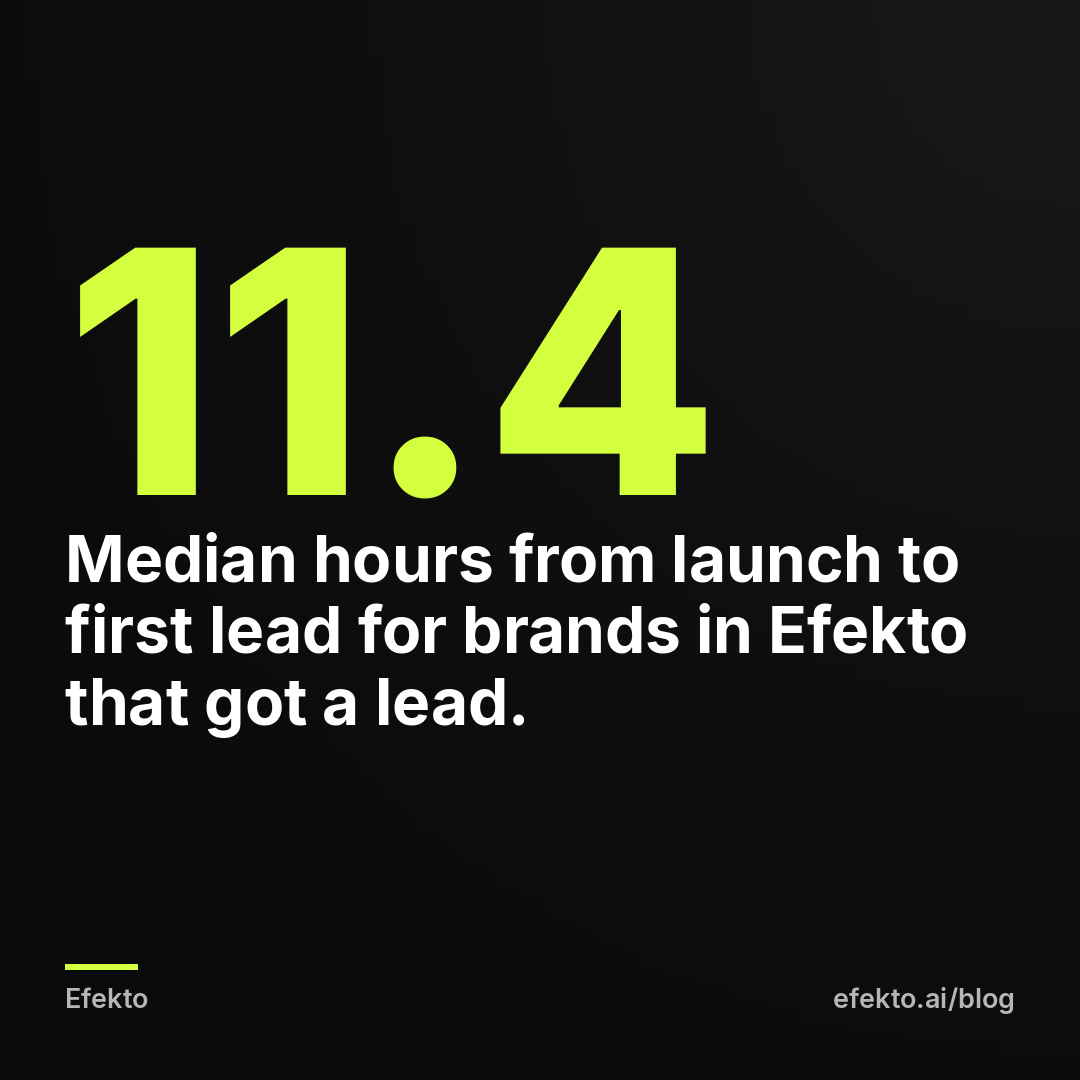
For you, this means a review that takes 36 hours is not a small delay. It's roughly three times as long as the typical wait for a first lead once ads are live. Review time is pure waiting. Nothing about it helps the campaign later.
Timing makes it worse. On Efekto users' accounts in English-speaking markets (mostly the US) (12 brands, 189 leads in the 180 days to Nov 15, 2026), 20% of leads came in after 6 pm, only 28% on weekdays between 8 am and 4 pm, and 36% on weekends. A US business that publishes on Friday afternoon and gets stuck in review until Sunday has missed the part of the week that brought in the biggest share of leads on those accounts.
For example, say your campaign brings about 7 leads a week once it's running. If 36% of them land on weekends, that's 2 to 3 leads you won't get if the ad sits in review from Friday to Sunday. The money isn't lost, because Meta doesn't spend budget on an ad that isn't running. What you lose is those leads, plus a few days before the campaign starts learning. Count the cost in leads and days, not dollars.
Our recommendation is to publish new ads Monday to Wednesday, early in the day. Then even a slow 48-hour review finishes before the weekend.
What should I do if my Facebook ad has been in review for 48 hours?
Go through the steps in order. Each one assumes the one before didn't solve it.
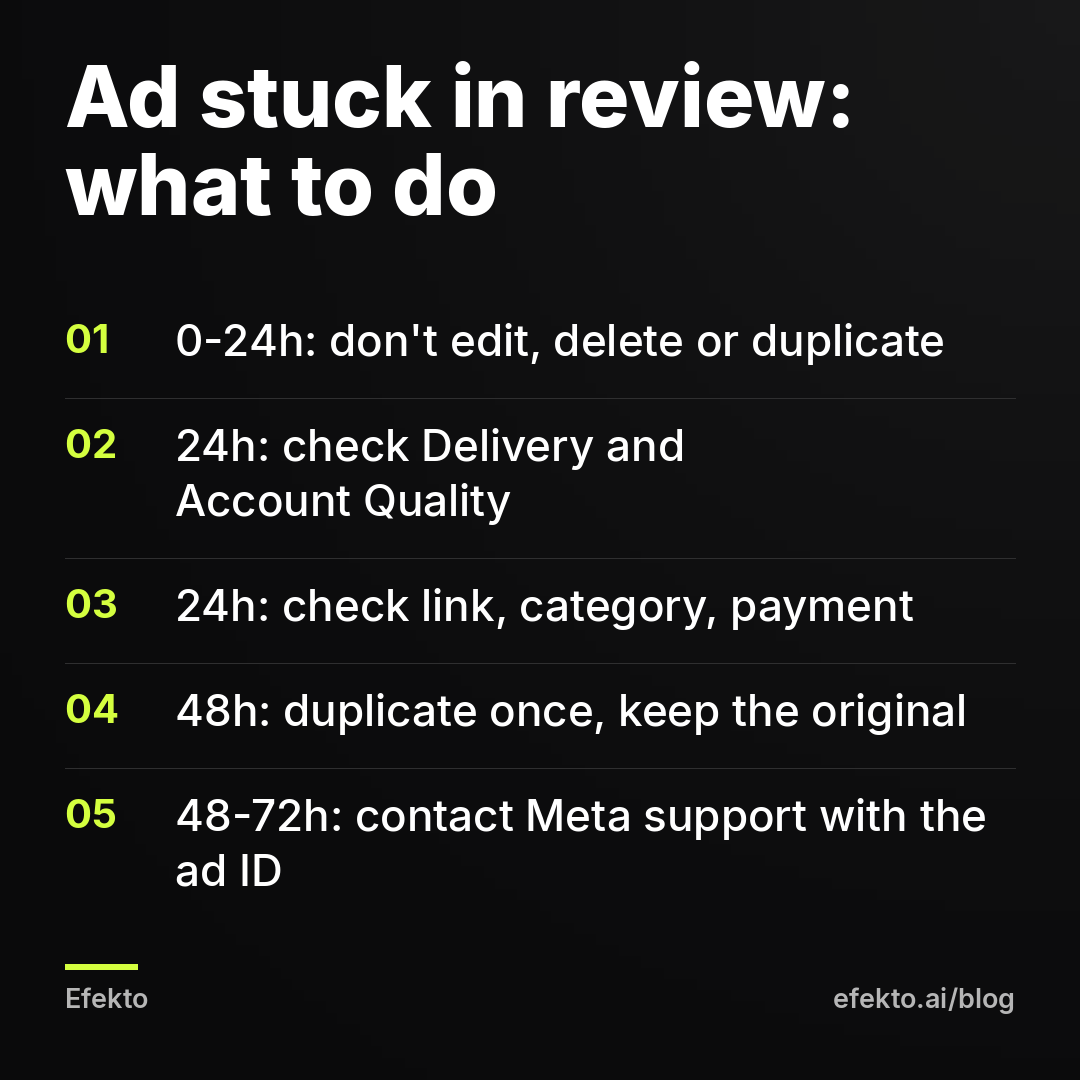
Step 1 (0 to 24 hours): hands off. Don't edit, don't delete, don't duplicate. Every one of these either resets the clock or creates a second ad that also needs review.
Step 2 (at 24 hours): confirm the status. In Ads Manager, go to the Ads tab and hover over the Delivery status. Make sure it says In review, not Rejected and not something at the ad set or campaign level. Then open Account Quality in Meta Business Suite. If you see a restriction there, that's your real problem, and it isn't a review delay.
Step 3 (at 24 hours): rule out the fixable causes. Open the link on your phone. Check whether the ad needs a special ad category. Look at the payment method in Billing. An expired card won't keep an ad in review, but it will stop it the moment it's approved. Better to know now.
Step 4 (at 48 hours): duplicate once. Duplicate the stuck ad into the same ad set without changes and publish. Keep the original. Whichever gets approved first runs. Turn the other one off when it clears. Do this once. We've seen the advice to keep deleting and recreating ads until one goes through. We think it's bad advice. You end up with a pile of ads in the queue and a messier account, and you don't learn the cause.
Step 5 (48 to 72 hours): contact Meta support. In Meta Business Suite, open Help and look for the option to contact support. Chat is offered to some advertisers, email to others. Give them:
- the ad account ID,
- the ad ID (from the Ads tab, add the Ad ID column),
- when you published it,
- one sentence saying the ad has been in review for more than 48 hours with no edits.
Keep it short. You're asking them to look, not arguing a case.
Step 6 (past 72 hours): use another channel, not another account. If you need leads this week, put the money into a second channel such as Google Ads or a mailer to past customers. Don't create a new ad account or borrow someone else's to get around the review. Meta treats that as circumventing its systems, and the ban that follows is often permanent.
How do I keep the next Facebook ad from getting stuck in review?
Take the friction out before you publish. This is the checklist we'd use:
- All text, images, video and the link are final. No edits planned for the first 48 hours.
- Several ad variants are published together, so one slow review doesn't hold up the whole campaign.
- Special ad category is declared if you mention financing, hiring or housing.
- No line addresses a personal trait or condition of the viewer.
- Before-and-after images follow Meta's rules for your industry.
- The landing page loads on mobile data in a few seconds, with no redirects.
- The Page has address, phone, hours and recent posts.
- The business is verified, and the payment method is valid for the next month.
- Publishing Monday to Wednesday, early in the day.
Two items do most of the work. Finishing edits before publishing removes the most common cause outright. Publishing several variants at once means a single slow ad doesn't freeze your launch.
Does an app or an agency get ads reviewed faster?
No. Every ad on Facebook and Instagram goes through the same Meta review, whether you publish it yourself, through an agency or through an app. Anyone who promises faster approval is promising something they don't control.
What a tool can change is how often you trigger review yourself. Efekto creates ads from your website, publishes them, and optimizes them every day: it turns off the ones that don't bring results and scales the ones that do. You approve the first batch, at least 5 ads, before the campaign starts. Those ads are then reviewed by Meta like any other. Because the app turns ads off or gives them more budget instead of rewriting live ones, the review clock isn't restarted by an owner fixing a typo at 11 pm. More detail is on how Efekto works.
When won't any of this help?
Some situations aren't review delays, and waiting or using a tool won't fix them:
- Political or social issue ads. Without authorization, they won't run. Get authorized first.
- An account restriction. If Account Quality shows a limit, new ads stay blocked. Go through the appeal there.
- A rejected ad you keep resubmitting unchanged. Fix the stated reason first.
- A budget under $15 per day. That's the minimum daily budget in Efekto. If your budget is lower, set up a single ad yourself in Ads Manager and follow the checklist above.
Going forward, we'd treat review time as part of the launch plan rather than a surprise: final copy before publishing, several variants at once, launches early in the week, and support contacted at 48 hours, not after a week of refreshing Ads Manager.
FAQ
Does changing the budget send a Facebook ad back to review?
According to Meta's guidance, review is triggered by changes to the creative, text, link, targeting or optimization, not by budget changes. Large budget jumps can still affect delivery and learning, so raise budgets in steps rather than all at once.
Should I delete an ad that's been stuck in review?
No. Deleting gains nothing, and you lose the ad's place in the queue. Duplicate it once after 48 hours, keep the original, and run whichever gets approved first.
Can I pay Meta to approve my ad faster?
No. There's no paid option for faster review, and spending more doesn't move an ad up the queue. The only things you control are avoiding edits and removing reasons for a closer look.
Do boosted posts go through the same review?
Yes. Boosting a post from your Page creates an ad, and it goes through the same review as an ad built in Ads Manager. The same causes of delay apply, including sensitive wording and links.
My ad was approved but isn't spending. Is that still a review problem?
No. Once the status shows Active, review is done. No spend after approval usually points to the payment method, a budget that's too small, a very narrow audience, or an ad set that's switched off.
If you'd rather have ads created from your website, published and optimized every day without editing them yourself, you can see how it works at efekto.ai.
- Jakub Zwoliński
Founder, Lemon Agency · Efekto · November 19, 2026