Why Did My Facebook Ads Stop Working After I Edited Them?
An edit to a live Facebook ad set can send it back to the learning phase. Which changes reset learning, which don't, and how to fix ads without breaking them.

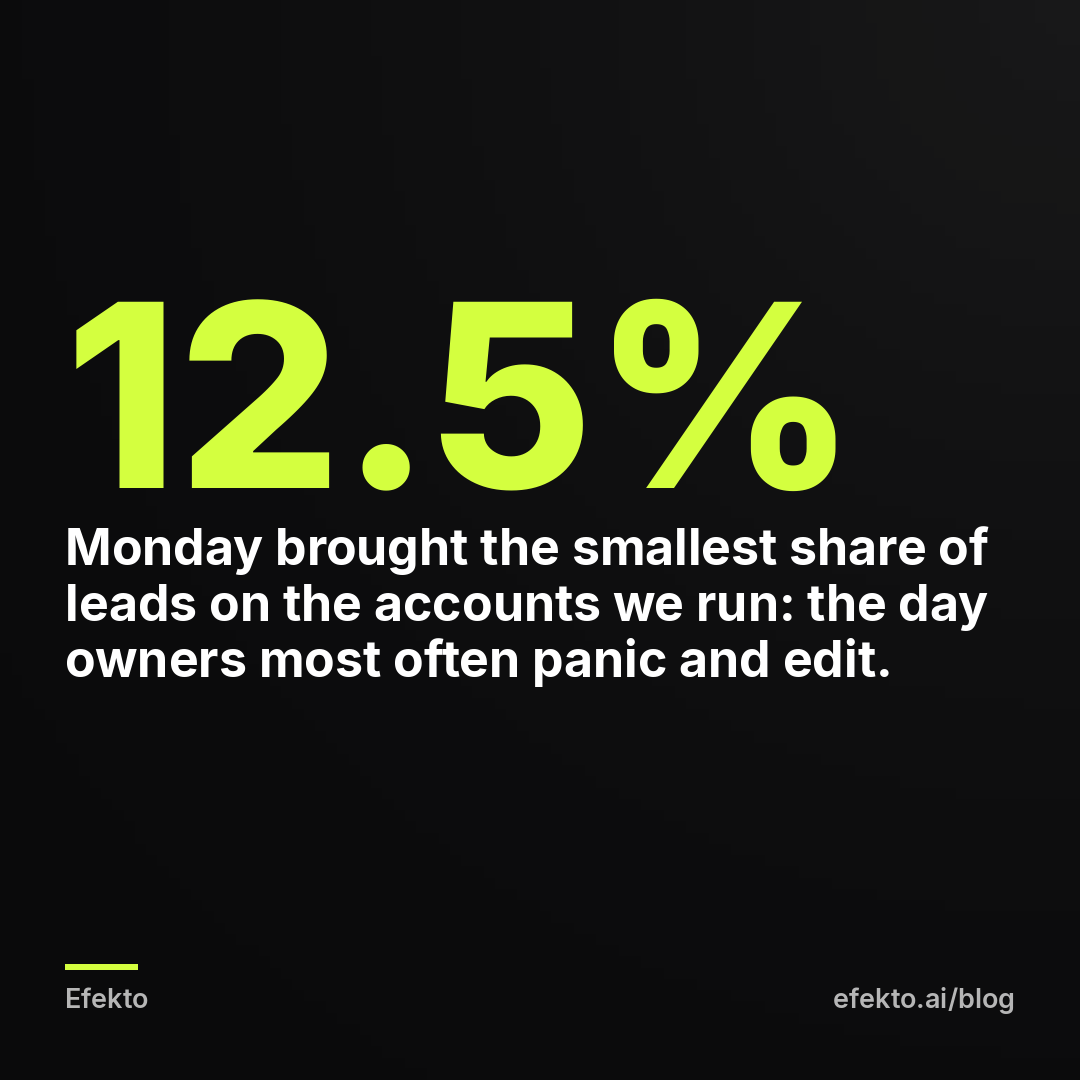
From our accounts: Of 3,490 Meta lead form leads collected in the 90 days to Nov 1, 2026 on the accounts we run, the most came in on Sunday (19.2%), the fewest on Monday (12.5%), and Saturday plus Sunday brought 33% of all leads. On Efekto users' accounts in Poland (12 brands, 248 leads in the 180 days to Nov 1, 2026), 40% of leads came in after 6 pm, only 29% on weekdays between 8 am and 4 pm, and 25% on weekends.
Most owners check their ads on a Monday afternoon, between jobs. That is the slowest day, at the slowest hours. The dashboard looks dead, so the owner swaps the image, narrows the audience or doubles the budget. From that moment the campaign often does get worse, but the cause is the edit, not the ad. When someone tells us their ads "stopped working after a small change," the first place we'd look is the ad set's edit history. The creative and the audience come after that.
The short answer: your ads most likely stopped working because the edit counted as a "significant edit" in Meta's system and sent the ad set back into the learning phase. In learning, Meta treats the ad set almost like a new one. It shows the ads to different people again to find out who converts, so delivery gets uneven and cost per lead goes up for several days. A smaller share of cases is a different problem: the edit changed the thing that was actually working, such as the offer, the lead form or the audience. Below is how to tell which one happened, how to fix each, and how to change a live campaign without breaking it.
Your edit sent the ad set back to learning
Every new ad set starts in a learning phase. Meta's help center describes it as the period when the delivery system explores who to show your ads to. It says an ad set usually leaves learning after about 50 optimization events (for you, leads) within 7 days of the last significant edit. A significant edit restarts that count from zero.
This is what makes the drop feel sudden. Before the edit, the ad set had a week or more of data on which people in your area fill in the form. After the edit, part of that knowledge no longer applies, so Meta goes back to testing. During testing it spends some of your budget on people who were never going to call you. That is the price of learning, and you just paid it a second time.
How to check it in 2 minutes:
- Open Ads Manager and go to the Ad sets tab.
- Look at the Delivery column. If it says "Learning," the ad set is in the phase described above. ("Learning limited" is a different problem, covered in our post on ad sets stuck in Learning Limited on a small budget.)
- Open the ad set's History panel and find the date of your last change.
- Compare cost per lead in the 7 days before that date with the days after it. If the jump starts on the day of the edit, the edit is your prime suspect.
Meta also warns you before it happens. When you publish certain changes, Ads Manager shows a notice that the edit will send the ad set back into learning. Most people click through it without reading. Read it next time. It is the cheapest warning you will get.
Some edits reset learning and some don't
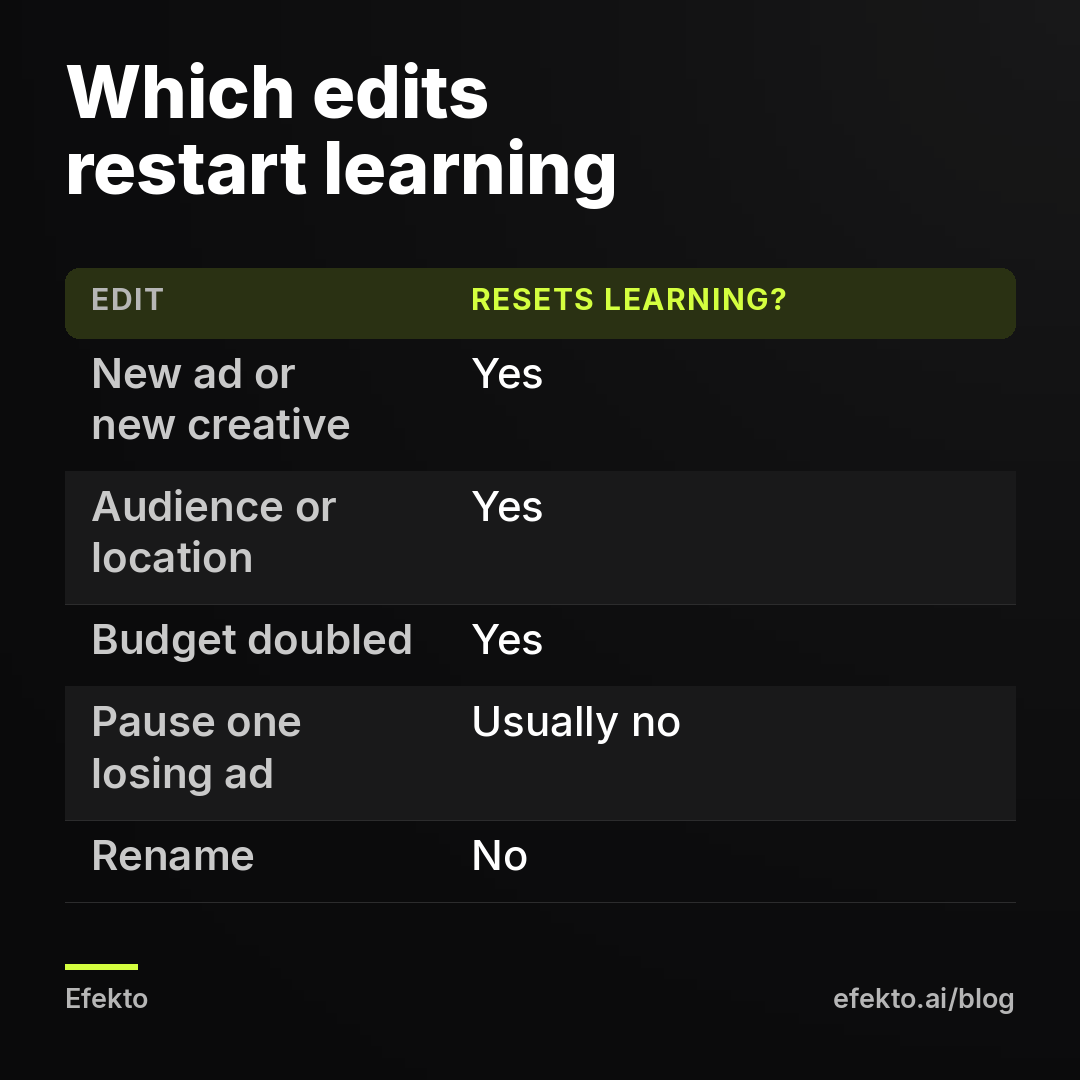
Not every change costs you a reset. The rule of thumb: if the change affects who sees the ad, what Meta optimizes for, or what people see, it resets learning. Admin changes don't. The table below is how we'd sort the most common edits, based on Meta's list of significant edits and on how ad sets behave in practice.
| Change | Resets learning? | What to do instead |
|---|---|---|
| Location, age, gender, interests, Advantage+ audience settings | Yes | Fix it only if it's wrong (wrong city, wrong radius). For a test, launch a second ad set. |
| New image, video, headline or primary text in an existing ad | Yes | Batch creative changes and make them once, not one per day. |
| Adding a new ad to the ad set | Yes | Add 2-3 new ads at once, once a week at most. |
| Optimization goal or conversion location (lead form vs website) | Yes | Treat it as a new campaign. Launch it separately. |
| Bid strategy or cost cap | Yes | Leave it on the default (highest volume) on a small budget. |
| Large budget change (e.g. doubling) | Yes | Raise in steps of about 20%, every 2-3 days. |
| Pausing the ad set for 7 days or longer | Yes | Lower the budget instead of pausing, if you can. |
| Pausing one losing ad inside a working ad set | Usually no | Safe to do once the ad has had a fair chance. |
| Small budget change (10-20%) | Usually no | This is how we'd scale. |
| Renaming the campaign, ad set or ad | No | Rename freely. |
| Lead notifications or CRM connection | No | These sit outside the ad set. Change them whenever you need to. |
Two items on this list surprise people the most: fixing a typo in the ad text, and adding one "just to test" ad. Both count. Neither looks like a big change in Ads Manager, and both restart learning.
Doubling the budget can hurt the ad you were trying to reward
This is the most painful version of the problem, because it hits campaigns that were working. The ad brings cheap leads, so the owner wants more of them and doubles the budget overnight. The next week, cost per lead is higher than it was before.
The mechanism has two parts. First, a large budget jump is a significant edit, so learning restarts. Second, at double the spend Meta has to reach people beyond the ones who were converting best. In a small service area, the cheapest leads are often already taken. The extra budget buys the next tier of people, and they are more expensive.
For example, say you spend $30 a day and pay $20 per lead. That's 1.5 leads a day, about 10 a week. You jump to $60 a day. During the reset, cost per lead goes to $35 for 5 days. That's $300 for about 8.6 leads, instead of the roughly 15 you hoped for. If you close 1 in 4 leads, you just paid for twice the budget and booked about 2 jobs instead of 3 or 4.
Now say you raise the same budget in steps instead: $30 to $36, wait 3 days, then $43, then $52, then $60. Each step is about 20%, which usually doesn't trigger a full reset. You reach $60 roughly two weeks later, but without the expensive week in the middle. We'd take the slow version every time.
A "quick test" ad inside a working ad set is still an edit
Owners rarely touch the targeting, but they add new ads all the time. They saw a competitor's video, or took a nice photo of a finished job, and dropped it into the ad set that was already bringing leads.
That new ad restarts learning, and it does something else too. Meta has to decide how to split the budget between the old winner and the newcomer. For a few days the new ad gets a share of the budget simply because it's new, so the winner gets less. On $25 a day, that split can take the winner below the spend it needs to keep bringing leads.
What we'd do instead:
- Collect new ads and add them in a batch. Two or three new ads, once a week, on a fixed day. One reset per week is manageable. A reset every other day means the ad set never finishes learning.
- Don't touch the winner. Don't edit its text, don't swap its image. If you want a variation, create it as a new ad and leave the original running.
- Duplicate carefully. A duplicated ad is published as a new post, so it starts with zero comments and reactions. The original keeps its likes and comments, which often help it convert. Keep the original.
If you want a cleaner comparison between two ads on a small budget, we described a setup in how to test two Facebook ads against each other on a $20-a-day budget.
The day you checked was the slowest day of the week
Sometimes the ads didn't stop working at all. They were having a normal slow day, and the edit made it a slow week.
Go back to the numbers at the top. On the accounts we run, Monday brought 12.5% of leads and Sunday 19.2%. On Efekto users' accounts in Poland, only 29% of leads came in on weekdays between 8 am and 4 pm, and 40% came in after 6 pm. Those are exactly the hours most owners don't look at their phones, because they're on the job.
What this means for you:
- Never judge an ad set by one day. We'd look at 7 days as the minimum, because a full week contains both the slow Monday and the busy weekend.
- Check at the same time every week. Pick one fixed day and compare week to week. Our post on reading your Facebook ads results in 10 minutes a week lists the numbers worth looking at.
- Look at the date of each lead. If leads come in at 8 pm on Sunday and you check on Monday at 2 pm, you'll see a quiet morning and miss that the weekend went well.
A simple rule we'd follow: if the last 7 days look normal, don't edit, even if today looks empty.
Sometimes the edit really did break the ad
If you've ruled out a learning reset and normal weekly swings, and leads are still down a week or two after the edit, then the change itself was the mistake. These are the edits that most often remove the thing that was working:
- You changed the offer. "Free estimate this week" became "Call for a quote." The image stayed, but the reason to fill in the form disappeared.
- You added questions to the lead form. Three fields became seven. Fewer people finish the form. If you also switched the form type to "Higher intent," there's one more screen to get through.
- You narrowed the audience. A 25-mile radius became 10 miles, or you added interests "to get better customers." On a small budget, a narrower audience usually costs more per lead.
- You swapped a phone photo for a polished stock image. For local services, a real photo of a real job often beats a clean stock shot.
- You changed the landing page, not the ad. The ad stayed the same, but the website it sends people to got slower, or the form on it stopped working. Test it from your phone.
How to check: put a week before the edit next to two weeks after it. Look at four numbers: impressions, link click rate, cost per lead and the number of leads. If impressions are stable but clicks dropped, people stopped liking what they see (creative or offer). If clicks are stable but leads dropped, the problem is after the click (form or landing page). If impressions dropped, look at audience and budget.
The fix: revert the change, but think before you do. Reverting is another significant edit, so it restarts learning one more time. If the edit was clearly a mistake (a wrong city, a broken form), revert it immediately. If you're not sure, it's often better to restore the old version as a new ad set and let both run for a week than to flip the same ad set back and forth.
Some edits can't wait, so make them right away
Not every edit is a mistake. A learning reset is a cost of a few days. Some problems cost more than that, and you shouldn't wait a week to fix them:
- A wrong phone number, address or price in the ad.
- A wrong location: the ad shows in a city you don't serve.
- An offer you can no longer honor, such as a discount that ended or a service you stopped offering.
- An ad that breaks Meta's rules, or an ad set that needs a special ad category.
- A lead form that doesn't send leads anywhere.
In these cases, fix it and accept the reset. Leads that call a wrong number or come from outside your area are worth less than a few days of learning.
How to change a live campaign without breaking it
This is the routine we'd use for any campaign that is already bringing leads:
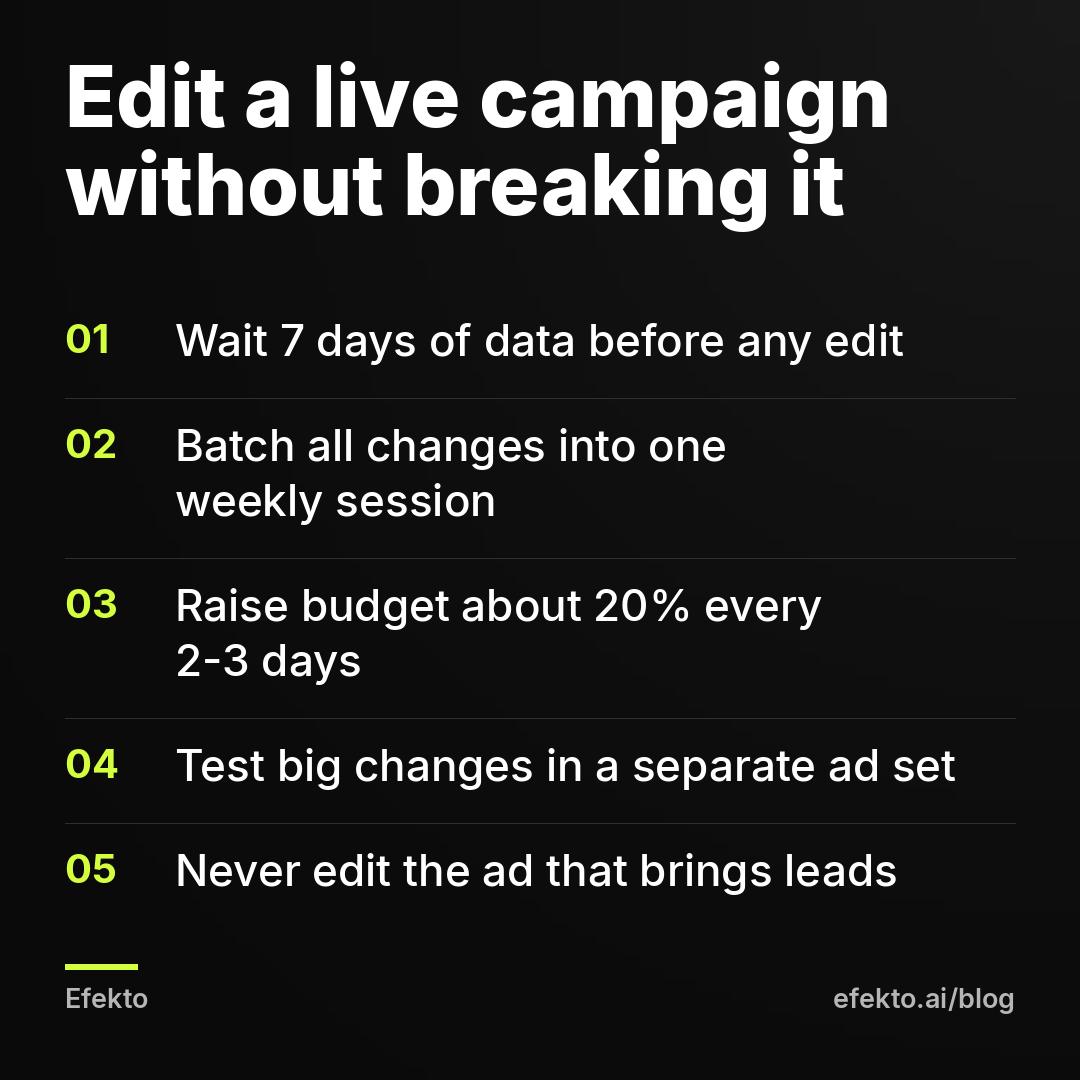
- Wait for 7 days of data before your first edit after launch, and between edits.
- Write down what you want to change during the week, instead of changing it on the spot.
- Make all edits on one day, once a week. Pick a quiet weekday, not Friday, so the ad set has time to settle before the busy weekend.
- Raise the budget in steps of about 20%, every 2-3 days, not in one jump.
- Test big changes in a separate ad set. That means a new audience, a new offer, or a lead form instead of a website. Don't put them inside the ad set that's working.
- Leave the winner alone. Add new ads next to it and pause only the ads that have clearly lost.
- Note the date of every change. The History panel shows it, but a note with the reason ("swapped image because of comments") helps you read the results a week later.
For example, say your ad set brings about 8 leads a week at $25 a day. Changing something every other day means it spends most of the month in learning. Making one batch of changes a week means at most one reset a week, and often none, if the batch is only pausing losers and small budget steps. Over a month that's the difference between 2-3 weeks of unstable results and a campaign that improves week to week.
Where Efekto fits, and where it doesn't
If you'd rather not keep this schedule yourself, Efekto is one option. Efekto creates ads from your website, publishes them, and optimizes them every day: it turns off the ones that don't bring results and scales the ones that do. You approve the first batch of ads (at least 5 approved ads before the campaign starts), and after that you don't need to open Ads Manager to make edits by hand. You can see the full setup on how Efekto works.
It doesn't make sense in two cases. If your budget is under $15 a day, Efekto's minimum, it won't run. And if you enjoy controlling every edit yourself and have the time to follow the routine above, you don't need an app for it. The Starter plan is $149 a month, and the 7-day free trial counts from the launch of your first campaign. If the routine above already works for you, keep it.
What to take from this
- Check the History panel before you blame the ad. If cost per lead jumped on the day of an edit, the edit is the first suspect, not the creative.
- Judge by 7 days, never by one. On the accounts we run, Monday is the weakest day and weekends bring 33% of leads, so a quiet Monday afternoon tells you almost nothing.
- Make edits once a week, in one batch. New ads, paused losers and budget changes all go in on the same day.
- Raise the budget in steps of about 20% and test big changes in a separate ad set, so the one that works keeps working.
- Fix wrong numbers, wrong locations and broken forms immediately. Those are worth a reset. Everything else can wait for your weekly session.
If you'd rather have the daily edits handled for you, you can start a free trial at efekto.ai.
- Jakub Zwoliński
Founder, Lemon Agency · Efekto · November 5, 2026