How to Run Facebook Messenger Ads That Turn Chats Into Quote Requests
Step-by-step setup for click-to-message ads: campaign settings, a greeting template, qualifying questions and a fast reply routine from your phone.

From our accounts: On Efekto users' accounts in English-speaking markets (mostly the US), we looked at 10 brands and 138 leads in the 180 days to Nov 8, 2026. 18% of leads came in after 6 pm. Only 27% arrived on weekdays between 8 am and 4 pm, the hours when most local businesses have someone at a desk. 34% came in on weekends.
From our accounts: The bigger sample from the accounts we run says the same thing. Of 3,733 Meta lead form leads collected in the 90 days to Nov 8, 2026, the most came in on Sunday (19.2%) and the fewest on Monday (12.6%). Saturday plus Sunday brought 32% of all leads. Those numbers come from forms, not Messenger, but the conclusion carries straight over to chat. A form sits and waits. A chat cools down within minutes. If most people reach out when you're off the clock, a Messenger campaign that depends on someone at a desk loses most of its chats before anyone reads them.
The short version: run a click-to-message campaign (Engagement or Leads objective, conversion location set to Messaging apps, Messenger selected). Open it with a greeting that asks for the zip code and the job in one line, add three preset questions that sort serious buyers from browsers, and answer from the Meta Business Suite app on your phone within minutes using saved replies. Then count a chat as a quote request only when it has a service, a location, a photo or size, and a phone number. Everything below is how we'd set up each piece.
A chat is not a quote request until it has four things
The most common reason Messenger ads "don't work" is that the owner counts "hi, how much?" as a lead. It isn't. It's an opening. You need four pieces of information before you can price a job or send someone out, and the whole setup below exists to collect them in as few messages as possible.
| What you need | Why | How to ask for it |
|---|---|---|
| Service | Tells you if it's a job you do | Preset question in the greeting |
| Zip code or town | Filters out people outside your area | First line of the greeting |
| Photo, size or model | Lets you give a price range without a visit | Saved reply after they answer |
| Phone number and a time window | Moves the deal off chat into a call or visit | Last saved reply |
Write these four down and keep them in front of you. A chat that ends with all four is a quote request. A chat that ends with two is a conversation you paid for.
Step 1: Set up the inbox on your phone before you spend a dollar
Do this first, because the ad can go live in an hour while your reply routine takes a day to get right.
- Install the Meta Business Suite app (not just the regular Messenger app) and log in with the profile that has access to your business Page.
- In the app, open Inbox and turn on push notifications for Messenger and Instagram messages. Test it: ask a friend to message your Page and check that your phone buzzes.
- Give inbox access to anyone else who'll answer chats (a partner, an office manager). Each person installs the same app. Agree on one rule: whoever opens the chat first owns it, and they mark it with a label like "quoted" or "booked" when done.
- Set an away message for the hours nobody can answer. Keep it honest and specific: "Thanks for the message. We're on a job right now and will reply by 7 pm. Send your zip code and a photo of the area and we'll come back with a price range." That message still collects two of the four pieces while you're busy.
- Create saved replies now (scripts are in Step 6), so you can answer with two taps from a roof or a driveway.
The weekend numbers above are the reason step 4 matters. If a third of your contacts arrive on Saturday and Sunday, an away message that asks for the zip code and a photo turns a dead weekend chat into something you can price on Monday at 7 am.
Step 2: Create the click-to-message campaign in Ads Manager
Here's how we'd set it up for a local service business starting out. Menu names in Ads Manager shift every few months, so look for the closest match if a label differs slightly.
| Level | Setting | What we'd choose |
|---|---|---|
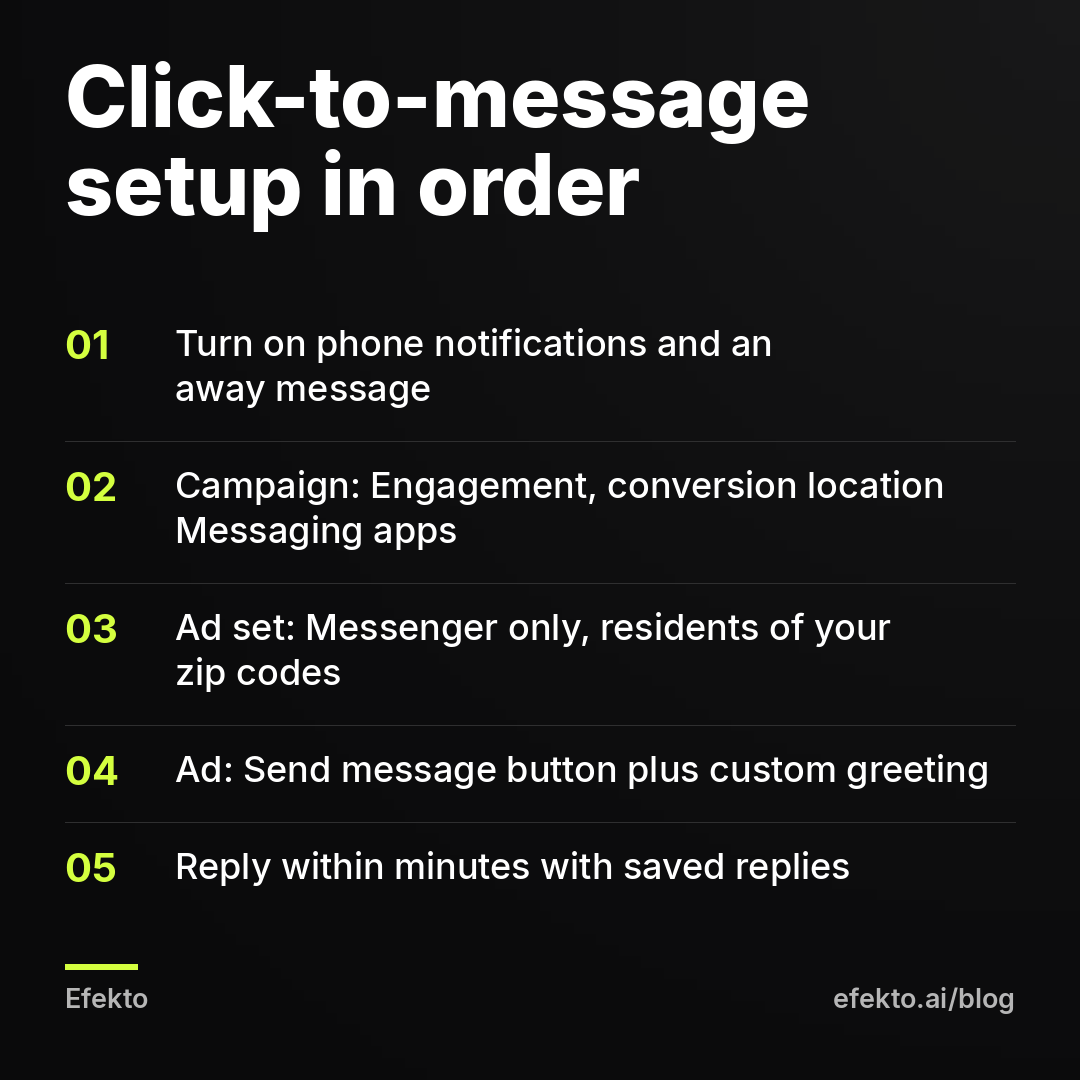
| Campaign | Objective | Engagement (or Leads, if your account offers Messenger there) |
| Campaign | Special ad category | Only if you're in credit, employment, housing or similar |
| Ad set | Conversion location | Messaging apps, then Messenger only (add Instagram if you answer DMs there too) |
| Ad set | Performance goal | Maximize number of conversations |
| Ad set | Location | Your service area by zip codes or a radius, set to people living in that area |
| Ad set | Budget | One daily budget you can hold for 14 days without touching it |
| Ad | Format | Single image or short video showing real jobs |
| Ad | Call to action | Send message |
| Ad | Message template | Custom greeting plus preset questions (Steps 3 and 4) |
Two settings deserve a sentence each. Pick Messenger only, not WhatsApp, unless you actually answer WhatsApp, because a chat landing in an app you don't watch is a wasted click. And set location to people who live in the area, not people "recently in" it. Otherwise you'll pay for chats from tourists and commuters who'll never book.
Step 3: Write a greeting that asks for the zip code first
The default greeting is something like "Hi! Please let us know how we can help you." That invites "how much?" and nothing else. Replace it with a greeting that does the first filtering for you.
The template we'd use:
Hi, thanks for reaching out to [Business name]. To give you a price range fast, tell us two things: your zip code and what you need done. A photo helps a lot too.
Why this order works:
- Zip code first. It's the fastest way to drop chats from outside your area, and it costs the customer three seconds to type.
- "Price range" sets an expectation you can meet over chat. You're not promising an exact price without seeing the job.
- "A photo helps" gets you the third piece of information before you've typed anything.
For a car detailer, swap "what you need done" for "your car's make and model." For a roofer, "what's going on with the roof (leak, storm damage, full replacement)." For HVAC, "whether it's a repair, maintenance or a new system." Keep it under 40 words. Long greetings get skipped.
Step 4: Use preset questions to qualify, not to chat
Under the greeting, the message template lets you add a few preset questions the person can tap instead of typing. Most businesses fill these with "What are your hours?" and "Where are you located?" That's a waste. Every preset question should split people into job types or levels of urgency, because that tells you who to answer first.
| Business | Preset question 1 | Preset question 2 | Preset question 3 |
|---|---|---|---|
| Roofing | I have a leak right now | I need an inspection after a storm | I'm planning a full replacement |
| HVAC | My system isn't working | I want a tune-up | I'm getting quotes for a new system |
| Car detailing | Interior only | Full detail | Ceramic coating |
| Med spa | First visit, want to know options | Booking a treatment I've had before | Pricing question |
| Dental | I'm in pain | Cleaning for a new patient | Cosmetic or implant question |
The first question in each row is the urgent one. When it comes in, you answer it before anything else, even if three other chats are waiting. The last one is usually the highest-value job but also the slowest to decide, so it can wait 15 minutes.
You can attach an automatic answer to each preset question. Keep those answers short and end each one by asking for whatever is still missing from your four pieces, usually a photo and the zip code. Don't try to build a whole conversation out of automatic answers. People can tell, and a script that doesn't understand "it's the one by the garage" loses them. A person on the other end is what makes a chat better than a form.
Step 5: Make the ad itself say "message us for a quote"
The ad decides what kind of chat you get. An ad that says "Best prices in town" gets price shoppers asking "how much?" An ad that says "Send us a photo of your driveway and we'll message you a price range today" gets people who already have their phone camera open.
What we'd put in the ad:
- Image or video of a real job in your area. Stock photos of smiling families don't start conversations.
- Primary text that names the action: "Message us a photo of the damage and your zip code. We reply with a price range, usually within the hour." Only write "within the hour" if Step 1 makes it true.
- Headline that names the outcome: "Get a roof repair price over Messenger" or "Detail price in 2 messages."
- Send message as the button.
If you'd rather not produce the creative side yourself, this is where an app can take over the repetitive part. Efekto creates ads from your website, publishes them on Facebook and Instagram, and optimizes them every day: it turns off the ones that don't bring results and scales the ones that do. How Efekto works shows that flow step by step. The reply routine on your phone stays your job either way. No tool answers a homeowner's question about their own roof better than you do.
Step 6: Reply in minutes with saved replies
Speed is the whole game with Messenger. The person who messaged you probably messaged two competitors too, and the first business to ask a useful question usually gets the visit. Your Page also shows a public response time, so slow replies hurt future chats as well.
These are the saved replies we'd create, one per stage:
1. Missing zip code
Thanks. What zip code is the job in? We want to make sure you're in our area before we price it.
2. Outside the area
Sorry, that's outside the area we cover, so we'd be the wrong pick for this one. Thanks for thinking of us.
3. Need a photo
Got it. Can you send 1 or 2 photos of [the area / the unit / the car]? That's enough for us to give you a range.
4. Price range
Based on the photos, jobs like this usually run $[low] to $[high]. The exact price depends on [one factor]. Want us to come take a look?
5. Move to phone
What's the best number to reach you, and is morning or afternoon better? We'll call to set a time.
In the Meta Business Suite app, saved replies show up when you type a slash or tap the reply icon, depending on the version. Practice using them for five minutes before launch so you're not hunting for them on a job site.
One platform rule to know: Meta limits how long a business can freely message someone after their last message, generally 24 hours. If someone goes quiet, your follow-up has to happen inside that window. Saved reply 5 is the one to send before it closes, because a phone number doesn't expire.
If you can't reply in the evening, either cut the daily budget so ads spend mostly while you're available, or make sure the away message from Step 1 does real work. Our post on the best times and days to run Facebook ads for a local service business covers the scheduling trade-offs in detail.
Step 7: Count quote requests, not conversations
Ads Manager reports "cost per messaging conversation started." That number counts every chat, including someone who tapped a preset question and never wrote again. It is not your cost per quote request, and treating it like one is how owners convince themselves a campaign works while revenue stays flat. We make money running ads on Meta for more than 300 clients, and we still say it plainly: the platform's headline number flatters the platform.
For example, say your budget is $20 per day and Ads Manager shows $8 per conversation:
| Line | Example number |
|---|---|
| Conversations per month ($600 / $8) | 75 |
| Chats that end with all four pieces (say 40%) | 30 quote requests |
| Cost per quote request ($600 / 30) | $20 |
| Quote requests that book (say 30%) | 9 jobs |
| Cost per booked job ($600 / 9) | about $67 |
| Revenue at $400 per job | $3,600 |
The 40% in that example is the number you control. A better greeting, sharper preset questions and faster replies push it up without spending more on ads. Track it in a simple sheet: date, name, service, zip, quote sent yes or no, booked yes or no. Our guide to tracking which Facebook leads turned into paid jobs without a CRM has a column layout you can copy.
Give the campaign 14 days before judging it. Fewer than 10 conversations in that time usually means the budget is too small for your area or the ad isn't stopping anyone's scroll. That's a creative problem, not a Messenger problem.
When Messenger ads are the wrong choice
We wouldn't run click-to-message ads in three situations.
Nobody can answer within an hour during the day. If you're a one-person crew on roofs all day with no one checking the phone, chats will rot. A lead form or call ads fit better, because they hold the contact until you're free.
Your jobs are pure emergencies. Someone with water pouring through the ceiling at 11 pm wants to talk to a human now, not type. A call button gets them to you faster.
Your price depends entirely on an in-person visit. If you truly can't give a range from a photo, the chat turns into "we need to come see it," which the customer could have gotten from a form. Messenger shines when a photo plus two questions is enough for a ballpark.
Common mistakes that kill chats
- Default greeting left in place. "How can we help?" produces "how much?" and a dead end. Fix: the zip-plus-job greeting from Step 3.
- Preset questions about hours and location. They answer what your Page already shows. Fix: questions that sort by urgency and job type.
- Giving an exact price in the first reply. The customer screenshots it and shops it around. Fix: a range plus one factor that moves the price, then ask for the phone number.
- Answering only from a laptop. Chats from Saturday get read on Monday. Fix: the Business Suite app with notifications on, plus an away message.
- Several people answering the same chat. The customer gets two different prices. Fix: whoever opens it first owns it.
- Judging by cost per conversation. Fix: count only chats with all four pieces, and compare cost per booked job month to month.
- Editing the ad every two days. Each change can reset delivery. Fix: one setup, 14 days, then change one thing.
What to take from this
- Set up the phone inbox, notifications, away message and five saved replies before the ad goes live. Most chats will arrive when you're not at a desk.
- Replace the default greeting with one line that asks for the zip code and the job, and use the three preset questions to sort people by urgency.
- Write the ad around the action you want: "send a photo, get a price range," with Send message as the button.
- Count a quote request only when a chat has service, location, a photo or size, and a phone number, and judge the campaign on cost per booked job after 14 days.
- If nobody can answer within an hour on a normal day, skip Messenger and run a form or call ads instead.
If you want the ads created and optimized every day while you focus on answering chats, you can see how it works at efekto.ai.
- Jakub Zwoliński
Founder, Lemon Agency · Efekto · November 11, 2026