How to Follow Up on Facebook Leads Fast Enough to Actually Book the Job
A step-by-step follow-up system for Facebook leads: instant notifications, SMS and call scripts, a 6-call schedule over 5 days, and a simple CRM or spreadsheet setup.

To book jobs from Facebook leads, you need four things. Get every new lead pushed to a phone that buzzes, not to an inbox. Send an automatic text within a minute. Call personally within five minutes. If they don't pick up, keep calling on a fixed schedule: about six calls and four texts spread over five days. Most service businesses that say Facebook leads are junk are not losing them to bad ads. They are losing them in the gap between the form being submitted and the first phone call.
In short:
- A Facebook lead is warmest in the first minutes after submitting the form, because the person is still holding their phone and still thinking about the problem.
- One call is not follow-up: a written schedule of calls and texts over several days books more jobs from the same leads.
- Every lead should land in one place with a timestamp, so you can see how fast you answered and why each lead was won or lost.
Why does speed matter so much with Facebook leads?
Speed matters because a Facebook lead did not search for you. Someone scrolling Instagram at 8:40 pm saw an ad for gutter cleaning, tapped it, and filled out a form in 20 seconds. They are not sitting by the phone waiting for a contractor. They are back to scrolling a minute later. In an hour, they may not remember which company they filled the form out for.
That is the core difference from a Google search lead. Someone who searches for an emergency AC repair calls three companies and picks whoever answers. A Facebook lead is lower intent and easier to lose. If you call the next morning, you are calling a stranger who vaguely remembers seeing an ad.
Our position is simple. Follow-up is not the step after marketing, it is part of marketing. Our team has run lead generation campaigns for over 300 clients through Lemon Agency. The pattern we see most often is not a bad ad. It is a good ad feeding a phone that nobody answers. We have a stake in saying this: we make money when businesses keep running ads, and no ad campaign survives slow follow-up. But the math below holds whether you use us or not.
Step 1: How do you get notified the second a Facebook lead comes in?
Set up a notification that makes your phone ring or buzz loudly the moment a form is submitted. Do it before the campaign goes live and test it with a fake lead. Email alone is not enough. Most owners check email a few times a day, and lead emails get buried under supplier invoices and promotions.
Here are the realistic options for a small service business:
| Notification method | How fast you see it | Setup effort | Good for |
|---|---|---|---|
| Meta Business Suite app push notification | Seconds, if notifications are on | 5 minutes | Solo owners, as a backup layer |
| Email from Meta | Whenever you next check email | None | Never as the only method |
| Connector tool (Zapier, Make) sending an SMS to your phone | Within a minute or two | 30 to 60 minutes | Owners in the field all day |
| Your CRM or field service software with a Facebook lead integration | Seconds to minutes | Depends on the software | Teams with an office person or dispatcher |
| Google Sheet via a connector, plus SMS alert | Within a minute or two | 30 to 60 minutes | Businesses without a CRM yet |
What we recommend for most owners: two layers. First, a text message to the phone of whoever handles leads, sent by a connector or your CRM. Second, push notifications from the Meta Business Suite app as a backup. Text messages are the hardest alert to ignore. Most people look at a text within minutes, even on a job site.
How to test that notifications actually work
- Meta offers a Lead Ads Testing Tool in its developer tools. Use it to submit a test lead to your form, or have a friend fill out the live form.
- Start a timer when the test is submitted.
- Write down when each notification arrived: the text, the push notification, the email, the row in your sheet or CRM.
- Repeat with your phone locked and in your pocket. That is how it will be in real life.
If the text takes longer than two minutes, fix it now. Check the connector's polling interval and plan settings. Some free plans check for new data less often. Do not find out about a broken integration after a week of leads that nobody saw.
Step 2: Who answers the lead, and what happens when you're on a roof?
One person owns every lead, by name, for every hour the ads are running. If the answer to who calls back is whoever sees it first, the real answer is nobody.
Write a simple coverage plan:
- Weekday working hours: who gets the alert and calls. Usually the owner or the office manager.
- Weekday evenings (5 pm to 9 pm): this is when many Facebook leads arrive, because people scroll after work. Someone has to cover it. If nobody can, the automatic text (Step 3) has to carry the load until morning.
- Weekends: same question. Decide whether you call on Saturday or text and call Monday at 8 am sharp.
- Backup: if the lead owner hasn't called within 15 minutes, a second person gets an alert. Most CRMs and connector tools can send a delayed second alert if the lead status hasn't changed.
If you are a one-person operation who spends the day on ladders, be honest about it. You will not call within five minutes while you are on a roof. In that case, the auto-text does the immediate work. You call at fixed check-in points: lunch break, between jobs, end of day. A text that arrives within a minute and a call within two hours beats no text and a call tomorrow.
There is one more option: run ads only during the hours you can answer. Ad scheduling by hour is limited with daily budgets in Meta's tools. Still, you can turn the campaign off for days when you know you won't follow up, like a week of vacation. A paused campaign spends nothing. The cost is the leads you don't get and a few days for the campaign to settle back in after you restart it.
Step 3: What should you text a new Facebook lead?
Send an automatic text within the first minute that confirms who you are, references what they asked for, and tells them when you will call. Then send short manual texts after missed calls. Keep every message under about 300 characters and always sign with a real first name.
Template 1: Automatic text, sent within 1 minute
Hi {first name}, this is {your name} from {business}. Thanks for requesting a quote for {service} in {city}. I'll call you in the next few minutes from this number. If now isn't good, reply with a better time.
Why it works: it matches the ad they just saw, so they recognize you. It warns them that a call is coming from an unknown number, so they are more likely to pick up. And it gives them an easy way to answer without a call.
Template 2: After the first missed call
Hi {first name}, {your name} from {business} again. Just tried calling about your {service} request. What's a good time today for a 3 minute call? I can also give you a rough price by text if you send a photo.
The photo option matters for trades like roofing, detailing, landscaping and junk removal. Many people would rather send a photo than talk on the phone, and a photo often lets you quote a range.
Template 3: Day 2, no response yet
Hi {first name}, I have openings on {day} and {day} for {service}. Want me to hold one for you?
Offering two specific days works better than asking whether they are still interested. It gives them a decision to make instead of a question they can ignore.
Template 4: Last attempt, day 4 or 5
Hi {first name}, I don't want to keep bugging you. Should I close your {service} request, or would you still like a quote?
This message gets replies from people who went quiet, because it asks for a yes or no. Some will say not now, maybe in spring. Write that down. It is a lead for later, not a lost lead.
A note on texting rules
In the US, texting from business software usually requires registering your number through your texting provider (this is called A2P 10DLC registration). Your Facebook form should also tell people you may contact them by phone and text. Rules on consent and timing apply. Ask your texting provider what they require, and talk to a lawyer if you plan to send marketing texts beyond replying to a quote request. We are not giving legal advice here, only pointing out that this step exists.
Step 4: What do you say on the first call?
The first call has one goal: book an estimate, a visit or the job itself. It is not about educating the customer or giving a full price over the phone. Keep it under five minutes.
A script that works for most local service businesses:
- Open with the context. Hi {first name}, it's {your name} from {business}. You just filled out our form on Facebook about {service}. Did I catch you at an OK time?
- Confirm the need in their words. So you're looking at {repeat what the form said, for example a full interior detail for an SUV}. What's going on with it?
- Ask two qualifying questions, no more. For example, for roofing: Do you own the home? Is anything leaking right now? For a med spa: Have you had this treatment before? Are you looking for this month or later? For HVAC: Is the system running at all? How old is it roughly?
- Give a price range if you can. Most jobs like yours land between X and Y. I'd need to see it to give you an exact number. People who fill out Facebook forms are often price-shopping. A range keeps them on the call. Dodging the question loses them.
- Offer two specific time slots. I can come out Thursday at 10 or Friday at 2. Which works better?
- Confirm by text right after the call. Date, time, address, your name, and what to prepare.
If they say they are just looking, don't push. Ask when they're thinking of doing it, put that date in your sheet, and schedule a text for a week before.
If you reach voicemail
Leave a voicemail on the first missed call only, then rely on texts. Keep it under 20 seconds: your name, the business, what they requested, and that you're texting them now. Long voicemails don't get listened to.
Step 5: How many times should you try to reach a lead?
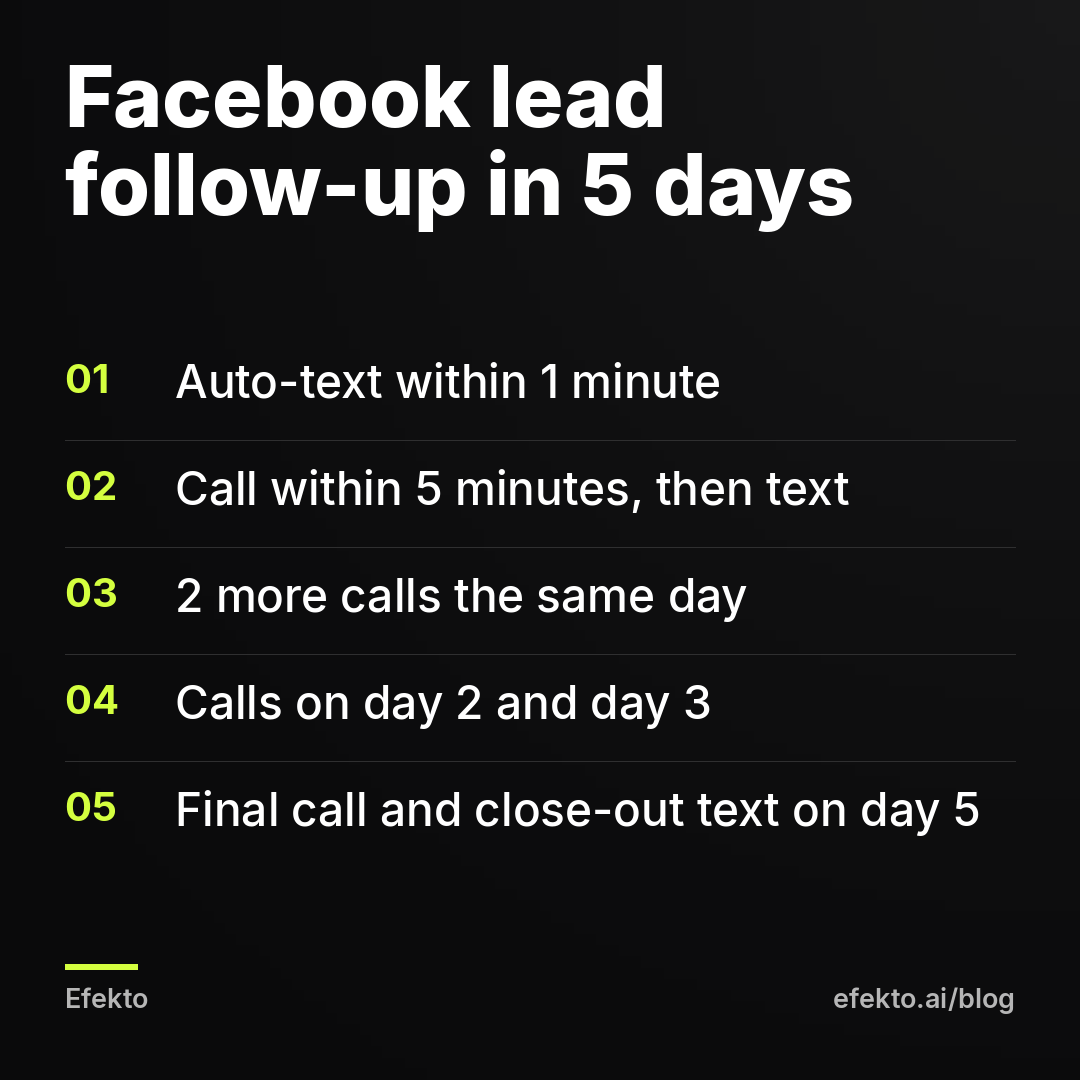
Plan for six call attempts and four texts over five days, then a long-term follow-up at two weeks and one month. One or two calls is not enough. People miss calls from unknown numbers all the time, and a missed call is not a no.
This is the schedule we use as a starting point:
| When | Action | Note |
|---|---|---|
| Minute 0 to 1 | Automatic text (Template 1) | Sent by your CRM or connector, no human needed |
| Minute 1 to 5 | Call 1, voicemail if no answer | Then send Template 2 |
| +1 hour | Call 2 | No voicemail |
| Same day, 5 pm to 7 pm | Call 3 | People pick up more after work |
| Day 2, morning | Call 4 + Template 3 | Offer two specific days |
| Day 3, afternoon | Call 5 | Try a different time of day than before |
| Day 5 | Call 6 + Template 4 | Then mark as unresponsive |
| Day 14 and day 30 | One text each | Seasonal offer or a check-in, not a sales pitch |
Stop as soon as they reply, even with a no. If someone says don't contact me, mark it in your sheet and never contact them again.
Vary the time of day. Someone who works a day shift won't answer at 11 am, no matter how many times you call at 11 am.
Step 6: How do you connect Facebook leads to a CRM or spreadsheet?
Send every lead automatically into one list with a timestamp, and update its status after every contact attempt. Do not leave leads sitting in Meta's interface or in email. You will lose track of who you called, and you won't be able to tell good leads from bad.
If you already use a CRM or field service software
Many CRMs and field service apps used by contractors can connect to Facebook lead forms, either directly or through a connector like Zapier. Check your software's integrations page for Facebook Lead Ads. Once connected, make sure that:
- Each form field maps to a field in the CRM (name, phone, email, service, zip code, any custom questions).
- The lead source is set to Facebook, ideally with the ad or campaign name.
- The automatic text and the alert to the lead owner trigger on new leads.
- Lead statuses exist for every stage you care about.
If you don't have a CRM: a Google Sheet that's good enough
A spreadsheet fed by a connector works fine for up to a few dozen leads a month. Use these columns:
- Received (date and time, filled automatically)
- Name, phone, email
- Service requested, zip code, answers to form questions
- Ad or campaign name
- First contact (date and time you first spoke or texted personally)
- Response time (first contact minus received, as a formula)
- Attempts (a number you update after each call)
- Status: New, Contacted, Estimate booked, Won, Lost, Not a real lead, Later
- Reason lost (price, went with someone else, timing, out of service area, never reached)
- Job value (for won jobs)
The response time column matters most. After a month, sort by it and compare the booking rate for leads answered within 15 minutes against those answered after several hours. That comparison tells you more about your business than any industry benchmark.
One practical warning: Meta doesn't keep lead form data available for download forever. If a connector breaks, download the leads from Meta Business Suite manually as soon as you notice. Don't wait until month-end.
What does slow follow-up actually cost you?
Slow follow-up costs you booked jobs from leads you already paid for. Your ad spend stays the same either way. What changes is how much revenue comes out of it. A worked example makes this clearer than any general rule.
First, a definition. The cost per lead Meta shows in Ads Manager is the cost of a submitted form, before anyone has checked it. Some of those forms will have wrong numbers, people outside your service area, or people who tapped the button by accident. Your real cost per lead, counted only for leads with a real phone number and a real need, is always higher than what Meta shows. We cover where those numbers usually land in our post on what counts as a good cost per lead on Facebook.
For example, say a detailing business spends $30 per day on Facebook ads, about $900 a month. Assume these numbers, which are illustrative and not results from any client:
| Example numbers | Fast follow-up (call within 5 minutes, 6 attempts) | Slow follow-up (call next day, 1 to 2 attempts) |
|---|---|---|
| Monthly ad spend | $900 | $900 |
| Form submissions (Meta's cost per lead: $36) | 25 | 25 |
| Real leads after checking | 18 | 18 |
| Real cost per lead | $50 | $50 |
| Leads reached by phone | 14 | 8 |
| Jobs booked | 6 | 3 |
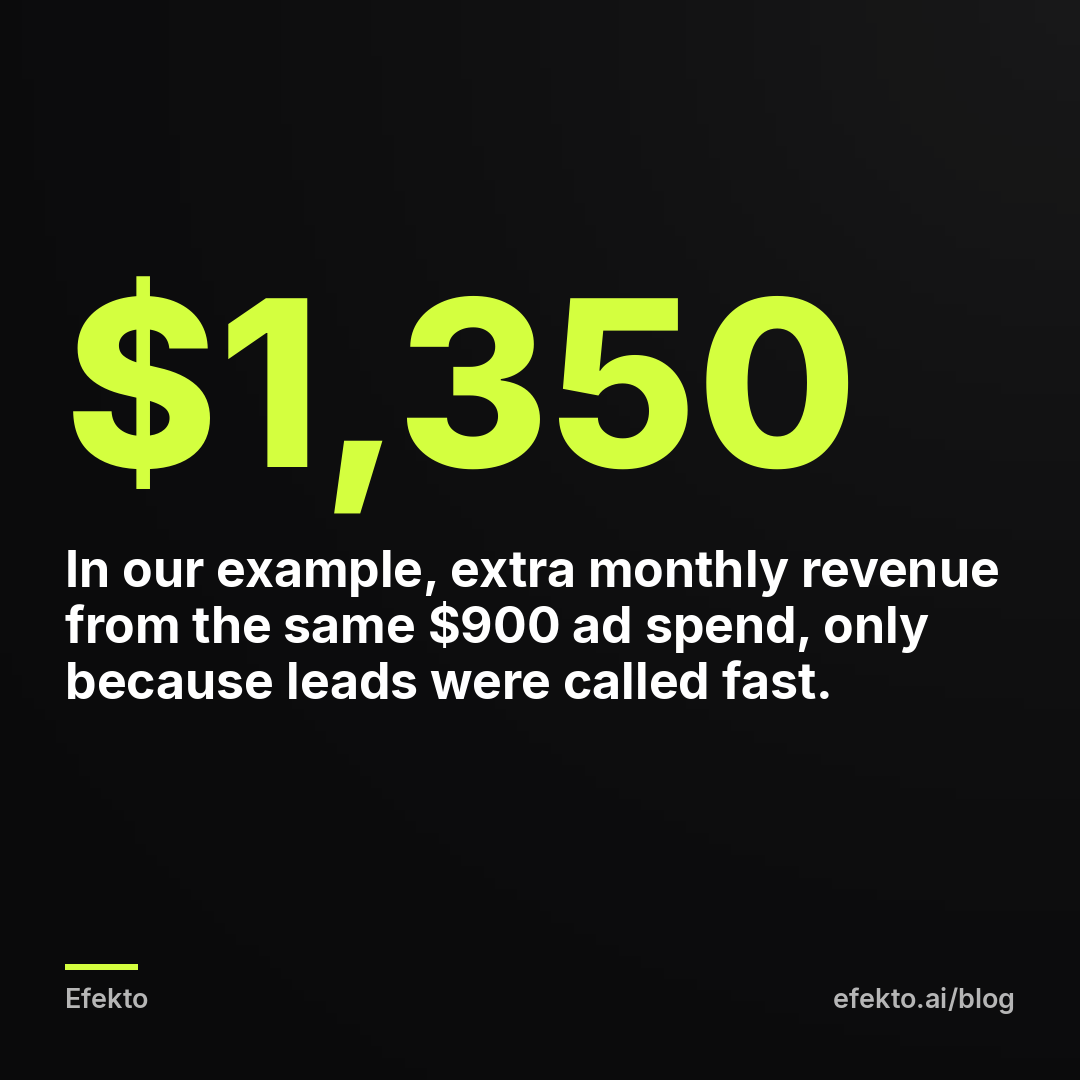
| Revenue at $450 average job | $2,700 | $1,350 |
In this example, the ads, the budget and the leads are identical. The only difference is what happened after the form was submitted. The fast version brings in $1,350 more in a month. The slow version also makes the ads look twice as expensive per booked job: $300 instead of $150. An owner looking only at the second column would conclude that Facebook doesn't work.
Run this math with your own numbers from the spreadsheet after a month. If your booking rate jumps for fast responses, the fix is not a new ad. It's who answers the phone.
When won't fast follow-up fix the problem?
Fast follow-up won't save leads that were never real. If you call within two minutes and most numbers are wrong, or people don't remember filling out a form, the problem is the form or the offer, not your speed.
Signs the problem is upstream:
- Many fake or wrong phone numbers. The form is probably set to the volume option with prefilled fields and no friction. Switching to the higher intent form type with a review screen, and adding one qualifying question, filters out a lot of this. We explain the settings in our guide to setting up Facebook Instant Forms so you get real customers.
- People are outside your service area. Your location targeting is too wide, or the ad doesn't name the area.
- People are shocked by any price. The ad promised something it can't deliver, like a free inspection that turns into a hard sell, or a price that only applies to the smallest job.
- People reached by phone say they were just curious. The offer attracts browsers. Add a question to the form that requires a real answer, like the timeline or the age of the roof.
The opposite also happens, and it's the case where we'd tell you not to buy more ads, including from us. If nobody can follow up on leads within a few hours, more leads just mean more money spent on people who never get a call. Fix coverage first. That might mean an answering service, a part-time office person for evening hours, or simply fewer ad days. Then turn the ads back on.
If follow-up is under control and the work you'd rather not do is the ads themselves, that's where Efekto fits. Efekto creates ads from your website, publishes them, and optimizes them every day: it turns off the ones that don't bring results and scales the ones that do. You approve the first batch of ads before anything runs, at least 5 approved ads before the campaign starts. The minimum daily budget is $15. The how Efekto works page shows the full process.
What Efekto doesn't do is call your leads. The phone, the texts and the schedule above stay with you, and they decide whether leads become jobs. You can try it with 7 days free, counted from the launch of your first campaign, and no card is needed at sign-up. If you can't commit to calling leads quickly, wait with any ad tool, ours included, until you can.
What are the most common follow-up mistakes?
These are the mistakes we see most often in service businesses running Facebook lead ads, with the fix for each.
- Leads go to email only. Fix: SMS alert to the lead owner's phone, plus push notifications as a backup, tested with a fake lead.
- No auto-text. The lead gets a call from an unknown number and ignores it. Fix: Template 1, sent within a minute, warning them a call is coming.
- One call, then giving up. Fix: the six-call, five-day schedule, written down and tracked in the attempts column.
- Always calling at the same time of day. Fix: spread calls across morning, midday and evening.
- Refusing to give any price on the phone. Facebook leads are often comparing prices. Fix: a range for typical jobs, and an exact quote after the visit.
- No status tracking. You can't tell whether the ads or the follow-up are failing. Fix: the spreadsheet columns above, updated after every contact.
- Counting Meta's cost per lead as your real cost. Fix: count only verified leads and booked jobs, and calculate cost per booked job monthly.
- Running ads during weeks when nobody answers. Fix: pause the campaign for vacations and peak workload weeks, and accept that it takes a few days to get back up to speed after restarting.
- Treating not now as lost. Fix: a Later status with a date and a reminder text.
FAQ
Should I call or text a Facebook lead first?
Do both. An automatic text should go out within the first minute, so the lead knows who you are and that a call is coming. A personal call should follow within five minutes. The text raises the chance they pick up. The call is what actually books the job.
What if a Facebook lead comes in at night?
Let the automatic text handle it and say you'll call first thing in the morning, with an actual time like 8 am. Then call at exactly that time. Calling late in the evening can annoy people, and texting rules may limit late-night messages, so check with your texting provider.
Can I reply to Facebook leads through Messenger instead of calling?
Only if the lead came through a Messenger ad or the person messaged you. People who fill out an Instant Form expect a call or text at the number they gave. Messenger replies from a business page are easy to miss and are a weak substitute for a phone call.
How do I know if my leads are bad or my follow-up is slow?
Track response time and outcome for every lead for a month. If leads called within 15 minutes book well and leads called hours later don't, the problem is speed. If even fast calls reach wrong numbers or uninterested people, the problem is the form, targeting or offer.
Do I need a CRM to follow up on Facebook leads?
No. A Google Sheet fed automatically by a connector, plus an SMS alert, is enough for a few dozen leads a month. Move to a CRM when several people handle leads or when you need automated text sequences and reminders.
If your follow-up is ready and you want the ads created, published and optimized every day for you, you can start a free trial at efekto.ai.
- Jakub Zwoliński
Founder, Lemon Agency · Efekto · October 24, 2026