What Is Advantage+ on Facebook, and Should a Small Business Turn It On?
Advantage+ lets Meta choose your audience, placements, creative edits and budget split. What each setting does, and which ones a local service business should turn on.

Advantage+ is Meta's name for a group of automation settings in Facebook and Instagram ads that let Meta's system decide who sees your ads, where they appear, how your creative gets adjusted and how your budget is split, instead of you setting each of those by hand. For a small local service business, our answer to the title question is: turn on Advantage+ audience and Advantage+ campaign budget, turn on Advantage+ placements but check where your leads come from after the first week, and turn on Advantage+ creative only after you have switched off the edits that can change your offer.
In short:
- Advantage+ is not one switch but several separate settings (audience, placements, creative, budget), and each one can be turned on or off on its own.
- With Advantage+ audience, your location and minimum age stay fixed limits, so a local business does not lose its service area by turning it on.
- The real risk for a small budget is not broad targeting but low-quality leads from some placements and creative edits that change what your ad promises.
What does Advantage+ actually automate?
Advantage+ automates four decisions that used to be manual: the audience, the placements, small edits to your creative, and how the budget moves between ad sets. Meta also uses the name for whole campaign types, such as Advantage+ shopping campaigns (now being folded into Advantage+ sales campaigns) and Advantage+ app campaigns, but those are built for online stores and apps. A roofer or a med spa will meet Advantage+ mostly as settings inside a normal leads or traffic campaign.
Meta renames these settings regularly. What used to be called automatic placements is now Advantage+ placements. Campaign budget optimization became Advantage+ campaign budget. Detailed targeting expansion became Advantage detailed targeting. If an older tutorial uses the old names, it is describing the same switches.
Here is what each setting hands over to Meta and what stays with you.
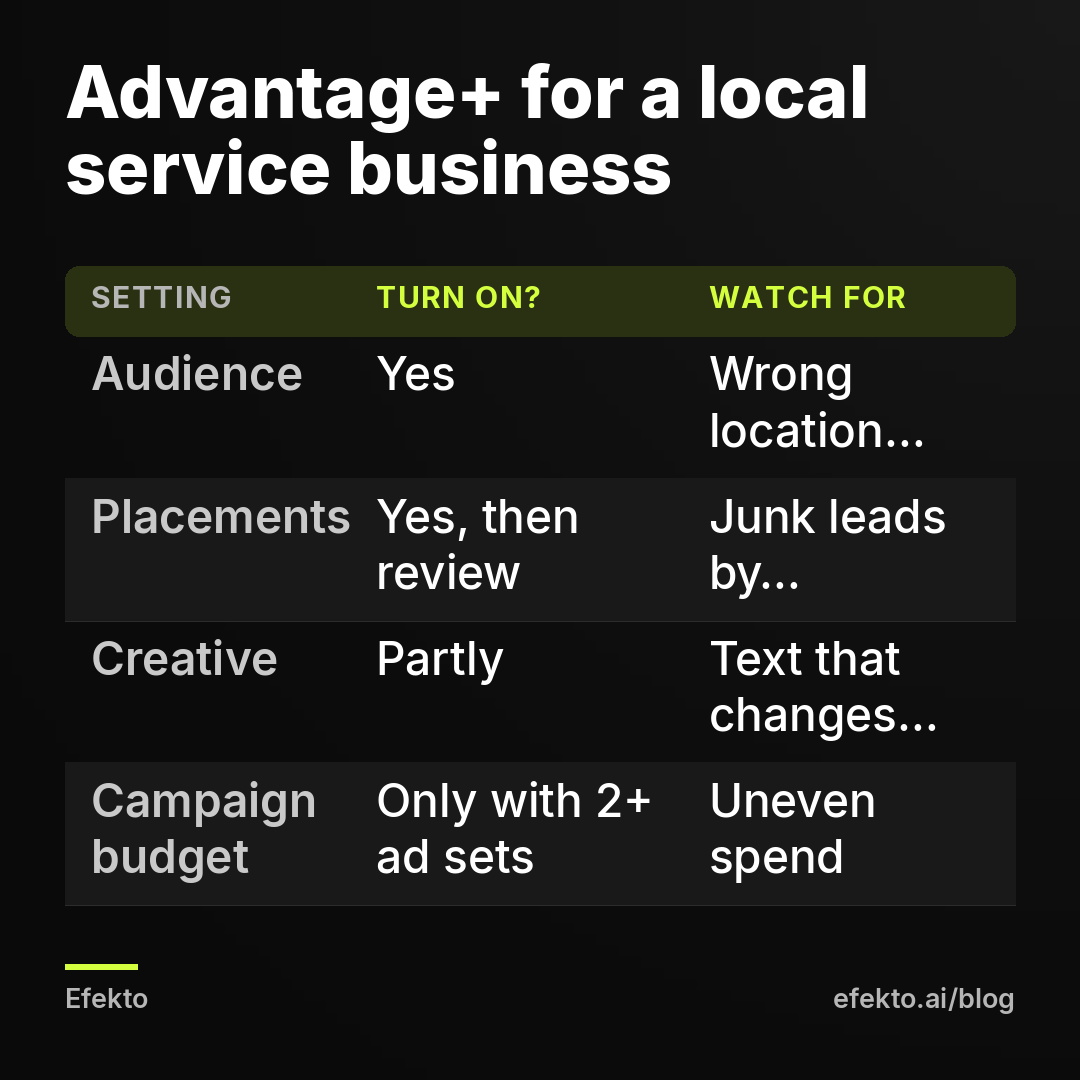
| Setting | What Meta decides | What you still control | Our default for a local service business |
|---|---|---|---|
| Advantage+ audience | Who inside your area sees the ad, beyond the interests and age range you suggest | Location, minimum age, excluded custom audiences | On |
| Advantage+ placements | Where the ad shows: Facebook Feed, Instagram, Stories, Reels, Messenger, Audience Network and newer placements | You can switch to manual placements and remove any of them | On at start, then review the placement breakdown |
| Advantage+ creative | Visual touch-ups, text variations, music, animation, image expansion and similar edits, depending on the format | Each enhancement can be switched off individually | Partly on |
| Advantage+ campaign budget | How the campaign budget is divided between ad sets | Total budget, optional spending limits per ad set | On if you have 2 or more ad sets |
None of these settings promises a lower cost per lead. Meta's own documentation describes them as ways to give its delivery system more room to find results. More room helps when your manual choices were too narrow. It hurts when the system finds cheap results that are not real customers. That is the whole trade-off, and the rest of this post is about which side of it a local business usually lands on.
How does Advantage+ audience work if you only serve one city?
Advantage+ audience keeps your location as a hard limit, so people outside your service area should not see your ads just because you turned it on. Meta splits audience settings into two kinds. Audience controls are strict: location, minimum age and excluded custom audiences. Audience suggestions are soft: maximum age, gender, interests, behaviors and custom audiences you add as a hint. Meta starts with your suggestions and may go beyond them if it predicts better results.
For a detailing shop that serves a 20-mile radius, this means the radius stays. What changes is who inside the radius gets the ad. If you told Meta "men 30-55 interested in cars," it may also show the ad to a 62-year-old woman with a new SUV. For most local services that is fine, because your actual customers are rarely as tidy as the interest list you guessed.
Our position: narrow interest targeting is the most overrated setting in small business Facebook ads. Interest data is built from what people click and like, not from whether they own a home with a 20-year-old roof. When you stack three interests on top of a 15-mile radius, you often end up with an audience of a few thousand people, and a $20 per day budget will show the same ad to the same people until they stop reacting. Broad targeting inside the right area usually gives Meta more people to learn from, which matters more than precision you never really had.
The part you must still get right yourself is the location. Use a radius or ZIP codes that match where you actually drive, and check that the location setting reaches people who live there, not just people passing through. We wrote a separate guide on targeting homeowners in your service area that covers radius size and ZIP exclusions in detail.
Two cases where you should keep tighter control and use the original audience options instead:
- You serve a very specific group that location cannot capture, for example a commercial cleaning company that only wants office managers. Here interests and job titles carry real information.
- You must exclude a group for business reasons, for example current maintenance plan customers you do not want to pay to reach again. Exclusions are a control, so they still work with Advantage+ audience, but you need a customer list uploaded as a custom audience first.
What do Advantage+ placements change for a local business?
Advantage+ placements let Meta show your ad anywhere it has inventory, and for a small lead budget the main risk is Audience Network and similar placements producing cheap form fills that are not real customers. Audience Network is Meta's network of third-party apps and sites. Ads there can look very cheap in Ads Manager.
In our accounts we see a pattern often enough to treat it as a rule: when a lead form campaign suddenly shows a much lower cost per lead, the first place to look is the placement breakdown. Accidental taps inside mobile games and apps produce form submissions with wrong phone numbers, autofilled names and people who do not remember filling anything in. Meta counts them as leads. You do not.
That does not mean you should start with manual placements. With $15 to $50 per day, splitting placements by hand usually leaves too little budget in each one to learn anything. Our approach:
- Start with Advantage+ placements on.
- After 7 days, open Ads Manager, select Breakdown, then By Delivery, then Placement.
- Compare the number of leads per placement with the number of leads that answered the phone and were real prospects.
- If one placement brings many leads but almost none are real, switch to manual placements and remove it.
The placements that usually earn their place for local services are Facebook Feed, Instagram Feed, Stories and Reels. Your phone log, not Meta's report, decides which ones stay.
What does Advantage+ creative do to your ads?
Advantage+ creative lets Meta automatically adjust your images, videos and text, and some of those adjustments can change what your ad promises, so you should review each enhancement before you leave it on. The available list depends on the ad format and changes over time, but Meta has documented enhancements such as:
- Visual touch-ups: brightness and contrast adjustments.
- Image expansion: extending an image with generated content so it fits more placements.
- Image animation and music: turning a still image into motion or adding a soundtrack.
- Text improvements and text variations: moving your primary text into the headline position, or generating new versions of your text.
- Adding overlays or site links from your page.
The edits that only change how the ad looks are low risk. Brightness, cropping to fit Stories, a bit of animation. Leave them on.
The edits that change words are a different matter. If your ad says "Free roof inspection, no obligation, Tuesday to Saturday" and a generated variation drops "no obligation" or rephrases the offer, you now have an ad promising something slightly different from what your team will say on the phone. For a med spa, a generated line that sounds like a guaranteed result can also run into Meta's ad policies on health claims, which is the last thing you want in a category that already gets reviewed strictly. Our guide on Facebook ads for med spas covers what tends to trigger rejections.
Image expansion deserves its own warning for service businesses. A generated extension of a before-and-after photo of a detailed car or a finished roof is, strictly speaking, a picture of work you did not do. We switch it off for any image that shows real results.
The practical rule: in the ad setup, open the Advantage+ creative section, click into the list of enhancements, and turn off text generation and image expansion. Keep the visual touch-ups. Then use the preview to look at your ad in every placement before you publish.
What is Advantage+ campaign budget, and does it matter with one ad set?
Advantage+ campaign budget sets one budget at the campaign level and lets Meta move it between ad sets, and with only one ad set it changes nothing. It matters once you test two or more ad sets, for example one with a lead form and one sending people to a booking page, or two different service areas.
The risk is that Meta will put most of the budget into the ad set that gets cheap results fastest, and the other one gets too little spend to prove anything. If you want a fair test between two ad sets, either set a minimum spend per ad set or run them with separate ad set budgets for the first two weeks. If you just want the cheapest real leads and you are tracking quality by hand, leave Advantage+ campaign budget on.
For most small local businesses we recommend one campaign, one ad set, 3 to 6 ads. That structure makes the budget question disappear and puts the whole budget behind one audience, which is the best thing you can do for the algorithm at $15 to $50 per day.
How much can Advantage+ change your cost per lead? A worked example
The number Meta reports and the number you pay for a real customer can move in opposite directions after you turn on more automation, so you have to count both. The figures below are an example to show the mechanism, not results from our clients or from Efekto users.
Say a pressure washing company in a mid-size city spends $30 per day for 30 days, which is $900 per month, on a lead form campaign. It tries two setups.
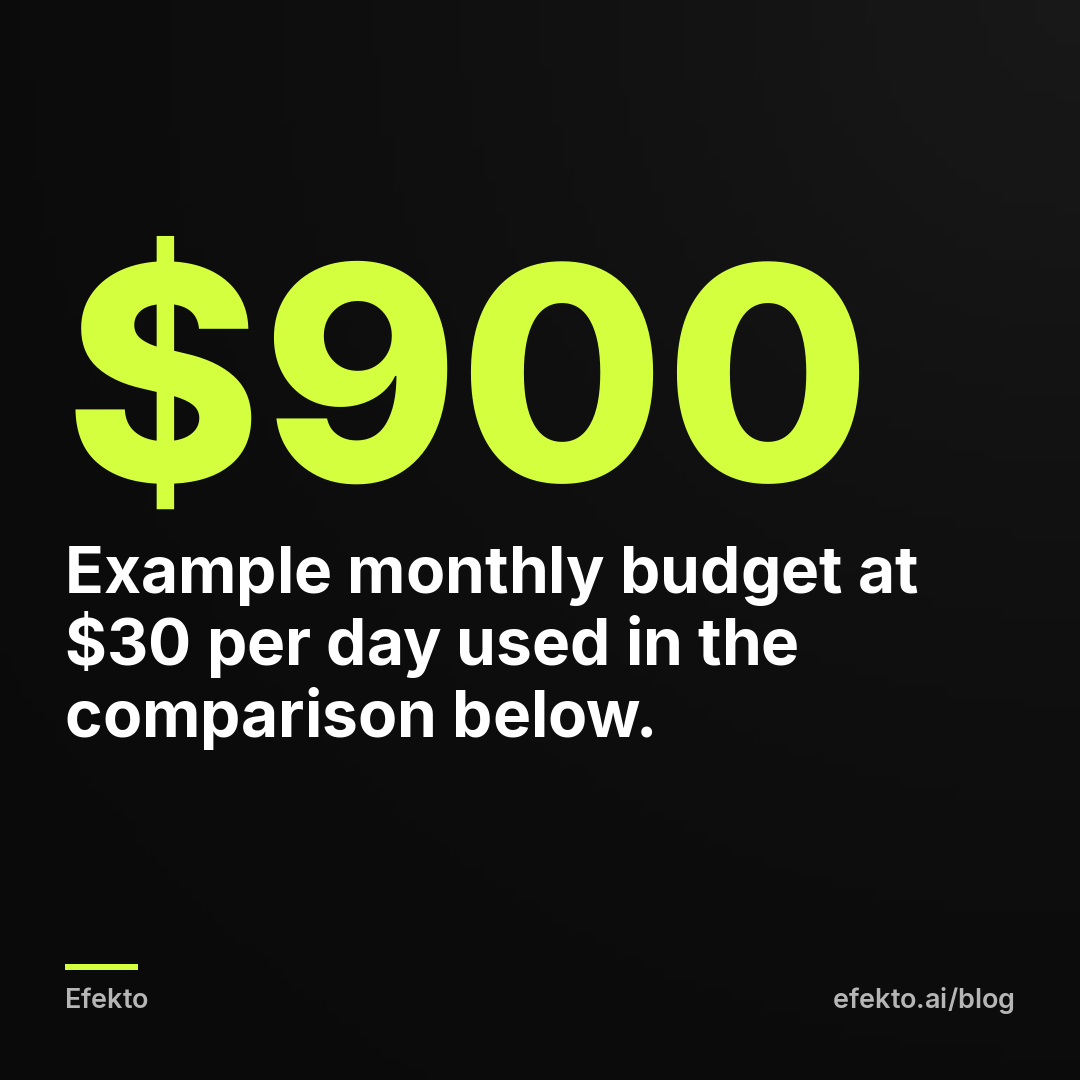
| Example: $30 per day for 30 days | Setup A: Advantage+ on, placements never checked | Setup B: Advantage+ on, junk placement removed after week 1 |
|---|---|---|
| Monthly spend | $900 | $900 |
| Leads reported by Meta | 60 | 36 |
| Cost per lead according to Meta | $15 | $25 |
| Leads that answered and were real prospects | 18 (30%) | 25 (about 70%) |
| Cost per verified lead | $50 | $36 |
| Booked jobs (1 in 3 verified leads) | 6 | about 8 |
| Revenue at an average job of $350 | $2,100 | about $2,800 |
Setup A looks better in Ads Manager. It has a $15 cost per lead against $25. Setup B is the better business, because it brings more real people for the same $900. This is why we never judge an Advantage+ setting by Meta's cost per lead alone. Meta's number is the cost of a form submission before anyone has checked it. The cost per verified lead is the number that pays your crew.
If you want a baseline for what a reasonable cost per lead looks like in your trade, we explain it in what counts as a good cost per lead on Facebook.
To do this calculation you need one simple habit: a column in a spreadsheet or your CRM marking each lead as real, unreachable or junk, and the placement or ad it came from. Ten minutes a week is enough.
When should a small business turn Advantage+ on, and when not?
Turn on the parts of Advantage+ that widen who Meta can reach inside your area, and be strict about the parts that change your message or send you low-quality leads. Here is where we come down on each setting.
Advantage+ makes sense for you when:
- Your budget is small enough that narrow targeting would starve the campaign. At $15 to $50 per day this is almost every local business.
- Your service area is set correctly with a radius or ZIP codes.
- Someone checks lead quality every week and can tell Meta's numbers from real calls.
- Your offer and creative are clear enough that small visual edits will not confuse anyone.
It does not make sense, or needs to be limited, when:
- Your customers are defined by something location cannot capture, such as a job title or a business type. Use the original audience options with specific targeting.
- You work in a category where wording is regulated or reviewed closely, such as medical aesthetics or dental claims. Keep text generation off and write every line yourself.
- Nobody will look at the placement breakdown or call back leads within a day. Then automation will optimize toward whatever Meta can count, which may not be customers. Fix the follow-up first.
- You spend less than about $10 per day. At that level no setting will give the campaign enough data to learn, and the problem is budget, not automation.
Where we have a stake: we make money from ads on Meta's platforms, both at Lemon Agency and through Efekto, and the opinions here come from managing more than $1M in client ad spend on those platforms, not from Meta's marketing pages.
One more opinion, since the industry repeats the opposite. You will read that Advantage+ is "set and forget." It is not. Advantage+ moves decisions from you to Meta, but Meta still optimizes toward the event you choose, usually a form submission. If junk submissions are cheaper than real ones, the system will learn to bring you junk, efficiently. Automation needs someone feeding it the truth about lead quality, by cutting placements, fixing forms and switching off weak ads.
How do you set up Advantage+ for a local service business step by step?
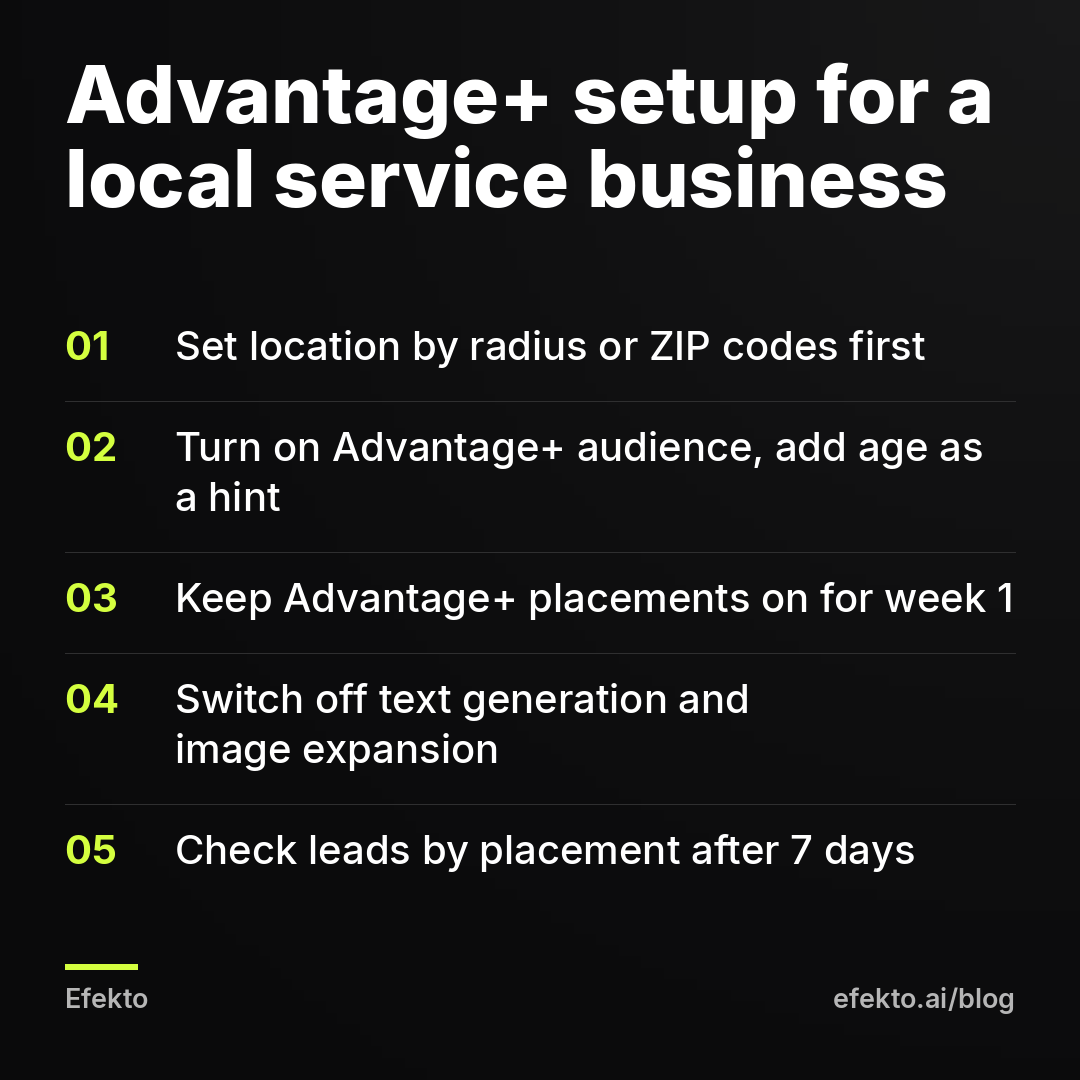
You can set up a sensible Advantage+ configuration in Ads Manager in about 20 minutes by going through the campaign, ad set and ad levels in order. If you have never built a campaign, start with our Ads Manager guide for beginners and come back here for the Advantage+ choices.
Campaign level
- Choose the Leads objective if you want form submissions or calls. Use Sales only if you have a working Meta Pixel with a booking or purchase event.
- If Ads Manager offers a choice between an Advantage+ setup and a manual setup, either works for one ad set. The settings below matter more than the label.
- Advantage+ campaign budget: leave it on if you plan one ad set. If you plan a two-ad-set test, decide now whether you want a fair split or the cheapest results.
- Daily budget: pick an amount you can hold for at least 14 days without touching it. Changing the budget every few days restarts learning.
Ad set level
- Conversion location: Instant forms if people prefer to fill something in on their phone, calls if your customers usually call. For forms, turn on the higher intent option so people see a review screen before submitting.
- Location: set your radius or ZIP codes and exclude areas you do not serve.
- Advantage+ audience: on. Set minimum age as a control, for example 25 if you only work for homeowners. Add interests only as suggestions, or leave them out entirely.
- Placements: Advantage+ placements on for the first week.
Ad level
- Upload 3 to 6 ads with different images or videos and the same clear offer.
- Open Advantage+ creative and switch off text generation, text variations and image expansion. Keep brightness and contrast touch-ups.
- Preview every placement, especially Stories and Reels, where text near the edges can get covered.
After launch
- Day 7: check the placement breakdown against your call log. Remove placements that bring forms but no real prospects.
- Day 14: switch off ads with no verified leads and add one or two new ones. Ads wear out, and we cover that in our post on ad fatigue.
The lead form itself has more influence on lead quality than any Advantage+ setting. A short form with one qualifying question, such as "What is your ZIP code?" or "When do you need the work done?", filters out more junk than any placement exclusion.
What are the most common Advantage+ mistakes local businesses make?
The most common mistake is judging Advantage+ by Meta's cost per lead in the first three days, before anyone has called the leads back. Here are the others we see most when we look at accounts set up by owners.
Turning everything off out of distrust. Owners hear that automation wastes money, switch to manual placements and three stacked interests, and end up with an audience too small to deliver. Fix: broad audience inside your area, then cut only what your data shows is bad.
Leaving every creative enhancement on without looking. The ad that ran is not the ad you approved. Fix: switch off text generation and image expansion, and preview before publishing.
Running Advantage+ audience with a wrong location setting. The audience is broad on purpose, so the location is the only thing keeping your ads in your area. A radius drawn from your office instead of where you take jobs, or a whole state when you serve three counties, wastes more than any interest choice. Fix: draw the map from your last 50 jobs.
Two ad sets under Advantage+ campaign budget, then concluding the second one failed. It probably spent $40 while the first spent $800. Fix: one ad set, or a minimum spend per ad set during tests.
Editing the campaign every day. Every significant change to budget, audience or creative can send the ad set back into learning. Fix: decide on a 7-day review rhythm and stick to it.
Counting all Meta leads as leads. This is the mistake behind most "Advantage+ doesn't work" and "Advantage+ is amazing" stories alike. Fix: mark every lead as real or junk, and calculate the cost per verified lead.
What if you don't want to manage these settings yourself?
If you do not want to learn Advantage+ menus and placement breakdowns, the realistic options are a freelancer, an agency, or an app that runs the campaign for you. Efekto is one of those apps: Efekto creates ads from your website, publishes them, and optimizes them every day: it turns off the ones that don't bring results and scales the ones that do. You approve the first batch of ads, with at least 5 approved before the campaign starts, and the ads run on your own Facebook ad account or on an Efekto ad account with the budget topped up in advance. The step-by-step process is on how Efekto works.
It is not for everyone. The minimum daily ad budget in Efekto is $15, so below that it will not help. The Starter plan is $149 per month on top of your ad budget, which is a real cost at a $450 monthly ad spend, and if you enjoy running Ads Manager yourself and already check lead quality every week, the settings in this post will take you most of the way for free. There is a 7-day free trial counted from the launch of your first campaign, and no card is needed until you launch.
What we do in our own accounts: Advantage+ audience on, Advantage+ placements on until the call log says otherwise, text generation off, one ad set per campaign, and a weekly look at every lead by placement. That is the setup we would give any local service business starting tomorrow.
FAQ
Is Advantage+ the same as boosting a post?
No. Boosting a post is a simplified way to promote an existing post with few settings, while Advantage+ refers to automation settings inside full campaigns in Ads Manager. A boosted post usually optimizes for engagement, which rarely turns into calls for a service business.
Can I turn Advantage+ off after I turn it on?
Yes, each Advantage+ setting can be switched off later, for example by moving from Advantage+ placements to manual placements or switching off a creative enhancement. Large changes can put the ad set back into the learning phase, so make them once a week rather than every day.
Will Advantage+ show my ads outside my service area?
It should not, because location is one of the strict audience controls in Advantage+ audience, not a suggestion. Check that your radius or ZIP codes are correct, because with broad targeting the location setting is what keeps your ads local.
Does Advantage+ work with Facebook lead forms?
Yes, Advantage+ audience, placements and creative all work with Instant Forms in a leads campaign. Form design matters a lot here, so add a qualifying question and use the higher intent form type; our guide to Facebook lead ads that bring real customers shows how.
Do I need the Meta Pixel to use Advantage+?
No, you can use Advantage+ audience, placements and creative with lead forms and no Pixel at all. You need the Pixel if you want Meta to optimize for actions on your website, such as booking requests on your own page.
If you would rather have the campaign built and adjusted every day without opening Ads Manager, you can try it on efekto.ai.
- Jakub Zwoliński
Founder, Lemon Agency · Efekto · October 24, 2026