What Is the Meta Pixel and Does a Small Service Business Need It?
The Meta Pixel tells Facebook which ad clicks became leads or bookings on your site. When a service business needs it, when a lead form is enough, and how to set it up.

The Meta Pixel is a short piece of code on your website that reports to Meta what people do after they click your Facebook or Instagram ad: which pages they view, whether they send a quote request, whether they book an appointment. A small service business needs it when its ads send people to its own website to book, call or fill out a form. If your ads collect leads with Facebook's built-in Instant Form, Meta already records every lead without it, and the pixel becomes an optional extra.
In short:
- The Meta Pixel tells Facebook which ad clicks turned into a form, a booking or a call request on your website, so the ads can be shown to more people like them.
- The Conversions API sends the same information from your website or CRM directly to Meta instead of through the visitor's browser, which fills the gaps when the pixel gets blocked.
- If your ads use Facebook's native lead form, you can run a working campaign without a pixel; if your ads send traffic to your site, running without one means paying for clicks that Meta cannot judge.
What does the Meta Pixel actually do?
The pixel does three jobs: it measures results, it teaches Meta's delivery system who to show your ads to, and it builds audiences from your website visitors.
Every action the pixel records is called an event. A page load is an event. A submitted quote form is an event. A confirmed booking is an event. Meta has a list of standard event names, such as Lead, Schedule and Contact, so that its system knows what each one means.
Think of running ads without it like handing out flyers and never finding out which ones came back. You see that 400 people clicked. You don't see that 9 of them asked for a quote and 2 booked.
Here is what each job looks like in practice:
- Measuring. In Ads Manager, the Results column shows the number of form submissions or bookings each ad produced on your website. Without the pixel, that column can only show clicks or landing page views.
- Teaching the algorithm. When you choose a Leads or Sales campaign with your website as the conversion location, Meta asks which event counts as a result. It then shows your ads to people whose behavior looks like the people who completed that event before. This is the part that changes your cost per customer, and it is the reason the pixel matters at all.
- Building audiences. The pixel can remember people who visited your pricing page in the last 30 days so you can show them a reminder ad. It can also exclude people who already booked, so you stop paying to advertise to your own customers.
Of the three, the second job is the one worth setting up for. Measurement you could partly approximate with a spreadsheet. Retargeting is a bonus. But an ad account that optimizes for clicks will find people who click, and people who click a lot are rarely the ones who book a $400 detail or a $9,000 roof.
What is the Conversions API, and how is it different from the pixel?
The Conversions API is a second way of sending the same events to Meta: from your website's server, booking system or CRM directly, instead of from the visitor's browser.
The pixel runs inside the browser of the person who clicked your ad. That makes it easy to install and also easy to miss events. Ad blockers stop it. Some browsers limit it. On iPhones, many people tapped the prompt asking apps not to track them. Some visitors close the page before the pixel finishes loading. Each of these means a booking happened and Meta never heard about it.
The Conversions API doesn't depend on the browser. When your booking system confirms an appointment, it tells Meta itself. When both the pixel and the Conversions API report the same booking, Meta matches them and counts it once. In plain terms: you send it twice to make sure it arrives, and Meta throws away the duplicate.
For a small service business, you should not need to write any code for this. Most website builders and booking tools that have a Meta integration offer it as a setting you switch on. If yours has that switch, turn it on. If it doesn't, the pixel alone is a reasonable place to start.
The Conversions API has a second use that matters more for service businesses than for online stores. It can send Meta information about what happened after the lead came in: which leads you reached, which ones booked, which ones turned into paid jobs. That's how you teach Meta the difference between someone who fills out every form they see and someone who actually needs a new AC unit this month. We come back to this below.
Do you need the Meta Pixel if you use Facebook lead forms?
No. If your ads use Instant Forms, the form opens inside Facebook or Instagram, the person submits it there, and Meta records the lead on its own side. The campaign can measure and optimize for leads without any code on your website.
This is the setup most local service businesses can start with, especially if the website is old, slow or built by someone who no longer answers the phone. We covered how to make those forms bring real customers instead of junk in our guide to Facebook lead ads and Instant Forms.
The tradeoff is intent. A native form is pre-filled with the person's name and phone number, so submitting takes two taps. That brings more leads and, usually, more leads who forgot they asked. A form on your own website takes more effort, so fewer people finish it, and the ones who do tend to be more serious. Neither is better in every case. What changes is where the result happens, and that decides whether you need the pixel.
| Setup | Where the lead happens | Does Meta see the result without a pixel? | Pixel needed? | Fits best when |
|---|---|---|---|---|
| Instant Form (native lead form) | Inside Facebook or Instagram | Yes | No, optional for retargeting | You want volume and will call leads back fast |
| Quote form on your website | Your website | No | Yes | Your site converts well and you want fewer, more serious leads |
| Online booking on your website | Your website or booking tool | No | Yes | Services with fixed prices: detailing, med spa, dental cleanings |
| Click-to-call ad | Phone call | Partly (counts taps on the button, not finished calls) | No | Emergency jobs where people call immediately |
Our position: if you are running your first campaign and your website doesn't have a working booking page, start with Instant Forms and skip the pixel for now. Add it when you start sending traffic to your site.
When does a small service business need the pixel?
You need the pixel whenever the button on your ad opens your website and the thing you want, a form, a booking or a call, happens there. Concretely:
- You take online bookings. A med spa with a booking page, a detailing shop with a calendar, a dental office with online scheduling. Without the pixel, Meta can't tell a booking from a bounce.
- You use a quote request form on your site. Roofing, HVAC and remodeling companies often prefer this because it asks for the address and project details up front.
- Your landing page has a click-to-call button. The pixel can count taps on the number. It can't confirm the call connected, but it's a better signal than a page view.
- You want to retarget. People who looked at your financing page last week and didn't call are the cheapest audience you will ever reach. Only the pixel can build that list from your website.
- You plan to spend more than a test budget on website traffic. Small tests can run on clicks. Ongoing spend should optimize for results.
You don't need it if all four of these are true: your ads use Instant Forms or click-to-call only, you don't plan to send traffic to your site, you don't care about retargeting website visitors, and you track outcomes yourself in a CRM or spreadsheet.
What happens if you run website ads without a pixel?
Without a pixel, Meta can only optimize for clicks or landing page views, so it goes looking for the cheapest clicks, and cheap clicks are usually not your customers. Here is a worked example to show the mechanism. The numbers are made up for illustration, not results from any account.
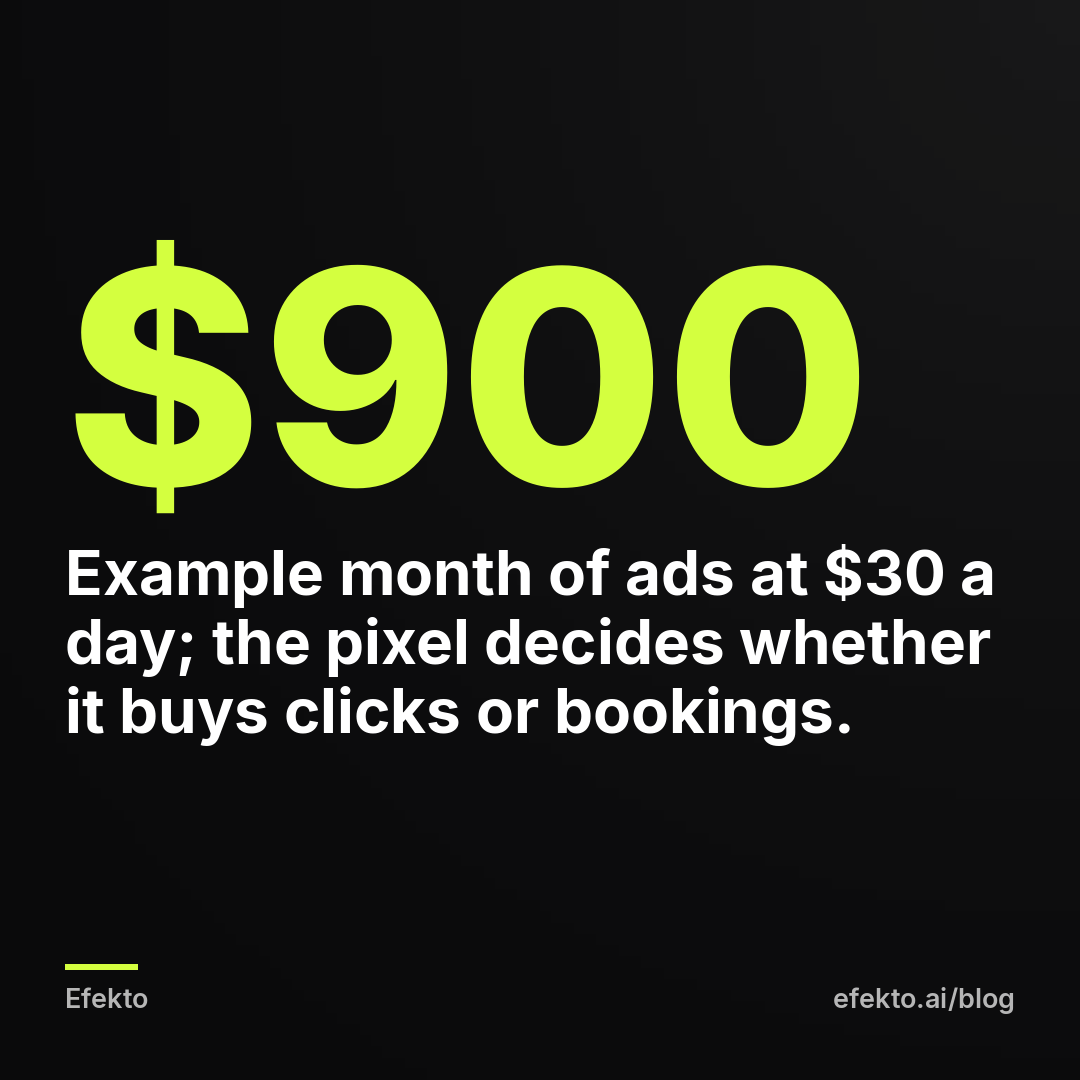
For example: a detailing shop spends $30 a day for 30 days, so $900 for the month, sending people to its booking page.
Without a pixel, the campaign optimizes for link clicks. Say clicks cost $1.50 each, so the $900 buys 600 clicks. Meta delivers the ads to people who click a lot, including many who scroll past bookings. Say 2% of them book: that's 12 bookings, or $75 of ad spend per booking. At an average ticket of $250, the month brings $3,000 in jobs.
With a pixel reporting a Schedule event on the booking confirmation page, the campaign optimizes for bookings. Clicks get more expensive, because Meta now chases a narrower group of people. Say they cost $3 each, so the same $900 buys 300 clicks. But say 7% of those people book: that's 21 bookings, or about $43 per booking, and $5,250 in jobs at the same $250 ticket.
Two things in this example are worth noticing. First, the cost per click went up and the business made more money. Owners who judge ads by cost per click often switch off the campaign that's working. Second, without the pixel, the owner wouldn't even know which ad brought the 12 bookings. They would see clicks and a busier calendar and have to guess. If you're seeing plenty of clicks and an empty phone, our post on why Facebook ads get clicks but no calls walks through the other causes.
One caveat from running these campaigns: the pixel needs enough events to learn from. If your budget produces 2 bookings a week, Meta has very little to work with. In that case, optimize for an event that happens more often and still means something, like a submitted quote form, and switch to bookings once the volume grows.
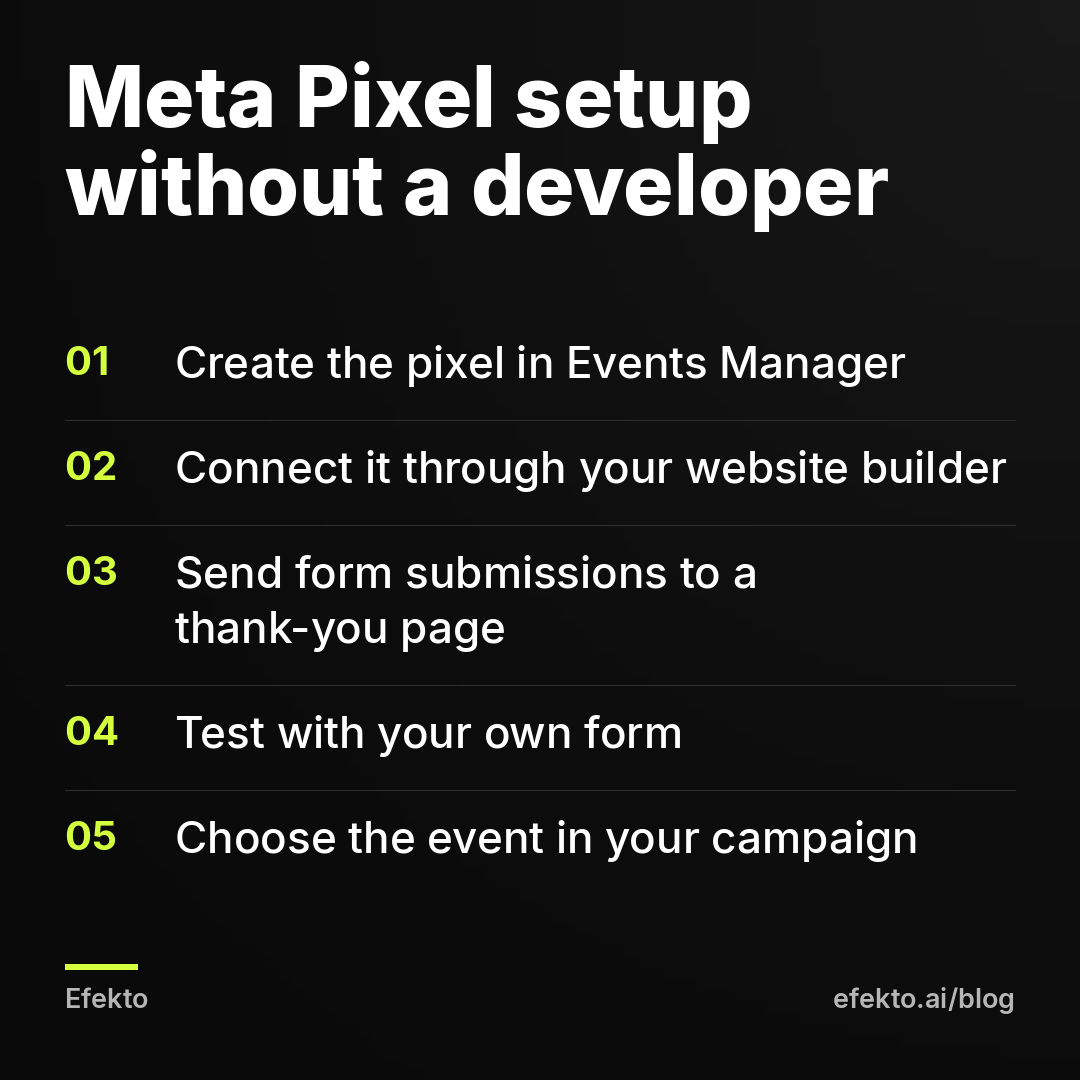
How do you set up the Meta Pixel without a developer?
For most small businesses, setup means connecting your website builder to Meta, creating one thank-you page and testing it once. None of it requires editing code.
Step 1. Create the pixel in Events Manager. Open Meta Business Suite, go to Events Manager, choose Connect data sources, then Web. Name it after your business. Meta sometimes calls this a dataset; it's the same thing. Copy the pixel ID, a long number.
Step 2. Connect it through your website builder. WordPress has Meta's official plugin. Wix, Squarespace and Shopify have built-in marketing integrations where you log in with Facebook or paste the pixel ID. If the integration offers a server-side or Conversions API option, turn it on in the same place.
Step 3. Create a thank-you page. This is the most useful step in the whole setup. Set your contact form to redirect to a page like yoursite.com/thank-you after someone submits it. Nobody should reach this page any other way: keep it out of your menu and don't link to it.
Step 4. Turn the thank-you page into a Lead event. In Events Manager, create a custom conversion with the rule URL contains thank-you, and set the category to Lead. Meta's Event Setup Tool can also mark button clicks without code, but the thank-you page is more reliable because it only loads after a real submission.
Step 5. Test it. Open the Test Events tab in Events Manager, enter your website address, submit your own form and confirm the event shows up. Then delete your test lead so it doesn't sit in your follow-up list.
Step 6. Verify your domain. In Business Settings, under Brand Safety, add and verify your website domain. It ties the website to your business and avoids event setup problems later.
Step 7. Pick the event in your campaign. Create a campaign with the Leads objective, choose Website as the conversion location and select the event you just created.
If your booking tool is embedded from another company, check two things in its settings: whether it can redirect people to your own confirmation page after they book, and whether it has its own Meta integration. If it can do neither, the pixel won't see the booking itself, and the best you can track is the tap on the Book Now button. That's a weaker signal, so weigh it against switching to Instant Forms.
Which events should a small service business track?
Track a handful and optimize for one: the event closest to money that still happens several times a week.
| Event | What it means for your business | When it fires | Optimize for it? |
|---|---|---|---|
| PageView | Someone loaded a page | Every page, automatically | No |
| ViewContent | Someone looked at a service or pricing page | Visit to the page you choose | No, use it for retargeting |
| Contact | Someone tapped your phone number or email | Tap on a click-to-call button | Only if calls are your main channel |
| Lead | Someone sent a quote or contact form | Thank-you page loads | Yes, the default for most |
| Schedule | Someone booked an appointment | Booking confirmation | Yes, once bookings are frequent |
| Purchase | Someone paid a deposit or bought a package | Payment confirmation | Yes, if you take deposits online |
For example: a roofing company gets 15 quote form submissions a week and 3 signed inspections. Optimizing for signed inspections sounds smarter, but 3 a week is too few for Meta to learn from. Optimize for Lead, and use your call notes to judge which ads bring the leads that sign.
Avoid optimizing for Contact unless the phone really is how your customers buy. A tap on a phone number is not a call. People tap by accident, tap and hang up, or tap to copy the number for later.
How do you know the pixel is working, and what goes wrong most often?
The pixel is working when the number of leads in Ads Manager roughly matches the number of form submissions in your inbox over the same week. Check that once a week for the first month, then once a month.
The mistakes we see most often, and how to fix them:
- The Lead event fires on the form page instead of the thank-you page. Ads Manager then counts every visitor as a lead. Fix: move the event to the thank-you page only.
- The thank-you page is reachable without submitting. It's linked in the menu, indexed by Google, or the page also shows when the form has errors. Fix: unlink it and hide it from search.
- The pixel is installed twice. Once through a plugin, once pasted into the theme by a previous web designer. Every lead counts double. Fix: in Test Events, look for duplicate events and remove one installation.
- A redesign wiped the pixel. The site got a new theme and nobody reconnected it. Leads in Ads Manager drop to zero while your inbox keeps filling. Fix: reconnect and test after every website change.
- Button clicks are tracked as leads. Someone clicked Get a Quote, and the form was never sent. Fix: track the completed submission, not the button.
One more thing to keep straight. The number Meta reports is cost per submission, counted before anyone checked whether the person picked up the phone or wanted the service. Your real cost per qualified lead is always higher. For example: if Meta shows 20 leads at $30 each and 5 of them are wrong numbers or out of your area, you paid $600 for 15 real leads, or $40 each. Our guide on what counts as a good cost per lead for a local business explains how to read both numbers.
Do you need the Conversions API too, or is the pixel enough?
For most small service businesses, the pixel plus whatever Conversions API toggle your website builder offers is enough. Don't pay a developer for a custom server setup while you spend a few hundred dollars a month on ads; the extra events it recovers won't change your results at that scale.
Where the Conversions API earns its keep is the second use we mentioned: telling Meta which leads became customers. Many CRMs used by service businesses have a Meta integration that sends a signal when you move a lead to a stage like Booked or Won. Meta then learns which kind of lead is worth paying for, not just which kind of person fills out forms.
For example: a company gets 40 leads a month and 10 of them book. Without feedback, Meta treats all 40 as equal and keeps finding people like the 30 who didn't book. With the CRM sending back the 10 bookings, Meta can lean toward people like those 10. This works with Instant Forms too, which is why it's worth setting up even if you never put a pixel on your site.
The condition is that you actually update the CRM. If your team doesn't mark leads as booked, there is nothing to send. A CRM full of leads stuck at New teaches Meta nothing.
When does the Meta Pixel not make sense, and what should you do instead?
The pixel doesn't make sense when nothing you care about happens on your website. That covers more small businesses than the ad industry admits.
Skip it, or leave it for later, if:
- You don't have a website, or it's a single page with your phone number. There's nothing for the pixel to watch. Run Instant Forms or click-to-call ads.
- All your leads come through native forms. Meta already sees them. Spend the setup time on a faster call-back process instead.
- Your business runs on the phone. Emergency plumbing, towing, lockouts. The pixel would count taps, not jobs. Track calls with a dedicated number on your ads and write down which calls booked.
- Your site is broken on mobile. A pixel on a page that doesn't load correctly measures a problem you should fix first.
What we would do in each case is the same: get the outcome data somewhere, even a spreadsheet with date, source, booked yes or no. The pixel is one way of telling Meta what a good result looks like. Writing it down yourself is another, and it's better than optimizing blind.
A note on our interest: we make money from ads on Meta's platforms, and across more than 300 Lemon Agency clients we've learned that tracking only helps when someone reads the results and acts on them. A correctly installed pixel tells Meta what counts as a result. It doesn't turn off the ad that has spent money for a week without a single lead.
That daily part is what Efekto does. Efekto creates ads from your website, publishes them on Facebook and Instagram, and optimizes them every day: it turns off the ones that don't bring results and scales the ones that do. It runs in your own Facebook ad account or in an Efekto ad account with the budget topped up in advance, and you approve the first batch of ads before anything goes live. You can see the full flow on how Efekto works.
FAQ
Is the Meta Pixel free?
Yes. Meta doesn't charge for the pixel or the Conversions API. What can cost money is a developer, if your website builder has no built-in integration, or a paid plugin you choose to use.
Does the same pixel work for Facebook and Instagram ads?
Yes. One pixel covers ads on both, because both run from the same Meta ad account. You don't need a separate setup for Instagram.
Do I need a new pixel if I switch agencies or ad tools?
No. Keep the pixel in your own Business Manager and give the agency or tool partner access to it. If someone else created it in their account, ask them to transfer it or share it with yours before you part ways, or you lose its history.
Can I add the pixel to an old campaign that's already running?
You can install it anytime, and it starts recording from that moment. To optimize for its events, you'll usually create a new campaign or ad set with the website conversion location and the event selected, which starts a fresh learning period.
If you'd rather have the daily work of turning off weak ads and scaling good ones done for you, you can try it at efekto.ai.
- Jakub Zwoliński
Founder, Lemon Agency · Efekto · October 24, 2026