How to Run Facebook Ads for a Local Business Without a Website
Run Facebook ads without a website using lead forms, call ads, Messenger and your Facebook Page. Step-by-step setup, budgets and when you need a site.

You can run Facebook ads for a local business without a website. Meta hosts three destinations for you: an instant lead form, a phone call, and a Messenger conversation. Your Facebook Page acts as the storefront people check before they reach out. For most service businesses we'd start with a lead form, because it collects name, phone and job details at any hour. Call ads fit when someone always answers the phone. Messenger fits when you can reply within minutes. The only website-like thing you still need is a public privacy policy link for lead forms.
In short:
- Meta lets you collect leads through instant forms, phone calls and Messenger without sending anyone to a website.
- Your Facebook Page replaces the website as the place people check before they contact you, so finish it before you spend a dollar.
- No website is fine for getting started, but a simple site starts paying for itself once you sell bigger jobs or need to show a portfolio.
Can you run Facebook ads without a website?
Yes. Meta requires a Facebook Page and an ad account with a payment method. It does not require a website. Here is the full list of what you need before your first ad:
- A Facebook Page for the business, not your personal profile.
- A Meta ad account connected to that Page, with a card or other payment method added.
- A phone number that someone actually answers, if you plan to run call ads.
- A public link to a privacy policy, if you plan to use lead forms. Meta asks for it on every instant form. A free one-page builder or a publicly shared document is enough.
We make money from ads on Meta's platforms, both at Lemon Agency and through Efekto, so read this knowing we want you to advertise. After more than 300 clients, we can also say that a missing website is rarely what stops a local business from getting leads. Slow callbacks are. If someone tells you to spend a few thousand dollars on a website before your first ad, they are selling you a website. A detailer, a handyman or a pressure washing crew can book jobs from a form and a phone call.
Which Facebook ad option should you use if you don't have a website?
Use a lead form if you're unsure. Add call ads if your jobs are urgent and someone answers live. Add Messenger if customers want to send photos before getting a price. The Page itself is a trust layer, not a lead destination.
| Option | What the customer does | Best for | What it needs from you | Weak spot |
|---|---|---|---|---|
| Instant lead form | Fills a short form inside Facebook, mostly prefilled | Most local services; leads arrive around the clock | Fast callbacks, a privacy policy link | Some low-intent submissions |
| Call ads | Taps "Call now" and phones you | Urgent jobs: HVAC repair, locksmith, towing, plumbing leaks | Someone answering live | A missed call is usually a lost lead |
| Messenger ads | Starts a chat with your Page | Jobs priced from photos: detailing, roof damage, landscaping | Replies within minutes | Chats stall without follow-up |
| Facebook Page as destination | Visits your Page | Getting known locally | A complete Page | No built-in way to capture contact details |
One opinion we hold firmly: the blue "Boost post" button is the worst way to spend money if you want customers. It optimizes for likes and comments by default. You end up paying for reactions from people who will never call. Every option below is set up in Ads Manager, where you choose leads, calls or messages as the goal.
We compared forms and website pages in detail in Facebook lead form vs landing page, so here we'll stick to setup.
How do you set up your Facebook Page before running ads?
Fill in every field a customer would look for on a website. People tap your Page name in the ad before they fill a form or call. An empty Page with two posts from 2021 loses them.
- Category and name. Pick the closest service category (for example "Roofing Service" or "Car Wash & Detailing"). Use the business name customers would search, not a tagline.
- Contact details. Add a phone number, an email and your hours. If you work from home, set a service area instead of a street address.
- Intro and About. Write two lines on what you do, where, and a starting price if you have one: "Interior and exterior detailing in Mesa and Gilbert. Full details from $180."
- Action button. Set the Page button to "Call now" or "Send message", whichever matches the ad type you'll run.
- Photos. Upload at least 9 photos of real work: before and after, your truck, your crew. Skip stock images. People spot them in seconds.
- Reviews. Turn on reviews (Facebook calls them recommendations) and ask your last 5 happy customers to leave one before the ads start.
- Pinned post. Pin a post with your services, service area and how to book.
This takes about an hour, and it does more for your cost per lead than most ad tweaks.
How do you set up a Facebook lead form ad without a website?
Create a Leads campaign in Ads Manager, choose instant forms as the conversion location, and build a short form with one qualifying question. Here are the steps.
Step 1: Create the campaign
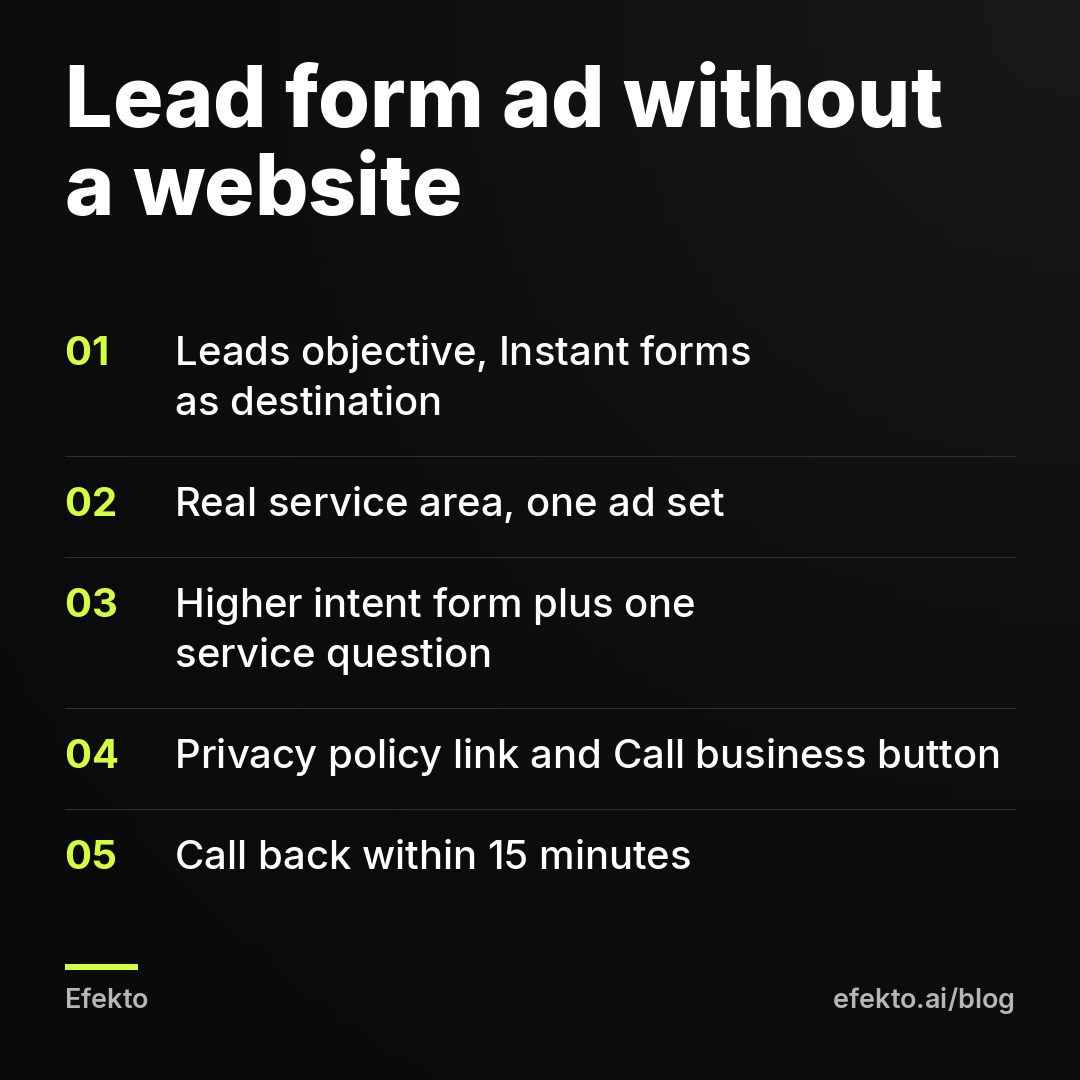
In Ads Manager, click Create, choose the Leads objective and continue. Keep one campaign and one ad set to start. Splitting a small budget across several ad sets starves all of them.
Step 2: Set the ad set
At the ad set level, set the conversion location to Instant forms and select your Page. Set the location to your real service area. Use a radius around your town or a list of ZIP codes, and set it to people living in that location. Set a daily budget. The budget section below shows how to pick a number.
Step 3: Build the form
At the ad level, create a new instant form.
- Form type: choose "Higher intent". It adds a review screen before submitting. You'll get fewer forms, but fewer people who tapped by accident.
- Contact fields: full name, phone number, email. These prefill from the person's profile.
- One custom question: "What do you need help with?" as multiple choice, with your 3 or 4 main services. Add a ZIP code question if you get leads from too far away.
- Privacy policy: paste your public privacy policy link.
- Completion screen: choose the "Call business" button and add your number, so the hottest leads can call you right away.
Step 4: Write the ad
Use a photo of your own work, a headline that names the service and the town, and the "Get quote" or "Sign up" button.
Step 5: Get the leads to your phone
Leads sit in Leads Center in Meta Business Suite. Turn on notifications in the Business Suite app, or connect the form to your email or CRM, so you see each lead within minutes and not at the end of the week.
Step 6: Call back within 15 minutes
A form lead has forgotten your name within a day. We'd call within 15 minutes during working hours, and first thing the next morning for leads that come in at night. Send a text if they don't pick up.
How do you run Facebook ads that make your phone ring?
Create a Leads campaign and set the conversion location to Calls. The ad then shows a "Call now" button that dials your number directly. Setup:
- In Ads Manager, choose the Leads objective and set the conversion location to Calls.
- Enter the phone number that will actually be answered. For most owners that's a cell, not the office landline.
- If nobody answers after hours, use a lifetime budget instead of a daily one and turn on ad scheduling. Meta only offers scheduling with a lifetime budget. Run the ads only during the hours someone picks up.
- Record a voicemail greeting that tells callers to text the same number. This saves some of the calls you miss.
- Keep a simple log of each call, date and outcome. Meta counts taps on "Call now", not real conversations.
Call ads work best for urgent jobs where the customer wants an answer now. They work badly for anyone running jobs alone: if you're on a roof, the phone rings out and you've paid for the tap. We cover the details in how to run Facebook call ads.
How do you run Messenger ads for a local business?
Create a Leads or Engagement campaign with Messenger as the destination. Write a greeting and 3 or 4 tap-to-send questions, and set up instant replies so nobody waits in silence.
- In Ads Manager, choose Leads (or Engagement) and set the destination to Messenger.
- In the message template, write a short greeting: "Thanks for reaching out. Send us a photo of the car and your ZIP code and we'll reply with a price."
- Add quick questions customers can tap: "How much for a full detail?", "Do you come to me?", "What's your next opening?"
- In Meta Business Suite, open Inbox, then Automations. Turn on an instant reply and an away message that says when you'll answer.
- Ask for the phone number in the first or second reply. A Messenger thread is easy to abandon. A phone number is a lead.
Messenger shines when the price depends on what the customer shows you: a dirty interior, a damaged roof, an overgrown yard. It fails when replies take hours. Someone who messaged three competitors books with whoever answered first.
When do leads from Facebook ads actually come in?
Most leads arrive outside normal working hours, and that decides which no-website option you should lean on.
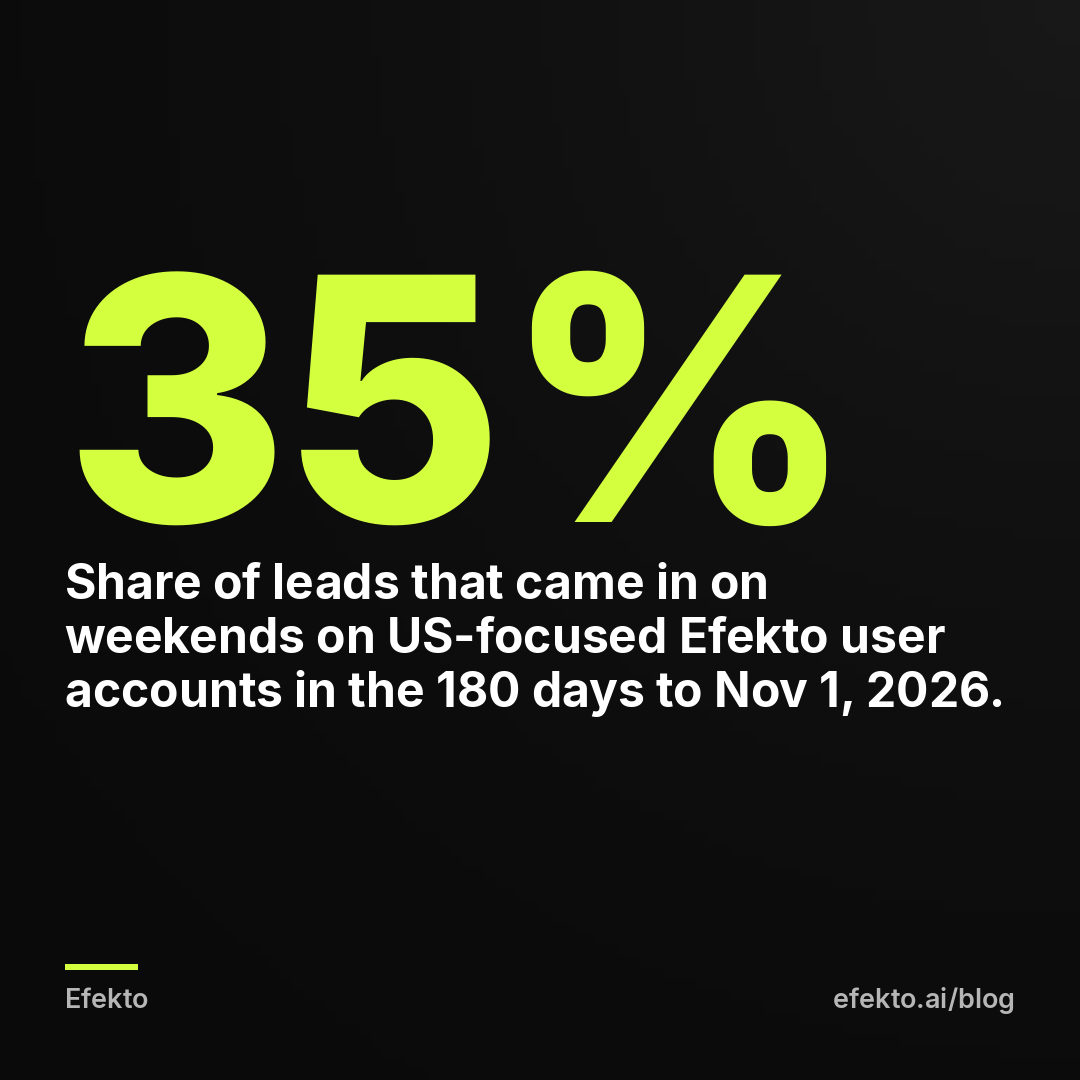
From our accounts: On Efekto users' accounts in English-speaking markets (mostly the US) (8 brands, 126 leads in the 180 days to Nov 1, 2026), 17% of leads came in after 6 pm, only 27% on weekdays between 8 am and 4 pm, and 35% on weekends. On the larger set of accounts we run at Lemon Agency, 3,490 Meta lead form leads collected in the 90 days to Nov 1, 2026 showed the same pattern: the most came in on Sunday (19.2%), the fewest on Monday (12.5%), and Saturday plus Sunday brought 33% of all leads.
The takeaway for a business without a website is direct. If only 27% of leads arrive on weekdays between 8 am and 4 pm, a call-only setup that runs during office hours reaches a minority of the people ready to act. The other 73% show up when a typical crew is on a job, at dinner or off for the weekend. Lead forms and Messenger with an instant reply capture those people and hold them until Monday. That's why we'd make the form the base of the account and treat call ads as an extra for business hours. It's also why your Monday morning callback routine matters more than any ad setting. For more on this, see our post on the best times and days to run Facebook ads.
How much should you spend on Facebook ads without a website?
Start with a budget that can produce at least a few leads a week, then judge it by booked jobs, not by form count. The numbers below are an example, not our results. Plug in your own.
For example: say you spend $20 a day and Meta reports $25 per form submission. That's Meta's figure: the cost of a submitted form before anyone has checked whether the phone number works or the person actually wants the job. The cost per real lead, after your callback, is always higher.
| Step | Example number |
|---|---|
| Monthly ad spend ($20 x 30 days) | $600 |
| Forms submitted at $25 each | 24 |
| Forms where you reach the person (half) | 12 |
| Cost per lead you actually spoke to | $50 |
| Jobs booked (1 in 3 conversations) | 4 |
| Cost per booked job | $150 |
| Revenue at a $400 average job | $1,600 |
The column to watch is cost per booked job. With no website you can't install a pixel to track purchases, so your own notes become the tracking. Write down each lead, whether you reached them and whether they booked. After 30 days you'll know your real cost per job. That number tells you far more than Meta's dashboard does.
When do you actually need a website for Facebook ads?
You need one when the job is big enough that customers want proof before they talk to you. Think remodeling, roofing replacements, med spa treatments, anything above a few thousand dollars. A Facebook Page with 9 photos doesn't carry a $20,000 decision. A simple site with a gallery, reviews and a clear service list does. You also need one if you want to retarget people who looked at a specific service, or track bookings with a pixel.
So our position: start without a website if you don't have one. Don't let it delay your first ad. But plan a simple site within a few months if you sell high-ticket work, and don't believe anyone who says a site is never needed.
This is also where we should be honest about our own product. Efekto creates ads from your website, publishes them, and optimizes them every day: it turns off the ones that don't bring results and scales the ones that do. It needs a website to work from. If you have none, Efekto isn't the right tool yet, and the manual setup above is what we'd tell you to do.
Once you have even a basic site, the picture changes. You approve the first batch of ads (at least 5 before the campaign starts), the minimum budget is $15 per day, and the Starter plan is $149 per month after a 7-day free trial that counts from your first campaign launch. You can see the full flow in how Efekto works.
What are the most common mistakes when advertising without a website?
These are the ones we'd fix first:
- Boosting posts instead of running lead campaigns. Boosts buy reactions. Set up a Leads campaign in Ads Manager instead.
- Running call ads with nobody answering. If your phone goes to voicemail during jobs, switch to lead forms or schedule call ads only for hours someone picks up.
- Long forms. Every extra question costs submissions. Name, phone, email and one service question is enough to call back.
- Slow callbacks. A form lead called back after two days is often no lead at all. Aim for 15 minutes during working hours.
- An empty Page. People check it before contacting you. No photos and no reviews means paying for clicks that end in doubt.
- Targeting too wide. A 50-mile radius for a business that drives 15 miles fills your sheet with jobs you'll turn down. Set your real service area and add a ZIP code question.
- Judging ads by Meta's numbers alone. Meta counts forms and call taps. Only you know who booked. Keep the log.
If we were starting your account today, we'd skip the boost button, launch one lead form campaign with a finished Page behind it, and call every lead within 15 minutes. Call ads would come only once someone could reliably answer.
FAQ
Do I need a privacy policy to run Facebook lead ads?
Yes, Meta asks for a privacy policy link on every instant form. It doesn't have to sit on your own website. A free one-page builder or a publicly shared document works, as long as it explains what you do with the contact details.
Can I run Instagram ads without a website?
Yes. Ads set up in Ads Manager run on Instagram as well as Facebook, and lead forms, call buttons and messages work there too. You still need a Facebook Page, and linking your Instagram account lets the ads appear under your Instagram name.
Is boosting a post the same as running a Facebook ad?
A boost is a simplified ad that usually optimizes for engagement like likes and comments. For customers, set up a campaign in Ads Manager with the Leads objective, so Meta looks for people likely to fill a form, call or message you.
Can I use my Google Business Profile link instead of a website?
You can paste it as the destination URL in a traffic campaign, but you won't know which visitors contacted you or booked. A lead form gives you names and phone numbers directly, so we'd use that instead.
When you have a website and want ads that run without learning Ads Manager, you can start with Efekto.
- Jakub Zwoliński
Founder, Lemon Agency · Efekto · November 9, 2026