Facebook Lead Form vs Landing Page: Which Is Better for a Local Service Business?
Lead form or landing page for your Facebook ads? A comparison of lead quality, cost, setup effort and infrastructure, with a worked example and a pick for each type of local service business.

For most local service businesses, a Facebook lead form (Instant Form) is the better place to start, and a landing page wins only when three things are true: the job is worth enough that a buyer researches before calling, you already have a fast mobile page with tracking, and someone can call leads back within minutes. A form gets you more leads per dollar with almost no setup. A landing page gets you fewer leads, but each one has read your offer and chosen to act. If you don't have the page, the tracking and the follow-up in place, you aren't really choosing between two options. You're choosing between a working form and a broken page.
In short:
- A Facebook lead form costs less per submitted lead and takes about an hour to launch, but more of those leads never pick up the phone.
- A landing page costs more per lead and needs real infrastructure (a fast mobile page, tracking, a way to receive leads), but the people who fill it out have usually read your offer.
- The right choice depends on the job's ticket size, how fast you call back and whether your page is actually built for ads, not on which option is "better" in general.
What is the actual difference between a Facebook lead form and a landing page?
A lead form keeps the person inside Facebook or Instagram, and a landing page sends them to your website. That one difference drives everything else in this post.
With an Instant Form, someone taps your ad and a form opens on top of the app. Facebook fills in their name, email and phone number from their profile. They tap submit and they're back to scrolling. The whole thing can take under 10 seconds.
With a landing page, someone taps your ad and their phone opens a browser. Your page has to load, explain the offer, earn some trust and then get them to type their details into a form or tap a call button. Every one of those steps loses people. The ones who make it through have done more work, which is exactly why they tend to be more serious.
So the trade is simple: the form removes friction, and the page keeps it on purpose. Friction costs you leads. It also filters out people who were never going to buy.
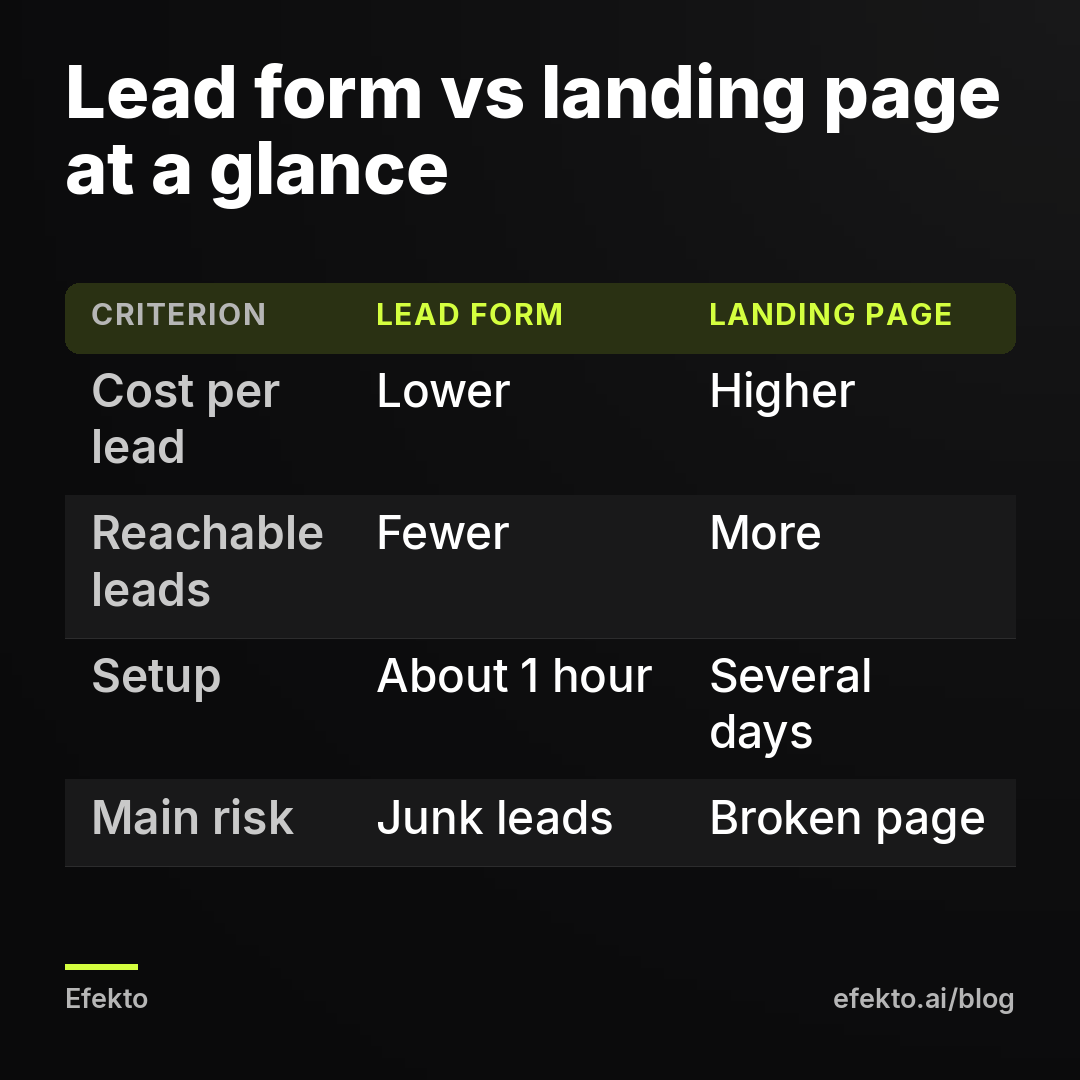
| Criterion | Facebook lead form (Instant Form) | Landing page |
|---|---|---|
| Where the person ends up | Stays in Facebook or Instagram | Leaves for your website |
| Effort for the person | Taps, reviews prefilled details, submits | Waits for page load, reads, types details |
| Cost per submitted lead | Lower | Higher |
| Share of leads you can actually reach | Lower | Higher |
| Setup time | About 1 hour | Several days if you build it properly |
| What you need besides the ad | A privacy policy link and a way to get leads fast | A domain, a mobile page, tracking, a form or booking tool |
| What Meta learns from | Form submissions, automatically | Only what your tracking sends back |
| Biggest risk | Junk leads and slow follow-up | Slow page, broken tracking, no leads at all |
Which brings better quality leads, a lead form or a landing page?
A landing page usually brings better leads per person, and a lead form brings more leads per dollar. Neither statement settles the question on its own, because quality only matters per dollar of budget, not per name.
Here is why form leads are weaker. Facebook prefills the details, so a person can submit without ever reading your offer. Some tap because the image looked good. Some think they're entering a giveaway. Some use an old phone number that's still on their profile. Some submit at 11 p.m., forget, and don't recognize your number the next morning. That isn't fraud. That's what happens when you make something very easy.
We see this pattern in every service category we run: the cheapest form leads are the ones that need the most calls to reach. If your offer is vague ("Get a free quote!"), a form will happily collect hundreds of people who wanted nothing in particular.
Landing page leads are better for a plain reason. A person who loaded your page, scrolled past your prices or photos and typed their own phone number has already made a small decision. They know who you are. When you call, they expect it.
But a lead form can be made much stricter, and this is what most comparisons skip. You can switch the form to the higher intent type (an extra review screen before submitting), add one or two qualifying questions with multiple-choice answers, and put your price range or service area in the intro. We covered the exact settings in our guide to setting up Facebook Instant Forms to get real customers, so we won't repeat them here. The point for this decision: a strict form closes most of the quality gap with a page, at a fraction of the setup work.
Our position: if your form leads are bad, fix the form before you build a page. A landing page doesn't fix a weak offer. It just makes fewer people see it.
Is a Facebook lead form cheaper than a landing page?
A lead form is cheaper per submitted lead almost every time, and that number is misleading. What you should compare is cost per booked job.
Meta reports a cost per lead for form campaigns. That figure is the cost of a form submission, before anyone has checked whether the phone number works or whether the person wants the service. Your real cost per lead, after you call and verify, is always higher. With forms, the gap between the two numbers is wide. With a landing page, it's narrower, because fewer junk submissions get through.
Let's put numbers on it. The figures below are an example to show the mechanism, not results from our clients or a market benchmark.
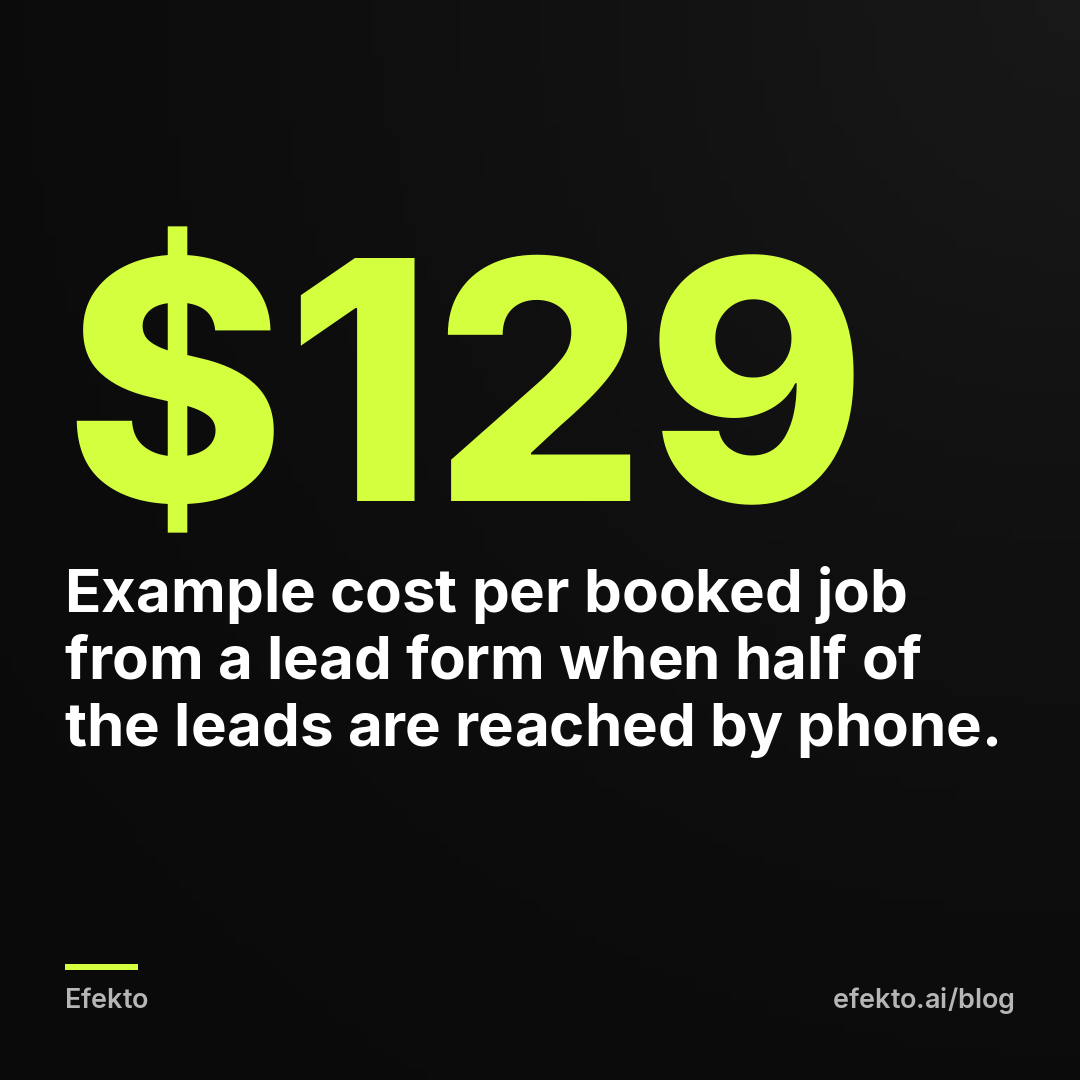
For example: say a house cleaning business spends $30 per day, so $900 per month, and runs the same ad and offer two ways.
| Step (example numbers) | Lead form | Landing page |
|---|---|---|
| Monthly budget | $900 | $900 |
| Cost per submitted lead (what Meta reports) | $20 | $45 |
| Submitted leads | 45 | 20 |
| Share you actually reach by phone | 50% | 80% |
| Reached, real leads | 22 | 16 |
| Cost per verified lead | about $41 | about $56 |
| Share of reached leads that book | 30% | 40% |
| Booked jobs | about 7 | about 6 |
| Cost per booked job | about $129 | about $150 |
In this example the form wins, but only barely, and only because the business reaches half its form leads. Drop that to 30% (which is what happens when leads sit for a day before anyone calls) and the form gives you about 13 reached leads and 4 booked jobs, at roughly $225 per job. Now the landing page wins comfortably.
So the honest answer to "which is cheaper" is: the form is cheaper if you call fast. The speed of your follow-up moves the result more than the choice of destination does. If that part is weak, read our post on how to follow up on Facebook leads fast enough to book the job before you change anything else.
One more thing the example hides. A landing page also costs money to build and keep running: a website builder subscription, a form or booking tool, maybe someone to set up tracking. If you're paying a freelancer to build a page for a $900 per month ad budget, that one-time cost can eat several months of the difference shown above.
How much work does each option take to set up and keep running?
A lead form takes about an hour to launch and a few minutes a day to run. A landing page done properly takes several days to build and ongoing attention to keep working.
Here is what a lead form needs, start to finish:
- Write the form intro: one line with the offer, one line with who it's for and where you work.
- Pick the fields: name and phone are prefilled. Add one or two questions that filter out the wrong people.
- Add a privacy policy link. Meta requires one for Instant Forms. A simple page on your existing site is enough.
- Write the thank-you screen: tell people you'll call within a set time and from which number.
- Connect leads to where you'll see them instantly: email notifications, a CRM, or the Leads Center in Meta Business Suite.
After launch, the daily work is calling leads. That's it.
A landing page needs more:
- A page on a domain you control, built for mobile first. Most ad clicks on Facebook and Instagram come from phones.
- One offer, one action. No menu leading to your blog, no five service options.
- A form that works and sends you a notification, plus a tap-to-call button.
- The Meta Pixel installed, with an event that fires only when someone submits the form or taps to call.
- A test: you submit the form yourself on your phone and confirm the lead arrives and the event shows up in Events Manager.
After launch, someone has to keep the page alive. Prices change, a plugin updates and breaks the form, the website builder subscription lapses. We've seen pages that stopped sending leads for days while the ads kept spending, because nobody checked. A form inside Facebook can't break that way.
If you're doing this yourself with an hour or two a week, the effort difference alone is a reason to start with a form.
What do you need in place before sending ads to a landing page?
You need a fast mobile page, working tracking that tells Meta who became a lead, and a way to get each lead to a person within minutes. Without all three, don't send ad traffic to a page.
The tracking part is where most small businesses fail without knowing it. With a lead form, Meta sees every submission automatically and learns who to show your ads to. With a landing page, Meta only knows someone became a lead if your page tells it. If the pixel isn't installed, or it fires on every page view instead of on the thank-you page, Meta optimizes for the wrong thing. You pay for clicks from people who bounce. If you're not sure what the pixel does or whether yours is set up right, our explainer on whether a small service business needs the Meta Pixel walks through it.
Use this checklist before you switch a campaign to a landing page:
| Check | How to test it | Pass if |
|---|---|---|
| Page speed on mobile | Open the ad link on your phone over cellular data, not Wi-Fi | Page is readable in about 3 seconds |
| Offer visible without scrolling | Look at the first screen on your phone | Offer, area and the action button all fit |
| Form works | Submit a test lead with your own number | You get the notification within a minute |
| Call button works | Tap it on your phone | It dials your business line |
| Pixel event fires once | Check Events Manager after your test | One lead event, from the thank-you step only |
| Someone owns follow-up | Name the person and their hours | Leads get called the same hour during business hours |
If any row fails, the landing page will lose to a form no matter how good it looks.
Which one should you choose for your type of business?
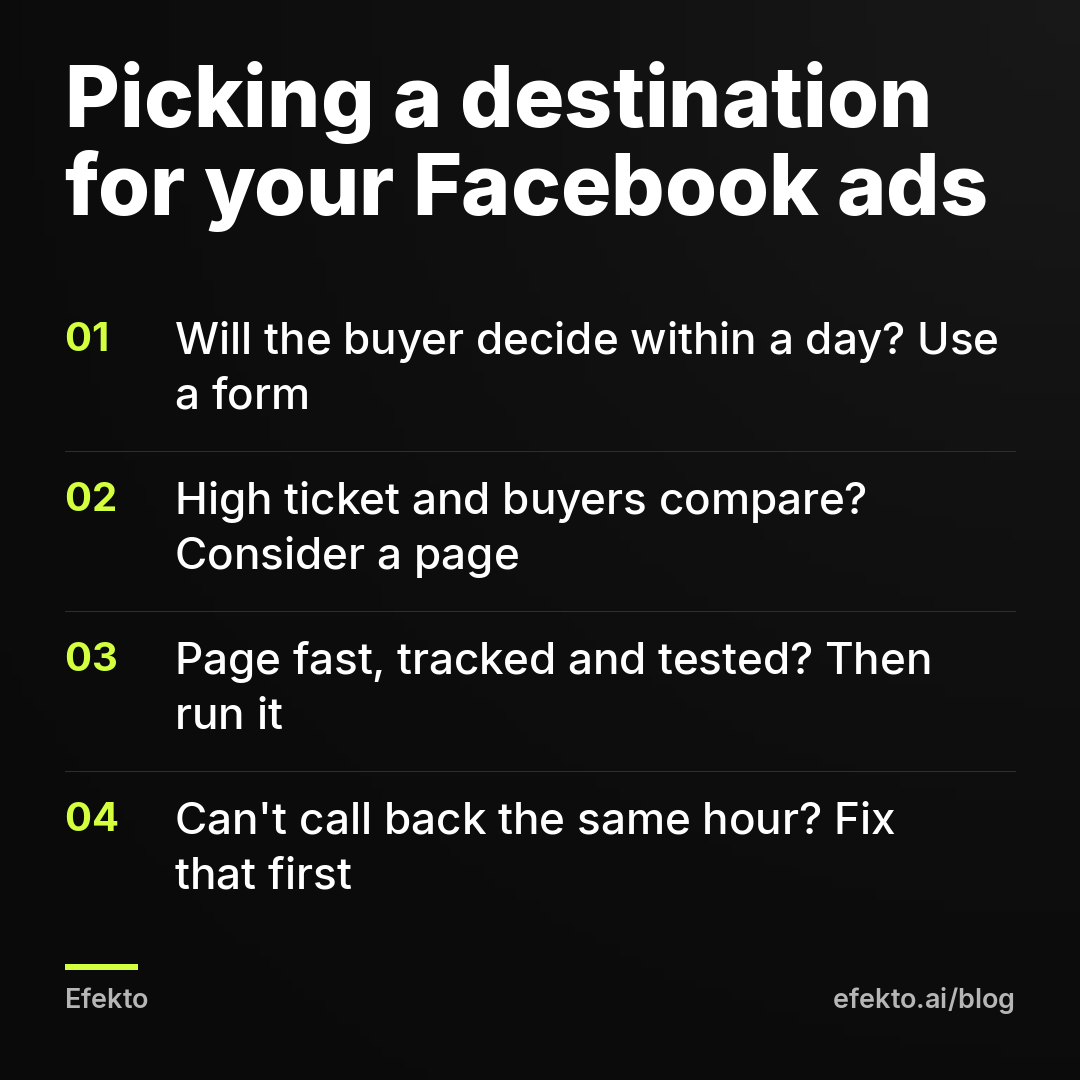
Choose a lead form when the job is quick to decide on and the buyer wants someone to call them. Choose a landing page when the job is expensive, the buyer compares contractors, and seeing your work or prices is what convinces them.
The table below is our recommendation by category, based on how buyers in each one decide. It's a starting point, not a rule. Test against it once you have steady leads.
| Business type | Start with | Why |
|---|---|---|
| Car detailing | Lead form | Fast decision, visual offer works in the ad itself, buyer wants a time slot |
| House cleaning | Lead form | Simple service, price range fits in the form intro, quick callback books it |
| HVAC (repair, tune-ups) | Lead form | Urgent or seasonal need, people want a call now, not a page to read |
| HVAC (new system install) | Landing page, once you have one built | High ticket, buyer compares financing and brands |
| Roofing (replacement) | Landing page, or a strict form with qualifying questions | High ticket, homeowners research and want proof of past work |
| Roofing (storm damage, inspections) | Lead form | Time-sensitive, a free inspection offer is easy to grasp in the ad |
| Med spa | Landing page for specific treatments, form for consultations | Buyers want before-and-after context and pricing, but consultations convert well from forms |
| Dental (new patients) | Lead form with insurance question | Main question is "do you take my insurance", answerable in one field |
| Dental (implants, aligners) | Landing page | Large spend, people read about financing and process first |
| Pest control, plumbing, junk removal | Lead form or call ads | Urgent, low-research decisions |
A pattern shows up when you look at the table: the split isn't really by industry, it's by job size. Inside one business, the small, urgent job goes to a form and the big, considered job goes to a page. A roofing company can run both: a form for free inspections after a storm, a page for full replacements with financing.
If you're a roofer, HVAC contractor or detailer reading this, the line is roughly this: if a customer would decide within a day of seeing the ad, use a form. If they'd get three quotes over two weeks, they'll want something to read, and a page earns its cost.
Why is sending Facebook ads to your homepage the worst option?
Your homepage is built to explain everything you do, and an ad needs a page that sells one thing. Sending ad traffic there gives you the cost of a landing page and the conversion rate of neither.
We call this out because it's the most common setup we see when a business owner launches ads on their own: the ad says "Spring AC tune-up special," and the link goes to the homepage, which opens with a photo of the team, a menu with eight services and a contact form at the very bottom. The person who tapped the ad was looking for the tune-up offer. It's not on the page. They leave.
This isn't a small loss. Your ad already did the hard part: it got a stranger to tap. A homepage then makes them search for the thing they tapped on. Most won't.
And it gets worse on the tracking side. Homepages often have the pixel firing a generic page view and nothing else, so Meta has no idea which visitors became leads. It optimizes for people who click, and people who click a lot are not the same as people who book.
Our stance is blunt: if your only choices are the homepage or a lead form, choose the lead form. Every time. Build a real landing page later, when you have a reason to.
How do you test a lead form against a landing page without fooling yourself?
Run both at the same time, with the same ad and the same budget, and judge them on booked jobs after at least 3 to 4 weeks, never on cost per lead after 3 days.
Here is the setup we'd use for a small business:
- Same creative and offer in both. If the form version has a better image, you're testing the image, not the destination.
- Split the budget evenly. For example, $20 per day to each version. If your total budget is too small to split, don't test. Pick from the table above and run one.
- Tag every lead by source. In your CRM, a spreadsheet or even a notebook, write "form" or "page" next to each name.
- Track three outcomes per lead: reached or not, quoted or not, booked or not.
- Wait for enough booked jobs to compare. Five booked jobs per version is a minimum before you trust the difference. With small budgets that can take a month.
- Compare cost per booked job. Not cost per lead, not click-through rate.
The common mistake: an owner looks at Ads Manager after a few days, sees the form at $18 per lead and the page at $52, and turns off the page. Two weeks later they're complaining that Facebook leads don't answer the phone. The cheaper number was never the real number.
The opposite mistake also happens. The page brings 4 leads in the first week, all of them excellent, and the owner declares it the winner. Four leads is not a pattern. Give it time.
If reading Ads Manager is part of what's slowing you down, our post on reading your Facebook ads results in 10 minutes a week shows which columns matter for this kind of comparison.
When does neither option make sense?
Neither a form nor a page will work if you can't respond to leads the same day, if your service area or capacity can't take new customers, or if your offer gives people no reason to act now.
A few situations where we'd tell an owner to hold off on both:
- No one answers leads. If leads will sit until the weekend, the destination doesn't matter. Hire help, set up an auto-text, or wait until you can respond.
- You're fully booked for six weeks. Ads will bring people you can't serve, and they'll go to the next company. Run ads when you have open slots.
- The offer is "we do quality work." Every competitor says that. Without a specific reason to reach out (a price, a slot, a free inspection, a seasonal service), both a form and a page will collect very little.
- The service is mainly emergency and phone-driven. For a 2 a.m. burst pipe, a call ad or search ads may serve you better than either. People in an emergency don't fill out forms.
In these cases the fix is outside the ad account. Changing the destination won't help.
Where does Efekto fit in this decision?
Efekto handles the ad side, not your landing page or your phone calls. It creates ads from your website, publishes them, and optimizes them every day: it turns off the ones that don't bring results and scales the ones that do. You approve the first batch of ads (at least 5 before the campaign starts), and it runs on your own Facebook ad account or an Efekto ad account with the budget topped up in advance. You can see the whole flow on how Efekto works.
Where we have an interest, in one sentence: we make money when local businesses run Facebook and Instagram ads, so we want you to run them, but we gain nothing from you picking a form over a page or the other way around. The team behind Efekto has run lead generation campaigns at Lemon Agency for more than 300 clients, and the pattern in this post comes from that work, not from a textbook. When Efekto doesn't make sense: if you can't spend at least $15 per day on ads (the minimum in Efekto), or if nobody can call your leads back the same day. In both cases, fix that first, then come back.
What we do ourselves, and what we'd do in your place: start with a strict lead form, call every lead within the hour, and build a landing page only for the one high-ticket service where buyers clearly want to read before they talk. Then test the two side by side on booked jobs, not on the number Ads Manager shows you first.
FAQ
Can I run a lead form and a landing page at the same time?
Yes, and for businesses with both small and large jobs it's often the right setup. Run them as separate ad sets or campaigns with their own budgets, so you can see booked jobs from each. Just don't split a small budget so thin that neither version gets enough leads to judge.
Do Facebook lead forms work on Instagram too?
Yes. Lead ads with Instant Forms can run on Instagram placements, and the form opens inside the Instagram app the same way it does on Facebook. You see all leads in the same place regardless of which app they came from.
Do I need a website to run Facebook lead form ads?
You don't need a full website, but you do need a privacy policy link, which Meta requires on every Instant Form. A single page hosted anywhere you control can cover that. Having a basic site also helps people who look you up after seeing the ad.
Why do so many Facebook form leads not answer the phone?
Because the form is easy enough that people submit without much thought, and Facebook may prefill an old phone number. The two biggest fixes are calling within minutes of the submission and adding a review step plus one qualifying question to the form. Texting before calling also helps, because people screen unknown numbers.
How long should I test before deciding between a form and a page?
Until each version has at least five booked jobs, which with a small local budget is usually three to four weeks. Judging after a few days only tells you which one has the cheaper submission, not which one fills your calendar.
If you want the ad side handled while you focus on calling leads back, you can try it at efekto.ai.
- Jakub Zwoliński
Founder, Lemon Agency · Efekto · October 25, 2026