How to Retarget Website Visitors With Facebook Ads on a Small Local Budget
Build a website visitor audience, pick the right time window, check if it is big enough, and write a separate ad for warm visitors. Budget math included.

To retarget website visitors with Facebook ads on a small local budget, follow five steps. Build a Custom Audience of people who visited your site in the last 30 to 90 days. Check that it holds at least about 1,000 matched people. Give it a separate ad set with roughly 15 to 25% of your daily budget. Then show those people a different message than the one that first brought them in: proof, an answer to their main doubt, and a direct way to book. Retargeting does not create new demand. It brings back people who already looked at you and left, and on a small budget those are often the cheapest leads you can get.
In short:
- Retargeting is a small add-on to a campaign that brings in new people, not a replacement for it.
- The time window should match how long your customers take to decide: days for an urgent repair, months for a new roof.
- People who already visited your site need a different ad than strangers do: proof, an answer to their doubt, and an easy way to book.
Is retargeting worth it for a small local business?
Yes, but only as a slice of your budget and only once your website gets steady traffic. A local business usually gets most of its leads from people who have never heard of it. Retargeting catches the smaller group who checked your prices, read your service page, maybe opened your contact form, and then got distracted by dinner.
The idea that every business needs a retargeting campaign from day one is wrong. A detailer whose site gets 300 visits a month has a retargeting audience of maybe a few hundred people after matching. An ad set aimed at that group either barely spends or shows the same ad to the same 200 people until they hide it. If someone sells you a "retargeting package" in that situation, they are selling you an ad set that cannot work. That is padding the invoice, not strategy.
We make money when businesses run ads on Facebook and Instagram, so keep that in mind. We still tell owners to skip retargeting when the math below doesn't work. Across more than 300 clients at Lemon Agency, the pattern we see is consistent. Retargeting helps businesses that already have a working campaign bringing in traffic. It does nothing for businesses hoping it will fix a campaign that doesn't.
Step 1: What do you need before you can retarget website visitors?
You need three things: a working Meta Pixel, enough monthly traffic, and a way to tell visitors who already contacted you apart from those who didn't. We won't re-explain the pixel here. If you are not sure what it is or whether you have one, read our post on what the Meta Pixel is and whether a small service business needs it first.
Before building anything, run this check:
- Open Events Manager in Meta Business Suite and select your pixel. Look at the last 7 days. If you see PageView events every day, the pixel is collecting visitors. If the graph is flat or empty, stop here and fix the installation.
- Check your thank-you page. After someone submits your contact form, they should land on a separate page (for example, yoursite.com/thank-you) or trigger a Lead event. Without that, you cannot exclude people who already contacted you, and you will pay to show "Book your estimate" to people who booked one yesterday.
- Check your monthly visitors. Use Google Analytics, your website builder's stats (Wix, Squarespace and GoDaddy all show this), or your hosting dashboard. Write down the number of unique visitors per month.
- Check your cookie banner. If your site has a consent banner and the pixel only fires after someone clicks "Accept", your audience will be smaller than your visitor count. That is fine. Just expect it.
If your site gets fewer than about 1,000 unique visitors a month, read the section on when retargeting does not make sense before you continue.
Step 2: How do you create a website visitor audience in Meta?
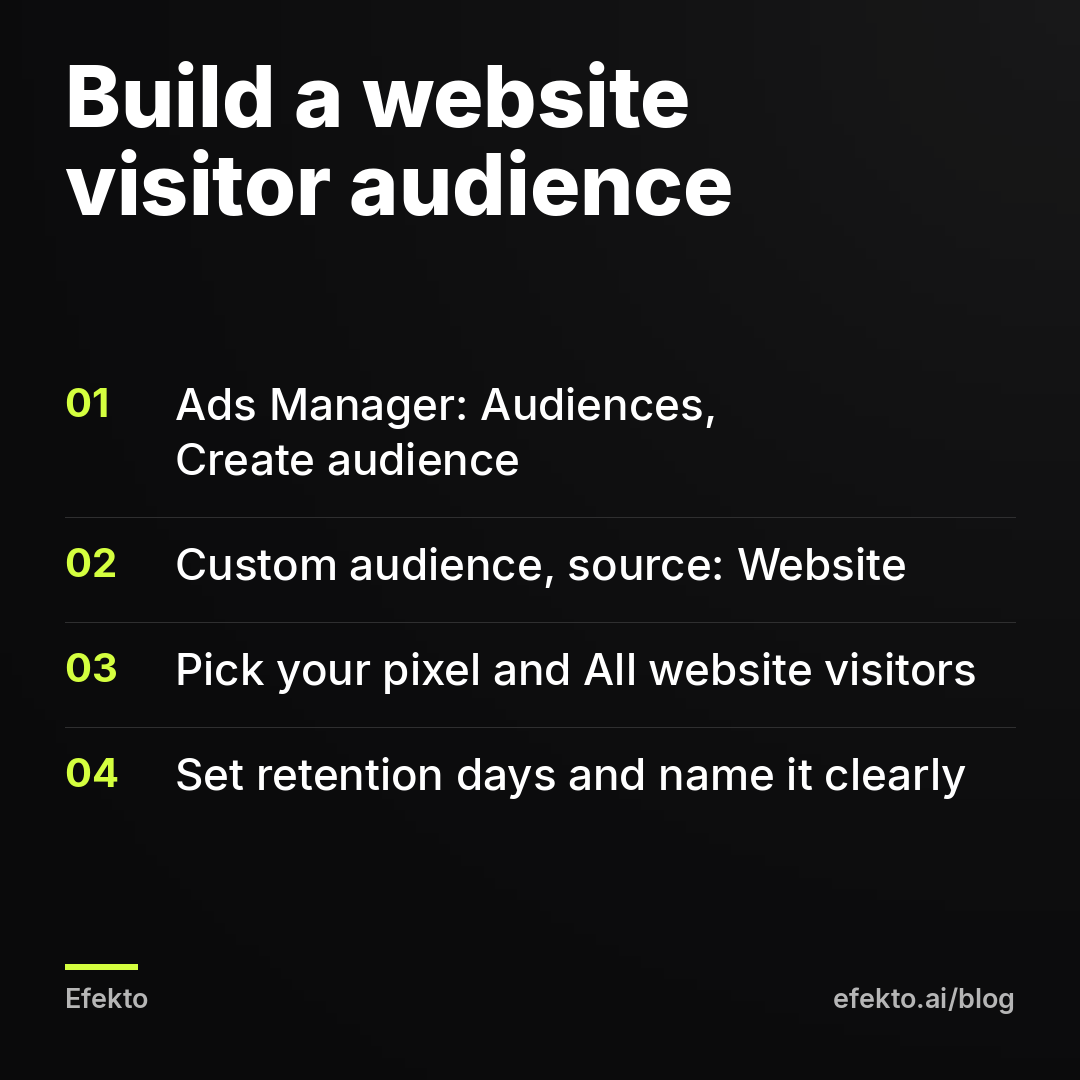
You create it in the Audiences section of Ads Manager, as a Custom Audience with your website as the source. The exact clicks:
- In Ads Manager, open the menu and go to Audiences.
- Click Create audience, then Custom audience.
- Choose Website as the source.
- Select your pixel.
- Under Events, choose All website visitors for your main audience.
- Set Retention in days (more on choosing the number in Step 3).
- Name the audience so you can read it later, for example "Website visitors 60d".
- Click Create audience.
The audience starts filling right away, but Meta needs a little time to match people. Don't judge its size in the first hour.
We build four audiences for most local service businesses, not just one:
- All visitors, 30 to 90 days. Your main retargeting pool.
- Service page visitors. In the Events dropdown, choose "People who visited specific web pages" and set URL contains, for example, "roof-replacement" or "ceramic-coating". Use this only if that page alone has enough traffic, which on a small site it usually doesn't.
- Converters, 180 days. People who reached your thank-you page or fired the Lead event. You will exclude these.
- Lead form openers who did not submit. If you also run Facebook Instant Forms, go to Custom audience, choose Instant forms as the source, and pick "People who opened but didn't submit". These people got as far as the form and then quit. They are as warm as it gets.
Step 3: How long should the retargeting window be?
The window should be about as long as your customer's decision takes, plus a little extra. Meta lets you go up to 180 days for website audiences, but longer is not better. Someone who looked at emergency AC repair 90 days ago either got it fixed or moved on. Showing them your ad now is paying for a memory.
Think in decision time, not in "what gives me the biggest audience". Here is where we start for common local services:
| Business type | How long customers usually take to decide | Window we start with | Why |
|---|---|---|---|
| Emergency HVAC or plumbing repair | Hours to a couple of days | 7 to 14 days | The need is solved fast, usually by whoever answered first |
| HVAC replacement, new system | Several weeks, often with 2 to 3 quotes | 60 days | Big ticket, comparison shopping, financing questions |
| Roofing replacement | Weeks to months, often after a storm or an inspection | 90 days | Long research, insurance claims, spouse sign-off |
| Car detailing, ceramic coating | Days for a wash, a few weeks for coating | 30 days | Short decision, price-driven, seasonal |
| House cleaning | Days to a couple of weeks | 30 days | People compare 2 or 3 cleaners and book quickly |
| Med spa treatments | Weeks, often with research on reviews and results | 60 days | Higher price and higher trust bar |
| Dental, new patients | Weeks, often tied to insurance or a specific problem | 60 days | Switching dentists is a bigger decision than it looks |
These are starting points we use, not rules Meta enforces. If your audience comes out too small with the window from the table, extend it before you lower your standards anywhere else. A 30-day window for a detailer with modest traffic can become 60 days without much harm. A 7-day window for emergency repair should not become 90.
For the converters audience you will exclude, use the longest window, 180 days. You want to keep people who already contacted you out of the ads for as long as possible.
Step 4: Is my retargeting audience big enough?
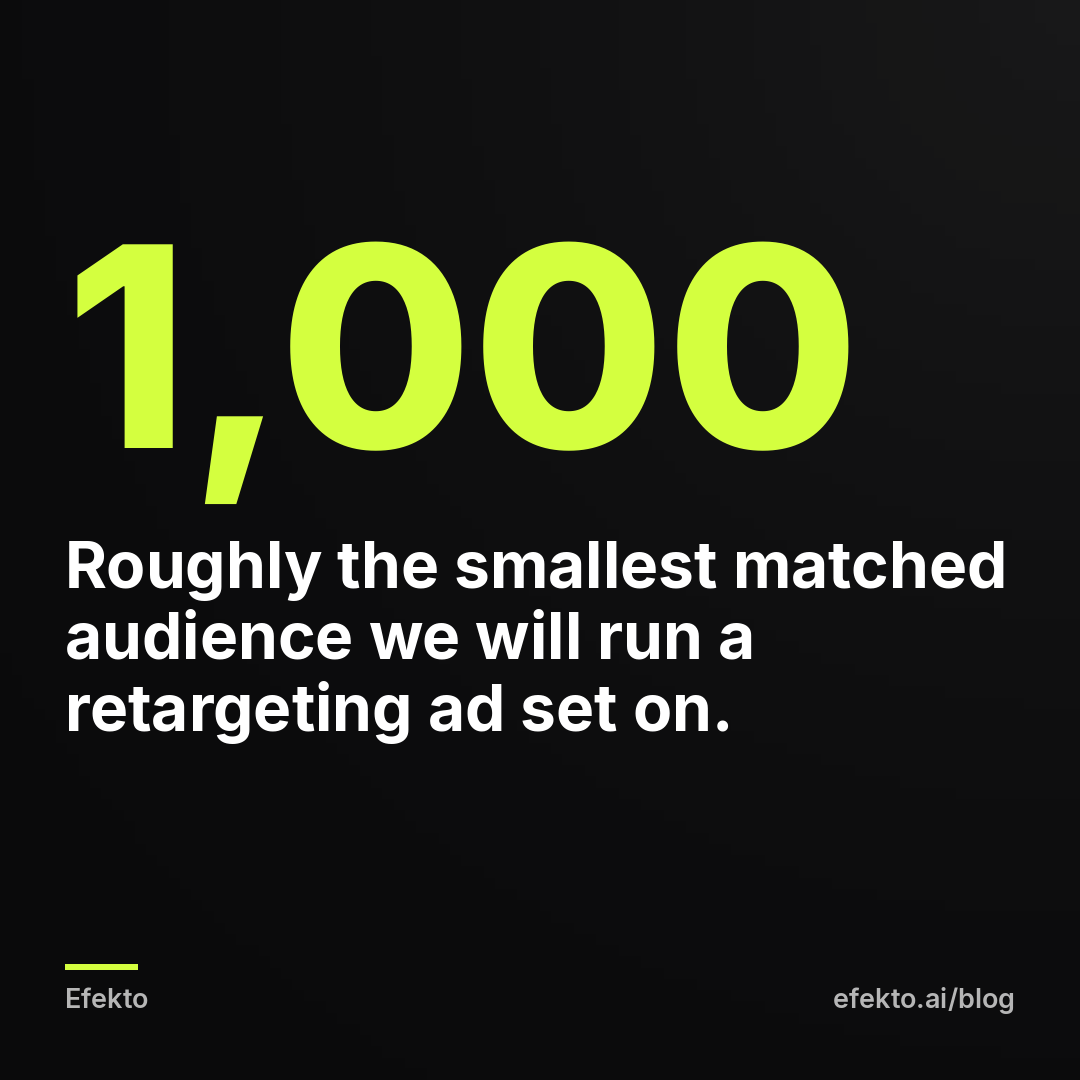
Check it in two ways: the size Meta shows, and the frequency your budget will produce. Our rule of thumb is that a retargeting ad set needs at least about 1,000 matched people to deliver properly on a small budget. Below that, Meta struggles to spend, or it spends by showing the same ad to the same people over and over.
First, look at the audience size. In the Audiences list, Meta shows an estimated size for each Custom Audience. For small audiences it may show only a rough range or say the audience is too small. Expect the number to be noticeably smaller than your visitor count in Google Analytics. Not every visitor is logged into Facebook or Instagram on that device, some decline cookies, and some block tracking. That gap is normal and not a sign that something is broken.
Second, do the frequency math. Frequency is how many times, on average, one person sees your ad. The formula is simple:
Weekly impressions = (daily budget x 7) / CPM x 1,000 Weekly frequency = weekly impressions / audience size
CPM is what Meta charges per 1,000 impressions. It varies by city, season and industry, so pull yours from an existing campaign. For the example below, say your CPM is $20.
| Example: matched audience | Daily retargeting budget | Weekly impressions (at $20 CPM) | Approx. weekly frequency | What we would do |
|---|---|---|---|---|
| 500 | $3 | 1,050 | 2.1 | Too small to test properly; extend the window or wait |
| 1,000 | $5 | 1,750 | 1.75 | Fine starting point |
| 2,000 | $5 | 1,750 | 0.9 | Too thin; raise to $10 |
| 2,000 | $10 | 3,500 | 1.75 | Fine starting point |
| 5,000 | $15 | 5,250 | 1.05 | Works; raise budget if results hold |
The frequency we aim for in retargeting is roughly 1.5 to 4 times per week. Below 1.5, most of your warm visitors won't see the ad at all. Above 4 for more than a couple of weeks, people start hiding the ad and your cost per lead climbs. This is our working range, not a Meta setting. In a regular leads campaign you can't set a hard frequency cap, so you control frequency through budget and audience size.
Step 5: How much of a small budget should go to retargeting?
Put roughly 15 to 25% of your daily budget into retargeting, and only after your main campaign is already bringing in leads. The rest stays on reaching new people in your service area, because that campaign is what fills the retargeting audience in the first place. Starve it, and your retargeting pool shrinks within weeks.
For example, say your total budget is $30 per day:
- $25 per day goes to the campaign reaching new people in your service area.
- $5 per day goes to retargeting website visitors from the last 60 days.
- Over a month, retargeting costs $150.
Now follow it to revenue. Say warm visitors convert into leads at $20 each, which is cheaper than your cold leads because these people already know you. $150 / $20 = about 7 leads a month. Say you book 40% of those, so about 3 jobs. Say your average job is $400. That is $1,200 in booked work from $150 in retargeting spend. These numbers are an illustration, not our results or anyone's benchmark. Plug in your own CPM, cost per lead, booking rate and ticket size.
One caution about cost per lead. The number Meta reports is the cost per form submission, before anyone has checked whether the person answers the phone or even lives in your service area. Your real cost per lead, after you remove fake numbers, wrong zip codes and people who wanted something you don't offer, is always higher. Compare retargeting and cold campaigns on verified leads, not on what Ads Manager shows. Verified leads also depend on how quickly you call back, which is a separate problem from the ads.
If your total budget is small, for example $15 per day, a 20% slice is $3 per day. Look at the table in Step 4: $3 per day only makes sense against a small audience. If your audience is bigger than about 1,500 matched people, either raise the total budget or skip retargeting for now and put all $15 into reaching new people.
Step 6: What should a retargeting ad say to people who already know you?
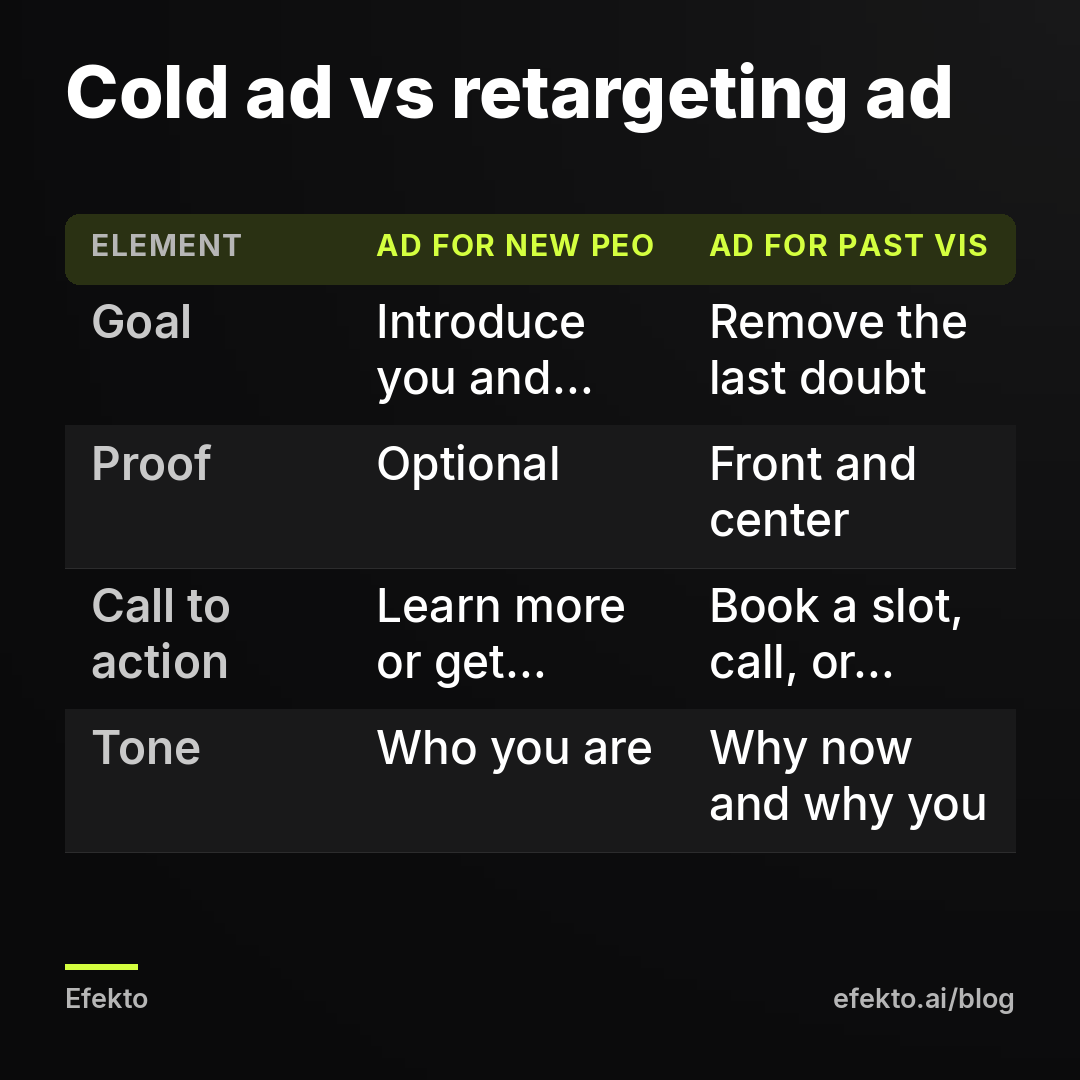
It should answer the question that stopped them from contacting you the first time. Showing them the ad that brought them in again doesn't do that. They already saw your offer and didn't act. Repeating it louder rarely changes their mind. Something stopped them, and in local services it is usually one of five things: price uncertainty, trust, timing, a spouse who hasn't agreed yet, or plain distraction.
What that looks like in practice:
- Roofing. Cold ad: free roof inspection in your town. Retargeting ad: a photo of a finished roof two streets away, a short quote from a homeowner, and "We have inspection slots next week. Pick a time." If storm damage is involved, add one line explaining that you help with the insurance paperwork.
- Car detailing. Cold ad: before and after of an interior. Retargeting ad: your actual price list for the three most popular packages and "Open Saturdays. Book in 2 minutes." Price is what most detailing visitors were checking, so show it.
- HVAC replacement. Cold ad: new system with an energy savings angle. Retargeting ad: monthly financing example, how long the install takes, and the warranty. People comparing quotes are worried about the total and the hassle.
- Dental, new patients. Cold ad: welcoming new patients in your area. Retargeting ad: a short video of the dentist saying hello, the insurance plans you accept, and evening or weekend hours if you have them.
- Med spa. Retargeting ad: who performs the treatment and their credentials, what a first consultation looks like, and how to book it. Keep the claims clean, because health-related ads get reviewed strictly.
Three rules we follow for every retargeting ad:
- Don't say "we saw you". "We noticed you looked at our roofing page" feels like being followed around the store. Speak to the situation, not the browsing history: "Still comparing roofing quotes?" works. "You were on our site Tuesday" doesn't.
- Make the next step smaller. If the cold ad asked for a quote request, the retargeting ad can ask for a 10-minute call or a time slot. People who hesitated once need a lower step, not the same one.
- Run 2 or 3 versions, each aimed at a different doubt. One about price, one about trust (reviews, photos of real jobs), one about timing (open slots). After two weeks, the numbers tell you which doubt your visitors actually have.
Step 7: How do you set up the retargeting ad set so the budget stays inside the audience?
Create a separate ad set with the Leads objective, include your website visitor audience, exclude converters, and make sure Meta is not treating your audience as a mere suggestion. The settings:
| Setting | What to choose | Why |
|---|---|---|
| Campaign objective | Leads | You want contacts, not clicks or views |
| Ad set | Separate from your cold ad set | So you can see retargeting results and budget on their own |
| Audience: include | Website visitors (your window) plus Instant Form openers who did not submit | Your warm pool |
| Audience: exclude | Converters 180 days, Instant Form submitters, your customer list if you have one | Don't pay to advertise to people who already contacted you |
| Audience controls | Original audience options, not Advantage+ audience | With Advantage+ audience, custom audiences act as a suggestion and Meta may go beyond them |
| Location | Your service area | Visitors from out of state or out of town should not get your ads |
| Placements | Advantage+ placements are fine | On a small audience, more placements help delivery |
| Daily budget | From your Step 4 math | Keeps frequency in the 1.5 to 4 per week range |
| Ads | 2 to 3, each on a different doubt | Lets you learn which message moves people |
The Advantage+ audience point matters. If you add a Custom Audience while Advantage+ audience is on, Meta can show the ad to people outside it when it predicts better results. That may be fine for a cold campaign. For retargeting, it means part of your "retargeting" budget goes to strangers, and your report mixes two different audiences. Switch to original audience options for this ad set. If you want to understand that setting more broadly, we covered it in a separate post.
Once it is live, leave it alone for 7 days. Small retargeting ad sets deliver unevenly in the first few days, and editing them every morning resets what Meta has learned.
How do you know if retargeting is working?
Give it 14 days, then compare it against your cold campaign on four numbers: frequency, cost per lead as Meta reports it, cost per verified lead, and booking rate. Retargeting is working if verified leads from warm visitors cost less than verified leads from cold traffic and at least as many of them turn into booked jobs.
What each result usually means:
- Cost per lead lower than cold, frequency between 1.5 and 4. Working. Raise the retargeting budget in small steps, for example from $5 to $7 per day, and keep watching frequency.
- Cost per lead higher than cold. Something is off. Usually it is the message, which repeats the cold ad instead of answering a doubt. Sometimes the exclusions are broken and you are paying for people who already converted. Check both.
- Frequency above 5 and rising. The audience is too small for the budget. Lower the budget or extend the window.
- Ad set barely spends. The audience is too small, or the window is too short. Go back to Step 4.
- Good numbers, then a slow decline after a few weeks. That is ad fatigue. With retargeting it comes faster than with cold ads, because the same small group sees your ads every week. Our post on why Facebook ads stop working after two weeks explains how to rotate creatives before results drop.
One more check that most owners skip: ask new customers how they found you. If several say "I looked at your site, then saw your ad a few days later", that is retargeting doing its job. You'll hear this even when Meta's attribution misses it.
When does retargeting not make sense, and what should you do instead?
Retargeting doesn't make sense when your website traffic is too low, when your service is bought in a panic within hours, or when your main campaign isn't bringing in leads yet. In each case, the money does more elsewhere.
- Fewer than about 1,000 visitors a month. Your matched audience will be too small to deliver properly. Put everything into reaching new people. If you run Instant Forms, you can still retarget people who opened your form but didn't submit, and people who watched your video ads. Those audiences are built inside Facebook and don't depend on your website at all.
- Emergency services. Someone with a burst pipe at 11 pm calls whoever answers. Three days later, the pipe is fixed. Retargeting that person is too late. Spend on being found fast instead, and keep only a short 7-day window if you retarget at all.
- A main campaign that doesn't work yet. If cold ads aren't bringing leads, retargeting won't fix it. It will just show a weak offer to the few people who saw it once. Fix the offer, the form and the follow-up first.
- Health-related businesses with data limits. Meta has restricted how some health and wellness advertisers can use website data. If you run a med spa or dental practice and your audience options look limited, that may be why. Check your Events Manager for notices before you build a plan around website retargeting.
If you'd rather not build and watch all of this by hand, there is another option. Efekto creates ads from your website, publishes them on Facebook and Instagram, and optimizes them every day: it turns off the ones that don't bring results and scales the ones that do. That covers the part retargeting depends on: a steady campaign bringing new people from your area to your business. You approve the first batch of ads (at least 5 before the campaign starts), and the campaign runs on your own ad account or on an Efekto ad account with the budget topped up in advance. You can see how Efekto works step by step before deciding.
The practical details: the minimum ad budget in Efekto is $15 per day. The Starter plan is $149 per month for one campaign. The trial is 7 days free, counted from the launch of your first campaign, and no card is needed at sign-up. When retargeting doesn't fit your numbers yet, a campaign like that is usually the better place to start.
What are the most common retargeting mistakes on a small budget?
These are the mistakes we see most often when we take over accounts, roughly in order of how much money they waste:
- No converter exclusion. The business pays to show "Get your free estimate" to people who requested one last week. Fix: build the converters audience from your thank-you page or Lead event and exclude it, plus Instant Form submitters.
- Same ad as the cold campaign. Warm visitors already rejected that ad once. Fix: write retargeting ads around a doubt (price, trust, timing), as in Step 6.
- Window of 180 days for everything. It looks like a bigger audience, but half of it is people who solved their problem months ago. Fix: match the window to decision time using the table in Step 3.
- Retargeting a tiny audience with a big budget. $15 per day against 400 people means each person sees your ad many times a week. Fix: do the frequency math before you set the budget.
- Advantage+ audience left on. Part of the budget leaks to strangers and the report becomes useless. Fix: switch to original audience options in the retargeting ad set.
- No location limit. Website visitors include people from other states who found a blog post. Fix: keep your service area on the retargeting ad set too.
- Moving budget from cold to retargeting because "retargeting has a lower cost per lead". Of course it does. It is harvesting what the cold campaign planted. Cut the cold campaign and the retargeting pool dries up within a month or two. Fix: keep retargeting at roughly 15 to 25% of the total.
- Judging after 3 days. Small ad sets deliver unevenly at first. Fix: wait 14 days before deciding, and don't edit in the first 7.
FAQ
Can I retarget website visitors without the Meta Pixel?
Not website visitors specifically. Meta needs the pixel (or the Conversions API, which sends the same kind of data from your server) to know who visited. Without either, you can still retarget people who engaged on Facebook and Instagram, such as video viewers and Instant Form openers. You can also upload a list of past customers.
Why is my website audience so much smaller than my website traffic?
Meta can only match visitors who are logged into Facebook or Instagram on that device and whose browser or cookie choices allow the pixel to fire. Visitors who decline cookies or block tracking never enter the audience. A matched audience well below your Google Analytics number is normal.
How much should I spend on retargeting per day?
Start with whatever keeps weekly frequency between about 1.5 and 4 for your audience size. For many small local businesses that lands between $3 and $10 per day. Work it out with the formula in Step 4 and your own CPM instead of copying a number.
Is retargeting annoying to customers?
It is when frequency runs high or the ad says "we saw you on our site". Keep frequency in check, change the creatives every few weeks, and speak to the person's situation, not their browsing history. Done that way, most people experience it as a reminder from a business they were already considering.
Should I retarget people who already became customers?
Not with your lead ads. Exclude them so you don't pay to sell them what they already bought. If your service repeats, like cleaning, detailing or HVAC maintenance, run a separate campaign for past customers with a repeat or referral offer, and keep it apart from retargeting.
If you want a campaign that keeps bringing new people from your area while you decide whether retargeting fits your numbers, you can start a free trial at efekto.ai.
- Jakub Zwoliński
Founder, Lemon Agency · Efekto · October 26, 2026