Why Do Facebook Ads Attract Price Shoppers? How to Get Better Customers
Facebook ads bring price shoppers when the offer, the copy and the lead form all say 'cheap'. Seven causes, how to check each, how to fix it, and when to show price ranges.

Facebook ads attract price shoppers when your ad gives them every reason to click and no reason to stay away. Start checking with your offer. If the first thing people see is a discount or a low price, you have already chosen your audience. Then read your ad copy, then your lead form questions. In our experience, Meta is not sending you bad people on purpose. It finds more of whoever responds to the ad you wrote, and it is very good at that.
We make our money from ads on Meta, so we have an interest in you staying on Facebook. Through Lemon Agency we have run campaigns for 300+ clients, and the pattern below is the order we check things in when a business owner tells us "everyone just wants the cheapest quote."
Does your offer lead with a discount?
This is the most common cause, and the easiest one to fix. A "$49 AC tune-up" or "50% off your first detail" headline tells the algorithm to find people who act on discounts. It will find them, cheaply, and they will behave like people who act on discounts.
Symptom: Lead volume looks great, but the first question on most calls is "how much?" or "is the $49 price still valid?" Customers book the promo and never come back for full-price work.
How to check: Pull your last 20 leads. Next to each one, write whether the person asked about price before asking about anything else, and whether they booked anything beyond the advertised deal. If more than half asked price first and fewer than 3 bought anything else, your offer is the problem.
How to fix: Replace the discount with an offer that has value but is not a price cut. Examples that work for service businesses:
- A free inspection or assessment with a written report (roofing, HVAC, pest control)
- A guaranteed arrival window or same-week scheduling
- A bonus that costs you little but matters to the customer (a free filter change with a full system service, a free interior wipe-down with a ceramic coating)
- A warranty longer than what competitors offer
If you keep a discount, attach it to a bigger job, not the entry job. "$300 off a full roof replacement" attracts a different person than "$99 roof inspection." We cover offer wording in more detail in our guide on how to write a Facebook ad offer people click.
Does your ad copy talk about price instead of the problem?
Copy built around "affordable," "lowest prices in town" or "budget-friendly" pulls in people whose main criterion is price. That is literally what you asked for.
Symptom: Comments on the ad ask "price?" Leads compare you to a competitor's number in the first minute. People cancel when they hear a quote that is perfectly normal for your market.
How to check: Open each active ad in Ads Manager and read the primary text and headline out loud. Count the price words: cheap, affordable, low cost, deal, save, discount, budget. If an ad has two or more and nothing about the result the customer gets, that ad is selling price.
How to fix: Rewrite the copy around three things, in this order:
- The problem in the customer's words. "Your AC runs all afternoon and the upstairs is still 82 degrees."
- What you do differently. "We measure airflow in every room before we recommend anything."
- Who it's for, and who it's not for. "Best for homeowners who want it fixed once, not patched every summer."
That third line is the filter most businesses skip. Saying who you are not for costs you some clicks. It is supposed to. The people who keep reading after "not the cheapest option in town" have already accepted that you might cost more.
Your photos send the same signal as your words. A red starburst graphic with "SALE" reads like a flyer from a discount chain. A real photo of your crew on a real job, or a before-and-after from your own work, reads like a company that charges for quality.
Does your lead form ask anything that requires effort?
A form with name, email and phone, all pre-filled by Facebook, takes about four seconds to submit. Price shoppers fill in four-second forms for five companies in one evening. Then they wait to see who calls back with the lowest number.
Symptom: You call a lead and they don't remember filling out a form, or they say "I'm just getting a few quotes." Many leads have no clear timeline.
How to check: In Ads Manager, open the ad, go to the Instant Form attached to it and preview it. Count the questions the person has to actually answer, not the ones Facebook pre-fills. If the answer is zero, you are getting the lowest-effort leads Meta can find.
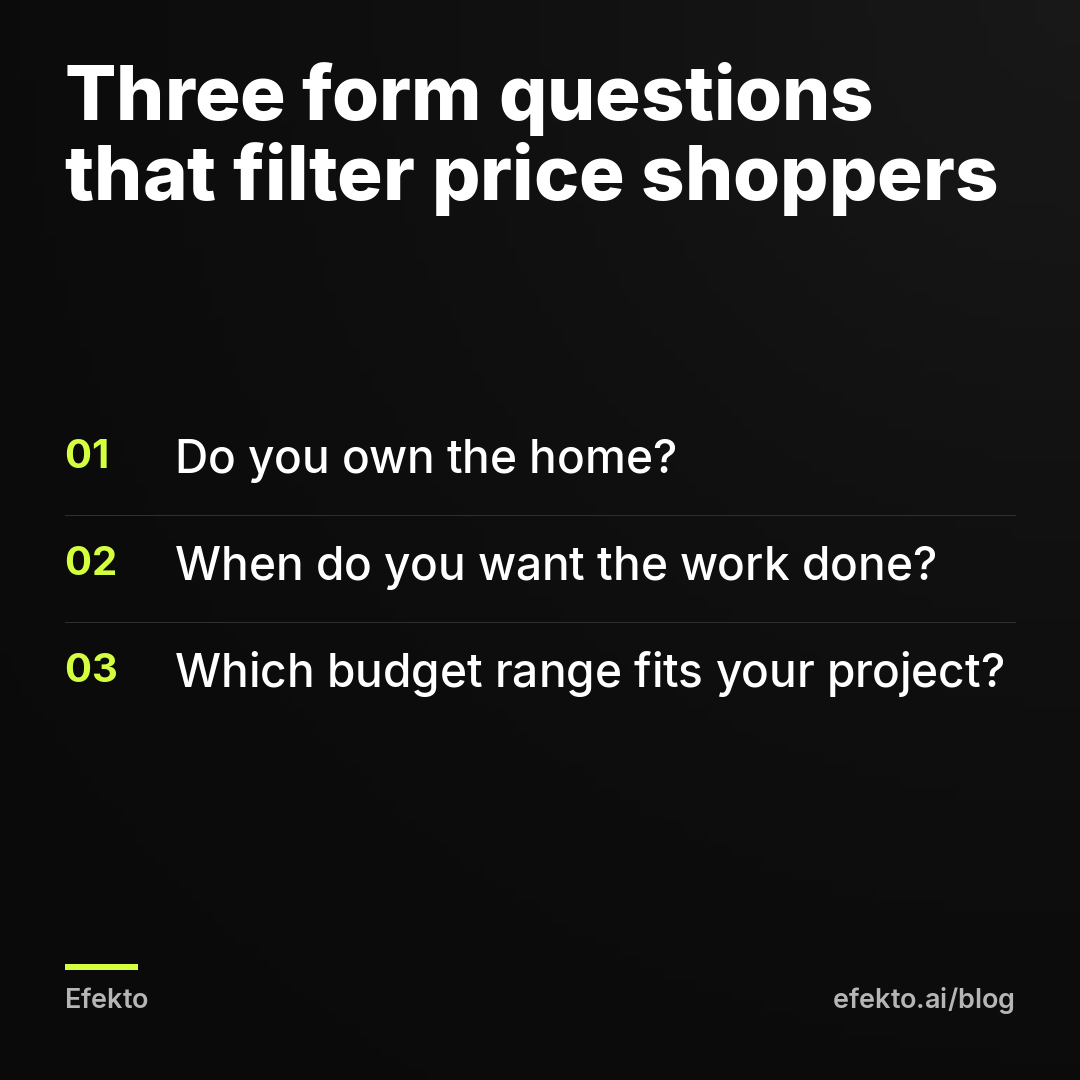
How to fix: Add 2 to 3 multiple-choice questions that qualify without scaring off serious buyers. Multiple choice beats open text, because people answer it on a phone in a few taps. The questions we'd start with:
- Ownership: "Do you own the home?" (Yes / No, I rent). Renters can't approve a roof or an HVAC system.
- Timeline: "When do you want this done?" (This week / This month / In 1-3 months / Just researching)
- Budget or scope: "Which range fits your project?" with ranges that start at your real minimum
Then switch the form type to "Higher intent" in the form settings. It adds a review screen where the person confirms their details before submitting. It costs you some volume and removes accidental taps.
Don't delete the "Just researching" option. People who pick it tell you the truth, and you can call them second instead of first. If you need even more filtering, a landing page with your prices and process does more than any form can. We compare both routes in Facebook lead form vs landing page.
Are you hiding prices when you should show a range?
Hiding prices entirely is a common reason for price shoppers, which surprises most owners. If your ad says "Call for a free quote" and nothing else, everyone who is curious about the price has a reason to contact you, including the person with a $2,000 budget for a $12,000 job. Showing a range lets them disqualify themselves before they cost you a phone call.
Symptom: A large share of your quotes end with "that's way more than I expected," and the gap is not 10%, it's double or triple.
How to check: Look at your last 10 lost quotes. For each one, note why it was lost. If 4 or more were lost on price, and the customer's expectation was far below your typical job, a price range in the ad would have saved you those calls.
How to fix: Show a range or a "starting at" price when it filters, and hold it back when it only invites comparison. Here is how we'd decide:
| Situation | Show a price? | What to write | Why |
|---|---|---|---|
| Big-ticket job with a wide price range (roof replacement, new HVAC system, solar) | Yes, a range | "Most full replacements we do land between $9,000 and $16,000" (example numbers) | People with a $3,000 budget skip the form, people within range trust you more |
| You charge noticeably more than the market | Yes, a "from" price | "Full details from $350" plus what's included | It filters out people shopping for a $99 wash before they waste a call |
| Commodity job everyone advertises at the same price | Usually no | Lead with speed, warranty or guarantee | Your price becomes one number in a list of five |
| Price depends on an inspection (leak repair, mold, foundation) | No job price, but show the inspection fee or say it's free | "$89 inspection, credited to the repair" (example) | A range here would be a guess, and guesses create arguments later |
| Recurring service (cleaning, lawn care, pool) | Yes, per visit or per month | "Biweekly cleaning from $140 per visit" (example) | People decide on recurring services by monthly cost |
The rule behind the table: show a price when your typical customer would be relieved or unsurprised by it. Hide it when it would only become the comparison point.
One more thing on ranges. Put the same range in the ad and in the form's budget question. If the ad says $9,000 to $16,000 and the form offers "Under $5,000" as an option, you have just invited the people you were trying to filter out.
Are you judging ads by the cheapest cost per lead?
This is the cause that keeps the other four alive. Ads Manager shows you cost per result, and the ad with the lowest number looks like the winner. Very often it's the ad with the discount, the price words and the four-second form, so the owner turns off the ads that would have filtered and scales the one that attracts shoppers.
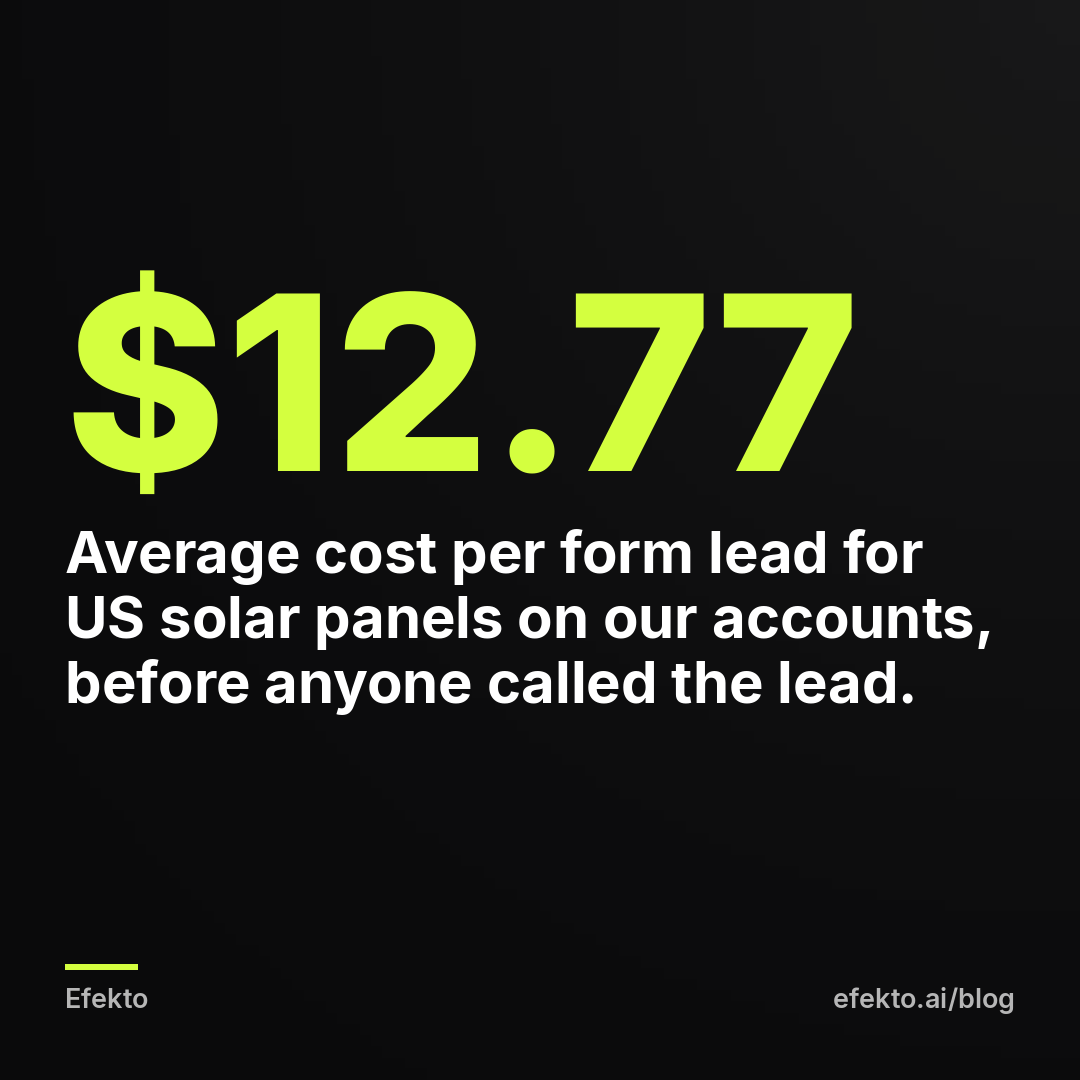
From our accounts: Over the 30 days to Nov 1, 2026, Meta lead form campaigns for solar panels in the US on the accounts we run spent about $792 and collected 62 leads, an average of about $12.77 per lead. That is the cost of a form submission as Meta counts it, before anyone picked up the phone. Meta counts a price shopper and a ready buyer as the same "lead." The cost of a lead that is actually reachable, qualified and interested is always higher than the number in Ads Manager, because some submissions drop out once someone calls them. So $12.77 tells you what a form costs. It doesn't tell you what a customer costs.
Symptom: Your cheapest ads produce the fewest booked jobs. You keep "optimizing" and your close rate keeps dropping.
How to check: For each active ad, write down three numbers for the last 30 days: leads, booked jobs, revenue from those jobs. You need a way to know which ad a lead came from; the form name or ad name in your lead export usually does it.
How to fix: Rank ads by cost per booked job, not cost per lead. Here is why it changes the decision:
| Example: same $900 budget, 30 days | Discount ad | Qualified ad |
|---|---|---|
| Cost per lead (as Meta shows it) | $15 | $36 |
| Leads | 60 | 25 |
| Booked jobs | 6 (10%) | 8 (32%) |
| Average job value | $120 | $400 |
| Revenue | $720 | $3,200 |
| Cost per booked job | $150 | $112.50 |
These are example numbers, not results from our accounts. The point is the mechanism: the ad that looks 2.4 times more expensive in Ads Manager brings in more than four times the revenue. It also takes fewer calls to get there, 25 instead of 60. We explain the full calculation in why service businesses should track cost per booked job.
Give a qualifying ad at least 7 days before you judge it. A cost per lead that's 2 to 3 times higher is normal when you add questions and remove the discount. If it's 5 times higher and booked jobs aren't moving, the ad has a different problem, usually the creative.
Are you following up too slowly?
Slow follow-up turns good leads into price shoppers. Someone who filled in your form with a real problem will, after a few hours of silence, fill in two more forms. By the time you call, they have three quotes and only one way left to compare them: price.
Symptom: Leads who sounded serious on the form are "already talking to someone" when you call the next day. Your close rate on leads called within an hour is far better than on leads called the next morning.
How to check: Export your leads with timestamps. Next to each, write when you first called. Split them into "called within 1 hour" and "called later" and compare how many booked in each group. Most owners have never done this and are surprised by the gap.
How to fix: Get lead notifications on your phone, not only in email. Block two or three fixed times a day to call new leads if you can't answer them live. Send an automatic text within minutes saying who you are and when you'll call. Our guide on following up on Facebook leads fast enough to book the job has the scripts and the setup.
Does your ad look like everyone else's?
When five companies in your area run the same stock photo of a smiling technician with the same "Call now for a free estimate," the customer has nothing to compare except price. Generic creative pushes people into price shopping even when your copy is fine.
Symptom: Leads can't tell you apart from competitors. They mention another company's name by mistake, or ask "are you the ones with the $79 special?"
How to check: Search the Meta Ad Library for your service and your city. Look at the ads your competitors are running right now. Then put your ad next to theirs. If you'd struggle to say which one is yours with the logo covered, so does your customer.
How to fix: Use your own photos and videos: your truck, your crew, your finished work, your face. Name something specific that no competitor says, such as how many jobs you do in that town, your warranty length, or your step-by-step process. Specific beats polished. A shaky phone video of you explaining what you check during an inspection does more to justify a higher price than a perfect stock image.
Where does Efekto fit, and when doesn't it?
Efekto creates ads from your website, publishes them, and optimizes them every day: it turns off the ones that don't bring results and scales the ones that do. You approve the first batch of ads, at least 5, before anything goes live, so the offer, the wording and the price range in those ads are your call. That matters here, because no optimization fixes an ad whose offer was built to attract discount hunters. You should also judge whatever runs your ads, a tool or an agency, by booked jobs, not by cost per lead.
It doesn't make sense if your business only wins on being the cheapest in town; then price shoppers are your customers and the advice above works against you. It also doesn't make sense if nobody can call leads back the same day, because no ad setup fixes leads going cold. Fix the follow-up first, then spend on ads.
Our position is simple: a cheap lead that asks for a discount isn't a win, and the businesses we see struggling most are the ones optimizing for it. We'd rather run an ad that costs twice as much per form and fills the calendar with full-price jobs.
10-minute checklist
- My main offer is not a discount on the entry-level job
- My ad copy has no more than one price word (cheap, affordable, deal, save)
- My ad says who the service is for, and who it's not for
- My lead form has 2-3 multiple-choice questions (ownership, timeline, budget range) and uses the Higher intent type
- For big-ticket or premium jobs, the ad shows a price range, and the form's budget options match it
- I compare ads by cost per booked job over at least 7 days, not by cost per lead
- New leads get a text within minutes and a call within an hour
- My ads use my own photos or videos, not stock images
If you want an app to create and run qualifying ads like these while you handle the calls, you can start at efekto.ai.
- Jakub Zwoliński
Founder, Lemon Agency · Efekto · November 4, 2026