Best AI Tools for Facebook Ads for Small Local Businesses in 2026
AI tools for Facebook ads grouped by job: images, UGC video, optimization and full campaign management. What each one does, who it fits, and how to pick.

The best AI tool for Facebook ads depends on which job you want off your plate. For ad images, Meta's free Advantage+ creative features and Canva cover most local businesses. For UGC-style video, Creatify and Arcads are the best-known names. For optimizing an ad account you already run, Madgicx is built for that job. If you want the whole loop handled, from making ads to switching off the losers, you need a tool that runs campaigns, such as Zeely or Efekto. For a small local service business, we think only that last group reliably changes results. Making an ad is the cheap part. Managing it week after week is where most owners quit.
In short:
- AI tools for Facebook ads fall into four groups: image creation, UGC-style video, optimization of existing campaigns, and full campaign management.
- Creative-only tools save design time but leave publishing, budgets and the daily decisions to you.
- A local service business should judge any AI ad tool by the cost of a booked job, not by how good the ads look in the demo.
What should a local business look for in an AI Facebook ads tool?
Look for the tool that removes the task you actually skip, not the one with the best demo. Most owners we work with can make a passable ad on their phone. What they don't do is check results three times a week, pause the ad that costs twice as much per lead as the others, and make new versions when the old ones wear out. A tool that only produces creatives doesn't touch any of that.
We have a stake in this list: we build Efekto, which appears below, and the team behind it at Lemon Agency has managed over $1M in ad spend for clients. Read our opinions with that in mind. The facts about other tools come from their own public websites, and we don't quote their prices because they change often. Check the vendor's site for current pricing.
These are the five criteria we use when a business owner asks us which tool to buy:
- Service or product. Many AI ad tools were built for online stores: paste a product link, get a video of the product. A roofer sells a visit and a quote, not a SKU. Check whether the tool works from a service website with no product catalog.
- Who publishes. Does the tool put ads into your ad account, or does it hand you files to upload in Ads Manager yourself?
- Who decides after launch. Somebody has to turn off the ads that don't bring leads and move budget to the ones that do. If that somebody is you, the tool saved you maybe an hour a month.
- Whose ad account. Ads running in your own Facebook ad account keep their history if you switch tools later. Know where your ads live before you start.
- Tool cost against ad budget. A $100 tool on a $300 monthly budget eats a quarter of your spend before a single ad runs.
If you want the longer version of point 2 and 3, we wrote a whole piece on the difference between an AI ad generator and a tool that runs your ads.
Which AI tools make Facebook ad images for a small business?
Start with Meta's built-in features, because they cost nothing beyond your ad spend. Inside Ads Manager, Advantage+ creative can generate text variations from your primary text, expand an image to fit Stories and Reels placements, and generate new backgrounds for a photo. You toggle these on when you create the ad. The catch: you still have to set up the campaign yourself, and the variations get tested without anyone deciding which ones to cut. For a business that already runs its own ads, this is the first place to look. We explain the settings in what Advantage+ is and whether a small business should turn it on.
Canva is a general design tool with AI features (its Magic Studio set) and templates already sized for Facebook and Instagram. It's a good fit if you have decent job photos and want consistent text overlays, your logo and your phone number on every image. It does not run paid campaigns. You download the image and upload it in Ads Manager. Pricing is on the vendor's site.
AdCreative.ai is built specifically for ad creatives. It generates banners and ad copy in bulk across sizes and, according to its website, scores creatives by predicted performance. It suits someone who needs many variations fast and is comfortable launching and managing campaigns in Ads Manager. Pricing is on the vendor's site.
Our view on this whole group: for service businesses, the deciding factor is rarely design polish. In the accounts we run, a plain phone photo of a real truck, a real technician and a real driveway usually beats a glossy stock-style graphic. People in your town want proof you exist and do the work. If an image tool helps you add a clear offer and a price to your own photos, it earns its place. If it replaces your photos with generic ones, it costs you leads.
Which AI tools make UGC-style video ads?
Creatify and Arcads are the two most visible tools in this group. Creatify turns a product URL into video ads, many of them presented by AI avatars. Arcads works from a script: you write what should be said, pick an AI actor, and get a selfie-style talking video. Both are aimed mainly at online brands and apps, which is where most of their examples come from. Pricing for both is on the vendor's site.
Here is where we take a side. For a local service business, an AI actor pretending to be a happy customer is a bad trade. Local buying runs on trust: neighbors, real reviews, the person who shows up at the door. If a viewer spots the same AI face in your dental ad and in a supplement ad the same week, you lose more than you gained. There's also a legal side. The FTC's 2024 rule on fake reviews and testimonials is aimed squarely at testimonials from people who don't exist, so an AI actor saying "they fixed my roof in one day" is something to run past a lawyer before it runs on Facebook.
Where these tools do fit for a local business: an AI presenter clearly acting as a narrator, explaining what's in an offer ("Spring AC tune-up: what we check in 45 minutes"), not posing as a customer. Even then, try the free version first. A 20-second video of the owner standing next to the van, filmed on a phone, saying the offer and the service area, is the ad we'd test before any avatar.
Which AI tools optimize Facebook ads you already run?
Meta's own Advantage+ campaign settings do part of this for free, and third-party platforms like Madgicx go further. Madgicx connects to an existing Meta ad account and adds analytics dashboards, automation rules and AI recommendations. According to its website it has added creative tools too, but its center of gravity is analysis and optimization for people who manage ad accounts. Pricing is on the vendor's site.
Our position: for a business spending $20 to $50 a day on one campaign, an optimization dashboard is mostly a dashboard. These tools pay off when there are many campaigns, many ad sets, and enough results per day for rules to trigger on.
For example: say you spend $30 a day and your cost per lead is around $45. That's fewer than one lead per day. An automation rule like "pause the ad if cost per lead is above $60 after 3 leads" might fire once a week. The bottleneck in that account is not analytics. It's having enough fresh ads to test and someone to make them.
There's a second problem: these tools optimize toward the number Meta reports, and Meta's cost per lead is the cost of a form submission before anyone has checked it. The real number is higher.
For example: Ads Manager shows $40 per lead on 20 leads, so $800 spent. You call all 20. Five are wrong numbers or never pick up. Your cost per reachable lead is $800 divided by 15, which is about $53. A tool that only sees the $40 will happily push budget toward the ad that brings the cheapest form fills, even if half of them are junk. More on what a healthy number looks like in what counts as a good cost per lead for a local business.
Who this group is for: businesses or marketers running several campaigns at $100 a day or more, who already have a steady supply of creatives and want better reporting and rules.
Which AI tools run the whole Facebook campaign for you?
This group makes the ads, publishes them, and keeps changing the campaign after launch without you working in Ads Manager. Zeely, according to its website, is an app for small businesses that creates ads and launches them on Facebook and Instagram. Before you sign up for any tool in this group, check on the vendor's site two things: how often it changes the campaign after launch, and in whose ad account the ads run. Pricing is on the vendor's site.
Efekto is our app. Efekto creates ads (images and video) from your website, publishes them on Facebook and Instagram, and optimizes them every day: it turns off the ones that don't bring results and scales the ones that do. You approve the first batch, and at least 5 approved ads are needed before the campaign starts. Ads run in your own Facebook ad account, or in an Efekto ad account with the budget topped up in advance. The Starter plan is $149 a month for 1 campaign, with 60 images and 6 videos per month. The free trial is 7 days, counted from the launch of your first campaign, and no card is required at sign-up; you add it when you launch. It is what our team does by hand in client ad accounts, built into an app.
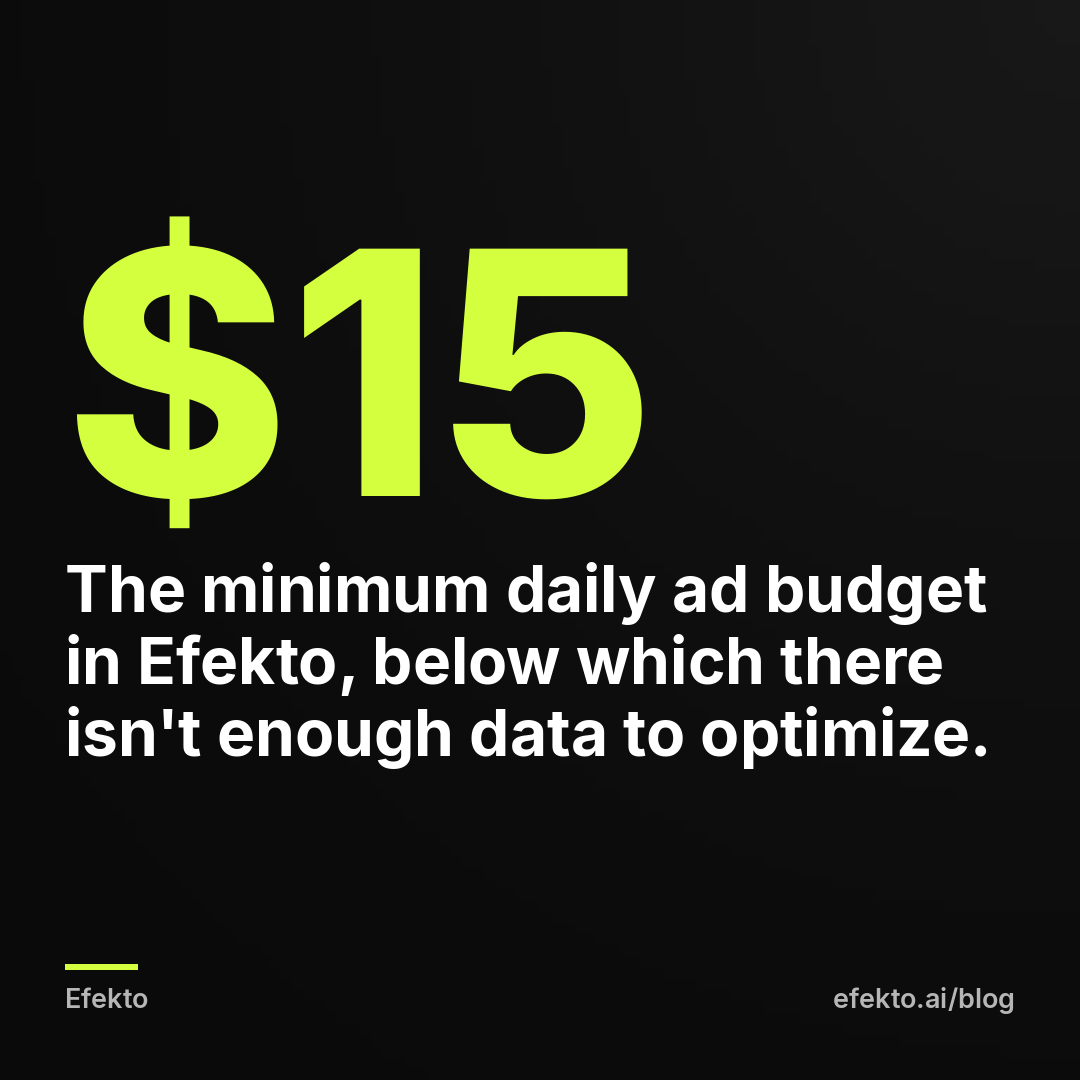
Efekto doesn't make sense in a few cases, and we'd rather say so here. The minimum daily ad budget is $15. If you can't hold that for at least a month, there isn't enough data to optimize, and you're better off boosting nothing and using Meta's free features on a small test. If nobody at your business will call a lead back within the hour, no tool fixes that; read how to follow up on Facebook leads fast enough to book the job first. If you need Google Ads today, the Starter plan is Meta only, and Google Ads arrives on the Growth plan from Nov 1, 2026. And if you enjoy working in Ads Manager and already check it twice a week, an image tool plus your own judgment is cheaper.
The non-AI option in this category is an agency or a freelancer. You get human judgment on your offer and creatives, which matters most in regulated niches like med spas. You also pay a monthly fee that often matches or exceeds the ad budget of a small business. It makes sense when your budget is large enough that the fee is a small share of it.
How do the best AI tools for Facebook ads compare side by side?
The table below is built from each vendor's public website as of 2026. "Runs ads" means the tool publishes ads and manages the campaign after launch, not just exports files. For a deeper breakdown against individual tools, see our comparisons of Efekto with other tools.
| Tool | Group | Makes images | Makes video | Publishes and runs ads | Changes campaign after launch | Built mainly for | Price |
|---|---|---|---|---|---|---|---|
| Meta Advantage+ creative | Images, built-in | Variations of your images | Basic | You set it up in Ads Manager | Meta's delivery system, no pruning by a person | Anyone in Ads Manager | No fee beyond ad spend |
| Canva | Images | Yes | Yes | No | No | General design | On the vendor's site |
| AdCreative.ai | Images and copy | Yes | Check vendor's site | No, core product is creatives | No | Advertisers needing many variations | On the vendor's site |
| Creatify | UGC-style video | No, video-focused | Yes, AI avatars | No | No | Online brands, product URLs | On the vendor's site |
| Arcads | UGC-style video | No, video-focused | Yes, AI actors | No | No | Brands and apps | On the vendor's site |
| Madgicx | Optimization | Has creative tools per its site | Check vendor's site | Works on your existing campaigns | Rules and recommendations | Ad managers, larger accounts | On the vendor's site |
| Zeely | Full management | Yes, per its site | Check vendor's site | Yes, per its site | Check vendor's site | Small businesses | On the vendor's site |
| Efekto | Full management | Yes | Yes | Yes | Every day: turns off losers, scales winners | Local service businesses | From $149 per month |
| Agency or freelancer | People | Yes | Yes | Yes | Depends on contract | Bigger budgets, regulated niches | Quote |
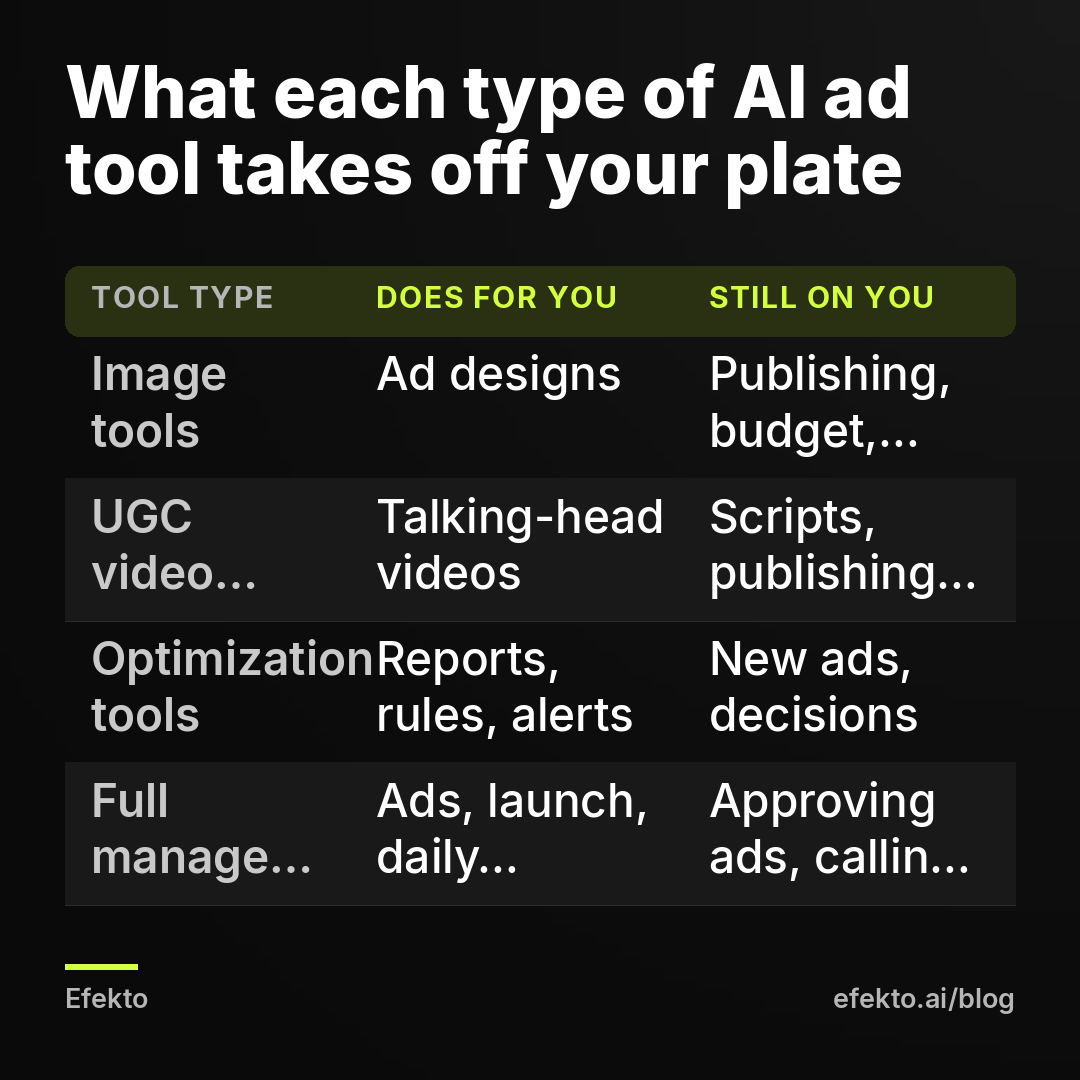
How to read it for a local business: if your row of "Still on you" includes publishing and daily decisions, the tool is a design aid, not a way to get customers. That is fine if you have the time. Most owners we talk to don't.
How much should a small business spend on AI tools versus ad budget?
Keep tool fees under roughly a quarter of your monthly ad budget, and measure the cost of a booked job, not the cost of a lead. Here's how the math works with example numbers.
For example, say you run a home services business with these assumptions:
| Step | Example value | How we got it |
|---|---|---|
| Daily ad budget | $30 | Your choice |
| Monthly ad spend | $900 | $30 x 30 days |
| Tool fee | $150 | Example tool price |
| Cost per lead reported by Meta | $40 | Example |
| Leads per month | 22 | $900 / $40 |
| Reachable leads (75%) | 16 | After removing wrong numbers and no-answers |
| Booked jobs (1 in 3) | 5 | 16 / 3, rounded down |
| Average job value | $450 | Example |
| Revenue | $2,250 | 5 x $450 |
| Total cost | $1,050 | $900 + $150 |
| Cost per booked job | $210 | $1,050 / 5 |
In that example, the tool fee is about 14% of total cost. Whether $210 per booked job is good depends on your margin and on what a customer is worth over time. A $450 HVAC tune-up customer who later replaces a system is worth far more than $450.
Now compare the stacking approach. Say you buy an image tool for $30, a video tool for $50 and an optimization tool for $100. That's $180 a month, more than the single tool in the example, and you still publish every ad, set every budget and make every pause decision yourself. Three subscriptions for slices of the job usually cost more than one tool that does the whole job.
If your budget is $10 a day ($300 a month), any paid tool at $150 is half your spend. At that level, use Meta's free features, your own photos, and put the rest into ads.
What mistakes do owners make when buying AI ad tools?
The most common mistake is buying for the demo instead of the bottleneck. Here are the ones we see most often, and the fix for each:
- Judging the tool by how pretty the ads are. Fix: judge it by booked jobs after 14 days at a fixed budget. A beautiful ad that brings no calls is a cost.
- Using product-first tools for a service. A tool that wants a product URL will produce ads about "products." Fix: paste your service website into the trial and see whether the output mentions your service, your area and your offer.
- Changing the campaign every day by hand on top of the tool. Every major edit sends the campaign back into Meta's learning period. Fix: pick who makes decisions, you or the tool, not both.
- Faking customers with AI faces. Covered above. Fix: real photos, real reviews, the owner on camera.
- Counting leads, not jobs. Twenty leads you never reach are worth zero. Fix: track reachable leads and booked jobs in a simple sheet, weekly.
- Expecting the tool to fix a weak offer. "Quality roofing, call today" stays weak no matter which AI rewrites it. Fix: a specific offer with a number, like a free 20-minute roof inspection with photos sent the same day.
How do you pick the right AI tool in 30 minutes?
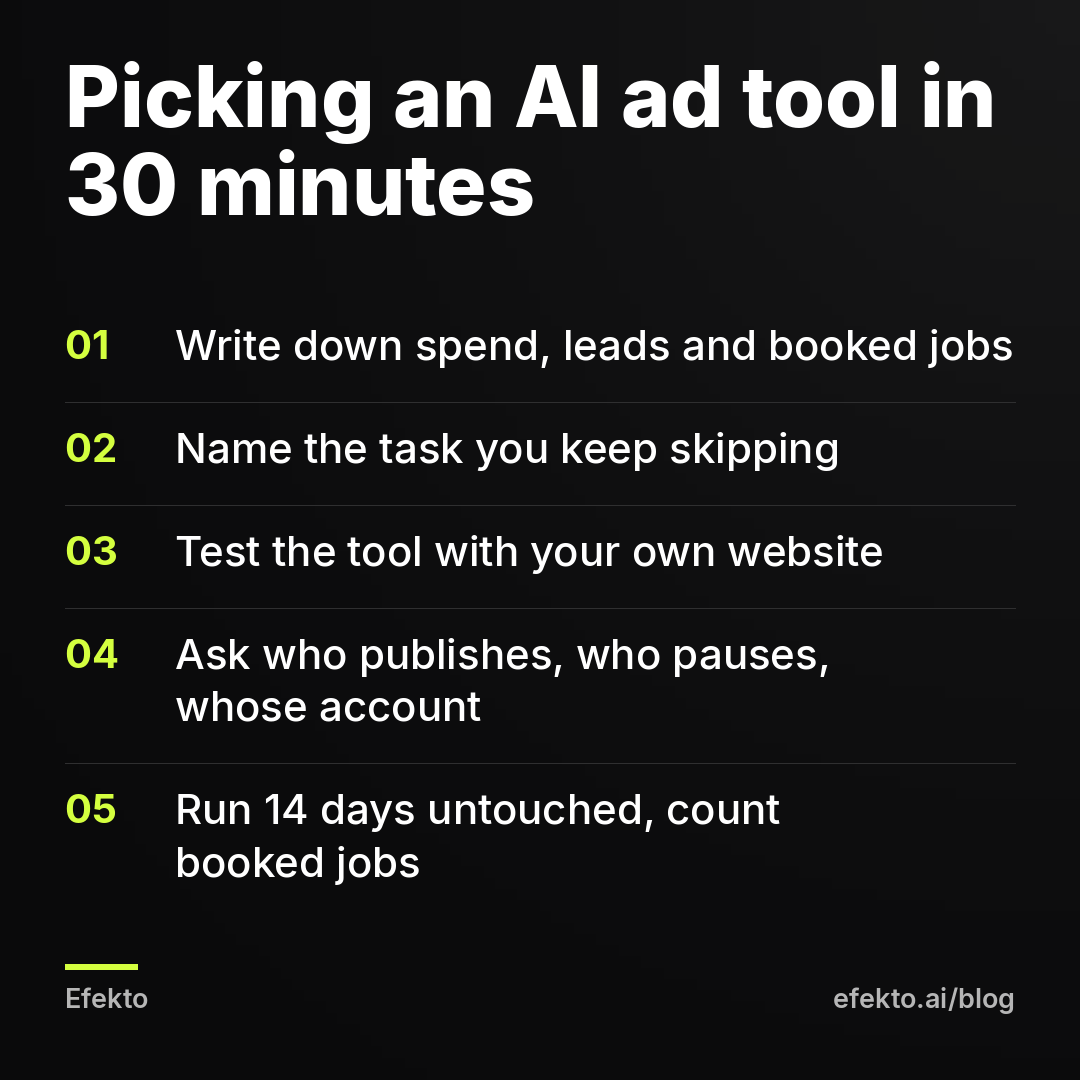
Write down last month's numbers, name the task you skip, and test one tool against your own website for two weeks. Step by step:
- Write down your numbers (5 minutes). Last month's ad spend, leads, reachable leads and booked jobs. If you haven't run ads, write the daily budget you can hold for 60 days without flinching.
- Name the task you skip (5 minutes). Be honest: is it design, video, checking results, or all of it? If it's "all of it," skip straight to the full management group.
- Run your website through a trial (10 minutes). Paste your real site URL. Reject any tool whose first ads look like product ads, ignore your service area, or invent claims you can't back up.
- Ask three questions before paying (5 minutes). Who publishes the ads? Who turns off the ones that don't work, and how often? In whose ad account do the ads run?
- Test for 14 days without touching it (5 minutes to set up). Fixed daily budget, no edits, calls to every lead within an hour. On day 14, count booked jobs and divide total cost by them. That number decides, not the dashboard.
What would we do if we were starting from zero today?
We would not buy a creative tool first. We'd take 10 photos and one 20-second video on a phone, write one offer with a number in it, and set up a way to call every lead back within the hour. Then we'd pick one tool that runs the whole loop, or, below $15 a day, run a single campaign with Meta's free features and check it twice a week. We'd skip AI actors posing as customers entirely, and we'd judge everything by cost per booked job after 14 days. That's how we run campaigns for clients, and it's the order we'd recommend to anyone, whichever tool they end up choosing.
FAQ
Are the free AI features inside Facebook Ads Manager good enough?
For creating variations of your text and images, often yes. What they don't do is decide which ads to turn off and when to make new ones. If you're willing to make those calls yourself twice a week, the free features plus your own photos are a reasonable setup.
Can AI-generated Facebook ads pass Meta's ad review?
Yes, Meta reviews AI-made ads by the same policies as any other ad. Rejections come from content, not from the tool: before-and-after claims, personal attributes ("Are you struggling with..."), or unrealistic promises. Read every AI-generated ad before it goes live, especially in health and beauty.
Do AI ad tools work for med spas and dental offices?
They can, but these niches have stricter Meta policies on health claims and body images. Use tools that let you approve every ad before it publishes, avoid AI-generated before-and-after images, and keep claims to what you can document.
Can using an AI tool get my Facebook ad account restricted?
The tool itself doesn't, but the ads it publishes can if they break Meta's policies, and the restriction lands on your account. Approve ads before launch, avoid tools that suggest using multiple or backup ad accounts, and if you're restricted, use Meta's appeal process rather than opening a new account.
If you'd like to see what ads made from your own website look like before deciding on any tool, you can start the free trial at efekto.ai.
- Jakub Zwoliński
Founder, Lemon Agency · Efekto · October 25, 2026