Creatify Alternatives for Local Businesses That Need Leads, Not Just Ad Videos
Creatify makes ad videos. If your local business needs leads, compare 7 alternatives: video tools, static ad tools and options that publish and run the campaign.

The best Creatify alternative for a local service business depends on what is actually missing. If you need more or different videos, try another video tool such as Arcads, or use your own phone. If image ads would serve you better, AdCreative.ai or Canva covers that. If the real gap is someone to publish the ads, watch the numbers and turn off the ones that don't bring leads, then another creative generator won't help. You need a tool or a person that runs the campaign: Madgicx if you already manage ads yourself, an app like Efekto if you don't want to, or a freelancer.
In short:
- Creatify is a tool for producing video ads, and most local businesses that look for an alternative are missing a running campaign, not videos.
- Video tools and image tools solve a creative problem, while tools like Madgicx or Efekto, or a freelancer, solve the problem of publishing and optimizing ads.
- Before you switch tools, check whether your ads are running at all, whether they bring leads, and whether those leads turn into booked jobs, because each answer points to a different kind of alternative.
What is Creatify, and why do local businesses look for alternatives?
According to its website, Creatify is an AI video tool. You paste a product link or write a script, and it produces short video ads, including versions where an AI avatar presents the product. That URL-to-video workflow fits online stores well, because a product page already has photos, a price and a description the tool can use.
Local service businesses tend to look for alternatives for three reasons:
- A service website is not a product page. A roofing company's homepage has a phone number, a service area and maybe a gallery. Turning that into a convincing video takes more input than turning a sneaker listing into one.
- The video was never the hard part. Publishing the ad, setting the budget, choosing the area, turning off what doesn't work and calling leads back is where most first campaigns fall apart. A video tool hands you a file, and everything after that is still on you.
- Locals know there's a real person behind the business. An avatar presenting a detailing shop or a dental office can feel off to people who might drive past that shop tomorrow.
Our position is simple: for a local service business, the video is rarely the reason ads fail. Buying a better video tool to fix a lead problem means solving the wrong problem. A fair disclosure before we go further: we make money from ads on Meta, and we build Efekto, which is one of the options below, so weigh our view with that in mind. The team behind Lemon Agency and Efekto has managed more than $1M in ad spend for clients, and most of what follows comes from that work.
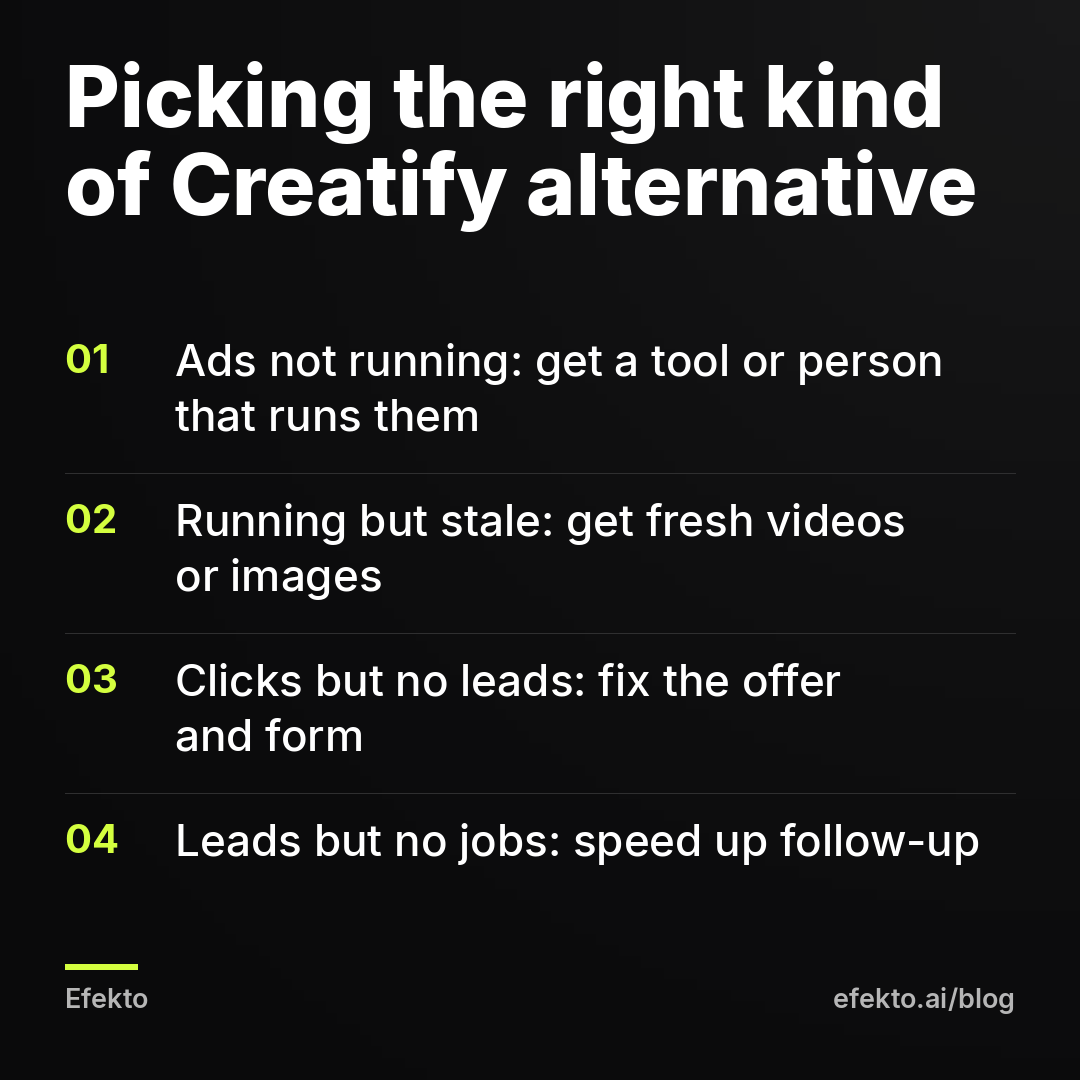
Do you need more ad videos, or do you need more leads?
Open Ads Manager, set the date range to the last 30 days and find the row that matches your situation. That decides which kind of alternative you need.
| What you see in the last 30 days | What's actually missing | What kind of alternative helps |
|---|---|---|
| No ads ran, videos sit in a folder | Publishing and setup | A tool or person that runs the campaign |
| Ads ran, leads came, then results dropped after 2 to 3 weeks | Fresh creatives | A video or image tool, or a campaign tool that rotates creatives |
| Ads spent money, got clicks, few or no leads | Offer, form or landing page | Fix the offer first, then any tool |
| Leads came in, few turned into booked jobs | Lead quality or follow-up speed | Better form questions and faster callbacks, not a new tool |
| Leads and bookings are fine, you just want more variety | Creative volume | A video or image tool |
Only the second and last rows are a pure creative problem. If you're in any other row, switching from Creatify to another video generator will give you different videos and the same results. If your ads lose steam after a couple of weeks, our post on why a Facebook ad stops working after two weeks explains what fatigue looks like in the numbers.
One more thing to check before you blame or praise any tool: the lead cost Meta shows you is the cost of a submitted form, before anyone has called that person. Some forms come from people who misclick, mistype their number or live outside your area. The cost of a lead you've actually verified is always higher.
For example: say you spend $30 a day, which is about $900 a month. Meta reports 20 leads, so $45 per lead. You call all 20 and reach 14 real, interested people in your area. Your verified cost is about $64 per lead. If 8 of those 14 book at an average job of $350, that's $2,800 in revenue from $900 in ad spend. Now picture the same $900 producing 20 leads of which only 6 are real. The Meta number is identical, and the business result is cut by more than half. No video tool shows you that difference. Your phone log does.
What are the best Creatify alternatives for local service businesses?
Here are seven options, grouped by what they actually do. None of them is best for everyone. The right one depends on which row of the diagnosis table you landed in.
| Option | What it makes | Publishes your ads? | Watches and adjusts the campaign? | Who does the daily work | Best for |
|---|---|---|---|---|---|
| Arcads | Video ads with AI actors from your script | No, you upload them | No | You | Businesses that want avatar-style video and already run campaigns |
| Phone video + simple editor | Real video of you, your team, your work | No | No | You | Owners comfortable on camera with a few spare hours a month |
| AdCreative.ai | Static ad creatives generated with AI | Check current features | Not its main focus | You or your ad manager | Businesses that need many image variations |
| Canva | Images and short videos from templates | No | No | You | Owners who like designing and have good photos |
| Madgicx | Automation, audiences and reporting for Meta ads | Works inside your ad account | Yes, with rules you set | You, as the ad manager | People who already know Ads Manager |
| Efekto | Image and video ads created from your website | Yes | Yes, every day | The app, you approve ads | Owners who want ads running without learning Ads Manager |
| Freelancer or agency | Whatever you agree on | Yes | Yes, as often as you pay for | A person | Businesses that want a human accountable for results |
The column that matters most for a local business is the fourth one. A tool that makes creatives but doesn't watch the campaign leaves the hardest job, deciding what to keep and what to turn off, to you. If you want the longer version of that distinction, we wrote about AI ad generators vs a tool that runs your ads.
Which alternatives make video ads like Creatify?
If you've confirmed that video volume is your real problem, there are two very different routes.
Arcads
According to its website, Arcads generates UGC-style video ads with AI actors. You write a script, pick an actor, and get a video of that actor delivering your lines. It's built for teams that test many hooks and angles quickly.
Who it's for: businesses that already run campaigns, know which angles they want to test, and need more video variations to keep ads fresh. Who it's not for: an owner who has never launched a campaign. You'll end up with good-looking files and the same empty calendar.
One hard line from us, whichever avatar tool you use: don't put an AI actor in a script that pretends to be your customer. A person who doesn't exist saying they hired you and loved the result is a fake testimonial. Use avatars to explain an offer or a process, never to vouch for your work.
Your phone and a simple editor
This is the option most local businesses underestimate. A 20-second clip of you standing in front of a finished roof, a freshly detailed car or a clean HVAC install often beats any generated video, because it shows the real person and the real work. People in your town can check that you exist.
A practical setup that takes about two hours a month:
- Film 4 to 6 vertical clips on the job, 15 to 30 seconds each. One clip, one point: the problem, the result, the offer, how to book.
- Start every clip with the result or the problem in the first 2 seconds, not with your logo.
- Add captions, because most people watch with the sound off.
- Keep the original audio and a quiet room. Bad audio hurts more than average lighting.
Who it's for: owners who don't mind being on camera. Who it's not for: anyone who will film once and never again, because ads need fresh material every few weeks. Our guide to making ad images and videos from your website and phone photos walks through this in more detail.
Which alternatives make static image ads instead of video?
For many local services, image ads work as well as video, and they're faster to make and replace. A before-and-after photo with one clear line and an offer is still one of the most reliable formats we run for home services. If you've been assuming you need video because a video tool told you so, test images first.
AdCreative.ai
According to its website, AdCreative.ai generates ad creatives with AI: image ads in many sizes and variations, built from your brand assets and copy. Its focus is the creative itself. Check its current site for which ad platform connections it offers, because features in this category change often.
Who it's for: businesses or freelancers who run campaigns and want many image variations without a designer. Who it's not for: an owner who needs someone to decide which of those images stay on and which get switched off.
Canva
Canva is a design platform with templates for social media ads, plus a basic video editor. You do the design, it makes the design easy.
Who it's for: owners who enjoy design and have strong photos of their own work. Who it's not for: anyone who wants this off their plate. Canva is a good tool and still a job you have to do every few weeks.
A rule that applies to both: your own photos beat stock photos. A stock image of a smiling family in front of a generic house tells people nothing about you. A slightly imperfect photo of your crew on a real job tells them you're local and real.
Which alternatives also publish your ads and manage the campaign?
This is the group that answers the question in the title. If your problem is that nothing runs, or that ads run and nobody watches them, you need one of these.
Madgicx
Madgicx describes itself as a platform for Meta advertisers, with automation rules, audience tools, creative insights and reporting that work inside your ad account. It's a toolkit for the person managing the ads. It makes an experienced ad manager faster, but it assumes you know what a good rule looks like and what to do when results drop.
Who it's for: owners who already know Ads Manager, freelancers and in-house marketers. Who it's not for: an owner who wants to stop thinking about ads. We compared the two approaches in Efekto vs Madgicx.
Efekto
Efekto creates ads from your website, publishes them, and optimizes them every day: it turns off the ones that don't bring results and scales the ones that do. You approve the first batch, at least 5 ads, before the campaign starts. Ads run on your own Facebook ad account, or on an Efekto ad account with the budget topped up in advance. The Starter plan is $149 per month for 1 campaign on Facebook and Instagram, with 60 images and 6 videos per month, and the minimum ad budget is $15 per day. There's a 7-day free trial counted from the launch of your first campaign, and you don't need a card to sign up.
Where it fits and where it doesn't: if you want 50 avatar videos a month, Efekto is not a video factory, and a dedicated video tool will give you more volume. If you want leads without learning Ads Manager, that's what it's built for. We laid out the differences point by point on the Efekto vs Creatify comparison page.
A freelancer or an agency
A good freelancer publishes, monitors and adjusts your campaign, and makes or sources the creatives. The upside is a human you can call. The downside is that you pay for their time, the quality varies a lot, and many check accounts weekly rather than daily.
Who it's for: businesses with a budget large enough that a management fee is a small share of it, and owners who want a person accountable. What to ask before hiring: how often do you check the account, who makes the creatives, how fast do you replace an ad that stops working, and do you report Meta's lead cost or the cost of leads we actually reached?
How much ad budget do you need before any of these tools makes sense?
Any tool is a monthly fee on top of your ad spend, and creative tools charge you whether or not your ads ever run. That's the trap: paying for a video subscription while the videos sit in a folder means paying for files, not customers.
For example: say you can spend $15 a day on ads. That's about $450 a month in ad budget. If you add a creative tool and also hire someone to run the campaign, the tools and fees can end up larger than the budget that actually reaches people. At that size, you're better off with one thing that both makes and runs ads, or with doing it yourself with phone photos and Ads Manager.
Now say you spend $50 a day, about $1,500 a month. Here a combination can make sense: a creative tool for variety plus a person or tool that runs the campaign, because the fees are a smaller share of the total and the extra creative volume has enough budget behind it to be tested.
A working rule from our side: under about $450 a month in ad spend, avoid stacking tools. Above that, adding a creative tool is reasonable once the campaign itself is running and someone is watching it.
How do you choose a Creatify alternative in 15 minutes?
You can make this decision in one sitting. Here's the order we'd go in.
- Check whether ads are running (2 minutes). In Ads Manager, look at the last 30 days. If spend is zero, your problem is publishing. Skip straight to the options that run campaigns.
- Check your lead count and cost (3 minutes). If you got leads, note Meta's cost per lead. Then count how many of those people you actually reached by phone and calculate the verified cost.
- Check booked jobs (3 minutes). From your calendar or CRM, count jobs that came from those leads. If leads are fine and bookings aren't, fix follow-up before touching tools.
- Check creative age (2 minutes). Look at how long your current ads have been running. If the same 2 or 3 ads have run for more than a month and results are slipping, you need fresh creatives.
- Decide who does the daily work (5 minutes). Be honest about whether you'll log in every few days to turn off weak ads. If yes, a creative tool plus Ads Manager works. If no, pick something or someone that does it for you.
When does a tool that runs your ads not make sense?
We'd rather you pick the right option than the one we build. A tool that publishes and optimizes your campaign is the wrong choice in these cases:
- You already have a good ad manager. If a person or freelancer is getting you leads at a cost you're happy with, don't replace them. Give them a creative tool if they need more material.
- You need large video volume. If your strategy depends on testing dozens of video hooks a month, a dedicated video tool like Creatify or Arcads fits better.
- You sell products online with a big catalog. URL-to-video tools were made for this. Creatify may well be the right tool for a store, and the question in this post is about local services.
- Your budget is below $15 a day. At that level, start by learning the basics in Ads Manager yourself and use photos you already have.
- You can't answer leads within an hour or two. Any tool that brings leads is wasted if nobody calls them back the same day. Fix the callback process first.
The reverse is also true. A creative tool is the wrong choice if you have no one to run the campaign, if you've never launched one, or if your results are dropping and you don't know why. More creatives won't explain the drop.
What mistakes do local businesses make when switching from a video tool?
We see the same handful of mistakes over and over.
Switching tools without changing the offer. A new video with the same weak offer, such as "Call us for a free quote," gets the same results. Put something concrete in front of people: a fixed price for a common job, a seasonal check, a limited number of slots this week.
Judging a tool by its videos instead of its leads. A beautiful demo means nothing. Run anything for at least 2 to 3 weeks on a real budget and judge it by verified leads and booked jobs, not by how the ads look.
Running one ad forever. Whatever tool you use, have at least 4 to 6 ads live and replace the weakest ones every few weeks. One ad is not a test, it's a guess.
Turning everything off after three slow days. Campaigns need some time and data to settle. If you pause and restart every few days, the campaign keeps relearning and you get fewer leads, not more. Set a check date two weeks out and stick to it unless spend is clearly going nowhere.
Ignoring the form. If you use instant forms, add one or two questions that filter out people outside your area or not ready to book. Fewer, better leads beat a pile of numbers you can't reach.
Paying for tools that overlap. A video tool, an image tool and a campaign tool that also makes creatives means paying for the same job twice. Pick one source of creatives and one way of running the campaign.
FAQ
Is Creatify good for local service businesses?
It can produce usable video ads, but it doesn't solve the parts where local campaigns usually fail: publishing, budget, turning off weak ads and following up on leads. If your ads already run well and you need more video variety, it can fit. If nothing runs yet, start with a way to run the campaign.
Can I use AI avatars in ads for a local service business?
You can use them to explain an offer or a process. Don't use them to pose as customers giving testimonials, because a person who doesn't exist vouching for your work misleads the people you want to hire you. For most local businesses, a short real clip of the owner or crew performs at least as well and builds more trust.
Do I need video ads at all for a service business on Facebook?
No. Image ads with your own before-and-after photos and a clear offer bring leads for many service businesses. Video helps when you have someone comfortable on camera or a process worth showing, but it's not a requirement to get started.
Can I use a creative tool and a campaign tool together?
Yes, as long as your budget supports it and the tools don't overlap. A common setup is a person or app running the campaign with a separate tool supplying extra videos. Below roughly $450 a month in ad spend, one option that both makes and runs ads is usually the better use of money.
If your missing piece is a campaign that runs and improves without you living in Ads Manager, you can start a free trial at efekto.ai.
- Jakub Zwoliński
Founder, Lemon Agency · Efekto · October 25, 2026