How to Run Facebook Ads for a Service Business With Several Locations or Service Areas
One campaign with location ads or a campaign per area? How to split the budget, write local copy and route each Facebook lead to the right branch.

If your service business covers two or more locations or service areas, give each area that has its own crew and its own calendar a separate campaign, a separate budget, ads that name that area, and a lead form that tags every lead with the branch it belongs to. Putting all areas into one campaign with location-specific ads only works when the areas are similar in size and demand and you don't mind Facebook moving money between them. Most multi-area businesses do mind, because Facebook spends where leads are cheapest, and that is rarely the branch with empty slots.
In short:
- A separate campaign per service area gives each branch a fixed budget, so the busiest area can't absorb the money meant to fill a slower one.
- Location-specific ads should name the town, mention local proof and show the real local phone number or crew, not a generic company pitch with a city name added.
- Every lead needs an area tag from the moment it arrives, so the right branch calls it back the same hour instead of someone forwarding it the next day.
Should you use one campaign or separate campaigns for each location?
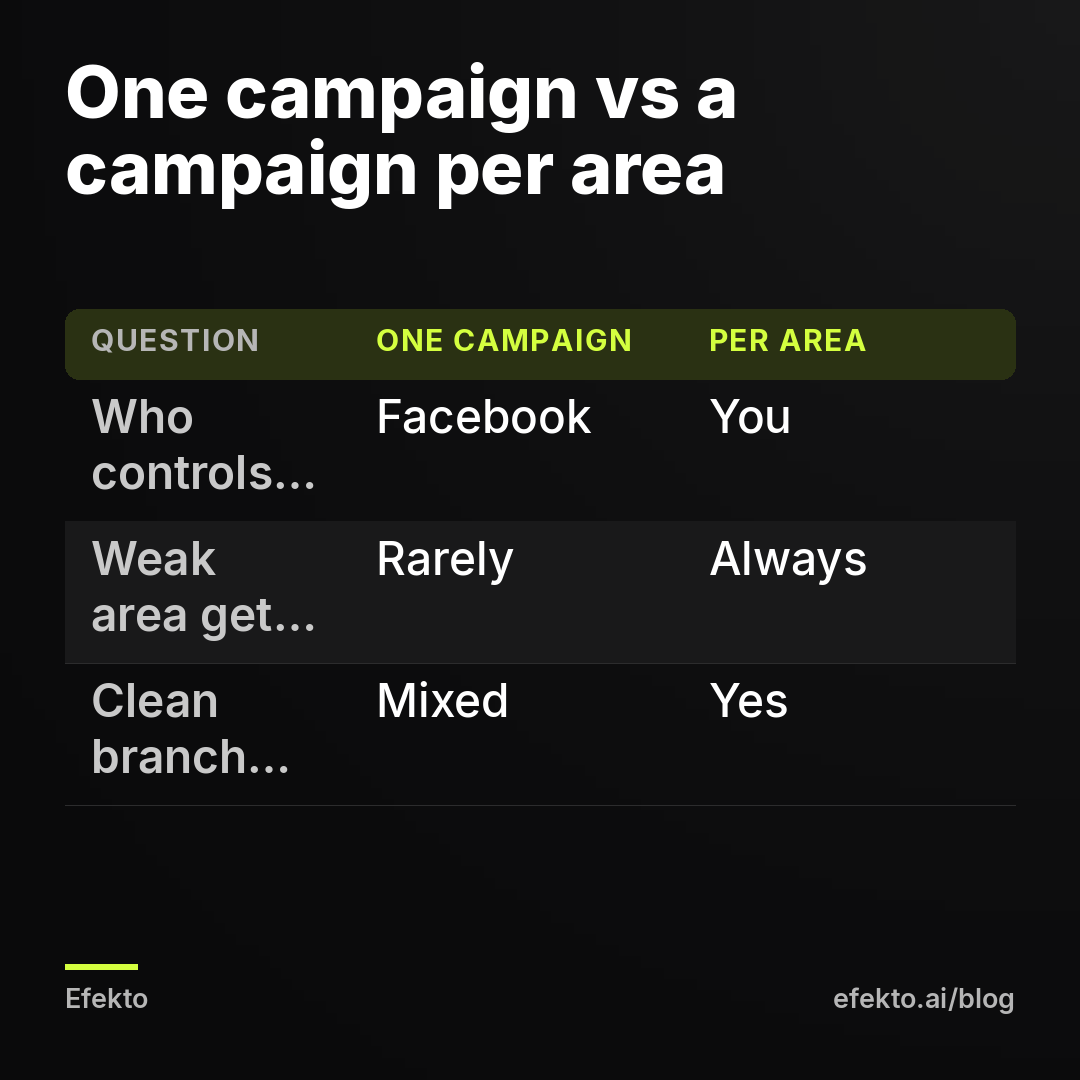
Use separate campaigns once each area can carry its own daily budget. Use one campaign only when your total budget is too small to split, or when the areas are really one market served by one team.
Here is how the two setups compare in practice:
| One campaign, location-specific ad sets | Separate campaign per area | |
|---|---|---|
| Budget control | Facebook can shift money between areas if you use a campaign-level budget | Each area gets exactly what you set |
| What happens to a new or weak area | Often gets little spend, because leads there cost more | Gets its full budget whether or not it is the cheapest |
| Learning phase | One pool of data, learns faster on a small budget | Each campaign learns on its own, needs enough budget per area |
| Reporting per branch | Possible, but mixed if ad sets overlap | Clean: one campaign equals one branch |
| Ads per area | Possible per ad set | Natural, each campaign has its own ads |
| Best for | 2 to 3 nearby areas, one crew, small total budget | Branches with their own staff, calendars or managers |
Our position is simple: a branch with its own technicians is its own business from the ad account's point of view. It has its own capacity, its own competition and its own cost per lead. When we have run several areas through one shared budget, the pattern repeats. The suburb with the most homes and the cheapest clicks takes most of the money, and the branch the owner actually worries about gets a trickle. Facebook isn't doing anything wrong. It is optimizing for the cheapest leads across the campaign, which is what you told it to do.
The one-campaign setup still has a place. If you run one crew that drives across three neighboring towns, splitting the budget three ways mostly splits your data. Each piece learns slower and you gain nothing, because it is the same calendar. In that case, keep one campaign and use location-specific ads inside it.
Step 1: How do you draw service areas so they don't compete with each other?
Draw each area so it doesn't overlap with the next one, and exclude the neighboring areas inside each campaign. Overlapping areas make your own campaigns bid against each other for the same people and blur which branch a lead belongs to.
Do it in this order:
- Start from where each branch actually sends trucks, not from the city names in your marketing. Ask each branch manager for the zip codes they will drive to without complaining. That list is your area.
- Pick zip codes or a radius, not both. Zip codes give clean borders and match how you route leads later. A radius is fine for rural areas where zip codes are huge. For two branches 20 miles apart, zip codes almost always work better, because two radius circles will overlap in the middle.
- Exclude the other areas. In each campaign's location settings, add the neighboring branch's zip codes as excluded locations. This is a two-minute job and it stops the same household from seeing ads from two of your branches.
- Decide what to do with the gray zone. Some zip codes sit between branches. Assign each one to exactly one branch, usually the one with more open capacity, and write it down. The same table will drive your lead routing in Step 5.
- Check the location option. Keep targeting set to people living in or recently in the location. For a service you perform at someone's home, the people you want are the ones who live there.
We won't go into who to target inside each area here. Targeting homeowners within an area is a separate topic. This post is about how the areas relate to each other.
A quick test after setup: pick one zip code on the border and check that it appears in exactly one campaign as included and in the others as excluded. If it appears as included in two campaigns, fix it before launch.
Step 2: How should you split the budget between locations?
Split the budget by how many jobs each branch can actually take, not by population or by which area brings the most revenue today. Then give every area a floor it never goes below, so a new or slow branch still collects enough data to learn.
The method we use:
- Ask each branch how many new jobs per week it can realistically take from ads. Not total jobs, just the open slots.
- Estimate how many leads that takes. If your team books about 4 in 10 leads, a branch with 4 open slots needs about 10 leads a week.
- Multiply by an assumed cost per lead to get a weekly budget, then divide by 7 for the daily number.
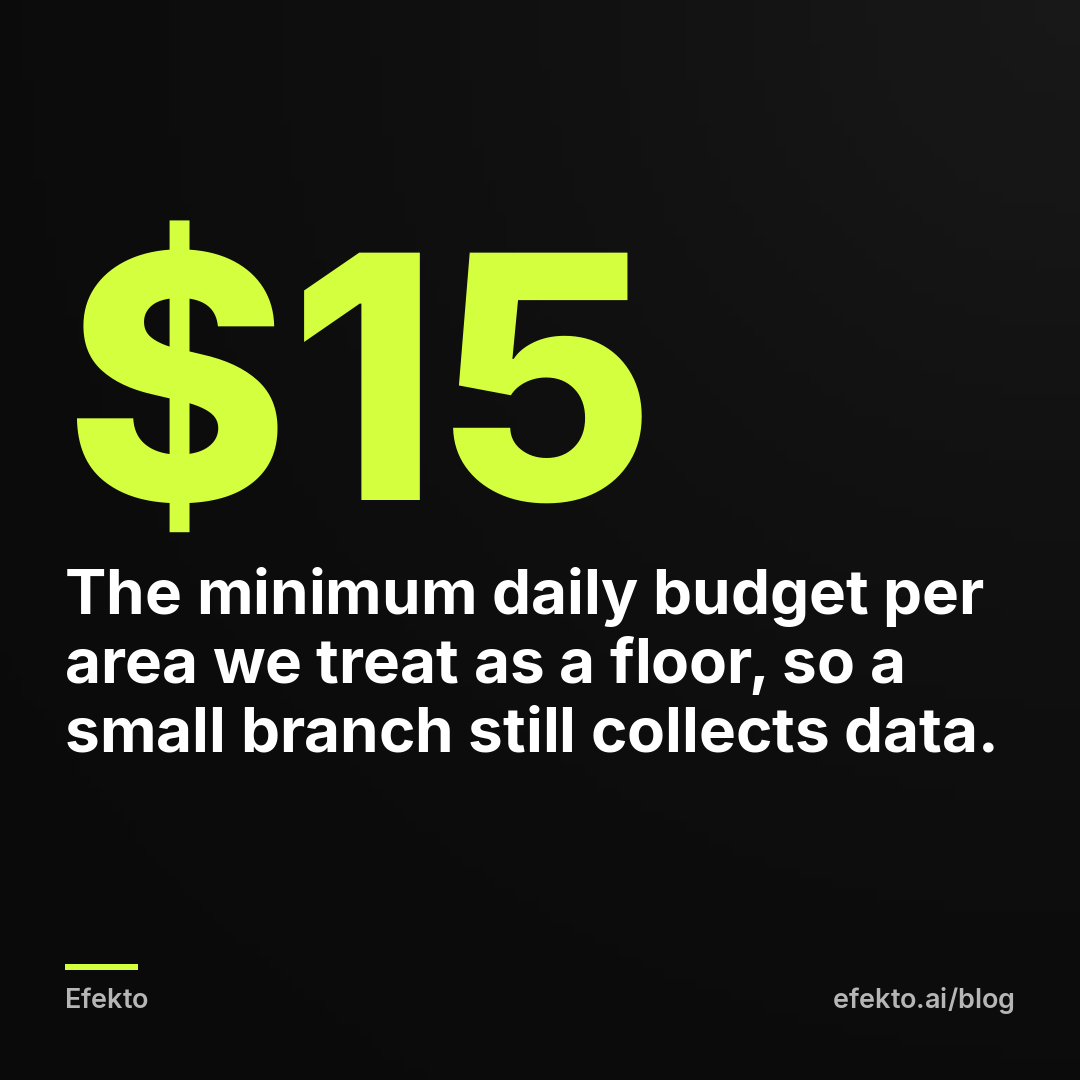
- Apply a floor. A campaign spending a few dollars a day barely gets out of the gate. In Efekto, the minimum is $15 per day per campaign, and that is a sensible floor for any area even if you run it by hand.
For example, say an HVAC company has three service areas and $90 per day to spend in total. Assume a cost per lead of $35, a booking rate of 40% and an average ticket of $450. These are example numbers, not results from any business.
| Area | Open jobs per week (example) | Daily budget | Weekly spend | Leads per week at $35 | Booked jobs at 40% | Revenue at $450 |
|---|---|---|---|---|---|---|
| Area A, main branch, 4 techs | 4 | $45 | $315 | 9 | 3.6 | $1,620 |
| Area B, 2 techs | 2 | $25 | $175 | 5 | 2.0 | $900 |
| Area C, new branch, 1 tech | 1 to 2 | $20 | $140 | 4 | 1.6 | $720 |
| Total | $90 | $630 | 18 | 7.2 | $3,240 |
If you had put the same $90 into one campaign with a shared budget, Area A would likely have taken $60 or more, because it has the most households and usually the cheapest leads. Area A would get leads it can't serve. Area C would get one lead a week and the new technician would sit idle.
Two rules for adjusting the split later:
- Move money when capacity changes, not when one week looks cheap. A branch that is booked out for three weeks should drop to its floor. A branch with a new hire should go up.
- Change budgets by small steps. Raising one area from $20 to $60 overnight often makes the next week's leads more expensive while the campaign readjusts. Steps of about 20% every few days are calmer.
Step 3: How do you write location-specific ad copy that doesn't sound copy-pasted?
Write each area's ads around facts that only that area has: the town names people actually use, how fast your crew gets there, local proof and the local contact. Swapping the city name in one template is the most common version, and people scroll past it because it reads like every other company's ad.
What to put in an ad for one specific area:
- The names people use. Residents say 'the North Side' or the name of a neighborhood, not the county. Ask the branch manager which three names customers say on the phone.
- Response time from that branch. 'Same-day visits in Riverside and Oak Park' is a claim the branch can keep. A company-wide promise isn't, if one branch has a three-day backlog.
- Local proof. A photo of a job done on a recognizable street type, the branch's own van, the local tech's first name. For reviews, quote a real customer from that area and follow Meta's rules on testimonials.
- The local phone number and the branch's own hours. If the call lands at headquarters two hours away, mention that the local branch calls back, or better, route the number to the branch.
- The offer that fits that area. A new branch can run a stronger first-visit offer than the established one. That is one more reason to keep the areas in separate campaigns.
A simple structure that works for most service businesses:
Line 1: the problem plus the place. 'AC blowing warm air in Riverside?' Line 2: the local fact. 'Our Riverside crew is 15 minutes away and books same-day visits.' Line 3: proof. 'Ask about the 40+ homes we serviced on the east side this summer.' (Only if it is true for that branch.) Line 4: the action. 'Tap below, pick a time, and Mike from the Riverside branch will call you back.'
Two things to avoid. First, don't write as if you know personal facts about the reader, such as 'You're a homeowner in Riverside with an old AC'. Meta rejects ads that imply knowledge of personal attributes, and naming the area as a place ('in Riverside') is the safe way to do it. Second, don't invent local numbers like '200 happy Riverside families' unless the branch can show the jobs. A reader in a small town may know the neighbors you claim to have served.
Plan on 3 to 5 ads per area to start: two image ads with local photos, one short video from the branch's phone, and one or two variations of the headline. Shared creative across areas is fine for the visuals. The text should be local.
Step 4: How do you make sure every lead shows which branch it belongs to?
Give each area its own lead form, named after the area, and add one question that confirms the location, such as the zip code. With that, every lead carries its branch from the second it arrives, even if someone in a border zip code clicked an ad meant for the next area.
How to set it up:
- One instant form per area. Name it clearly, for example 'Riverside HVAC form v1'. The form name travels with the lead into your downloads and integrations, so your routing can read it.
- Ask for the zip code. Facebook can prefill it from the profile, but ask anyway. It catches people who saw the ad while visiting family, or whose profile still shows an old address.
- Add one multiple-choice question about the job, for example 'repair, replacement, or maintenance'. It costs one tap, and the branch knows what to bring before calling back.
- Put the branch on the thank-you screen. 'The Riverside team will call you from (555) 010-0000 within the hour.' People answer calls from a number they were told to expect, and the time promise forces the branch to keep it.
- If you use a landing page instead of a form, give each area its own page or at least its own URL parameter, so the area doesn't get lost between the ad and the booking.
The zip code question also gives you a safety net. If a lead from the Riverside form has a zip code that belongs to Area B, the routing rule should send it to Area B. The form tells you which ad worked. The zip code tells you who should drive there.
Step 5: How do you route leads to the right branch fast enough to book the job?
Send each lead automatically to the branch that serves its zip code, by text or email to the person who calls back, within a minute of the form being sent. Manual forwarding from a central inbox adds hours, and in local services the first company to call usually gets the job.
There are three common ways to route, from simplest to most robust:
| Setup | How it works | Good for | Weak point |
|---|---|---|---|
| Separate notifications per form | Each area's form sends leads to that branch's email or phone through Meta's lead notifications or your CRM | 2 to 3 areas with clean borders | Border zip codes go to the wrong branch |
| Integration with a zip code rule | Leads go through a connector such as Zapier or your CRM, which checks the zip code against your area table and assigns the branch | Most multi-branch businesses | Someone has to keep the zip table updated |
| Central dispatcher | All leads go to one person who calls back and books into the right branch's calendar | Businesses with a call center or one office manager | Fails on days off and during lunch |
Whichever you choose, build it the same way:
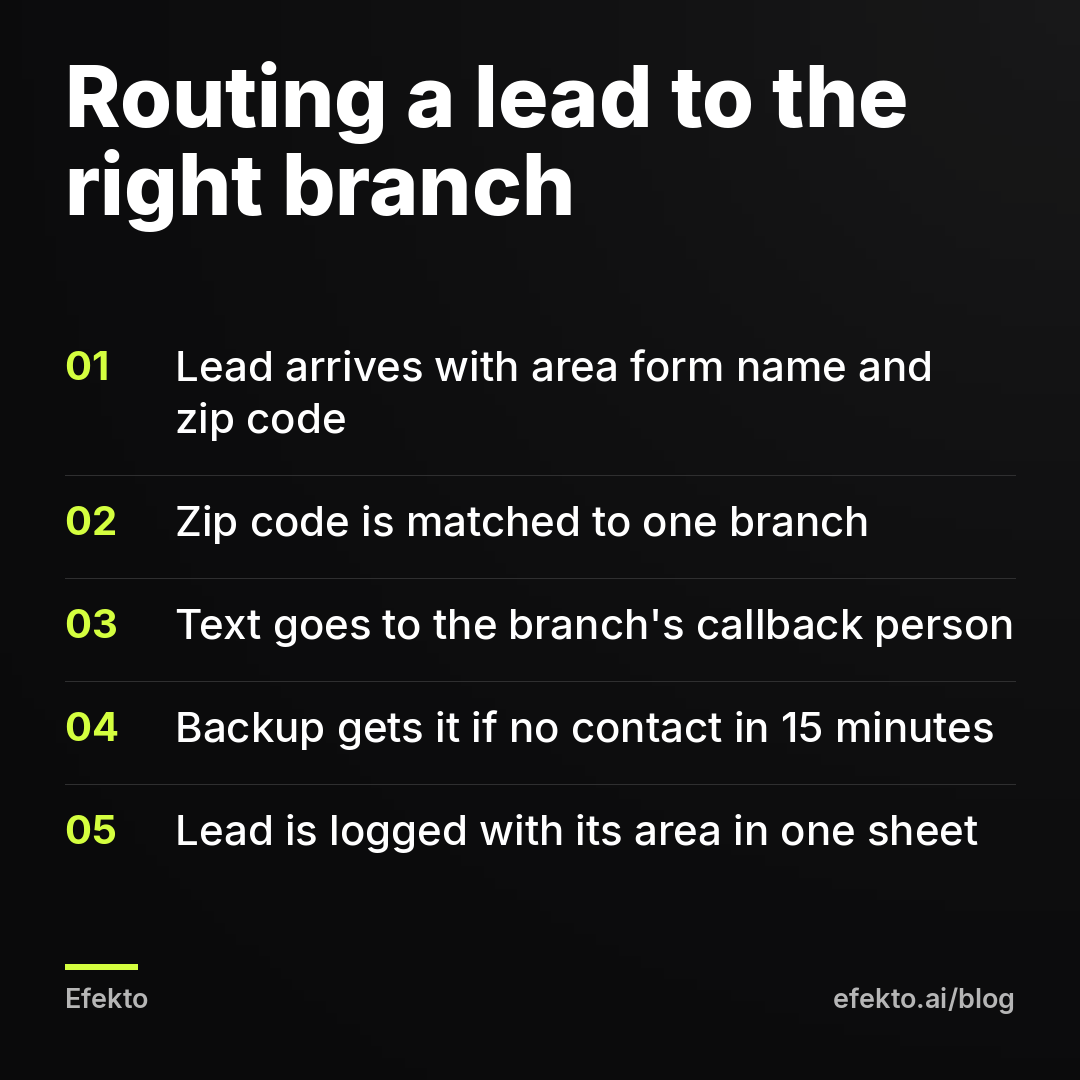
- Take the zip code table from Step 1. Each zip code, one branch, one person responsible for callbacks, one backup person.
- Set the rule: a lead arrives, the zip code is matched, a text with name, phone, job type and zip goes to the responsible person, and a copy goes to the backup if nobody marks it as contacted within 15 minutes.
- Log every lead with its area in one shared sheet or CRM, even if the branches use different calendars. You will need it in Step 6.
- Test it before launch. Submit a test lead from each form with a zip code from each area, including one border zip, and check who gets the text.
The callback itself matters more than the routing. A lead that arrives at the right branch and waits until tomorrow is as good as lost. We wrote a separate guide on how to follow up on Facebook leads fast enough to book the job, including what to say in the first call.
Step 6: How do you compare locations fairly week to week?
Compare areas by cost per booked job, not by the cost per lead Facebook shows you. The number in Ads Manager is the cost of a submitted form before anyone checked it. A branch with cheap forms and bad callbacks can look like your best area when it is your worst.
The difference between the two numbers is where most multi-location decisions go wrong. For example, imagine two areas after a month. These are example numbers:
- Area A: $1,000 spent, 30 form leads, cost per lead according to Meta $33. The branch reached 24 of them and found 22 real, in-area requests. Cost per verified lead: $45. Booked 10 jobs. Cost per booked job: $100.
- Area C: $600 spent, 22 form leads, cost per lead according to Meta $27. The branch reached 12, and 9 were real. Cost per verified lead: $67. Booked 3 jobs. Cost per booked job: $200.
In Ads Manager, Area C looks cheaper. In the bank account, it costs twice as much per job. The cause can be the ads, but at least as often it is the branch: slower callbacks, no backup person, or a form that attracts out-of-area clicks. Before you cut Area C's budget, check how fast it called its leads back.
The weekly check takes 10 minutes if Steps 4 and 5 are in place. For each area, write down: spend, form leads, verified leads, booked jobs, and the average time to first call. A longer walkthrough of which numbers to watch is in our guide on reading your Facebook ads results in 10 minutes a week.
One more rule: don't judge an area on one week. A branch with $20 a day gets around 4 leads a week in our example, and the difference between 2 and 6 leads in a single week is mostly chance. Give it four weeks before deciding.
When does splitting into separate campaigns not make sense?
Splitting doesn't make sense when the total budget is too small to give every area a working floor, or when all areas share one crew and one calendar. In those cases, separate campaigns only spread too little data across too many pieces.
Specifically, keep one campaign when:
- Your total budget is under about $15 per day per area. At $30 a day for four areas, each campaign gets $7.50 and none of them collects enough leads to learn. Facebook will label them Learning Limited, which we explain in what Learning Limited means on a small budget. Run one campaign with location-specific ads and add areas as the budget grows.
- One team serves everything. If the same two technicians drive to all five towns, you have one capacity, not five. Split the ads by town for better copy, but keep one budget.
- The areas are tiny. A few thousand households per area means each campaign shows the same ads to the same people within days and costs rise fast. Group small neighboring areas into one.
And the opposite case. Don't keep everything in one campaign just because it was set up that way first. Once a branch has its own staff and its own manager asking where the leads went, it needs its own campaign and its own report.
A middle path for a growing business: start with one campaign covering all areas, with a separate ad set and form for each area so the data is already split. When the total daily budget passes roughly $15 multiplied by the number of areas, move each area into its own campaign. Your forms, area table and routing stay the same.
Where does an app like Efekto fit for multi-location businesses?
Efekto creates ads from your website, publishes them, and optimizes them every day: it turns off the ones that don't bring results and scales the ones that do. For a business with several areas, that means each area runs as its own campaign. The Starter plan at $149 per month covers 1 campaign, Growth at $299 covers 3, Pro at $599 covers 6, and an additional campaign costs $99 per month. The minimum daily budget is $15 per campaign, which matches the floor we recommend above. You approve the first batch of ads, at least 5, before anything goes live, so the local details in Step 3 are still yours to check. More detail is on the page about how Efekto works.
It is not the right tool if you need one central call center with complex dispatch rules built into the ad tool itself, or if your total budget can't cover $15 per day for each area you want to run separately. In that case, start with one campaign in Ads Manager using the setup from this post, and come back when the budget allows a campaign per area. The routing from Step 5 stays your job either way. No ad tool can call a lead back for your branch.
What are the most common mistakes with Facebook ads for several locations?
The most common mistake is a shared budget across branches with different capacity, followed closely by leads that arrive without an area tag. Here are the ones we see most often across the more than 300 businesses our team has run campaigns for, with fixes:
- One campaign budget for all branches. The cheapest area takes the money. Fix: a campaign per branch, or at least ad set budgets instead of a campaign-level budget.
- Overlapping radius circles. Two branches bid for the same households and both report the same lead. Fix: zip codes with exclusions, one owner per border zip.
- Template copy with only the city swapped. People recognize it. Fix: local names, local response time, local proof, as in Step 3.
- Promises the branch can't keep. 'Same-day service' in an area with a five-day backlog creates angry calls, not jobs. Fix: write each area's promise with that branch manager.
- One form for every area. Nobody knows which branch should call. Fix: one form per area plus a zip code question.
- Leads forwarded by hand from a central inbox. Hours pass. Fix: automatic routing by zip code with a backup person after 15 minutes.
- Judging areas by Meta's cost per lead. The cheap-looking area can be the expensive one. Fix: cost per verified lead and cost per booked job per area.
- Cutting a new branch after one week. Four leads is not a verdict. Fix: four weeks at a steady floor before changing the budget.
- Changing everything at once. New areas, new budgets and new ads on the same day leave you with no idea what worked. Fix: one change per area per week.
FAQ
Can I run one Facebook page for several branches?
Yes, most service businesses run all branches from one Facebook page and one ad account, with a separate campaign per area. Separate pages per branch make sense only if the branches have different names or are franchised. The area-specific copy and forms do the local work, not the page.
How many ads should each location have?
Start with 3 to 5 ads per area: two or three images, one short video and a headline variation or two. Visuals can be shared between areas, but the text should name the area and the local details. Add new ads when the existing ones start getting more expensive, usually after a few weeks.
Should a new branch get a bigger budget than an established one?
Often yes, for the first month, if it has open capacity and no word of mouth yet. An established branch gets referrals and repeat customers that a new one doesn't. Set the new branch's budget by its open slots and keep it steady for four weeks before judging it.
What if a lead comes from outside all my service areas?
Call it back anyway and refer it politely, or decline if it is too far. If out-of-area leads become regular, check whether your location setting includes people only passing through and whether the zip code question is on the form. A steady stream of them usually means the area borders or exclusions need fixing.
We would start any multi-location account the same way: one campaign per branch that has its own crew, one form per area, and a zip code table that drives both targeting and routing, and if you want the ads and daily optimization handled for each area, you can try that at efekto.ai.
- Jakub Zwoliński
Founder, Lemon Agency · Efekto · October 26, 2026