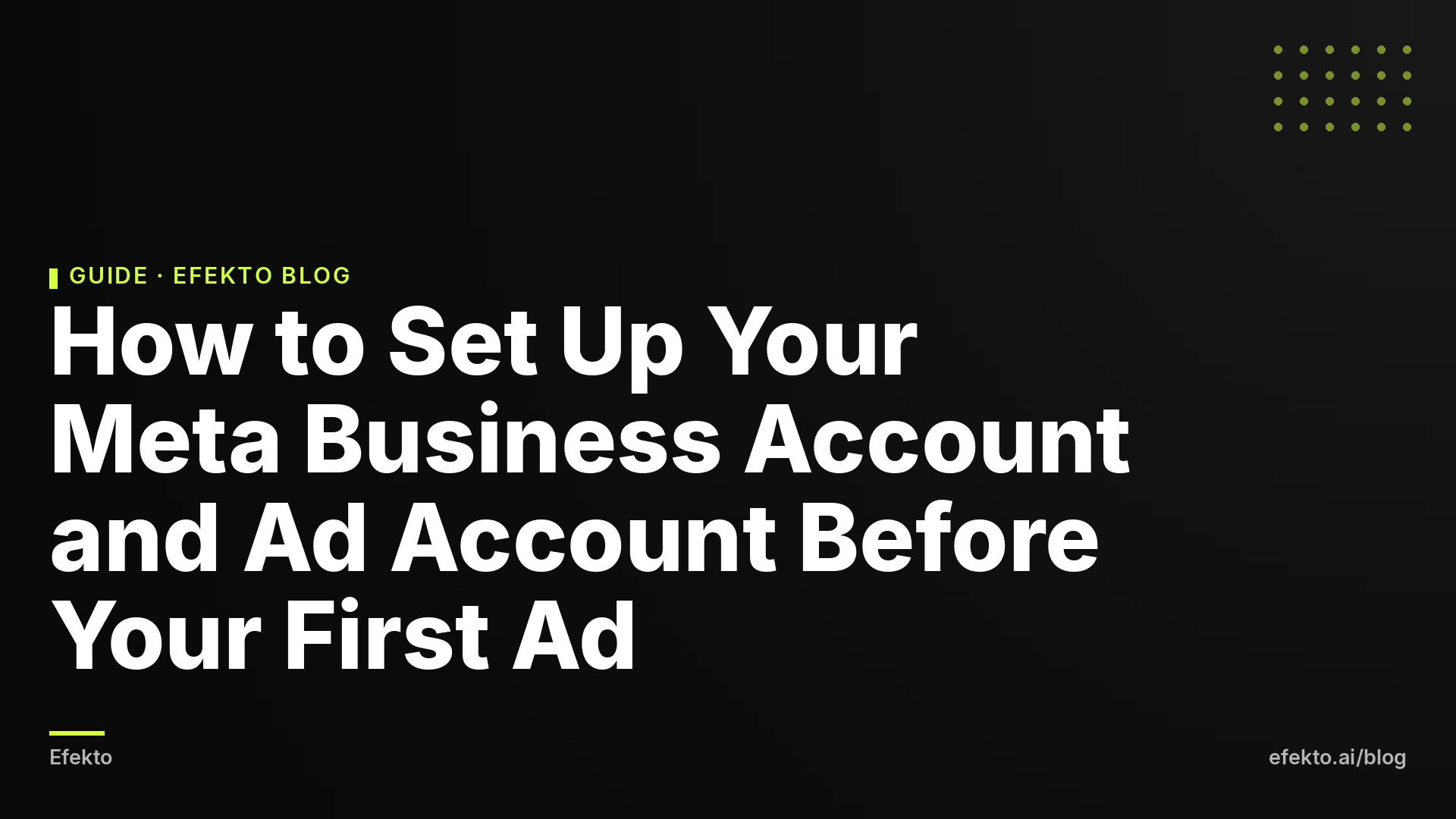
How to Set Up Your Meta Business Account and Ad Account Before Your First Ad
A 9-step checklist for before your first Facebook ad: two-factor login, Business Portfolio, Facebook Page, Instagram, ad account, payment method, spending limit and domain verification.

Before your first Facebook ad, you need seven things in place:
- two-factor login on your personal profile
- a Business Portfolio you own
- your Facebook Page inside that portfolio
- Instagram connected, or a deliberate decision not to connect it
- an ad account with the right time zone and currency
- a payment method with a spending limit
- a verified domain
Do them in the order below and stop when the readiness check in step 9 passes. Launching the campaign is a separate job.
1. Turn on two-factor login on your personal Facebook profile
Everything in Meta's business tools hangs off a personal Facebook profile. There is no separate company login. The admins of your Page and ad account are people, so whoever gets into your profile gets your Page, your ad account and the card attached to it. That is why this step comes first.
How to do it:
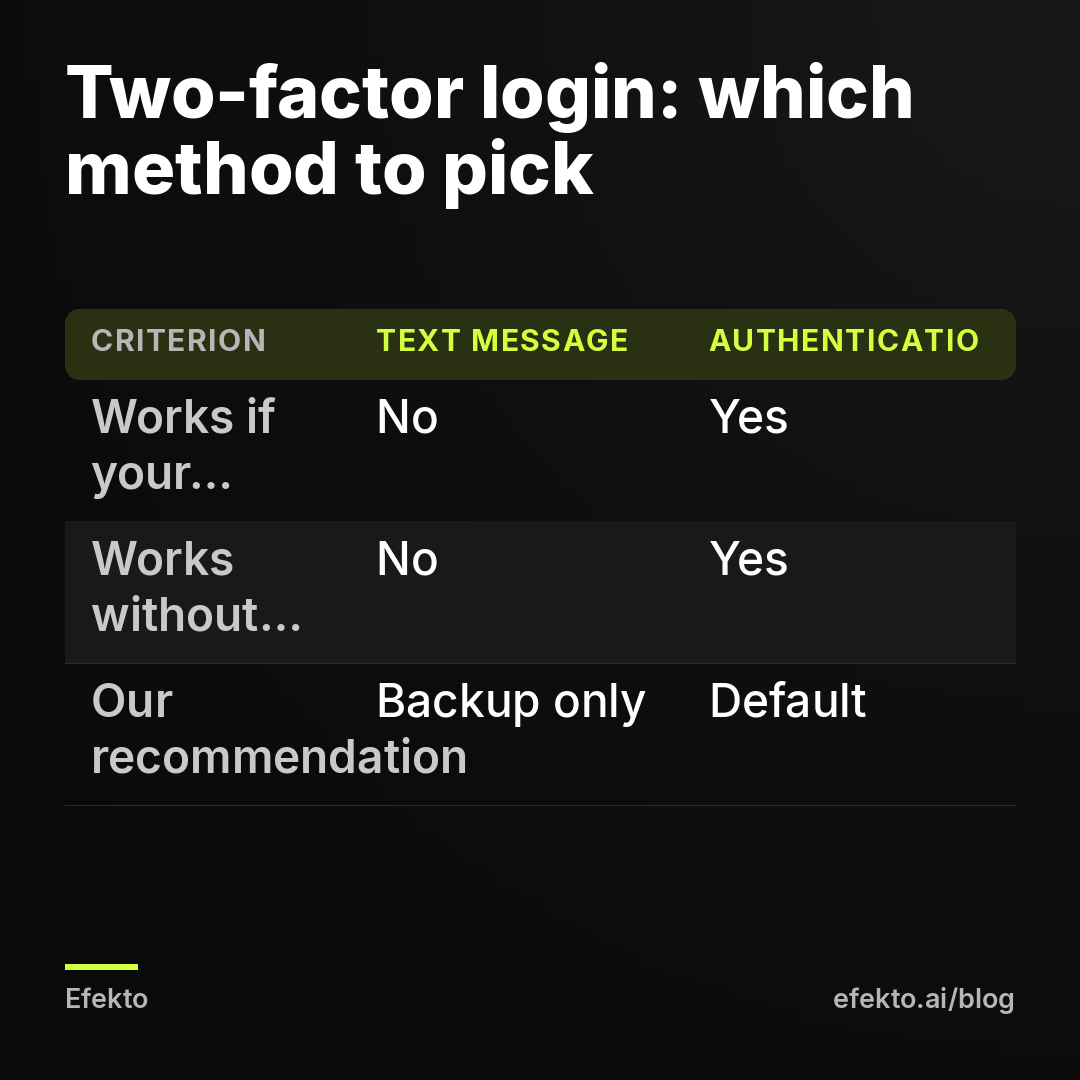
- On Facebook, open Settings & privacy > Settings > Accounts Center > Password and security > Two-factor authentication.
- Pick your profile. Choose Authentication app (Google Authenticator, Microsoft Authenticator, 1Password or similar) rather than text message.
- Save the recovery codes Meta shows you somewhere offline. A printed page in the office drawer works.
Use a real profile under your real name. Some owners create a second profile called something like "Mike's Roofing" to keep business separate. Meta's terms allow one personal profile per person. Fake profiles get disabled, and every business asset they administer goes with them.
When it makes sense: always. When it does not: there is no case where skipping is fine. What you should avoid is running the business from a profile that belongs to an employee who might leave.
2. Create a Business Portfolio (what used to be called Business Manager)
A Business Portfolio is the container that owns your Page, Instagram account, ad accounts, pixel and domain. Meta renamed Business Manager to Business Portfolio, so older tutorials use the old name for the same thing.
First check whether you already have one. You may, if you ever boosted a post, hired an agency or let a nephew "set up Facebook." Go to business.facebook.com while logged in and open the portfolio switcher in the top left. If a portfolio with your business name is listed, use it. Don't create a duplicate.
If none exists:
- Go to business.facebook.com and choose Create a business portfolio.
- Business name: the name customers know you by, spelled the way it appears on your trucks and invoices.
- Your name and a business email you will keep for years. Use an address on your own domain or the owner's email, not an office manager's inbox.
You do not need Meta's business verification to run a first ad. Meta asks for it for some features, so don't start it until Meta asks. When it does, have your legal business name, address and phone ready exactly as they appear on an official document. Mismatches are what slow verification down.
When it makes sense: any business that plans to run ads more than once or will ever let someone else help. When it does not: if you only ever want to boost one post from the Page, you can technically skip it. We would still create it, because fixing ownership later is harder than setting it up now.
3. Add your Facebook Page and fill in what people check before calling
Your ads run under your Page's name and picture. People who are about to call often tap through to the Page first. The Page has to belong to your portfolio, not to a person or a previous agency.
In the portfolio, go to Business settings > Accounts > Pages > Add:
- Add a Page if you are already an admin with full control.
- Request access to a Page if someone else's portfolio owns it.
- Create a new Page if you have none.
If a former agency or employee holds the Page, ask them to remove it from their portfolio or give you full control before you do anything else. Getting a Page back through Meta support without their cooperation is slow.
Then fill in the basics:
- category (for example "Roofing Contractor" or "Car Detailing Service")
- phone number
- service area or address
- hours
- website
- your logo as the profile photo
- a cover photo showing real work
The phone number, service area and hours matter more than design. A beautiful Page with no phone number loses to a plain one with every field filled.
From our accounts: Image generators misspell text on images. One of ours said "Sprawedź" instead of "Sprawdź" (Polish for "check"), so we check every image with text before it goes live. If you make a cover photo or profile graphic with an AI tool, read every word on it letter by letter. A misspelled cover sits on your Page for months, and a careful customer notices it first.
When it makes sense: filling in the fields that help someone decide to call. When it does not: don't spend a week designing the Page. Most people meet you through the ad in their feed, not by browsing your Page.
4. Connect Instagram, or decide not to
Connecting Instagram lets your ads show your Instagram handle. It also puts Instagram comments and messages in the same inbox as Facebook.
- In the Instagram app, switch to a professional account: Settings > Account type and tools > Switch to professional account, then choose Business.
- In the portfolio, go to Business settings > Accounts > Instagram accounts > Add and log in to Instagram when asked. You can also link it from your Facebook Page settings under linked accounts.
When it makes sense: you already post on Instagram, even occasionally, and someone will answer comments there. When it does not: if you have no Instagram account, don't create one just for ads. Meta can still show your ads on Instagram using your Facebook Page name and picture. An Instagram profile with three posts from years ago, linked to every ad, looks worse than having none.
5. Create the ad account inside your portfolio, with the right time zone and currency
The ad account holds the money, the campaigns and all your results history. In the portfolio, go to Business settings > Accounts > Ad accounts > Add > Create a new ad account.
Settings to get right:
| Setting | What to choose | Why |
|---|---|---|
| Name | "Business name - Main" | Easy to recognize when partners are added |
| Time zone | The time zone your business operates in | Daily budgets reset and reports split days by this time zone |
| Currency | USD | Your bills and reports use it |
| Who it's for | My business | Ties the account to your portfolio |
| People | Yourself, with full control | So you can add payment and partners |
Meta treats time zone and currency as fixed settings, so check both before you click Create. Take a Chicago HVAC company with an ad account set to Pacific time. Its daily budget resets at 2 a.m. local time, and its reports split days in the wrong place.
Our position, plainly: create the ad account in your own portfolio, never in an agency's or freelancer's. If someone says "we'll run it from our account," they keep everything when you leave: the results history, the pixel data tied to it and everything the account has learned. You start from zero. That is renting your own data back.
We run an agency and an ad app, and we earn money from ads on Meta. We know this advice cuts against any vendor that wants clients locked in. Who owns the ad account should never be the reason you stay with a vendor.
When it makes sense: every business that pays for its own ads. When it does not: you may deliberately choose a service that runs ads on its own account, where you top up a budget. Then you don't need your own ad account yet. Just know you give up the history, and decide on purpose.
6. Add a payment method and a spending limit you can live with
Without a payment method, Meta won't deliver your ads. Go to Billing & payments in your portfolio (or Payment settings for the ad account) and add a credit card, debit card or PayPal.
Use a business card with room on it. When a charge is declined, Meta pauses delivery until the balance is paid. A pause right when a campaign starts working costs you leads and days of learning.
Meta bills you when your spend reaches your billing threshold or on your monthly billing date, whichever comes first. Small charges in the first weeks are normal.
Then set an account spending limit. It caps total spend across all campaigns in the account and protects you from one typo in a budget field.
For example, say you plan to spend $20 a day. Over 30 days that is $600, so set the account spending limit at $700. If someone types $200 a day instead of $20, the account stops at $700. Without the limit, it could spend several thousand dollars before anyone looks.
The limit counts total spend until you reset it. Put a reminder in your calendar to reset it at the start of each month.
From our accounts: A working ad set is more fragile than it looks. One of ours had 46 leads at about $10 each when it got 6 new ads. Within days they spent about $77 without a lead, the set's 7-day cost per lead jumped to about $27.60, and the set with the winning ad got paused. Nothing was broken in the account. The set was disturbed while it was working. A declined card or a spending limit hit mid-month is another kind of interruption, and you can prevent it today. Set up billing so that nothing outside the ads themselves stops a campaign that has started to work.
When it makes sense: always, for the first months. When it does not: don't set the limit exactly at your planned budget. If you plan $600 and set $600, ads stop a day or two early every month. The campaign then restarts its learning each time.
7. Verify your domain
Domain verification proves to Meta that you own your website. It ties the links in your ads to your business, and Meta uses it when you configure website events for the pixel. If you plan to send ads to your site, read what the Meta Pixel does for a small service business after this step.
- Go to Business settings > Brand safety > Domains > Add. Type your domain without https or www (for example yourroofing.com).
- Pick one method:
- Meta-tag: paste a line of code into your homepage header. On Wix, Squarespace or WordPress, you'll find this in the SEO or header code settings.
- HTML file: upload a file to your site's root folder. Fine if you have hosting access.
- DNS TXT record: add a record at your domain registrar (GoDaddy, Namecheap and so on). This is the cleanest option if your site builder fights you.
- Click Verify. DNS changes can take a while to show up. If verification fails right away, try again later before changing anything.
When it makes sense: you have a website and will link to it from ads. When it does not: you have no website and will use only instant lead forms. Skip it for now and come back when you have a site.
8. Add a second admin and give partners access the right way
With only one admin, losing your phone can lock you out of the whole portfolio. Meta support for locked-out accounts is slow. If you ever hit a restriction, you will want a second person who can log in and check. Our guide on what to do when an ad is rejected or the account is restricted covers appeals.
- Go to Business settings > Users > People > Invite people. Give a co-owner, spouse or long-term manager full control.
- Go to Business settings > Security Center > Two-factor authentication and choose Required for everyone. Now nobody without two-factor login can touch your assets.
- For an agency, freelancer or tool, go to Business settings > Users > Partners > Add > Give a partner access to your assets. Enter their business portfolio ID. Give them only the ad account and Page permissions they need, and never share your password. When the work ends, remove the partner on the same screen.
If you plan to use Efekto, there are two ways to connect: your own Facebook ad account (set up as above), or an Efekto ad account where you top up the budget in advance. Efekto creates ads from your website, publishes them, and optimizes them every day: it turns off the ones that don't bring results and scales the ones that do. You approve the first batch, at least 5 ads, before anything starts. The minimum daily ad budget is $15. The details are on how Efekto works.
If you have done steps 1-7, we recommend your own ad account, because the history stays with you. The Efekto ad account makes sense if your own account is stuck in someone else's portfolio and you don't want to wait to get it back.
9. Run the readiness check, then stop
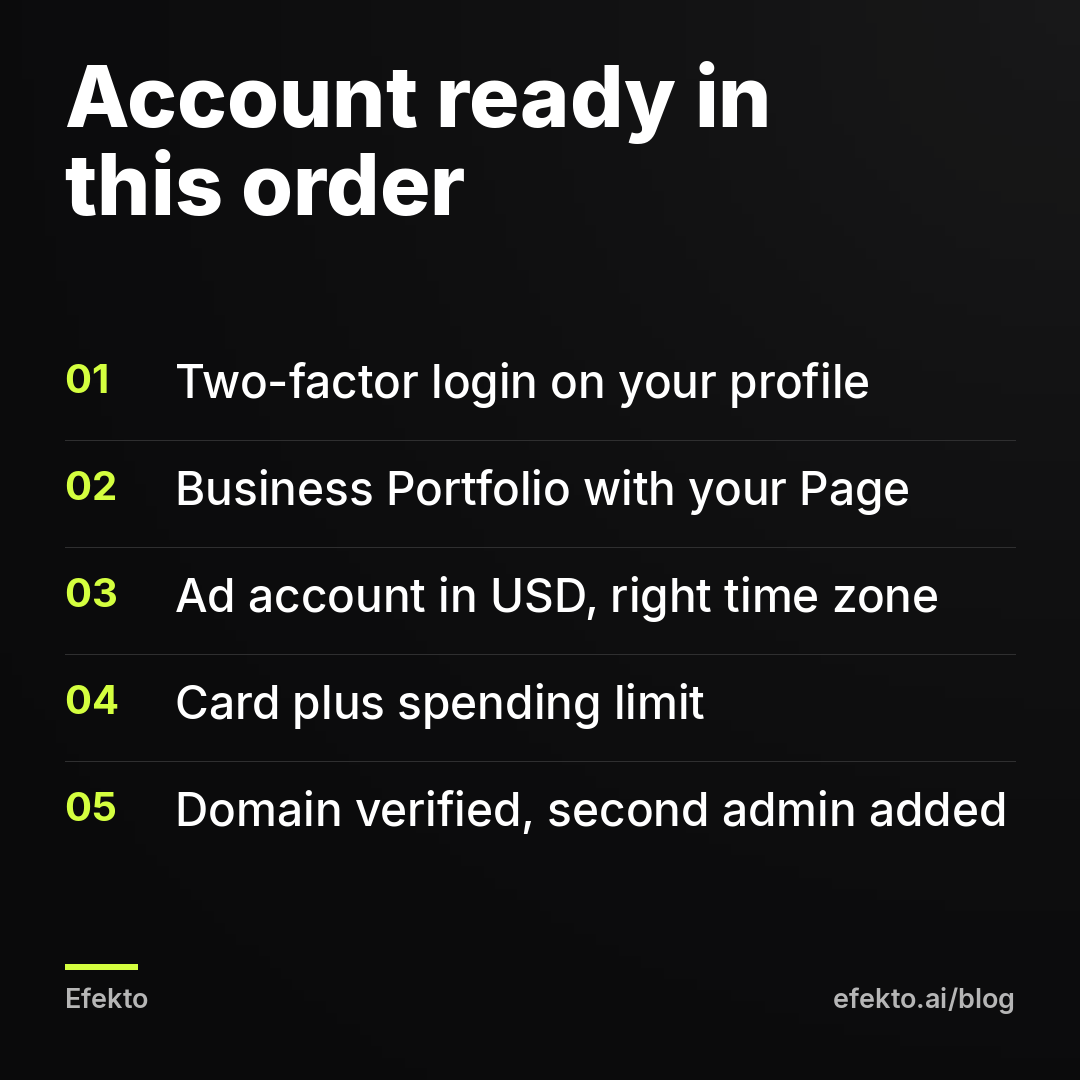
The account is ready when every line below is true. Open Business settings and go through the list once:
- Accounts > Pages: your Page is listed and owned by your portfolio.
- Accounts > Instagram accounts: connected, or you decided to skip it.
- Accounts > Ad accounts: the status is active, the time zone and currency are correct, and you have full control.
- Billing & payments: a payment method is listed and the spending limit is set.
- Brand safety > Domains: your domain shows as verified (if you have a site).
- Users > People: at least two admins.
- Security Center: two-factor authentication required for everyone.
That is the finish line for this job. Choosing an objective, audience and budget comes next, covered in Facebook Ads Manager for beginners.
Setup checklist at a glance
| Step | Where in Meta | Done when | Skip if |
|---|---|---|---|
| Two-factor login | Accounts Center > Password and security | Authentication app on, recovery codes saved | Never |
| Business Portfolio | business.facebook.com | Portfolio exists under your real profile | You'll never run more than one boost |
| Facebook Page | Business settings > Accounts > Pages | Page owned by your portfolio, phone and area filled in | Never |
| Business settings > Accounts > Instagram accounts | Professional account connected | You have no active Instagram | |
| Ad account | Business settings > Accounts > Ad accounts | Active, USD, local time zone | You use a service's ad account on purpose |
| Payment and limit | Billing & payments | Card listed, limit above monthly plan | Never |
| Domain | Brand safety > Domains | Verified | No website, forms only |
| Second admin and partners | Users > People / Partners | Two admins, partners with limited access | Never |
Common mistakes and how to fix them
Creating a second portfolio because you can't find the first. Duplicates split your Page and ad account across two places. Check the portfolio switcher at business.facebook.com before creating anything. If a duplicate already exists, move your assets into one portfolio and stop using the other.
Letting the agency own the ad account. Fix this before you spend the first dollar. Ask the agency not to create an account, and add them as a partner to the one you own.
Wrong time zone. People accept the default without reading it. Check it on the creation screen, not after.
A personal card that hits its limit. A declined charge pauses delivery. Use a business card with headroom over your monthly plan.
One admin with SMS two-factor. If you change your number or lose the phone, nobody can get in. Fix it with two admins, an authentication app and recovery codes on paper.
Sharing a password with a freelancer. Meta flags logins from new devices and locations. Use partner access instead, every time.
FAQ
Can I run Facebook ads without a Business Portfolio?
Yes. You can boost posts or run ads straight from a Page tied to your personal profile. The problems show up later: you can't cleanly give someone else access, and your business doesn't own the ad account. For anything beyond a one-off boost, set up the portfolio first.
Does setting up a Meta business account cost anything?
No. The portfolio, Page, ad account and domain verification are free. You pay only for ad spend, billed to the payment method you add in step 6.
My agency created the ad account in their portfolio. Can I get it back?
Ask them directly to transfer ownership or give you full control. If they won't, set up your own ad account in your own portfolio and add them as a partner from now on. The old history stays with them. Make account ownership part of any future contract.
Why was my brand-new ad account restricted before I ran anything?
Meta's systems flag new accounts when something looks unusual, such as a fresh profile, mismatched business details or a failed payment method. Check that your profile is real and secured and that your business details match, then request a review through Meta's Account Quality page. Don't open other accounts to get around the restriction. Meta treats that as circumvention and bans accounts for it.
If you'd rather have your ads created, published and optimized for you once the account is ready, you can start at efekto.ai.
- Jakub Zwoliński
Founder, Lemon Agency · Efekto · October 26, 2026